
5 YouTube Algorithm Changes for 2026
45sOpens with a high-stakes promise of five changes that can make or break growth, creating urgency and curiosity.
▶ Play Clip"Title accurately reflects content: the video explains algorithm changes and growth hacks, though the '100K+ subscribers' claim is anecdotal."
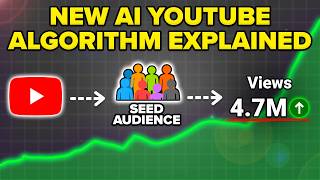
The video outlines five key changes to the YouTube algorithm for 2026, emphasizing that adapting to these changes is crucial for growth, especially for small channels. The creator claims to have helped multiple channels gain over 100,000 subscribers by implementing these strategies.
Change all instances of '2025' in titles, descriptions, tags, and thumbnails to '2026' to maintain relevancy. Use YouTube Studio search to find and update old videos.
Check analytics to see if subscribers have higher average view duration than non-subscribers. If not, disable the 'Publish to Subscriptions feed' option to avoid hurting reach.
YouTube is now 100% interest-based. Use tools like Metricle to identify trending topics and formats in your niche, and create content that matches proven audience interests.
Custom thumbnails are essential for Shorts appearing in browse and search. Upload Shorts from a mobile device to add custom thumbnails, then use a computer to optimize other settings.
YouTube favors Shorts, which appear in more places (Shorts feed, search, homepage, suggested). Creators like MrBeast get 80% of views from Shorts. Increase Shorts upload frequency.
Adapting to the 2026 YouTube algorithm requires updating old content, optimizing subscriber targeting, focusing on trending topics, using custom thumbnails for Shorts, and prioritizing Shorts over long-form content. These changes are essential for maximizing reach and growth.
What is the first change to make for the 2026 YouTube algorithm?
Update all old content that says '2025' to '2026' in titles, descriptions, tags, and thumbnails.
0:31
How do you check if your subscribers are hurting your reach?
Go to YouTube Analytics, click advanced mode, and filter by subscription status to compare average view duration of subscribers vs non-subscribers.
2:43
What should you do if non-subscribers have higher average view duration than subscribers?
Disable the 'Publish to Subscriptions feed' option in the video settings.
3:27
Why is it important to create only trending content in 2026?
Because YouTube is now 100% interest-based; videos on topics the audience isn't engaging with won't get reach.
4:34
What tool does the creator recommend for finding trending topics?
Metricle.
5:03
How do you add a custom thumbnail to a YouTube Short?
Upload the Short from a mobile device, then tap the pencil icon to select a frame and add text.
8:09
Why are custom thumbnails important for Shorts?
Because most Shorts views now come from browse and search, not just the Shorts feed.
7:49
What percentage of MrBeast's views come from Shorts?
About 80% (2.2 billion Shorts views vs 600 million long-form).
10:52
How many places can Shorts appear compared to long-form content?
Shorts can appear in four places: suggested, Shorts feed, search, and homepage. Long-form appears in two: browse and search.
10:10
What new monetization opportunity is coming to YouTube Shorts in 2026?
Shopping features: partnering with brands to put links and tag products in Shorts.
11:57
Update Old Content to 2026
A simple but effective tactic to boost relevancy and re-enter the algorithm.
0:31Subscriber Publishing Toggle
Reveals a nuanced setting that can significantly impact reach if subscribers are not engaged.
2:16100% Interest-Based Algorithm
Highlights a fundamental shift in YouTube's recommendation system.
4:34Custom Thumbnails for Shorts
Emphasizes a often-overlooked optimization for Shorts in browse and search.
7:45Shorts Dominate Views
Data from top creators shows Shorts generate 75-80% of views, proving their importance.
9:42[00:00] YouTube just released a brand new 2026
[00:02] algorithm and you need to make sure that
[00:03] you're adapting to the five changes I'm
[00:05] going to share with you in this video.
[00:06] Because if you make these five changes,
[00:07] it's easier than ever before for you to
[00:09] grow on YouTube right now, especially if
[00:10] you're a small channel. In fact, I just
[00:12] helped this creator, this creator, and
[00:14] this creator gain over 100,000
[00:15] subscribers in a really short period of
[00:17] time simply by adapting to these five
[00:20] things. But I do want to warn you, if
[00:21] you ignore these changes and don't
[00:23] actually make them with your content,
[00:25] you're going to get less views than ever
[00:26] before in 2026. So, please don't skip
[00:28] any of these. Change number one is you
[00:31] need to make sure that you're going
[00:32] through all of your old content today
[00:34] and changing anything that says 2025. If
[00:36] it says it in the tags, you need to
[00:38] change it. If it says it in the
[00:39] description, you need to change it. And
[00:40] if it says it in the title or the
[00:42] thumbnail, you also need to make sure
[00:44] that you change it. And here's a super
[00:45] easy way for you to be able to do this.
[00:47] Now, here's the easiest way to actually
[00:49] do this. What you're going to want to do
[00:50] is you're going to want to come over
[00:51] into your content into YouTube Studio.
[00:53] You want to come over here and type in
[00:55] 2025. What this is then going to do is
[00:58] this is going to pull up all of your
[00:59] content that has 2025 inside of the
[01:02] title. And as we can see here, I have
[01:04] 152 videos that I have to go through.
[01:06] So, what I now need to go through, and
[01:08] I'm going to have my team do this also,
[01:09] is this will show me everything that has
[01:12] a thumbnail with 2025 or a title with
[01:14] 2025. And now we could come into each of
[01:16] these and we can update these so that we
[01:19] actually have the correct year. Because
[01:21] here's the deal. If somebody does a
[01:23] search for how to skyrocket your views
[01:25] on Tik Tok fast, what's going to happen
[01:27] is somebody else is going to make a
[01:28] video about 2026 and then they are going
[01:30] to get served that content because
[01:32] YouTube cares about relevancy. And as we
[01:35] go in 2026 or we're in 2026 now that
[01:37] you're watching this, guess what? That
[01:39] relevancy is going to be the difference
[01:40] between your video getting clicked on
[01:42] versus your video not getting clicked
[01:44] on. So you want to make sure that you're
[01:45] going through you're changing 2026 here.
[01:47] You can also do control find. You could
[01:49] find that I have 2025 here. Also, we're
[01:52] going to grab this. We're going to
[01:53] change these things. We're going to
[01:54] click on save. And then this is going to
[01:56] get this video kicked back into the
[01:58] algorithm. If we look at the analytics
[02:00] on this right now, what we'll see is
[02:02] that this video took off and then
[02:04] started to die off. But as we change
[02:06] that and go through and change those
[02:08] titles, those thumbnails, the
[02:09] description, the tags, these videos are
[02:11] then going to get kicked back into the
[02:13] algorithm and get way more views. Change
[02:16] number two is you need to make sure that
[02:17] you're not publishing your content to
[02:19] your subscribers in 2026 if they're
[02:22] destroying your reach. And there's a
[02:23] very easy way for you to be able to
[02:24] figure this out. You just have to go in
[02:26] your analytics and see whether or not
[02:27] your subscribers are engaging with your
[02:29] content as much as people aren't
[02:31] subscribed to you are. Because if your
[02:33] content is mainly getting engagement
[02:35] from people that aren't subscribed to
[02:36] you, then what happens is when YouTube
[02:38] shows your content to your subscribers,
[02:40] this could actually be lowering your
[02:42] reach. Now, here's how you get to
[02:43] determine whether or not you need to do
[02:45] that. What you want to do is you want to
[02:46] come into your analytics and then you're
[02:48] going to click on advanced mode right
[02:49] here and you going to come over here to
[02:51] breakdown. What we want to do is scroll
[02:53] down a little bit and you are going to
[02:54] see subscription status. Now, what this
[02:57] is going to do is show you who's
[02:59] actually watching your content. So, as
[03:00] we can see right here, average view
[03:02] duration with people that aren't
[03:03] subscribed to me is 139. For my
[03:06] subscribers, it's 338. So, I'm actually
[03:08] getting way more average view duration
[03:10] from my subscribers. Now, that's exactly
[03:12] why I leave my subscribers turned on
[03:14] here. And if we scroll down, I'll show
[03:16] you where this setting actually is. So,
[03:18] it's going to be right here next to
[03:19] embedding. I keep this turned on, but if
[03:22] you're getting more average view
[03:23] duration from people that are not
[03:25] subscribed to you, then you want to make
[03:27] sure that this turns this off. But
[03:28] again, this is going to be on a channel
[03:30] by channel basis. And it might be
[03:31] different between different topics or
[03:34] even between different types of content.
[03:36] So, if we come over here and we look at
[03:38] this again back here, we're going to
[03:40] come up to advanced mode, see the
[03:42] status, and see that not subscribe
[03:44] doesn't watch my content anywhere near
[03:45] as long. Now, this is a Tik Tok video.
[03:47] If we look at this 139 versus 338, this
[03:50] might be completely different for a
[03:51] video on a different topic. Now, if we
[03:52] look at that for something about
[03:54] Instagram, it is completely different.
[03:56] We could see that not subscribed on
[03:57] Instagram 3 minutes and 34 seconds, but
[03:59] subscribed 5 minutes. So, depending on
[04:01] the topic, this is going to drastically
[04:03] change this. So, if you upload about
[04:05] multiple topics on your YouTube channel,
[04:07] you want to make sure that you're
[04:08] checking this out for all the different
[04:09] topics that you could be uploading on.
[04:11] And if we come over to shorts, we're
[04:13] going to see the same exact thing. So,
[04:14] again, come into details right here.
[04:17] Come into analytics. Then under advanced
[04:19] mode, we could come over here. We could
[04:21] type in sub. We're going to see
[04:22] subscription status. And we'll see how
[04:24] this affects things. So, when we look at
[04:26] my shorts, it actually doesn't affect it
[04:28] at all. in which case I want my content
[04:31] to get shown to more nonsubscribers.
[04:34] Change number three is you need to make
[04:35] sure that you adapt the type of content
[04:37] that you're creating to only be trending
[04:39] content because YouTube is now a 100%
[04:42] interestbased algorithm. What does this
[04:44] mean? That one, videos that are on a
[04:46] topic that your audience isn't engaging
[04:47] with just won't get any reach. Two, if
[04:50] your length is wrong on your content,
[04:51] you're not going to get any reach. And
[04:53] three, if you are just overall doing
[04:55] something that there isn't a proven
[04:57] audience for on YouTube, this is why
[04:59] you're not getting the views that you
[05:00] want. But don't worry, because there's
[05:02] an easy way to fix this. In fact,
[05:03] today's video sponsor, Metricle, makes
[05:05] this incredibly easy to do, and it's my
[05:07] hack to doing this in less than 30
[05:09] seconds every single day. Now, here's
[05:11] exactly how I do this using Metricle.
[05:13] And as we can see, this has really
[05:14] helped my growth on YouTube. You're
[05:16] going to log into Metricle. You're going
[05:17] to click on YouTube. And then we can
[05:19] scroll all the way down. And this right
[05:21] here is where you can add in all of your
[05:23] different competitors. And then you'll
[05:25] be able to click on view video list
[05:27] right here. And this will literally show
[05:28] you exactly what is trending in your
[05:30] niche. For example, this video right
[05:31] here published 2 days ago got 20,000
[05:33] views. That's way more views than
[05:35] everything else that's been published in
[05:36] my niche. So now I could see what this
[05:39] is and then I could click on it and this
[05:41] will tell me the format that is doing
[05:43] really well and what type of content aka
[05:46] the topic that's doing really well. And
[05:48] if we come through here, we'll be able
[05:49] to find even more of them. So this video
[05:52] right here, this video right here, this
[05:54] video right here, and this video right
[05:55] here are clearly doing the best. So if I
[05:57] needed video topics for this upcoming
[05:59] week, those are the ones that I would
[06:00] choose. In addition to that, I'd pay
[06:02] attention to these formats. Now, if you
[06:04] want to find out exactly what your
[06:06] audience is engaging with, I would
[06:07] strongly suggest you go to the pin
[06:08] comment below and get 30 days free
[06:10] access to Metricle today with any of
[06:12] their premium plans with Code Robert.
[06:14] Because in addition to that, Metricool
[06:16] also makes it incredibly easy for you to
[06:17] be able to push out your content on
[06:19] other platforms like Instagram,
[06:20] Facebook, Tik Tok, and others in order
[06:22] to get more reach on YouTube. Because
[06:24] another thing you need to make sure that
[06:25] you're doing is increasing the amount of
[06:27] traffic that you're bringing to YouTube
[06:29] from other platforms. Here's how they
[06:31] make it easy. Now, here's how Metro
[06:34] makes that incredibly easy. What you're
[06:35] going to want to do is you're going to
[06:36] want to come over here and click on
[06:38] planning. From here, you're going to
[06:40] click on create post. And this allows
[06:42] you to upload to all these different
[06:43] platforms at once. You could post on
[06:45] Facebook, post on Instagram, you could
[06:47] post on Tik Tok. And you can see the
[06:49] other platforms that show up here. And
[06:50] this allows you to schedule out posts on
[06:52] all those platforms from one place. In
[06:55] addition to that, they also have this AI
[06:57] description generator right here, which
[06:59] allows you to generate descriptions that
[07:01] are optimized for each social media
[07:03] platform right here. In addition to
[07:05] that, they also have this hashtag tool
[07:07] that lets you find the best hashtags for
[07:09] Instagram and Tik Tok. So, you'll be
[07:10] able to put out content across multiple
[07:12] platforms, all driving back to your
[07:14] YouTube channel to help you grow
[07:15] quicker. And the YouTube algorithm loves
[07:17] this right now. Oh, and one other bonus
[07:19] thing that I absolutely love about
[07:21] Metrical is if we click on inbox right
[07:23] here, what this is going to allow us to
[07:24] do is this is going to allow us to see
[07:26] our inbox across all these different
[07:28] platforms, all from one place instead of
[07:31] having to log into all these different
[07:32] platforms to manage your DMs, your
[07:35] inbox, and your comments. So, what are
[07:37] you waiting for? Hit that pin comment
[07:38] below in order to get 30 days free
[07:40] access to any of their premium plans
[07:42] with code Robert. Change number four is
[07:45] you need to make sure that you're adding
[07:46] a custom thumbnail to every single
[07:47] YouTube short that you upload. This is
[07:49] more important than ever before because
[07:50] now the majority of YouTube Shorts views
[07:53] aren't just coming from the Shorts feed.
[07:54] In fact, they're coming from browse
[07:56] features and they're coming from search.
[07:58] So unless you have a custom thumbnail
[07:59] on, guess what? You're not going to get
[08:01] the views that you want. And the only
[08:02] way that you could do this is by
[08:04] uploading your content from a mobile
[08:06] device. Let me explain. Okay, so here's
[08:09] how you actually do this. We're going to
[08:10] come over to YouTube right here. And
[08:11] this is how you should be uploading all
[08:12] of your shorts content. You want to
[08:14] click on this little plus right here.
[08:15] Then from here, you're going to click on
[08:17] add. And you're going to grab the video
[08:19] that you were going to upload. For
[08:20] example, let's say we were going to
[08:21] upload this video right here. We are now
[08:23] going to click on next. We're going to
[08:25] click on done. Now, this is going to
[08:26] take a second right here to process. But
[08:28] once this is done processing, we're
[08:30] going to have the ability to choose that
[08:32] custom thumbnail. And again, you need to
[08:34] make sure that you're adding in this
[08:35] custom thumbnail because this is going
[08:37] to make the difference between your
[08:38] video getting clicked on and your video
[08:40] showing in all these different places
[08:42] versus it not. So, we come over here.
[08:44] We're going to click on next. Then,
[08:46] you'll see this little pencil icon. And
[08:48] again, you can only do this from a
[08:50] mobile device. Now, what this is going
[08:51] to allow you to do is grab whatever part
[08:53] of the video you want to make sure that
[08:55] you're going to do. For example, we're
[08:56] going to do this right here. We can now
[08:58] add text here. And we could say
[09:00] something like never use more than three
[09:03] hashtags. And then we could change the
[09:06] size of this right here if we wanted to.
[09:07] But this looks perfect right here. We
[09:09] can move it up. And then boom, we just
[09:11] click on this check. And now we have a
[09:13] custom thumbnail here. And this is going
[09:14] to help you rank for search. This is
[09:16] going to help you get views from browse
[09:18] features. And you need to make sure that
[09:19] when you add in a custom thumbnail, what
[09:21] you do next is come over here, schedule
[09:23] out this video. And then you want to
[09:25] come back to your computer in order to
[09:27] set up the rest of the settings in order
[09:29] to maximize your reach because you won't
[09:31] get all those settings from your
[09:33] computer. But you won't be able to add a
[09:34] custom thumbnail from your computer. So
[09:36] you have to use both your phone and your
[09:38] computer to upload YouTube shorts to
[09:40] maximize your views. And then change
[09:42] number five is you need to make sure
[09:44] that you start taking more time in
[09:46] between you going live or you uploading
[09:48] long form content because gone are the
[09:50] days where you could just flood YouTube
[09:52] with a bunch of long- form content. Now
[09:54] YouTube wants you to flood their
[09:55] algorithm with short form content. And
[09:58] I'm not saying that you should be
[09:58] uploading 10 to 20 times a day, but if
[10:00] you want to upload every day two or
[10:02] three times a day, you should be doing
[10:04] this with shorts content because shorts
[10:06] can get shown in way more places than
[10:08] long form content. I mean, think about
[10:10] it. Your long- form content on YouTube
[10:12] only shows in two places. It shows on
[10:14] the browse features, aka the home tab,
[10:17] and two, in the search results. It also
[10:19] shows on the suggested feed, but there's
[10:22] really not that much real estate there.
[10:23] But when it comes to shorts, they could
[10:25] show up on suggested, they could show up
[10:27] on the shorts feed, they could show up
[10:29] on search, and they can also show up on
[10:31] the homepage. So guess what? YouTube
[10:33] shorts just have way more areas to show
[10:35] up. Which is why the creators that are
[10:37] growing the fastest right now in 2026,
[10:39] like Mr. Beast, like Hormosi, like Gary
[10:42] Vee, they're all uploading more YouTube
[10:44] shorts. In fact, they're getting more
[10:46] views from their YouTube shorts than any
[10:48] other type of content. Let me prove this
[10:50] to you. So, here's the proof of this. If
[10:52] we look at Mr. Be's channel right here
[10:54] and we scroll down, we could see he's
[10:56] gotten 600 million long form views. But
[10:58] if we compare that to shorts, 2.2
[11:00] billion. So he's getting about 80% of
[11:03] his reach from YouTube shorts. And it's
[11:06] no different if we look at somebody like
[11:07] Alex Heroszi. If we scroll down here,
[11:09] 4.5 million views from long form. But if
[11:12] we look at shorts, 15 million. So he's
[11:14] getting three times the number of views
[11:16] again around 75 to 80%. And it's no
[11:19] different if we look at somebody like
[11:21] Gary Vee. If we come down here, 500,000
[11:23] views from long form, 1.8 million almost
[11:26] four times from shorts. So, please do
[11:28] not make the mistake in 2026 of ignoring
[11:31] YouTube shorts because I cannot
[11:33] emphasize it enough. YouTube is pushing
[11:35] YouTube shorts more than any other type
[11:37] of content on the platform. And I
[11:39] literally just proved it to you by
[11:40] showing you Alex Herozy's views, Gary
[11:42] Views views, Mr. Beast views. So, it
[11:45] doesn't matter if you're uploading
[11:46] educational content, or if you're
[11:48] uploading entertainment content. I'm
[11:50] telling you, doubling down on shorts
[11:51] this year is going to be the most
[11:53] powerful thing that you could possibly
[11:54] do. And YouTube is also bringing
[11:57] shopping back to YouTube Shorts. So,
[11:59] you're going to be able to partner up
[12:00] with brands in order to put a link
[12:02] inside of YouTube Shorts. You can tag
[12:04] products inside of YouTube Shorts. And
[12:06] this is going to be a massive
[12:07] opportunity not only for you to get more
[12:09] subscribers, get more viewers, but also
[12:12] for you to be able to monetize YouTube
[12:13] Shorts because YouTube is doubling down
[12:15] on this as we head into 2026. Now, if
[12:19] you want help growing faster on YouTube
[12:21] one-on-one, the same exact way that I
[12:22] helped this creator, this creator, and
[12:24] this creator, I would strongly suggest
[12:25] you check out this video right here that
[12:27] walks you through three different ways
[12:28] that we can begin to work together
[12:30] one-on-one in order to help you grow
[12:31] faster on YouTube. Because it doesn't
[12:33] have to be hard to for you to get the
[12:34] views, the subscribers, or the
[12:36] monetization that you want to on
[12:37] YouTube, especially when you work with
[12:39] somebody that already knows everything
[12:41] that you need to do. If that sounds
[12:42] interesting, I'll see you over
⚡ Saved you 0h 12m reading this? Transcribe any YouTube video for free — no signup needed.