
Custom Thumbnails Now CRUCIAL for Shorts
50sReveals a surprising shift in YouTube Shorts algorithm, making custom thumbnails more important than the first 3 seconds.
▶ Play Clip"The title accurately reflects the content, as the video explains five specific changes to the YouTube Shorts algorithm for March 2026 and how to get subscribers faster."
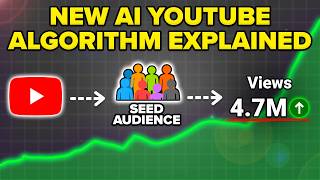
YouTube has updated its Shorts algorithm for March 2026, shifting focus from the first 3 seconds to custom thumbnails and titles, as over 70% of traffic now comes from search and browse features. The video outlines five key changes creators must make to grow faster, including optimizing thumbnails, posting frequency, driving external traffic, tracking new metrics, and channel settings. It emphasizes that these changes can make growth easier if implemented correctly.
Over 70% of Shorts traffic now comes from search and browse features, making the first 3 seconds less important than the title and thumbnail.
Custom thumbnails can be added from a mobile device after uploading, significantly increasing click-through rates.
Post 2-3 times a day, at least 5 days a week, to capture the 'land grab' in search results and browse features.
Drive external traffic by encouraging viewers to search for your channel or keywords, not by sharing direct links.
Use Metricool to cross-post Shorts to multiple platforms and schedule content.
Focus on 'stay to watch' rate (over 75%) and average view duration (at least 80% of video length for videos over 30 seconds).
Optimize channel settings: set country, add keywords (channel name, competitors, niche), enable automatic dubbing, and turn off third-party training.
What percentage of YouTube Shorts traffic comes from search and browse features as of March 2026?
Over 70% of YouTube Shorts traffic now comes from search results and browse features.
0:35
What is now more important than the first 3 seconds of a YouTube Short for getting clicks?
Custom thumbnails.
0:48
From which device can you add a custom thumbnail to a YouTube Short?
From a mobile device.
1:01
What posting frequency does the creator recommend for YouTube Shorts?
Two to three times a day, at least 5 days a week.
4:12
How does YouTube view direct links to videos in bios or messages?
Invalid traffic that could hurt your channel.
4:44
What tool is recommended for cross-posting Shorts to multiple platforms?
Metricool.
5:59
What is the minimum 'stay to watch' rate needed for a Short to go viral?
Over 75%.
7:43
For a Short longer than 30 seconds, what average view duration percentage is needed to go viral?
At least 80% of the video length.
9:20
What three things should your channel keywords contain?
Your channel name, a few competitors, and keywords about your content.
11:34
Should you enable or disable third-party training in your channel settings?
Turn it off.
12:25
Traffic Source Shift
Reveals that over 70% of Shorts traffic now comes from search and browse, not the Shorts feed, changing the optimization focus.
0:35Custom Thumbnail Addition
Provides a step-by-step guide on adding custom thumbnails, a new feature that significantly impacts click-through rates.
0:54Recommended Posting Frequency
States a specific posting frequency (2-3 times/day, 5 days/week) to capitalize on the 'land grab' in search results.
4:12Safe External Traffic
Explains the correct way to drive external traffic (via search) to avoid being flagged as invalid by YouTube.
4:44Key Metrics: Stay to Watch
Identifies 'stay to watch' rate over 75% as a non-negotiable metric for viral Shorts, simplifying analytics focus.
7:43[00:00] YouTube just released a brand new
[00:01] YouTube Shorts algorithm for March of
[00:03] 2026. And if you make the five changes
[00:04] that I share with you in this video,
[00:06] it's going to make it easier than ever
[00:07] before for you to go viral on YouTube
[00:09] Shorts, for you to get more subscribers
[00:10] than you could have ever imagined, and
[00:12] for you to get monetized on YouTube
[00:13] right now. But I will warn you, if you
[00:15] skip these five things, it's going to
[00:16] feel like it's harder than ever before
[00:18] to grow. But it doesn't have to be
[00:19] because once you make these changes,
[00:21] it's like turning on easy mode for
[00:22] growing on YouTube. Change number one is
[00:25] that the first 3 seconds of your video
[00:26] is no longer the most important part
[00:28] when it comes to YouTube shorts. Because
[00:30] now there's something that's even more
[00:32] important. Because if we look at where
[00:33] shorts traffic is now coming from in
[00:35] March of 2026, 70% or more of it is
[00:38] coming from search results and from
[00:40] browse features. And guess what? The
[00:42] first 3 seconds of your video doesn't
[00:44] matter as much when we're talking about
[00:46] those placements. And what matters
[00:47] actually even more is going to be your
[00:48] title and your thumbnail. So, the first
[00:51] thing that we need to talk about is how
[00:52] to actually add a custom thumbnail. So,
[00:54] let's say that we're going to come over
[00:55] here and we're going to upload a video.
[00:57] For example, I'm going to grab this
[00:58] video right here. What you're going to
[00:59] want to do, and by the way, you can only
[01:01] do this from a mobile device, is you
[01:03] want to upload your video to YouTube
[01:04] Shorts from your mobile device. So, we
[01:06] can see right here, it's going through
[01:08] and processing. And then once this is
[01:09] actually done processing, this is going
[01:11] to allow us to choose that custom
[01:12] thumbnail. We're going to click on next
[01:14] right here. We're then going to see this
[01:15] pencil icon. You could scroll around and
[01:17] find the icon that you want. For
[01:19] example, maybe I want to add this. And
[01:21] then I could add in some text right
[01:22] here. And what that is going to do is
[01:24] increase the odds that people end up
[01:26] actually clicking on your content. And
[01:28] yes, this makes a massive difference.
[01:31] Let me prove it to you. Because look, if
[01:33] we come into a lot of my viral shorts,
[01:35] for example, this one right here got
[01:37] over 2.3 million views. We could see
[01:39] that there is a custom thumbnail on here
[01:40] with me pointing and saying, "Turn on
[01:42] these settings to grow faster on
[01:44] YouTube." But that's not the only one
[01:46] that has this. If we come back out here,
[01:48] we could see that this video also has
[01:50] the same thing. If we click on analytics
[01:52] here, we could see that this video has
[01:54] gotten 1.3 million views. And again, if
[01:56] we zoom in over here, I added in an
[01:58] arrow here, and I told you that you need
[02:00] to click on this little thing. And guess
[02:02] what? And all these things right here,
[02:03] helping these videos rank for search,
[02:04] helping them get views 24/7. And this is
[02:07] one of the biggest unlocks right now for
[02:08] YouTube shorts. So, please make sure
[02:10] you're adding in these custom thumbnails
[02:12] every single time that you upload them
[02:13] because it's going to make the
[02:14] difference between your video getting
[02:16] clicked on and going viral or people
[02:18] just scrolling right by your video. Now,
[02:20] change number two is you need to make
[02:22] sure that you're not posting too much
[02:23] and you're not posting too little right
[02:25] now on YouTube shorts. And how
[02:27] frequently you should be posting is
[02:28] really going to come down to what niche
[02:30] you're in and how frequently there are
[02:33] new content ideas for your niche.
[02:34] because I know some creators that post
[02:36] 20 times a day on shorts and I know
[02:38] other creators that only post three
[02:40] times a week on shorts. So, what you
[02:41] want to make sure that you're doing is
[02:43] you want to look at your competitors and
[02:44] see how frequently they're going through
[02:46] and posting on YouTube shorts because
[02:48] ideally you're going to want to post a
[02:50] little bit more than they are because
[02:51] this is going to allow you to do three
[02:52] things. One, it's going to allow you to
[02:54] get out more piece of content that are
[02:56] able to rank for search. And it's also
[02:58] going to allow you to just publish
[02:59] content way sooner and actually be able
[03:02] to get more views because right now
[03:03] there is a massive land grab going on
[03:05] with YouTube shorts. You want your
[03:07] shorts to show up in the browse features
[03:10] aka on the homepage when your ideal
[03:12] viewer logs on YouTube. And in addition
[03:14] to that, you want to show up in the
[03:16] search results. So, what you need to
[03:17] make sure that you're doing right now is
[03:18] you need to come up with a list of 25,
[03:21] 50, 75, even 100 different words that
[03:24] your ideal audience is going to be
[03:26] searching for. Because now these are
[03:28] going to be eligible to show in three
[03:30] different placements. The first place
[03:31] that these going to be eligible to show
[03:32] is when somebody does a search on
[03:34] ChateBT or on Gemini or on Grock or on
[03:37] Claude, guess what? Your YouTube short
[03:39] could be eligible to show up. In
[03:41] addition to that, you could be eligible
[03:42] to show up in the YouTube shorts
[03:44] results. And then the final placement is
[03:46] actually when people search for things
[03:47] on Google now, they get shown short form
[03:50] videos. And if you are able to show here
[03:52] in any of these places, it's going to
[03:54] increase the odds that your video is
[03:55] going to go viral and that people are
[03:56] going to begin to find your YouTube
[03:58] channel 24/7. But again, this is really
[04:01] going to come down to how much content
[04:03] you're putting out and whether or not
[04:04] you're putting content out at the
[04:05] frequency that allows you to get those
[04:08] land grabs before your competitors do.
[04:10] Which is why I'm urging you right now to
[04:12] please try to post two to three times a
[04:14] day on YouTube shorts, ideally at least
[04:17] 5 days a week. I know it might sound
[04:19] like a little bit of work, but trust me,
[04:20] I'm about to show you something that
[04:22] makes it way easier to do. And I'm also
[04:24] going to share with you how big of a
[04:26] difference this actually makes. Now,
[04:28] change number three is you need to make
[04:29] sure that you're driving traffic from
[04:31] outside of YouTube to your YouTube
[04:34] channel. And there's a right and there's
[04:35] a wrong way to do this. The wrong way
[04:37] for you to do this is to put a YouTube
[04:39] video in your bio or to send people a
[04:42] link of a YouTube video. That is not
[04:44] what you want to do. YouTube is going to
[04:45] look at this as invalid traffic and it
[04:47] actually could end up hurting your
[04:49] channel. Instead, what you want to make
[04:51] sure that you're doing is you want to
[04:52] make sure that you're getting people to
[04:53] go through and search for the terms that
[04:55] you want to rank for or even searching
[04:57] for your name on YouTube. For example,
[05:00] this creator right here does an
[05:01] absolutely amazing job at this and it's
[05:03] helped her gain over a million
[05:04] subscribers on YouTube. If we come over
[05:06] to her content right here, for example,
[05:08] this video right here, we could see my
[05:10] YouTube channel is your number one
[05:11] source. She's not putting a link in
[05:13] there or anything like that. She's just
[05:14] telling people she has a YouTube
[05:16] channel. Or if we come over to this
[05:17] video right here, we could see that she
[05:19] says here, if you want to find free
[05:22] courses on all these topics, search for
[05:24] Betty and business on YouTube. Now,
[05:26] guess what? If we come over to YouTube
[05:28] and we do a search for this, I want to
[05:30] show you what actually happens. We could
[05:32] see that the first thing that shows up
[05:34] are all of her shorts right here. Her
[05:36] channel shows up and then if we scroll
[05:37] down, we could see a bunch of different
[05:39] viral videos. Now, you want that same
[05:40] exact thing to happen when people are
[05:42] searching for you. And the easiest way
[05:44] for you to do this is to make sure that
[05:46] you're posting your YouTube shorts
[05:47] across Facebook, Instagram, Tik Tok, and
[05:50] and any other platform that has short
[05:53] form content. And the easiest way that I
[05:55] found for you to be able to do this
[05:56] without creating extra work is using
[05:59] metricool.com. Because Metricle lets you
[06:01] post to all these different platforms
[06:03] from just one dashboard. And you can
[06:06] even schedule out those posts for the
[06:07] future so that you could batch create
[06:09] like a week worth of content. And it's
[06:11] not something that you have to go in and
[06:12] you have to do every single day because
[06:14] this is going to help you drive more
[06:16] traffic to your YouTube channel and get
[06:18] discovered the right way. And the best
[06:19] part about Metricool is that if you go
[06:21] to the pin comment below, you can get 30
[06:23] days free access to any of their premium
[06:24] plans with Code Robert. And on top of
[06:27] letting you post to multiple platforms,
[06:29] they also allow you to add your
[06:30] competitors and spy on them to see
[06:32] exactly what topics and what formats are
[06:34] getting them the most views. And they
[06:36] make it incredibly easy for you to be
[06:37] able to respond to all of your private
[06:39] messages, all of your DMs, all of your
[06:41] comments on all these different
[06:43] platforms from one location. So, what
[06:45] are you waiting for? Go to the pink
[06:46] comment below and get started with 30
[06:48] days free access to any of Metro's
[06:50] premium plans today with Code Robert.
[06:52] Change number four is you need to make
[06:54] sure that you're updating what metrics
[06:56] YouTube is actually looking at because
[06:57] it's not the metrics that you thought it
[06:59] was. In fact, they completely changed
[07:01] what they care about right now. And I
[07:02] want to go through some of my viral
[07:04] videos to actually prove to you what
[07:06] metrics you should be looking at, what
[07:08] you should be tracking, and what you
[07:09] should be ignoring because not every
[07:11] metric on YouTube is created equal. And
[07:13] if you've ever looked at the YouTube
[07:14] analytics, you probably got overwhelmed
[07:16] because there's thousands of different
[07:17] metrics, but 99.99%
[07:19] of them don't matter. So, if we actually
[07:22] come over here, I'm going to do a search
[07:24] for all my videos that have gotten over
[07:25] 100,000 views recently. And I want to go
[07:27] through each of them to prove to you
[07:29] exactly how this works. So, if we look
[07:31] at this first video right here, we can
[07:32] see it got over 600,000 views. The
[07:34] reason for this is twofold. And
[07:36] literally, look at this one video. Got
[07:38] me over 10,000 subscribers. If we scroll
[07:40] down here, date to watch is over 75%.
[07:43] You need to make sure that this is over
[07:45] 75%. That is non-negotiable. If yours is
[07:48] not over 75%, one of two things is wrong
[07:50] with your video. One, the topic isn't
[07:52] really something that your ideal
[07:54] audience was interested in, so they just
[07:56] left immediately. Or the hook that you
[07:58] had in your video wasn't good enough.
[08:00] And you want to make sure that you're
[08:01] adding a text hook in your content. In
[08:02] fact, if we play this one, we could see
[08:05] that the text hook pops up right here.
[08:07] Change a setting to increase your views.
[08:09] And we can see if I zoom in here that
[08:11] it's bright yellow. It's got the logo.
[08:13] Captures people's attention. And that's
[08:15] why people stayed to watch this video.
[08:17] Now, if we come over to my other
[08:18] content, we're going to see the same
[08:20] exact thing is true for this video right
[08:22] here. If we scroll down, 160,000 views,
[08:25] 91% stayed to watch. Now, if we come to
[08:27] the next video here, 150,000 views,
[08:30] we're going to see the same thing here.
[08:32] This is 77%. So, it doesn't really
[08:34] matter how high that number is. It just
[08:37] needs to be over 75%. And then the next
[08:39] thing you want to pay attention to is
[08:41] your average view duration versus the
[08:43] length of your video. If your video is
[08:45] less than 30 seconds, so 30 seconds to 0
[08:48] seconds, this average view duration
[08:50] number needs to be greater than the
[08:52] length of your video for your video to
[08:54] go viral. Now, if we look at a lot of my
[08:57] viral videos, we could see that it
[08:59] wasn't the case that my video was less
[09:00] than 30 seconds. So, if we look at a
[09:02] video like this that's 49 seconds, we
[09:04] actually need to pull out a calculator
[09:06] for this one. So, I'm going to come over
[09:07] here. I'm going to grab my calculator.
[09:09] We could scroll down and we could see
[09:10] that the video view duration is 43
[09:12] seconds and the length of this video was
[09:14] 49 seconds. So if we take 43, divide
[09:17] that by 49, we can see that's 87%. You
[09:20] want to make sure that it's at least
[09:22] 80%. So on a video that was 49 seconds
[09:25] long. If we come over here, type in 49
[09:27] *8. We need at least 39.2. So aim for 39
[09:32] seconds of average view duration in
[09:34] order for this video to go viral. so
[09:36] long as you would have kept people for
[09:37] that long, your video would have ended
[09:39] up going viral, as long as you have both
[09:41] that stay to watch number and the
[09:43] average view duration. Then the final
[09:45] thing that you need to make sure is true
[09:47] is you need to make sure that your
[09:48] YouTube channel is actually optimized
[09:50] with all of the right settings, all of
[09:52] the right descriptions, your homepage
[09:54] setup, and so much more. And we're about
[09:55] to dive through all of those things and
[09:57] how you can make sure that they're set
[09:59] up. Now, in order to show you all this,
[10:01] I actually wanted to walk through one of
[10:02] my other YouTube channels cuz this is a
[10:04] new channel, so it's probably more
[10:06] relatable for you guys. So, the first
[10:08] thing that we need to make sure that we
[10:09] do is if we come over here to the top
[10:11] right hand corner and we click on your
[10:13] channel right here, we need to make sure
[10:15] that your homepage is going to be set up
[10:17] correctly. Now, ideally, what you want
[10:18] to have is your popular videos, then all
[10:21] of your videos, then all of your shorts,
[10:23] and then all of your posts right here.
[10:25] Now, the way that you're going to do
[10:26] this is when you come to your homepage,
[10:28] you're going to be able to click on
[10:29] customize channel right here. From here,
[10:31] what you're going to be able to do is
[10:32] you're going to be able to click on home
[10:34] tab right here. And this is where you'll
[10:36] actually be able to figure out all those
[10:37] different layouts. And if we click into
[10:39] this, we could see that you could remove
[10:40] sections. You could change where they
[10:42] show up and you could add more sections
[10:44] if you wanted to or if you had other
[10:46] sections and then you could view it on
[10:48] your channel, you could publish it. It's
[10:49] very easy to make those changes. In
[10:51] addition, from over here, you need to
[10:53] make sure that you have a banner image
[10:54] set up that ideally is going to be
[10:56] incentivizing people to subscribe. You
[10:58] want to make sure that you have a
[10:59] profile picture set up that ideally is
[11:01] going to be bright, is going to stand
[11:02] out, and it's going to help people
[11:04] remember who you are. In addition to
[11:06] that, your name and your handle.
[11:08] Ideally, they should be the same. And
[11:10] you want to try to have your niche in
[11:12] your handle. For example, I talk about
[11:14] AI tools on this channel, which is why I
[11:16] have AI inside of my name. Now, from
[11:18] here, the other thing that you want to
[11:20] do is come over into your settings and
[11:22] make sure that you have the correct
[11:24] settings enabled. And there are going to
[11:25] be several of them. The first one that
[11:27] you want to look for is coming into
[11:28] channel right here. You want to make
[11:30] sure you have the correct country of
[11:31] residence. And you want to make sure
[11:32] that you have keywords here. These
[11:34] keywords should contain three things.
[11:36] The first thing is going to be your
[11:37] channel name, which we could see right
[11:39] here. The second thing are going to be a
[11:40] few of your competitors, which we could
[11:42] see right here, Matt Wolf, AI Advantage.
[11:44] The third thing is whatever you are
[11:46] posting about, you want to have all
[11:48] those different keywords in here so
[11:49] YouTube understands what your videos are
[11:51] actually about. The next setting you
[11:53] need to care about is going to be under
[11:54] advanced settings. You want to make sure
[11:56] that this says no, this channel is not
[11:59] for kids. And you should only be doing
[12:01] this so long as your content isn't
[12:03] exclusively for kids. In addition to
[12:05] that, if you scroll down here, you want
[12:06] to make sure that automatic dubbing is
[12:09] turned on with these same settings that
[12:11] I have right here. And if we keep
[12:12] scrolling down even more, you want to
[12:14] make sure that clips, this is checked
[12:15] on. You want to make sure that video
[12:17] quality enhancements is turned on, both
[12:19] for visual and for audio. And you want
[12:22] to make sure that hype is here. And this
[12:23] one is really important. Third-party
[12:25] training, turn this off. You do not want
[12:28] this happening on your channel. And that
[12:29] final thing you want to make sure that
[12:30] is true is if you come over to feature
[12:32] eligibility that all three of these
[12:34] showed enabled. If none of those are
[12:36] true or if you have any of these
[12:38] settings messed up, could be the reason
[12:39] you're not getting the reach that you
[12:41] want. Now, if you enjoyed this video and
[12:43] you want to learn in the best time to
[12:44] post on YouTube shorts right now to go
[12:46] viral in 2026, I would strongly suggest
[12:48] you check out this video right here that
[12:49] walks you through exactly that. I'll see
[12:52] you over there.
⚡ Saved you 0h 12m reading this? Transcribe any YouTube video for free — no signup needed.