
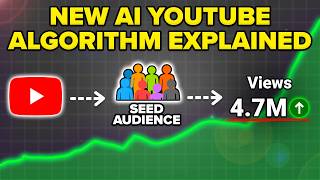
YouTube Shorts Algorithm Update 2026
45sAnnounces a major algorithm change that creators need to know about, creating urgency and curiosity.
▶ Play Clip"Title accurately promises algorithm changes and growth tips; content delivers specific, actionable strategies."
The video explains a new YouTube Shorts algorithm update and provides actionable tips to optimize settings, thumbnails, content strategy, and video length for increased views and subscribers.
YouTube Shorts released a new algorithm update that changes everything; creators need to adjust upload settings, content type, and post-upload actions.
Ensure subtitles are enabled and contain keywords matching the title to improve metadata and audience targeting. Also, fill in the related video field to link to other content.
Under languages, enable auto-translation to multiple languages (e.g., Russian, Spanish, Portuguese) to increase reach to non-English speakers.
Custom thumbnails are now crucial because Shorts appear in Google search, browse features, and LLMs like ChatGPT. Use a mobile device to select a custom thumbnail frame.
Use VidIQ's Outliers feature to find top-performing content in your niche. Sort by highest views per hour to identify trending topics.
Use VidIQ's optimize feature to review underperforming videos and get title, SEO, and content suggestions to improve reach.
For a good topic, make 2-3 different videos because you never know which one will go viral. Example: multiple videos on 'YouTube settings' got varying views.
Use YouTube Analytics > Trends to see the ideal video length for your topic. For 'YouTube Shorts algorithm', successful videos are 7-21 seconds; for 'ChatGPT hacks', 40-60 seconds.
Implementing these five changes—optimizing settings, thumbnails, using AI tools, creating multiple videos per topic, and matching video length—can significantly boost views and subscribers on YouTube Shorts.
What two settings must be enabled when uploading a YouTube Short?
Subtitles and related video.
0:26
Why is enabling multiple language translations beneficial?
It increases the odds that content gets shown to non-English speakers, expanding reach.
1:52
What new sources are driving views to YouTube Shorts besides the Shorts feed?
LLMs like ChatGPT, Gemini, Grok, Google search results, and browse features (homepage and search).
2:23
How do you add a custom thumbnail to a YouTube Short?
Upload the Short from a mobile device, tap the pencil icon, and select any frame from the video.
3:34
What VidIQ feature helps find breakout videos in your niche?
The Outliers feature, which can be sorted by highest views per hour.
4:08
What should you do if a video underperforms according to the video?
Use VidIQ's optimize feature to get title, SEO, and content suggestions.
5:29
How many videos should you create for a good topic?
Two to three different videos.
6:31
How can you find the ideal video length for a specific topic?
Go to YouTube Analytics > Trends, type the topic, click 'show all' under Shorts, and note the lengths of top-performing videos.
8:25
Subtitles and Keywords
Matching subtitles with title keywords improves metadata and audience targeting.
0:26Thumbnails Now Critical
Shorts appear in search and LLMs, making custom thumbnails essential for clicks.
2:23AI Tool for Outliers
VidIQ's Outliers feature identifies trending content, saving time on research.
4:08Multiple Videos per Topic
Creating 2-3 videos increases chances of one going viral; you don't know which will succeed.
6:31Topic-Specific Video Length
Ideal length varies by topic even within the same niche; use analytics to determine.
8:25[00:00] YouTube Shorts just released a brand new
[00:01] algorithm update that completely changes
[00:03] everything. You need [music] to change
[00:04] the settings that you're using when you
[00:05] go to upload your content, the type of
[00:07] content that you're making, and what
[00:08] you're doing after your content stops
[00:10] getting views. And by the end of this
[00:11] video, you're going to know about all
[00:13] these changes and how you could use them
[00:15] to get more views, get more subscribers,
[00:17] and increase your odds of you going
[00:18] viral. In fact, I just helped this
[00:19] creator, this creator, and this creator
[00:22] gain over 100,000 subscribers on YouTube
[00:24] simply by implementing the tips that I'm
[00:26] about to share with you. Change number
[00:27] one is you need to make sure that you
[00:29] optimize the settings when you go to
[00:30] upload something on YouTube Shorts. And
[00:32] if you've messed up any of this before
[00:33] in the past, you need to go through on
[00:35] all of your past Shorts and fix this.
[00:38] Okay, so those first settings that you
[00:39] need to make sure are turned on, I'm
[00:40] going to show you in this video right
[00:42] here. So, the first one that you need to
[00:43] make sure are turned on going to be
[00:45] these two on the right-hand side right
[00:46] here. In fact, it's going to be two
[00:47] settings, not one. And then we're going
[00:49] to go through another one. So, first
[00:50] right here is subtitles. You want to
[00:51] make sure that when you click into this,
[00:53] that this has the subtitles from your
[00:55] content right here. Because if this
[00:57] doesn't have subtitles in here, one,
[00:58] it's actually going to decrease the
[00:59] amount of people that YouTube end up
[01:01] showing your video to. And two, it's
[01:02] actually going to affect your metadata.
[01:04] And ideally, what you want to find is in
[01:06] the first sentence of your subtitles
[01:08] right here, you want to make sure that
[01:09] if you actually look at this, we can see
[01:11] viral on TikTok. And then if we come
[01:13] over to the title of the video, you want
[01:14] to make sure it has the same exact
[01:16] keywords. Same exact thing here, viral
[01:18] on TikTok. And essentially, what that's
[01:19] doing is my title is then combining with
[01:22] my subtitles in order to tell YouTube
[01:24] what the video is actually about. And
[01:25] then YouTube shows the content ideally
[01:27] to the correct audience. In addition to
[01:29] that, you want to make sure that you
[01:30] have the related video filled out right
[01:32] here. Because you want people that watch
[01:34] this video to go watch another video.
[01:35] For example, this one was about going
[01:37] viral on TikTok. So, I might want to
[01:39] link this video to another video about
[01:41] the same exact topic. We come over here,
[01:43] type in viral on TikTok, we can see that
[01:45] I have a bunch of other content here. I
[01:46] might want to link it to this video. So,
[01:48] now they're going to watch my short-form
[01:49] video and then they'll watch our
[01:51] long-form video. The other setting that
[01:52] you need to make sure is enabled is if
[01:54] you come under languages right here, you
[01:55] want to make sure you have all of these
[01:57] different language published right here.
[01:59] We can see that I have tons of them.
[02:00] It's being translated to Russian. It's
[02:03] being translated to Spanish, Portuguese,
[02:06] Polish, Korean, Japan, Italian. It's
[02:09] being translated to all these different
[02:10] languages. And what this ends up doing
[02:12] is actually increase the odds that my
[02:14] content gets shown to more people than
[02:16] just people that speak English. And this
[02:18] is one of the biggest hacks, one of the
[02:19] biggest tricks right now to getting more
[02:20] views on YouTube Shorts.
[02:23] Change number two is you need to make
[02:24] sure that you're optimizing your
[02:25] thumbnails before anything else. Because
[02:27] in the past, 90% of views came from the
[02:30] Shorts feed for YouTube Shorts, but this
[02:32] is now all completely changing. A lot of
[02:34] that reach is now coming from LLMs like
[02:36] ChatGPT, Gemini, Grok. In addition to
[02:39] that, your content is showing up inside
[02:41] of Google search results and on browse
[02:43] features, which is going to be the
[02:44] homepage and search results on YouTube,
[02:47] which makes your thumbnail more
[02:48] important than ever before. Because
[02:50] guess what? If your thumbnail's not
[02:51] optimized, somebody's not going to click
[02:53] and then as a result, you're not going
[02:54] to get the views that you deserve. And
[02:55] the YouTube algorithm's going to say,
[02:57] "Hey, nobody's clicking on this
[02:58] creator's videos. Let's not push out his
[03:00] channel." So, to prove to you just how
[03:02] powerful adding a custom thumbnail is, I
[03:04] actually want to show you this. So, if
[03:05] we look up how to add a thumbnail to
[03:07] YouTube Shorts and we come over here, we
[03:09] can see that an ad gets shown and then a
[03:11] bunch of Shorts content. Now, if we look
[03:13] at the Shorts that are getting the most
[03:14] views, 1.2 million, 400,000, 200,000,
[03:18] 1.3 million, 500,000. So, the one that
[03:20] got the most views is this one right
[03:22] here and we can see that the reason that
[03:23] it got the most views, and this is
[03:24] actually my video, is because I have
[03:26] this arrow actually pointing here. And
[03:28] we can see this isn't the actual way
[03:30] that the video starts off because I
[03:32] added this custom thumbnail right here.
[03:34] Now, in order to do this, you need to do
[03:35] this from a mobile device. You're going
[03:37] to upload your YouTube Short from a
[03:38] mobile device and you're literally going
[03:39] to see what you actually see in this
[03:40] thumbnail right here. You click on that
[03:42] pencil and then you can choose any part
[03:44] of the video in order to actually turn
[03:45] that into the thumbnail. If we look
[03:47] right here, they did something pretty
[03:49] similar to mine. And guess what? That's
[03:50] why these two videos are getting the
[03:52] most views under here. This one is a
[03:54] custom thumbnail, not as good though.
[03:55] This one isn't a custom thumbnail. This
[03:57] one isn't a custom thumbnail. That's why
[03:59] those videos didn't get as many views as
[04:01] they could have gotten if they edited in
[04:03] a custom thumbnail. So, please make sure
[04:05] that you are adding these in. It will
[04:06] increase your reach. And change number
[04:08] three is you need to make sure that
[04:10] you're going through and actually
[04:11] finding breakout videos inside of your
[04:13] niche for you to be able to recreate
[04:15] them. And there's a new AI tool that
[04:16] makes this incredibly easy to do. Now,
[04:19] the way that you can actually go and do
[04:20] that is using VidIQ. So, if we come over
[04:22] to VidIQ right here and we come over
[04:24] into outliers, we can see right here
[04:26] that this is automatically set to my
[04:28] niche and it's showing me outliers for
[04:30] my niche. Or if I wanted to, I could
[04:32] search for things. For example, maybe
[04:33] I'm looking up TikTok algorithm and we
[04:34] can see this is then going to find me
[04:36] outliers. And we can see that it can
[04:38] find me outlier long-form content. It
[04:40] can find me outlier Shorts right here.
[04:42] It could go through and find me outlier
[04:44] thumbnails right here. And it can
[04:46] actually find me breakout channels. And
[04:48] what you're going to notice here is that
[04:50] this will actually go through and show
[04:52] you which channels are getting the most
[04:53] views in your niche that are breakout
[04:55] channels, which thumbnails are working
[04:57] the best for whatever topic you are
[04:58] uploading on, what Shorts are working
[05:00] the best, and what long-form content.
[05:02] And what you should ideally be doing is
[05:04] using this every single time that you go
[05:06] to actually look for something. And what
[05:08] I would do is sort this by highest views
[05:10] per hour. And this is going to reveal to
[05:12] you what topics are getting the most
[05:14] views for whatever you want to actually
[05:17] post about or whatever your niche is so
[05:19] that you actually know exactly what to
[05:20] post. In fact, using this and making
[05:22] this one change could be the difference
[05:24] between you getting millions of views or
[05:26] you being stuck with low views on
[05:27] YouTube Shorts. In addition to that
[05:29] though, you also want to use this
[05:30] optimize feature right here. This is
[05:31] going to allow you to go through with
[05:33] your long-form content or with your
[05:34] Shorts content and actually optimize all
[05:36] of your videos. For example, let's say
[05:38] this video didn't get as many views as I
[05:40] thought it should get, we could actually
[05:41] click on this right here and it will go
[05:42] through and give us different title
[05:44] suggestions. It'll give us different SEO
[05:47] suggestions. It'll actually review our
[05:49] video and tell us what we could have
[05:51] changed about the content. And this
[05:52] right here is the biggest secret to
[05:53] actually doing what the YouTube Shorts
[05:55] algorithm wants. Because you need to be
[05:57] looking at these outlier videos. You
[05:58] need to be optimizing all of your old
[06:00] content. You could go through and do
[06:01] this for all of your content to
[06:03] skyrocket your reach.
[06:05] Now, the best part about VidIQ is you
[06:06] can go to the pinned comment below and
[06:07] get started with it today for only $1. I
[06:10] would have never gained over 800,000
[06:11] subscribers if it wasn't for VidIQ. And
[06:13] this is going to be your secret weapon
[06:15] too because they release new features
[06:17] literally every single week and they
[06:18] make it way easier for you to grow
[06:20] faster on YouTube, go viral on YouTube.
[06:22] And again, I have an exclusive offer at
[06:23] the pinned comment below where you can
[06:25] get started today for only $1. It's an
[06:27] absolute no-brainer if you're serious
[06:29] about growing on YouTube. Change number
[06:31] four is you need to change the strategy
[06:33] that you're currently implementing on
[06:34] YouTube. When you come across a video
[06:36] idea that's actually worth making, you
[06:37] should ideally be doing two to three
[06:39] different videos on it and not only
[06:41] relying on one video because it might be
[06:43] your hook, might be your length, might
[06:44] be something else that actually leads to
[06:46] you getting more views on YouTube. In
[06:47] fact, I want to prove this to you by
[06:49] showing you how I do this on my own
[06:51] channel. Okay, so here's how I'm
[06:53] actually doing this. Let's say that we
[06:54] come over to my Shorts and we type in
[06:55] something like YouTube setting. Guess
[06:57] what we are going to see? We're going to
[06:58] see this video, 3,000 views, 8,000,
[07:01] 16,000, 15,000, 900,000. If we scroll
[07:04] down, 2.9 million, 180,000, 16,000 on
[07:08] the same exact topic right here. I've
[07:09] uploaded several videos and several of
[07:11] them have gone viral. Or maybe we come
[07:13] over here and we type in YouTube
[07:15] algorithm. What are we going to notice?
[07:17] 4,000 11,000 5,000 120,000 91,000
[07:21] 33,000. You don't get to decide which
[07:24] video you make on a topic is going to
[07:26] actually go viral. But what you do get
[07:27] to decide is how many times you actually
[07:29] swing at that pitch, aka that video
[07:32] topic. Let's come over here, best time
[07:35] to post. What are we going to see? We
[07:37] are going to see that again several
[07:39] videos. 3,000, 4,000, 5,000, 18,000,
[07:43] 120,000. And ideally, what you should be
[07:46] doing is doing the same strategy as me.
[07:48] You should be making multiple videos for
[07:50] each topic that you deem as a good
[07:52] topic. Because you never know which one
[07:53] of these videos is going to end up
[07:55] taking off. You just know that that
[07:56] topic is going to be good. So, if you
[07:58] actually swing and you miss, guess what?
[08:00] Just swing again. That's a great thing
[08:02] about YouTube is these videos are free
[08:04] to make. They're free to upload and you
[08:05] can just keep uploading until you have a
[08:07] video actually do well for whatever
[08:09] topic your ideal audience wants to see.
[08:11] We come over here and type in hashtag,
[08:12] we see the same thing. These videos have
[08:14] done solid, but if we scroll down a
[08:16] little, 160,000, 800,000, 60,000. There
[08:19] are so many videos and so much
[08:21] opportunity that you need to make sure
[08:23] you're doing this. Now, that last change
[08:25] you need to make sure that you're making
[08:26] is when you go to upload a YouTube
[08:27] Short, you need to make sure that you're
[08:29] actually creating a Short that's the
[08:30] right length. And now YouTube actually
[08:32] shows you what length you should make
[08:33] your content. Check this out.
[08:36] Now, the way that you're going to
[08:36] actually do this is you're going to come
[08:38] over into your YouTube analytics right
[08:40] here. You are going to click on trends
[08:41] and whatever topic you were going to
[08:43] upload on. For example, we could come
[08:44] over here and we could type in YouTube
[08:46] algorithm or even I'll type in YouTube
[08:48] Shorts algorithm. Let's say that I was
[08:49] going to make a short-form piece of
[08:50] content about this. What I would do is I
[08:52] would type this in right here. Under
[08:54] what people are watching, you want to
[08:55] click on show all. You want to come
[08:57] under Shorts. This will show you what's
[08:59] doing the best. We can see 13 seconds, 5
[09:01] seconds, 15, 21, 7, 47. So, the majority
[09:05] of videos that are doing well under this
[09:07] are anywhere from 7 to 21 seconds long.
[09:09] So, if I was making a video about this
[09:11] topic, I would also want to make it
[09:12] short. But let's say that we come over
[09:14] here and we type in something like
[09:15] ChatGPT hacks, we're going to find
[09:17] something completely different. If we
[09:18] come under here, 1 minute, 46 seconds,
[09:21] 57 seconds, 41, 20, 56. So, the best
[09:24] videos under here are anywhere from 40
[09:26] seconds to 1 minute long. So, depending
[09:28] on what topic you're going to upload,
[09:30] even if it's inside of the same niche,
[09:31] it's going to change how long you should
[09:33] be making your videos. And that's why
[09:35] you need to be going through and looking
[09:36] at this before you upload any piece of
[09:38] content. Because making content that's
[09:40] the wrong length could be the reason
[09:42] that you're not getting the views that
[09:43] you want. You could have done everything
[09:44] else right that I've shared with you in
[09:46] this video, but you're simply making
[09:47] content that's not the right length. And
[09:49] as a result, you don't get the views you
[09:50] want. Now, if you enjoyed this video and
[09:52] you want to learn how you can get more
[09:53] subscribers on YouTube fast, I would
[09:55] strongly suggest you check out this
[09:56] video right here that walks you through
[09:58] with bunch of different changes that you
[10:00] need to make sure that you're
[10:00] implementing in order to get more
[10:02] subscribers faster on YouTube right now.
[10:04] If that's something that's interesting,
[10:05] well, please check out this video right
[10:06] here.
⚡ Saved you 0h 10m reading this? Transcribe any YouTube video for free — no signup needed.