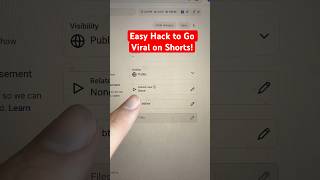
3 YouTube Hacks to Go Viral on Shorts
30sThe promise of 'new hacks' immediately grabs attention, and the first hack about creating a 'view train' is a counterintuitive growth strategy that sparks curiosity.
▶ Play Clip"The title promises 'hacks' and the video delivers three actionable tips—just with a time-saving but direct sponsor plug for thumbnails."
This video covers three YouTube Shorts hacks to increase virality. The tips include using the related video feature, checking the claims button, and uploading custom thumbnails. It also promotes a tool for creating thumbnails.
Using the related video feature creates a 'view train', so instead of one view per viewer, you get multiple views from a single viewer.
Checking the claims button warns you in advance if YouTube will suppress your content.
Uploading custom thumbnails to all videos (old and new) is the number one way to go viral.
ContentBuddy.ai's thumbnail generator tool lets you describe your desired thumbnail and instantly get one to download and upload.
What is the purpose of the 'related video' feature for YouTube Shorts?
To create a view train so a viewer watches multiple videos, increasing total views.
What does the 'claims button' do?
It warns you in advance if YouTube is going to suppress your content.
00:13
What is called 'the number one way to go viral' on YouTube?
Uploading a custom thumbnail.
00:27
Which tool is recommended for creating custom thumbnails?
ContentBuddy.ai's thumbnail and cover generator tool.
00:40
Related Video View Train
Transforms a single viewer into multiple views by chaining related content, increasing overall watch time.
Claims Button as Early Warning
Proactively identifies content suppression risks before posting, saving creators from wasted effort.
00:13Custom Thumbnails on All Videos
Reinforces that thumbnails are a primary driver of virality, not just for new posts but for the entire archive.
00:27[00:00] Use these three brand new YouTube hacks if you want to go viral on shorts. Hack number one is you need to make sure you're using the related video feature in order to create a view train with your content. So now instead of getting one view per viewer, you'll get multiple.
[00:13] Hack number two is you want to make sure that you're checking the claims button right here because this will actually warn you in advance if YouTube is going to suppress your content. And that final thing you need to make sure that you're doing not only for your new post, but for all of your old posts is coming over to your thumbnail,
[00:27] clicking on these options and uploading a custom thumbnail. This is the number one way for you to go viral. And if you want to create custom thumbnails for your YouTube shorts, well then head over to contentbuddy.ai where you could use their thumbnail and cover generator tool
[00:40] where you simply just describe what kind of thumbnail you want made. Then they actually go through and make it for you. You could download it and upload it directly to your video.


⚡ Saved you 0h 00m reading this? Transcribe any YouTube video for free — no signup needed.