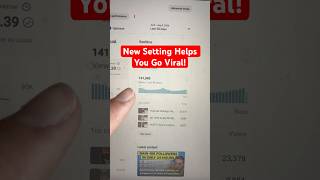
This YouTube Shorts Setting Got Me 140K Views!
45sThe claim of a brand-new setting that boosts views to 140K is highly intriguing and promises a quick win for creators.
▶ Play Clip"The title promises a way to 'go back on YouTube Shorts' but the content is mostly a tool promo with minimal actual instruction."
The video explains a new YouTube Shorts feature that allows creators to add custom thumbnails, which the creator claims has boosted their views to over 140,000 every 48 hours. It demonstrates how to access the setting and recommends a third-party tool to generate thumbnails.
YouTube has rolled out a new setting that allows creators to add custom thumbnails to their Shorts, which the creator says has helped them get over 140,000 views every 48 hours.
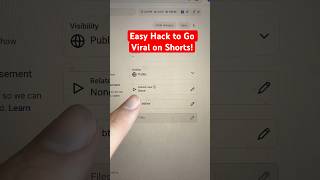
To use the feature, go to your YouTube Shorts thumbnail, click the three dots, and you can change, download, or select a thumbnail from the video.
The creator recommends using a YouTube Shorts thumbnail generator tool, like contentbuddy.ai, which lets you type in what you want and generates a thumbnail for you. A free trial is available.
The video is a brief tutorial on using the new YouTube Shorts custom thumbnail feature and promoting a third-party tool to create thumbnails, suggesting it can significantly increase views.
What new YouTube Shorts feature is highlighted in the video?
The ability to add custom thumbnails to YouTube Shorts.
How do you access the custom thumbnail setting on YouTube Shorts?
Click the three dots on the Shorts thumbnail and choose to change, download, or select from video.
00:12
What tool does the creator recommend for generating thumbnails?
contentbuddy.ai
00:24
New Feature for Shorts
Highlights a recent YouTube update that could impact creator workflow.
Step-by-Step Instructions
Provides clear, actionable steps for using the new feature.
00:12Tool Recommendation
Introduces a third-party tool that may help creators generate thumbnails efficiently.
00:24[00:00] If you want to go back on YouTube Shorts, you need to start using this brand new setting they just rolled out. And this is literally helping me get over 140,000 views every 48 hours, because I've added a custom thumbnail to all of my shorts.
[00:12] In order to do this, you simply want to come over to your YouTube Shorts thumbnail, click on these three dots. This is going to allow you to change, download, or select from video. And then what I've been doing is using this YouTube Shorts thumbnail generator tool,
[00:24] which allows you to type in exactly what you want to create. Then it actually generates your thumbnail for you. You could get started with this tool today by coming over to contentbuddy.ai and getting started with a free trial. Because if you want to get more views on YouTube Shorts, this is a must.


⚡ Saved you 0h 00m reading this? Transcribe any YouTube video for free — no signup needed.