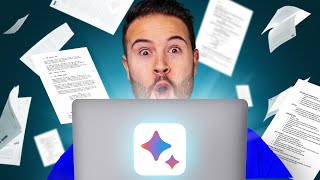

Save Hours Writing YouTube Scripts with AI
53sReveals a time-saving method by using AI tools like Google Bard and Perplexity for research.
▶ Play Clip"Delivers a practical workflow for AI-assisted scriptwriting, though the challenge promotion adds some fluff."
This video presents a five-step workflow for writing YouTube scripts faster using AI tools like Perplexity and Grammarly. It covers research, outline expansion, writing refinement, and hook creation, while also promoting a related challenge.
Recommends using AI tools like Google Bard or Perplexity.ai to gather information and save time in the research phase.
Perplexity considers multiple results (e.g., 24) and provides sources you can open for further details.
To expand the outline, ask follow-up questions not covered in the initial answer, then copy the result to clipboard.
Use the AI-generated outline as a base, then expand on each point to create more content for the video.
Copy the outline to a Google Doc, use the Grammarly plugin's 'Improve it' button to enhance wording.
Use ChatGPT or other AI tools to rewrite text in a desired tone, but emphasize adding a personal element.
1) Make a bold statement. 2) Preview what you'll talk about later. 3) Seamlessly transition into the content.
Tip #5: Use a transition to another video to keep viewers watching; e.g., a clickable screen link.
The video outlines a practical 5-step process for using AI to streamline YouTube scriptwriting, with an emphasis on crafting an engaging hook and transitioning viewers to keep them watching.
What AI tools are recommended for YouTube script research?
Google Bard, Perplexity.ai.
00:13
How does Perplexity display its research results?
It shows the number of sources considered and allows you to open individual articles.
00:53
What is Grammarly's 'Improve it' button used for?
To improve the wording of selected text.
02:01
What are the three tips for writing a strong hook according to the video?
Make a bold statement, preview later content, and seamlessly transition.
03:48
What is the transition method to keep viewers watching?
Use a clickable screen link to another video.
04:13
Using AI for Research
Saves time by using AI to gather information instead of manual searching.
00:13Asking Follow-Up Questions
Expands the outline by asking targeted follow-ups to the AI.
01:19Grammarly Improve It
Quickly improves writing quality with one click.
02:01Three Hook Tips
A strong hook combines a bold statement, content preview, and smooth transition.
03:48Transition Method
Links to another video to increase watch time.
04:13[00:00] for your YouTube videos in five simple steps You gotta just press record. So let's say I wanna write a script about NBA legends
[00:13] Using AI, you can save a ton Google Bard, or Perplexity.ai. and Perplexity is it's going to find different articles
[00:28] This is gonna save you so much time and that's when people fully rely Though this is the quickest way to do it,
[00:40] and then your YouTube videos aren't gonna be as good. which is what NBA players had incredible games And now it's gonna do all of the research for me.
[00:53] Here we can see it considered 24 different results, And what's really cool is you can see So if I wanna read the first one about LeBron James
[01:06] I can actually open up one of these articles So you can already start to save you during this phase.
[01:19] I am simply just gonna ask a follow-up question that it didn't already include in the first eight. I'm just gonna go to Copy To Clipboard
[01:32] Now that we have an outline created with AI, so we have more content to talk about in the video. to expand on each of the player's performance
[01:46] and captivating for the reader. I'm gonna go back down and copy this over to my Google Doc. read through it, and to improve your wording,
[02:01] When reading through the outline, and then go over to the Grammarly plugin, One of my favorite options is to use the Improve it button,
[02:15] and it tries to improve it. and it's going to replace that text for you. and to prompt it beforehand
[02:28] and it's gonna rewrite it in the way you would like. Though you can use ChatGPT or certain AI tools I really think you need to use a personal element here
[02:42] to start off your videos the right way. for you is to ask it to summarize the script you gave it into wanting to hear the full video
[02:55] From here, I'm gonna use this to replace my current hook and I'm gonna refine it Before I share some tips on how
[03:07] I want to invite you guys to our YouTube 1K Challenge. as we show you how to grow your first 1,000 subscribers We've had countless people join us during this 1K Challenge
[03:22] who are now at 1,000 subscribers and past 1,000 subscribers, If you just go to Tube1KChallenge.com, and we can't wait to see you guys there.
[03:35] We wanna make it really good and a lot of people leave the YouTube video So it's very important that we hook in our audience,
[03:48] The first tip is to grab their attention, you can make a bold statement, and that's what I did for this video.
[04:00] of what you're gonna talk about later on in the video. and it makes you want to stay And the third tip is to seamlessly transition
[04:13] Doing those three things is a perfect way Tip number five is to use the transition method. to get them to watch another one.
[04:29] If you click on the screen, you can watch that. I'll see you guys in the next video.


⚡ Saved you 0h 04m reading this? Transcribe any YouTube video for free — no signup needed.