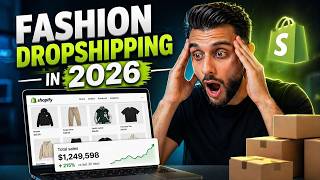

AI Created $10K Ads in 10 Minutes, No Crew Needed
43sReveals how expensive-looking fashion ads are now free to make, leveling the playing field for anyone.
▶ Play Clip"Delivers a genuinely useful AI dropshipping tutorial, but the long mentorship pitch and repetitive self-promotion tone it down."
This video is a comprehensive walkthrough of how to start a fashion dropshipping business in 2026 using AI automation. The creator demonstrates how AI tools can generate realistic model photos, product images, videos, and complete brand identities, allowing anyone with minimal budget to build a professional-looking fashion store and run profitable ads. The tutorial covers everything from product research with Winning Hunter to store setup on Shopify, product sourcing via Team Drop, and ad creation with CapCut.
Dropshipping ads for fashion stores look like they cost over $10,000 with different image shots and sceneries, but all are created in under 10 minutes using AI. No real humans or fashion shoots are needed.
Using Winning Hunter, the creator shows a Shopify store called Farm Rio that generated €1.5M in the last 30 days. Most AI fashion dropshipping stores operate in EU markets, using euros or GBP.
Another store, Fortunate One, brought in $648,000 in the last 30 days, specializing in fast fashion for women. This shows the profitability of the niche.
By reverse searching best-selling products on AliExpress, the creator proves these 'legitimate' fashion stores are simply dropshipping. For example, a dress selling for $85 on the store is found on AliExpress for a fraction of the price.
The best method to find winning products is using Winning Hunter's Store Explorer, filtering by clothing/apparel and rapid sales growth. Focus on stores with revenue in euros, pounds, or dollars.
A store selling a crop top for £19 (about $23) gives only $10 profit per order. The creator closes it down and instead targets stores selling dresses at $95-$109, which provide better margins.
To look like a legitimate brand, the store should stick to one niche and style. Mixing different types of clothing makes the site feel off and less trustworthy.
Using Manus AI, the creator inputs a prompt and a competitor store link, and the tool generates a complete brand kit including logo, symbol, and color palette. This AI tool handles most of the design work.
Tools like Arqaraads and a virtual reshoot platform allow uploading a product image and generating realistic model photos and videos. The creator demonstrates creating a fashion try-on video and image.
Instead of a $20 .com domain, he recommends buying a .store domain for $4.99 (using coupon ecomking), which improves SEO and conversions for ecommerce stores.
Team Drop is a private agent supplier that ships products to customers within 5-10 days, much faster than AliExpress's 2+ weeks. This is essential for AI fashion dropshipping.
In fashion dropshipping, the images and content are the most important part. AI-generated model shots must be consistent, realistic, and high quality to convey a premium brand.
If a product costs $20 from AliExpress, it should be sold around $64 to give enough margin to run Facebook ads profitably. High-quality images justify the higher price.
Ads are created using AI-generated video clips, assembled in CapCut with a logo overlay, effects, and TikTok viral music. The final ad looks professional and similar to winning ads from competitors.
AI is completely transforming fashion dropshipping by removing the need for expensive photo shoots and design work. With tools like Winning Hunter, Manus AI, and Team Drop, anyone can build a legitimate-looking premium fashion brand and start selling online with minimal upfront costs.
What is the main advantage of using AI for fashion dropshipping ads?
AI can create realistic model shots and videos in under 10 minutes, eliminating the need for expensive photo shoots and real humans.
00:16
Which tool does the creator recommend for finding winning dropshipping stores?
Winning Hunter, specifically its Store Explorer feature filtered by clothing/apparel and rapid sales growth.
06:54
Why should you focus on stores with revenue in euros, pounds, or dollars?
Because those currencies indicate profitable markets for fashion dropshipping, unlike Pakistani or Indian currencies.
08:26
What is the minimal margin per product needed to run Facebook ads profitably?
Between $35 and $40 of profit per product.
40:47
Why is it important to stick to one niche in your dropshipping store?
To make the store feel like a legitimate brand and appear congruent, which builds trust with customers.
10:31
What is the typical shipping time when using Team Drop?
Products are delivered to customers within 5 to 10 days.
29:46
What does the ecomking coupon do?
It reduces the price of a .store domain from $25 to $5 for the first year.
24:46
How does the creator prove that a store is dropshipping?
By reverse image searching the best-selling product on AliExpress and finding the exact same product and photo.
03:03
What is the recommended price point for a product that costs $20 from AliExpress?
Around $64, to ensure at least $40 profit per order.
40:47
Which AI tool is used to generate a complete brand kit?
Manus AI.
14:29
Why are good product images essential for AI fashion dropshipping?
Because high-quality images are needed for the AI to generate realistic model shots and convey a premium brand image.
15:26
AI Eliminates Production Costs
It shows that ads that usually cost $10,000 can now be made in minutes, completely changing the economics of fashion dropshipping.
00:16Data-Driven Product Selection
Using Winning Hunter with filters allows anyone to find proven stores and products without guessing, reducing risk.
06:54AI Brand Kit Generation
Manus AI replaces expensive brand designers, letting dropshippers create a cohesive identity instantly.
14:29Why Use .store Domain
The cost difference and ecommerce-specific TLD can improve SEO and conversion rates, a subtle but valuable trick.
23:25Pricing Rule for Profit
The $40 margin rule helps dropshippers avoid loss-making pricing and ensures they can scale with paid ads.
40:47[00:02] shipping stores popping up every single month and scaling to over a hundred thousand dollars by using the power of AI [music] for these fashion drop shipping stores. And this is the reason why. Check out this drop shipping ad for
[00:16] a fashion store. Those ads look like it cost over ten thousand dollars to create different image shots, and different types of sceneries. And the craziest part is all of those were created in under ten minutes using AI. [music] No
[00:32] real humans, no real fashion shoots. That was all done with AI. And the reason why this is a game changer is because the barrier to entry to start your own AI fashion drop shipping store is literally rock bottom. Now, if we hit
[00:45] a thousand likes, that tells me that you guys love this type of content and I need to make more of it. So, guys, the first thing that I want to do is show you how these AI fashion drop shipping stores are printing money like no one's
[00:58] business. Now, as you guys on my screen, I'm on a tool called Winning Hunter that shows me the best performing stores on Shopify. Now, I filtered it by fashion and clothing. Now, you can see this store here called Farm Rio has generated
[01:11] store here called Farm Rio has generated in the last 30 days 1.5 million euros. notice with a lot of these AI fashion drop shipping stores is they're in euros or they're in GBP. Usually, the fashion drop shipping industry is mainly in
[01:25] Europe, but it can also be done in the US, but most of the stores are printing in the EU markets. Now, just to show you guys another store, this one's called Fortunate One. This one's generated $648,000
[01:38] in the last 30 days. This is essentially their website, so you can see it's fast fashion for women. Now, this can be done for men and for women, by the way, guys. You don't have to just do women, although that is the most popular niche,
[01:51] women's fashion, but you can also do men's, which I'll be showing you in a of dresses and the stuff that they're wearing is stuff like Boohoo women and you know, Oh Polly and all those kind of brands. This is usually what they sell.
[02:04] ripping those big brands off and remaking them. Now, here's an example of new. In the last month, it's done $236,000 and this is what the store looks like. So, you can tell from that banner that
[02:18] these are the model shots and what the models are wearing. And again, this is the men's version of this, guys. Now, this is actually a really bad executed version of AI fashion drop shipping, but it doesn't matter what I say because
[02:33] these ads, these stores are printing money because you can see this is what and the sales tracker is showing that they've generated $236,000. this, guys, is to show you the proof that there are people out there in their
[02:49] bedrooms printing with these AI fashion drop shipping stores. Now, you might be aren't even drop shipping stores?" Let me show you that they are drop shipping stores. So, if we go back onto the men's fashion store and we go to their best
[03:03] selling products, and this is their best selling products, by the way, these holiday summer sets, I can simply reverse search this on AliExpress. You can see that the exact same product and photo is actually coming up. Now, if we
[03:17] which is this one here, and I go over to their best sellers, and let's say I take this blue dress here, and I also reverse search this product, you're going to see that the exact same one, guys, comes up
[03:30] There's the dress, guys. A hundred thousand of them sold, and guess what? Here it is on the model on that website. They're selling it for around about $85. cuz they're probably going to be buying it from a better supplier. So, you can
[03:46] see that these brands that look like legitimate fashion stores because of the models, because of the photo shoots, are all just drop shipping AI fashion stores. They're getting AI to make these model shots and they look real. And
[03:58] teaching you in this video, how you can do the exact same thing right now as a important information if you didn't already know this. I have actually launched my own fashion stores, my own clothing brands over the last seven
[04:13] years, and I've took my clothing brands to five million dollars, to ten million dollars. I've even publicly shown them on my YouTube channel, so that you know that I know what I'm talking about when it comes to clothing and drop shipping
[04:25] fashion. Clothing and fashion was one of my biggest niches in my journey. So, I'm are now just jumping on the trend. I've been doing it since the early days of So, with that being said, guys, let me show you how you can recreate all of
[04:40] next part of today's case study, I wanted to make a quick announcement. If mentoring, we're not talking about group mentoring, we're talking about one-to-one mentoring for your e-commerce and drop shipping experience, then
[04:55] people that reach out to me on Instagram or comment on the video saying, "Do you have one-to-one mentoring? Can I work with you?" Then yes, guys, I do offer a one-to-one mentorship. And it isn't just any mentorship. We've been offering
[05:09] mentoring in the drop shipping space now for over seven years, and our track record is proven. We have some of the most successful students that have graduated from our e-commerce mentorship. We're one of the only few
[05:21] mentoring, and we're one of the first companies to ever do it. So, if you're you with your drop shipping store, taking you from the very beginning, store, launching the ads, having an accountability partner, feeling like you
[05:36] have the confidence to run your store without worrying about, "Am I doing it find the little gems about how to do it correctly?" Your mentor will figure that out with you. He will turn you into a
[05:48] drop shipping professional within 30 days. I can guarantee that the mentoring that we offer in our company is the highest quality of education in the much about the mentoring, guys, but I know a lot of you guys have been asking
[06:02] for it. So, if you want to apply for one-on-one mentorship, there'll be a link in the comment and there'll be a QR code on the screen so you can apply. But before you apply, guys, only apply if you're serious and you have a good
[06:14] budget. We only want to work with people that have a good mindset and a good budget so it doesn't slow them down through the process. Our most successful students have always been the ones that have the correct mindset and they have a
[06:26] guess, all the available spots for the one-to-one mentoring for Q1 will be fully booked by the end of the next two days. So, if you want to make sure that scanning the QR code or clicking the link in the description before it's too
[06:41] late and we reopen for the next quarter. With that being said, guys, let's get back into the video. Now, the first and most important thing is finding fashion clothes to drop ship that are making money. We don't want to just randomly
[06:54] choose any random clothing products to drop ship on our Shopify store. Now, use a tool called Winning Hunter. This is by far the best tool when it comes to winners. You can sign up using my link in the description and there's a coupon
[07:09] code. I've been using Winning Hunter now for years and I use it every single day. want to go to where it says store explorer. Now, with fashion drop shipping, this feature specifically works the best because what we can do is
[07:22] we can actually filter this to rapid sales growth. And then in the top where it says all categories, we're going to change it to clothing and apparel. And then you're going to see all the brands that are rapidly growing in the clothing
[07:35] do is I just like to look at these quickly and I'm looking out for men's clothing and fast fashion women's clothing. So, like this store here called Farm Rio is a really good example of something that I might want to
[07:48] investigate. But for now, I'm going to move on anyway. On page two, I'm now finding something that I like the look of. I've got something called razee.com, showed you before. Now, what I can do is
[08:01] I can see here revenue in the last seven days, this store's generated $160,000. This one's generated £37,000, which is like $50,000. And then you can see all the metrics here. So, straight away, guys, I'm
[08:14] interested in this store here, so I can open it in a new tab, this one here. I can also scroll down and I can see another women's fashion store that's done 300,000 euros just in the last seven days, so I can open up that one as
[08:26] well. Now, something to bear in mind of, guys, look at the currency of the store, and as long as it's as long as it's either euro, pound, or dollar, you can look into it. But you can see here there's some here Pakistani
[08:38] There's some here in Indian currency I'm not interested in. So, ignore those ones and just focus on the ones that are in those currencies, euros, pounds, and dollars. So, now I can move on to the next page and I have found a male store,
[08:53] which is this one here called Mavius USA, generated $150,000 in the last seven days. So, what I can do, guys, is I can open up this one. And now I've got these three stores that I know that are making loads of money. And
[09:07] when you open these up on Winning Hunter, you get the full breakdown of what's going on in terms of how much they're generating in sales. You can see guess. And we can also access their store by clicking the link. So, I'm on
[09:20] their store and you can tell very obviously, in my opinion, this is a drop shipping store. They've not even tried to hide this up very well. It's just so Hunter and we can scroll down and we can see their best selling product is the
[09:33] vintage crop t-shirt. So, this product here is their best seller and this is money. Now, I'm going to be honest with you, guys, I'm not really interested in tiny. Look, they're selling it for 19 pounds, which is around about $23. So,
[09:48] that means I'd only make around about $10 per order. So, I'm really not guys, I'm actually going to close this one down because profit margins are their best sellers, they're working on really fine margins, which I'm not
[10:02] other one called Fortune 1, you can see they're selling dresses for $109 and that's their second best seller. Their best seller is $95. So, this gives me enough room to make money. So, if I go to their second best seller, this is
[10:16] reverse search this using a Chrome It will be linked in the cheat sheet and I can search for it. So, now I can find and it's got 100,000 sold, so that's a really good sign. That's really good for
[10:31] me. Now, what I like to say to people is when you're doing this fast fashion AI drop shipping, what I like to say to people is stick to one niche. So, obviously find the niche you want to go for. So, this one would be if I was to
[10:44] selling these type of dresses. So, whatever they're selling on this website, I would stick to that niche. Don't try and mix them up, so you're selling this type of clothing and then men's clothing, it just isn't going to
[10:57] work. So, just stick to one niche, one style and that's it. So, for example, if I just look at their best sellers, I could stick to most of these cuz they're in the same type of style and niche, because when people go to your site and
[11:11] it's all different types of clothing, it's going to feel off. And if we go that they're drop shipping some of this stuff. It might not mean all of it, but you go on their website and you scroll through the stock or what they're
[11:24] selling, it feels like a legitimate brand because everything feels congruent. So, that's why I'm saying don't mix too much up, because it's not going to feel like a real brand. So, now I've shown you the women's side of
[11:36] stuff. Let me show you the male side of the fashion stuff. So, this brand here, $391,000 just in the last 30 days. You can see shown here. So, they've got the signature pants, which are their best
[11:49] sellers. So, you can see that these are their best sellers, guys. It's just these black trousers that are a little bit smart tapered in. Now, that probably hard to visualize it, but if we scroll down and go to some of their other best
[12:02] sellers, which are these khaki green trousers or this blue or this blue polo knit up jumper, which is a little bit easier for us to find and understand, again we can reverse image search this and you can see that very similar, if
[12:17] not the same products are coming up. Now, this is really important to understand, guys. So, guys, although we found this product as one of their best sellers, which is a knitwear jumper, which is beige, even if we can find
[12:30] something similar to it like this, then this is something that we can sell. Now, to be looking at are drop shipping these products. Some of these products on their stores will be in-house products, but what we can do is we can find
[12:43] alternatives that can be drop shipped that have the same look and outcome, something that looks like this isn't going to be hard. If I can reverse find something that's a little bit more closer to what that looks like. Now,
[12:58] although this photo is not great, if we compare it to theirs, it's almost very, very similar. The color is slightly off, but at the end of the day, if we can drop ship very similar items to them, then it is completely fine. They don't
[13:11] need to be one for one, but they just need to be close enough. Now, what I'm is I'm actually going to be trying to recreate this store, so this type of fashion store, I'm going to be recreating it, but as an AI fashion drop
[13:25] shipping store. So, this niche is men's smartwear or premium smartwear and that's the niche that I'm going to be going after. And the reason why is the Sell Tracker clearly shows that this brand makes a lot of money. They're
[13:37] generating almost $400,000 in the last 30 days. The products that they're selling as their best sellers are very simple products and easy for me to redo with AI. Now, if you guys want to go for the women's niche, you can. I might show
[13:50] niche a little bit later in the video, but for now, I'm just going to be sticking to the men's niche. Now, if you head over to the cheat sheet in the you're going to see that I give you another two methods to finding winning
[14:03] be going over these now, because I do believe the one that I've just shown you is the best method, but if you want two alternatives and these are free methods, sheet on this whiteboard that you guys
[14:16] can follow for yourselves. So, the next thing that we need to do, guys, is build our brand identity for our AI fashion drop shipping store. So, because I'm store and in terms of the products that I'm going to be selling, I'm going to
[14:29] lifting for me. Now, if you don't already know what Minus AI is, it's a crazy AI tool that's going to pretty much do most of the hard work for us. prompt. I've literally just put I want it to remake this style of branding, but
[14:44] given it the link to the store. I need to come up with a brand kit logo, brand that, guys, you can just click send. Now, whilst we're waiting for Minus AI to do that, it is very important that we quickly fast list three to five clothing
[14:59] items that I'm going to want to sell. Now, this polo shirt here looks pretty interesting. So, what I can do is I can open up this one and I can try and find my own alternative to this and you can see I've got two options here, option
[15:13] quickly use this option. Now, this is the option that I'm going to go for, guys, based on the ones that I found. Why? Because AliExpress is showing me that there's a thousand orders for this style of product. Number two, the other
[15:26] the images for the product are quite good. Now, with fashion drop shipping, you got to be very careful, because sometimes the images that they give you are really bad quality. Now, for the AI to do its wonders later on, it needs
[15:39] good images, guys. So, we need good images to start with. So, this Comes with different variations of colors. It also comes with a very good also, if we scroll down, we're going to find some alternatives that have also
[15:53] coming up, so like this green polo here looks pretty good and all these other that's really caught my eye is this green one. So, I've opened it up in a new tab and you can see that this green polo also comes in green and brown. I
[16:06] powerful, so I like that one. And also, the brown's really nice, so I Now, the next thing that we can do, guys, is we can actually take a print obviously you're going to want to do this for all colors, but for now, just
[16:21] this brown color. So, make sure you do it for all colors, cuz you're going to to be selling all of these colors, you don't want to, that's fine. But if you color options, which I recommend, then you are going to need to take a print
[16:35] screen of all of them, so that we can make the model shots and the videos. And now, if we want to create some videos of the models wearing our clothes, you can come over to Arqaraads, it'll be linked also in the pinned comment and in the
[16:47] and you can see I've made loads of these videos and images before. You can see I've made loads and loads and loads. Now, I'm going to be showing you all of minutes, but let me show you how to make a brand new example. So, what you can do
[17:02] is you can come over to Arqaraads and you can click see more. You can go over to something called presets and then you're going to see fashion try on. So, you're going to want to select fashion try on and then it's going to give you
[17:14] loads of models that you can use to retry the clothing on. So, let's say for example, I want this one, which looks a little bit more chilled out, UGC from home. I can select it. I can click select. I can click
[17:28] remix. I can then upload the image of the product and then I can click credit. And now, what it will do is it will recreate that model wearing my item of clothing in that type of scenario. Now, there is another platform that we can
[17:42] use to do more options of fashion try on. It's this website here. I'm not even need to click get started and then you're going to see the options of the type of stuff that you can do. You can do model virtual reshoots, flat lay on
[17:56] models, mannequin to models. Now, what I'm going to do is I'm actually going to and then you're going to choose on model virtual reshoot. And then what you're want to upload your image of the product. Then you're going to want to
[18:09] want to wear it. So, I'm going to filter it by men. For example, I could choose this model here and I can click next and then I can choose the type of background that I want the model to be in whilst wearing the clothes. So, I'm going to do
[18:22] this wall here and click next and then I'm going to click generate. Now, this is for us to get the images, not the videos. We can also do videos with this images right now and you can see in the top left, it's now generating that image
[18:35] and it's going to take around about 14 minutes. But this is the tool that I use for the images and then I'm going to be using Arqaraads for the videos. Now, you can also go back to create. You can go to short videos and you can actually do
[18:47] the same again if you want to try it on this tool. You're going to do the on going to do casual effortless. The thing that I like about this tool is it has all the presets of the most common fashion ways that they do ads or videos.
[19:01] So, all of these types of motions are what most fashion brands use. So, I'm going to use the casual effortless one. I'm going to select the same model time I'm going to use this background and then I'm going to click next.
[19:15] Now, I'm doing this to show you guys what a video would look like and what an image would look like. Now, whilst we wait for those videos and images to get look what it's done. It's created my brand kit and my logo. So, it's made me
[19:29] the logo here, which looks really, really good. It's also created me my symbol logo, not just my text logo. And by the way, this looks really, really good. I actually love the logo design. It's come up with my brand color
[19:41] So, now I'm ready to go. I've got my logo, my color palette and I can just select. I can download. I can also download this one. I've also got my color palette. And then
[19:55] over to my Shopify link to create your Shopify store. Make sure you use my commission, but it does help and support the channel for me giving you all of this crazy value. So, all you guys need to do is use my Shopify link, come over
[20:09] you've done that, guys, you're going to get your new offer where you can start a free trial for $1. And then you're going to get 3 months for $1 instead of $25, so you're going to be saving yourself 96% and then all you guys need to do is
[20:23] you've done that, you're going to get on the next page. And then it's going to this, guys. Now, the reason why we're going to want to be on a paid trial or a paid plan, guys, is because we're going to want to get access to Shopify's AI
[20:36] sidekick, which is going to help us pretty much build up the whole store. is they're not overly complicated, especially for men's fashion. So, what we can do is we can go over to what online store, and Horizon is the theme
[20:51] So, what I'm going to do is I'm going to download Horizon. Now, there's also Ritual that you can also use, but for my showcase, I'm going to be using Horizon. what you guys can do is you can click edit theme. You're then going to be on
[21:06] your hero section for your website. Now, for the hero section, what you guys can do is you can go back to Manus AI and you can actually upload the hero section. And you can say, "I need a photo for my hero section of the
[21:18] website." And it will create you an image that will look good for your hero Manus to do that, we can also go over to where it says header. In theme settings, we can go to logo, where it says default logo, we can now select our logo. So,
[21:31] now I'm going to upload our two versions here. And now I'm going to choose the to do is I'm going to edit this image. So, I'm going to use the Shopify editor. going to go to where it says crop and transform, and I'm going to crop this
[21:44] image in cuz this will make the logo a bit bigger. And then I'm going to click apply. And then I'm going to click save. And now when I go back, guys, our logo's been added. Now, what I can do is I can change the color to match my actual
[21:57] brand color. So, the header is not the right color. So, what we can do, guys, is we can go over to colors, settings, colors, and I can go here to add a scheme. I can do background.
[22:10] I can choose the background color based on the logo. So, I can select that. What I can do, guys, is I can zoom in and get all my colors. So, these are my color kits. So, you can see here this is the color code that I need. So, I can grab
[22:22] this color code, guys, go back to Shopify, and add this one in. make this video a little bit quicker, guys, I'm not going to be changing all need to make sure you're changing all the colors, all the typography based on
[22:36] what Manus has told you. Now, Manus has just delivered the images for my home banner, and you can see these images are amazing. So, I'm going to download this image here. I'm going to click download. Go back to Shopify. And now I can upload
[22:49] my image here. And just like that, guys, I've got my banner image done, and that's what it's going to look like on mobile, and you can see that looks really, really good. I can also change the alignment, so you can see here I've
[23:01] put center, and I can put center again. So, that way now the text is in the what looks the most professional, so I'm going to leave that as it is. And then in terms of the text, I can change this now, and I've changed it to shop our
[23:13] all. So, guys, the next thing that we the store. So, the first thing that you're going to want to do is go to settings, go over to domains. Now, this is the trick. We're not actually going
[23:25] to be using Shopify for the domain cuz this is the generic domain that Shopify gives us. Now, we are going to want a premium domain, so it's a custom domain, but we're not going to buy it through Shopify because it's super expensive,
[23:38] which is $20. Also, we don't want a .com domain, we want a .store domain because advertise to that we're selling something on our store. So, we're and we're going to click connect existing domain. Now, before we're able
[23:52] to do this, guys, we need to head over to .store domains. There will be a link in the description and in the pinned comment and in the cheat sheet to get my You're going to see my beautiful face on the screen there. And what you're going
[24:05] here. Now, mine's I stun, so I'm just going to type in I stun. And you're going to see www.istun.store. Now, the reason why we want a .store going to get better SEO. You're also going to get better conversions on
[24:20] Facebook ads because people know that you're selling instead of it's a .com. e-commerce and drop shipping stores. So, once we've done that, you're going to click search, and you're going to see here I stun.store is available, and you
[24:32] can see it's going to be around about $4.99 for the first year. So, instead of paying $20, it's actually only going to cost us $5. add this domain name to the store. So, I'm going to click add to cart.
[24:46] Now, here's the trick, guys. You're going to see that the cost of the total is $25. But as soon as we add ecomking as the coupon code and click apply, you're now going to see the price drops to $5.
[25:00] So, you're going to get your domain name for 1 year with privacy protection for $5. Now, if you don't care about privacy protection, you can turn off, and then it drops to less than a dollar. So, you can essentially get your domain name for
[25:12] you're okay with privacy protection turned off. Now, for me, I actually privacy protection is, guys, if you click the information, you can see here as soon as you turn this off, your personal information is available
[25:25] protecting your personal data by having it turned on. It's up to you guys how much you care about that, but for me, I do, so I'm willing to pay the 5 pounds. click place order. If you guys haven't already got an account, you can create
[25:38] going to sign in. So, now I've signed in, I'm going to click pay online. And see it says you're all set, and you're going to click manage your domain. And just like that, guys, I can see my domain, I stun.store. So, I can copy
[25:51] that now. Go over to Shopify, type it in, I stun.store, click next. And then all we have to do, guys, is just change the DNS records, which is really easy. are all here. So, we can just easily change these over. Now, we can click
[26:05] Now, here you're going to see the overview, and you're going to see auto this off. Now, when you do that, guys, you're going to see overview. We're going to click where it says edit name server. We're going to go to where it
[26:17] says DNS records. And this is where we're going to add a new record. And need A record. Then you can see the information on Shopify is there. We just need to copy it over. So, the name is at, and then the destination is there on
[26:31] everyone's destination will be different, so don't just copy mine. Yours will be unique. And then TTL, you can set that on auto and click save. Then you need to do add new record again. This one's going to be a C name.
[26:43] The host name is going to be www. The value again, you're going to grab this in, and then the TTL, you're going to leave that on auto and click save. once you've done that, guys, you're going to see under A records the new one
[26:56] the new one we've added as well. And once we've done that, guys, we can click you're doing this, guys, you're going to see this loading screen, and it will recheck it every 10 seconds. Now, do bear in mind this can take up to 30
[27:10] minutes, and sometimes it can even take up to a few hours. So, my best recommendation is leave this tab open. It's completely fine as long as you've I've just shown you. You can check them underneath A records and C name records.
[27:24] You've just got to wait for Shopify to approve it, and like I said, it might take around about 20 minutes to an hour. But just leave this one open, guys, and eventually when you come back to it, it'll be all
[27:36] minutes, the domain name has now successfully been connected. So, once the DNS record has successfully been sent over to Shopify, your screen should look like mine. It should say connected,
[27:48] and it should all show this green banner. Now, once this is done, guys, your store is now using your brand new custom domain name, .store. So, that's click off here, guys, and you click the preview icon to your store, you're
[28:03] actually going to see now the domain name says your domain.store instead of the pre-made Shopify one, which means that we're ready and we've got our >> And then the most important thing is once we've done that, guys, is to do our
[28:15] product page. Now, before we import the products onto our Shopify store, what image of the product that you're selling, and then you're going to want to send Manus AI the link of the product that you're referencing. So, my product,
[28:28] I'm referencing it from this shirt. Now, I've told Manus AI to come up with a product name, to come up with a product feature, and a short description. Now, it's going to give us the name to name the product and the description and the
[28:41] can go back to Shopify, and then you're going to want to go to the app store, to want to use my link in the description and in the pinned comment to get access to the best private agent supplier in the industry called Team
[28:55] Drop. They're the same supplier that I'm using right now for all of my drop you're going to find them on the app store. You're going to click install. Then you need to either create an account or log in. And then all of my
[29:07] now added. So, now I can go over to where it says find products, store products. I can go over to where it says find product, Team Drop products. shirt. Or if you want to make it quicker, guys, you can actually image
[29:21] search, so you can actually upload the image and then upload it from there. Now, if Team Drop doesn't have that fashion product that you're after, you click new sourcing. You can enter the name of the product, the AliExpress
[29:34] link, the image of the product, like this one here, and then you can submit. And then within 1 to 3 days, Team Drop will give you a quote in terms of how shipping. Now, the The why Team Drop's
[29:46] your product given to your customer within 5 to 10 days. They have the best shipping lines to be able to get the products to your customers the fastest AliExpress and other suppliers that can take over 2 weeks to get it to your
[30:01] customer. So, it's essential, especially with AI fashion drop shipping, that you're using a private agent like Teamdrop to get your fashion products to So, what I'm going to do, guys, I'm going to quickly add product from
[30:15] Teamdrop into my Shopify store. So, now I've added my first AI fashion drop Teamdrop. I can then go back to the editor. I can refresh the store, and now is now showing. Now, obviously, we're going to be adding a collection. We're
[30:31] going to be doing one with you guys to save a little bit of time. I can now select this product. You can see that this is what the product page now looks like, guys. Now, don't worry, guys, it looks empty now, but we are going to be
[30:43] important for you guys to understand that for fashion drop shipping, it's the images that are the most important. The images and the content that does all the work. Now, if we go back over to Manis AI, it's now come up with a product
[30:57] description. And it's come up with the features. So, we can add this now to our store. So, I'm going to add the short description, and I can click save. I can then go back to the Shopify store and
[31:10] the description of the product has now been added. So, now the most important content. So, let's check out the content that was made. So, this is the image that was made of the product. So, you can see this is the original. This is
[31:24] the new image, and it looks really, really good. So, what I can do now is click download photo. I'm going to download it as a PNG. And if we look at the video, guys, this is the video that it's generated. Look at how good that
[31:36] video is. Look at how realistic it looks. And look at how professional it looks. So, what I can also do is download that video. And this is why AI fashion drop shipping is a game changer, because you can make all of this stuff
[31:48] And then what we can do, guys, is we can go back to Shopify and we can start adding the media in. So, we can add media. We can go to our downloads. We can add the video, and we can also add the image. So, what I can do now, guys,
[32:01] is I've added the image in, and now I can click save. And now if I refresh the shots in there. Now, just like that, guys, that is what our new homepage looks like. And now what we can do is to get more images a lot quicker and a lot
[32:16] most important. That's why we need to get it to this quality, is because the first image is the key image. So, now we've got the first image, we can go back over to Manis AI, and we can actually upload that image. We can take
[32:30] the listing from our competitor, and what we can do, guys, is we can upload the link and say, "I need you to come up with more images in terms of the model wearing it. I need you to make the images based on the competitor. I've
[32:42] mentioned that the model must remain the same in every single shot. The model cannot be changing in every shot. If it does, then it's going to damage the way it looks. Now, here's a trick whilst we
[32:54] wait for those images to get made for creating custom sections on our store need a paid theme to do this. So, you're going to want to go to Shopify theme themes, and you're going to go to where it says view all, and then you're going
[33:07] to filter it by paid, and then you're going to get all the paid themes coming up. Now, you're going to want to choose a paid theme that matches your brand. Now, for example, this might be a good one for me, so I'm going to open it up.
[33:21] I'm going to go on one of their product pages, and then you can see here this high quality material, and then the design. What we can do is we can and I'll explain the reason why we're taking a print screen in a moment. So,
[33:36] I've got that one there. I can look for another theme. view demo. I can select the T-shirt again, and then there's this section here about who made the clothing. So, what we can do, guys,
[33:48] of that as well. So, guys, the reason why we had to take some screenshots of other themes is because we can create custom sections with Shopify's AI to make our store look better. Now, as Manis AI has got back to us, look at how
[34:01] insane these images it's made of the product and the model. Like, this is a complete game changer. Look at this, guys. This Like, you really can't make The model's consistent. The product's
[34:15] consistent. So, what I'm going to do now, guys, I'm going to download all of these images as a zip file. I can then go back to Shopify. I can then click add media, upload all of these five images here, and we've now got consistent
[34:30] imagery of our model wearing the item in different angles and scenarios. So, what those images, and what I can simply do, guys, is click save. So, now when I go
[34:42] back to my Shopify store and refresh it, these are the images that we've got. Look at how good that looks, guys. That looks absolutely incredible. Now, we can looks absolutely incredible. Now, we can go back over to Manis AI and say, "I now
[34:57] go back over to Manis AI and say, "I now need video versions of this." Now, before we do that, guys, we're actually going to go back over to Winning Hunter, and we're going to pull up the brand's ads. This is really important, guys, so
[35:10] the clothing brand's coming up here, so going to do, guys, is you're going to see that their ads are showing up like we're going to actually filter this by their best performing ads from last seen
[35:25] And then what I'm going to want them to do is recreate these kind of ads. So, what this ad is, it's the literal version of my product. So, what I can do is I can download this, and what I can also do is copy the link. I can now go
[35:39] back to Manis AI and say, "I now need a video version of video version of these based on this ad." I can now upload the ad, so I can upload this ad here, and I can also send it the link to
[35:52] the ad. So, then what I can now do, guys, is click send. Because I've got Manis installed onto my desktop so that it can control my whole desktop, you can Manis can actually go over to Winning Hunter using my computer, and it can do
[36:08] for Manis to do that, guys, I can go back to my Shopify store, and what I can says product information, and I'm going to go to where it says add a block, and then I'm going to go to sections, and then you're going to see text at the
[36:23] bottom, and you're going to do icon with text. So, now that section has been added under the bottom of the store. So, under the bottom of the product page, we now have that section added in. We can then go to add section again, scroll all
[36:36] the way down to the bottom. We can add an FAQ as well, and that is literally all I want to add to my page. Now, usually with fashion stores, it's not really more than this. You don't want to go too, too crazy. These
[36:49] sections is more than enough. Now, if you do want to add more sections, guys, that you might want to add is this one here, which is like the slogan. So, we can add this one just above just above the frequently asked questions. I can
[37:03] add it in the middle there, and I can click save. And now it's there, guys. We've got that section added in. Now, I wouldn't usually add too much more than for the product page to be really, really good. Now, what I am going to do
[37:16] announcement bar. So, here's the announcement bar. So, I'm going to change the text on the announcement bar. I'm going to change it from welcome to our store to free shipping. So, I've added free shipping worldwide, and then
[37:30] for the typography, guys, what I can do is I can change it from subheading to heading, and then I can choose whether it be uppercase or lowercase. I've got scheme here to let's say this one, and then that way I can click save.
[37:43] And now that's my announcement bar also done. And what I can also do, guys, is I can fill this in as well. So, I can fill this all in with what Manis gave me before where it came up with the product detail, product features. So, I can do
[37:56] tailored fit as one. I can go back to Manis, and I can grab this, go to the and fill that in. And then I can do the other one, which is textured wave knit. just selecting it, and I can go to where it says heart, and I can click shirt,
[38:12] guys, which is fabric. Go back to Shopify, again to be something that's more appropriate. I can change it to heart, and then I can change this text to match the fabric. I'm just going to adjust it
[38:26] slightly so it all fits on one line, and then just like that, guys, that's that Now, it's important that we change this now to the mobile version, guys, because I have it on grid, and then I have it on hint. So, then that way people know that
[38:40] they need to kind of like scroll across. I think that looks like the most want to change this to thumbnails where it shows all of the images, you can. usually use hint. I think it looks a lot more professional, and then you can
[38:54] You just want to make sure that the mobile version also looks good. Again, with fashion, guys, you just need to make sure the imagery, the text, all of it makes sense. You can change the way the text is, guys, here. So, if you want
[39:06] If you want it on the left, you can make it on the left. If you want to add a And then what I can now do is I can go back to theme settings. I can choose my theme settings. I can go back to Manis, and I can go back to my brand kit, and
[39:19] now I can get all my colors and add them correctly onto my store. And then what section. You can go to color scheme, and you can choose your new color scheme, guys, so for the Shopify store, we're pretty much done. You've changed all
[39:33] need to adjust your frequently asked questions as well based on what Manis tells you. I'm going to save a little bit of time and not do too much to the store. You obviously need to set up your checkout. You can add your logo to the
[39:45] footer, and then you can finish off your footer. And then that's pretty much how the product pages. They're all going to follow this angle. Now, remember the this is what it's going to look like on the mobile version. Looks really good
[39:58] and clean and professional. You can make changes or adjustments, however you guys we're going to do it. And then obviously, what you need to do is you do it says here, collections, you're going to click add new collection. You might
[40:11] want to call this best sellers, and then you can click save. And then when you click save and you go back to the Shopify store, and then you go back to the home page, you're going to see that the best sellers is this section here.
[40:23] going to click replace. I'm going to choose best sellers, and then I'm going says best sellers. So, now what you're going to do is if we look at this on mobile version, when you add new products to the store, you're just going
[40:35] obviously best in terms of pricing for this product, product from AliExpress around about $20, which means I need to be making at
[40:47] least $40. So, I always say between $35 and $40 is how much you need to be making on the product. So, if I'm buying it for let's say $20 including shipping, around about $64. That way it's giving me enough margin on
[41:03] Facebook to make money. Now, you might be saying, "Well, who's going to pay $60 or $65 for this product?" Now, as long as your images like mine are really good quality images, and it's giving across a really high perceived value fashion
[41:16] brand, then you can do that. If everything else looks terrible, then your branding is on point, it looks clean, it looks professional, it looks premium, then you're going to be able to do all of this without any issues.
[41:28] your quality of your images are not very good, you're really going to struggle to try and charge for that kind of money. This is essentially how you build your AI fashion drop shipping store. So, that essentially it looks like a legitimate
[41:41] massive brand using the Manios strategy and the other strategies that I've just shown you. So, now that moves us on to creating the ads, the actual video ads, the image ads that we're going to be running for the products. Now, the best
[41:54] before, you're going to want to go back to Winning Hunter, search for the brands going to look at their best performing ads. Like this ad here has performed replicate this kind of ad. It's an 8-second long ad, and it's essentially
[42:08] just showing off somebody in a luxury background wearing the product. And then it's got the brand name on the front. Now, the good news is already got Manios else that I'm going to get Manios to do is make the images for me as well. So,
[42:21] now I'm going to go back to Manios, and I'm going to say, "I now need info graphic like this." you're going to go back to Winning Hunter, and you're going to filter the
[42:34] media by images. So, where it says media type, change it to images, and then click apply. Now, what you can also do, guys, is you can go to the ad library if you can also filter this out, so you can go to where it says filters, you can
[42:47] change the media type to images and click apply. And now you're going to see the images that they're using for their products. And I can take a screenshot of these ones, guys. You see where it says here, see ad details?
[43:00] of this, and that's one of the info styles that they're doing. I can also take another detailed image shot of this one, as this is another style of image Manios AI and upload those images by going to my desktop, selecting these,
[43:16] and I'm done. Now, the good news is Manios AI already created me my video created me the video shots. So, these are really, really good. These are also guys, is I can just simply download all of these. So, I'm going to go to where
[43:29] it says download, and then I can download this one. Now, remember these what's working for the other brands. So, I'm just going to download all of these. and then I'm going to go to where it
[43:41] says create. I'm going to do 9 by 16. I'm then going to upload the media, upload file. I'm going to want to upload those videos that I've just downloaded. I'm also going to want to upload my logo as well, because the logo was shown on
[43:53] the video. Now, the only issue with my logo, guys, is it's not transparent. So, what I can do is I can just quickly go back to my images, and I can just right click and click remove background. On Apple, you can remove background with
[44:08] the Apple software if you don't have the Apple software. Now, because our logo is not cut out, like the background is not fully cut out, we are going to need to use Canva to cut out the background. So, we're going to click create.
[44:21] We're going to click upload. Upload file. Upload file. We're going to upload our logo. And just like that, it's removed the background. So, now what we can do is we
[44:35] can click download, and now we have our logo cut out on a PNG background. So, now we can actually re-upload the logo, and now we can add the footage of the to add these in. Now, the issue is they're not full screen, so you're going
[44:48] going to have to zoom these in. And just like that, guys, that's now filled in. Now, we're going to want to find the moments that make the most sense. So, zoom that one in. So, now if we go to the start, I'm actually tempted to cut
[45:02] awkwardness to it. So, I'm going to cut this slightly to around about there. this one still a little bit longer. I'm going to add that as this I'm going to going to add that as the clip in between. And I'm going to make this full
[45:17] cut it there. So, I'm going to click select, I'm going to delete that, and clip. So, yeah, that's pretty much how one of the ads could look. And then we can add the logo on the top. So, we can add the logo here. We can make the logo
[45:31] visible the whole time. So, we can probably cut it off here. And then what little bit better quality, we can go over to where it says effects. We can use one called 4K. 4K. And you can see 4K HDR. We can just add it to this clip,
[45:47] good quality. Now, this one's way too much. So, what we're going to do is we're going to add blur to zero. So, yeah, that one really doesn't really work well with that clip, so we can
[46:00] delete it. We can do like a throb. That's like trending. We only ever want You don't want to just add random ones onto this. can remove that. So, yeah, guys, you can play with all the filters and all the
[46:13] effects. It's up to you guys. You can play with all of that stuff. But already looking. Now, there is an end screen on some of these ads. So, let me So, the end screen is literally just
[46:27] back to CapCut. Now, something else that I've noticed is they're using the white text instead of the black text. So, we can remake this just with the white of time, I'm not going to do that. But you guys can easily do that, add the
[46:39] white logo instead. And then they just add a black screen at the end. For me, I could add like a white screen, so I could add elements. Get a white photo at the end. Select it. Make this full screen. I'm only going to
[46:52] keep this on for like, what, 2 3 seconds like they did. So, I'm going to add it like that. I'm going to copy this over. Add this in. And then I'm going to cut it around about here. So, essentially, this is how it went.
[47:06] So, at the end of the ad, they have the logo and the text at the back. Just like that. Now, obviously, what you'd do is you'd have to make the logo high HD, so you can use like 4K image upscalers using Canva. I've only done this to save
[47:18] a little bit of time. Then there's the ad with the logo at the end. That's essentially how the ads were made. We can also then go to audio. there is background music. We can go to TikTok viral music.
[47:33] TikTok viral music. >> [music] guys, and then that's our ad. That's one of the ads done. And that's literally like this, create image ads. Let's have a look at the Manios
[47:46] infographic ads that it made for us. So, here are the infographics that it made for us, guys. These are like top-notch. Perfect. So, we've got loads of variations of these, and then we're going to run these as image ads as well.
[47:58] Facebook ads, guys. So, if you look on if we scroll down, I've given you guys the full Facebook ads strategy. So, you Facebook ads strategy, the campaign structure, how much you should be
[48:12] spending a day. I'm not going to be covering the Facebook ads strategy in really long video. And that brings me to the end of this video. It was a long video, but it shows you guys how you can use AI fashion drop shipping to your
[48:24] advantage, and the results are crazy, right? The fact that we can make model shots, image shots, video shots, the whole website. It's honestly crazy what that being said, guys, let me know if you've enjoyed the video. The whiteboard
[48:38] will be available in the pinned comment and in the description below.


⚡ Saved you 0h 48m reading this? Transcribe any YouTube video for free — no signup needed.