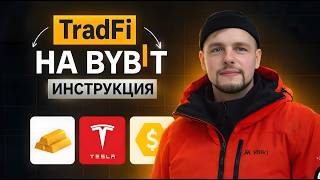

Make Money When Stocks Fall - Bybit CFDs
58sExplains how short selling works, a concept that surprises many new traders and sparks debate.
▶ Play Clip"Delivers exactly what the title promises — a solid step-by-step guide to CFD trading on Bybit's TradFi."
This video is a step-by-step tutorial on how to trade CFDs (Contracts for Difference) on Bybit's TradFi platform. It covers trading metals, oil, indices, stocks, and currencies, explaining the terminal interface, order types, leverage, risk management, and how to open, close, and monitor positions.
TradFi allows trading CFDs on metals, stocks, indices, currencies, and commodities like coffee and sugar.
Navigate to the Trade tab, scroll down to 'TradeFi', or search for the asset. Also accessible from mobile.
Buy if you expect the asset to rise; sell (short) if you expect it to fall. CFDs do not give ownership of the underlying asset.
Transfer funds from the funding account to the trading account. The transfer takes about 30 seconds to 1 minute.
Market orders execute immediately at current price. Trigger orders open automatically when a specified price is reached.
TradFi markets are not 24/7; they close on weekends. Check local time and GMT+2 for trading sessions.
Gold has up to 500x leverage. Minimum lot size is 0.01. One standard lot is over $500,000, so small lots are affordable with leverage.
Commission is $6 per standard lot. For 0.01 lot, it's $0.06. Commission is deducted from realized PNL.
After opening a position, you can set take profit (TP) and stop loss (SL) levels. The order will close automatically when price hits these levels.
If margin level drops to 50%, the position is forcibly liquidated. Always use stop losses to manage risk.
Holding positions overnight may incur a carryover fee (similar to funding rate in crypto). Be mindful of gaps when markets reopen.
Transfer from trading account back to funding account. Withdrawals typically process within 1 minute.
The video provides a comprehensive, practical guide to CFD trading on Bybit's TradFi, emphasizing the importance of risk management through stop losses and understanding leverage and liquidation.
What is TradFi on Bybit?
A platform to trade CFDs on metals, stocks, indices, currencies, and commodities.
00:01
What is the difference between buying an asset and trading a CFD?
Buying an asset gives ownership; trading a CFD only speculates on price movement without owning the asset.
02:06
What is the minimum lot size for gold?
0.01 lot.
05:00
What triggers forced liquidation in TradFi?
When the margin level drops to 50%.
09:29
How is commission calculated on TradFi?
$6 per standard lot; for 0.01 lot it is $0.06.
05:58
What is a trigger order?
An order that automatically opens when the price reaches a specified trigger price.
03:20
Are TradFi markets open 24/7?
No, they close on weekends. Check local time and GMT+2 for trading sessions.
04:05
How do you set a take profit order?
Enter the desired price level in the TP field and confirm.
07:08
What is the maximum leverage available for gold on TradFi?
Up to 500x leverage.
05:16
How do you withdraw profits from the trading account?
Transfer funds from the trading account back to the funding account.
13:09
CFD vs Spot Trading
Clarifies that CFDs do not confer asset ownership, only speculation on price.
02:06High Leverage on Gold
Gold offers up to 500x leverage, amplifying both gains and risks.
05:16Liquidation at 50% Margin
A critical risk management rule: positions are forcibly closed when margin falls to 50%.
09:29Position Carryover Fee
Similar to funding rates in crypto, this fee affects long-term holdings and can cause gaps at market open.
11:55[00:01] to use TradeF on the Bybit exchange. Tradefy is a place where you can trade metals, stocks, indices, currencies and even commodities. You can trade coffee, sugar, everything that is traded on the stock exchange, various shares of
[00:17] various companies, and also metals, which is very popular lately. To go and trade TradeF, you need to select the trade tab, scroll down and select Trade Fй here and choose
[00:29] the asset you are interested in. Or you can click on these three sticks and then enter what you want to trade. This can also be done from your phone. As soon as we press the button, we are taken to the terminal,
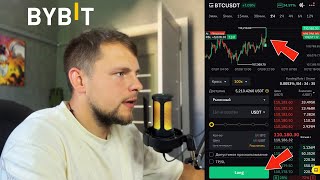
[00:43] where we see that we are trading immediately, see the chart and the necessary data on our future positions. We also see a small terminal for opening and closing positions.
[00:55] Here we have a choice of tools. Next we see two instruments, in pairs of which they are traded. For example, here we see that gold is traded against USD against dollar. However, in our country, for example, gold can be traded against the euro. The dollar may
[01:12] trade against the euro. Here it can be USD to Euro, USD to Japanese Yen. Next we see the current price of the instrument. We can also see this
[01:24] on the graph itself. We can see the maximum and minimum for today. We can also see changes. We can see the maximum contract size in lots. I'll tell you about this a little later. And also the distance to the market closing. Below we
[01:38] see the orders that can be opened, the position, executed orders, and also canceled ones. Well, and the financing journal. This is a separate story, we will look at it a little later. Here we have a terminal where we can buy
[01:51] tools. If we buy an instrument, this means that, for example, we expect that gold will continue to grow. If we choose to sell, this means that we expect gold to fall and want to make
[02:06] money on its fall. While we buy an instrument on the spot market, for example, Bitcoin, and can store it, it is ours personally, on Tradefy we only trade assets. We do not receive them in possession. We can make money both on
[02:21] growth and on decline. Spread tools are displayed in the center between these buttons . The spread can be crazy sometimes. It's, it's, uh, a market, Next we see the order price at
[02:36] number of lots. To top up your Tradefy account, you need to click the transfer button. Next, we can choose from the financing section or from a single trading one. In this case, I have $300 for
[02:50] funding. I choose here, enter the amount I need, and click the transfer button. The translation usually takes about 1 minute, so you may need to wait a bit. Literally 30 seconds passed, the money
[03:04] was already credited to our account, and here it is displayed in USDX units. displayed in USDX units. These are the same USDT, the same dollars that you already use in everyday life. Next we have two types of orders. We
[03:20] can immediately open a market situation, or we can take it using a trigger order. A trigger order means that, for example, you means that, for example, you want to buy gold at 5360, but you don’t
[03:34] want to buy at that point because it’s somewhat uncertain for you. You can enter a trigger price here, for example, 5360, and as soon as the instrument reaches this price, an order will automatically open in one direction or another, as
[03:49] you wish. The next very important points are that you need to look at the information section. Here we can see the local time and how the markets are trading at that time, because this is not crypto. Here trading is not carried out
[04:05] non-stop. Markets can open and close. For example, on weekends they may not trade at all if we open GMT +2, which is, roughly speaking, the world time that the market is guided by. And we see that
[04:18] trading is not available on Saturday and Sunday. On the left there is information on the minimum lot size, the maximum lot size, and also the maximum leverage. You can also view all this data separately using the link I will leave
[04:32] in the description. On Forex you can trade up to 100 leverage. On metals also up to a hundredth. The goods are already up to the twentieth shoulder. The commission for one lot will be 6 [music] dollars. However, don't be alarmed by the fact that $6 is a
[04:46] lot. For example, so you understand, one lot for a dollar is practically, not even practically, but more than half a million dollars. This does not mean that you should trade with half a million dollars. You have seen for yourself that
[05:00] our minimum lot is 0.1. If here we are in volume 01, we will see that the minimum we can open a position is $5,300. That is, the cost of gold at the moment. However, if
[05:16] you don't have this amount, don't worry, because remember that gold leverage is 500. Therefore, our balance currently only has $300. We multiply $300 by $ 500. This is the leverage we
[05:30] have. We can enter the instrument for $150,000. However, one must remember the risks and liquidation. I'll talk about it a little later, but 5,000 and if
[05:42] we have only 300 dollars on the balance, we can work with as much as 150,000 dollars. Therefore, there is no need to be afraid of such amounts . In Forex, this is, roughly speaking, the norm. And if the commission for one lot was 6 dollars, then for 1 lot we will
[05:58] pay only 6 cents. Now let's move on to opening and closing positions. For example, we found a gold tool. We think that this gold tool. We think that this tool will grow. We take and
[06:13] choose here according to the market. We also enter the number of lots we want to trade. In this case, for example, I want to go to 001. I click the buy button. And immediately this position is displayed in the positions section. Here we
[06:29] see the entry price, the current price, the lot size we entered, and the unrealized profit margin (PNL), which is how much we earned in USD X.
[06:41] We can also immediately close this position in this line, for example, by closing it with [amount missing]. We can select 100% of the position here and click the "Confirm" button. and our position will close at the mark we click on. At the moment we are already up
[06:55] $5. We can set a take profit or a stop loss. Take Profit profit or a stop loss. Take Profit is the level at which the price reaches, and our position will automatically close in profit. For example, I opened a position right here at the
[07:08] For example, I opened a position right here at the $5,300 mark. I want
[07:21] the position to automatically close at a profit of 5320 when this mark is reached. I click the button here, enter 5320 here, and see that if the price reaches that mark, I will earn $23. And I also understand that if the price falls , for example, to 5280, the
[07:36] instrument will most likely continue to fall. I don't want to participate in this movement. I want to lock in my losses, so I'll go ahead and enter 5280. If the price reaches that level, I'll take a loss of $16.50. I click the
[07:52] confirm button. We have already set take profit and stop loss. However, if we want to cancel them, we can always click, for example, on this thing, click the "Confirm: Take ProIT" button and our stop loss will
[08:05] be removed. To close a market position, simply click here, click close with, and then click the "Confirm" button. Next, in the executed orders section, you can see your current position. The total
[08:20] PNL was 646. However, you can see that in reality we see that in reality we earned more, 6.52. However, remember that we have a commission and the commission in this case was 6 cents. This
[08:34] commission is subtracted from the orderer's PNL, and the result is your total profit, which has already been received. Short positions are opened in the same way. For example, you can take it and go in. For example, you want to enter a position without any space, it is inconvenient for you
[08:49] to count, you want to enter with 10,000 dollars. You enter $10,000 here . However, please note that this amount is always rounded to the nearest amount is always rounded to the nearest round lot. 001. We
[09:04] remember that for us this is 5300, so we can simply take 11,000 here, and then we will round up to the nearest round number, namely 002 lots. I click the
[09:16] sell button here. And I assume that it is from this point that our instrument will begin to fall. While everything is clear with stop and take profit fall. While everything is clear with stop and take profit , it is unclear here when I
[09:29] can lose my money, and at what point I will be liquidated. Liquidation here is calculated in such a way that when your margin level drops to 50%, you will be forced to close your
[09:44] position. Therefore, keep an eye on the walrus level so that it does not always drop to 50%. In general, I advise you to always set stop-losses, because without stop-losses you will not be able to make money over the long term. So be sure to use them.
[09:58] So be sure to use them. Always choose a place where you will finish your trade, or set take profits and lock in at them. You can immediately, in parallel, as soon as you open a position, open another
[10:12] one, for example, and immediately set a take profit and stop loss. Before you open the trade itself, for example, we'll set the take profit at 5280 and the stop loss at 5320.
[10:27] As soon as you open this position, it becomes our second position. Click the sell button. It opens in second position. We also have the entry price, current price, position size, unrealized PNL, and
[10:43] position size, unrealized PNL, and stop and take profit at the same time. To close this position, you can click close again, close the next position in the same way, then go to executed orders and view the entire
[10:56] history. For example, for the fact that we opened 002 lots, that is, we were charged a commission of 012, because we remember that one lot costs 6 dollars. In the same way, you can
[11:10] trade other instruments, for example, shares of your favorite companies that you want to trade. For example, we open this stock, check all the boxes and see that we have these gaps, these unpleasant
[11:27] breaks. This is a small nuance when trading on Forex, on TradeF, that our market is not always traded. The market opens, closes, and we have
[11:40] these gaps. Because of the GEV, you can be either in the plus or in the minus. can see, I cannot trade right now . Once it opens, it may open with a big gap. Therefore, there is a fee for carrying over
[11:55] Therefore, there is a fee for carrying over positions. And you need to pay attention to leave positions for a very long time. While this may sometimes work to your advantage , more often than not it doesn't. So keep an eye on this. It's a bit similar to the
[12:11] funding rate when looking at the crypto market. not directly, but at least a little bit. Therefore, focus on this moment. Once this instrument is open for trading, it will be possible to
[12:25] trade it again. Sometimes you look at the euro to dollar ratio and realize that the euro, for example, will strengthen here or the dollar will strengthen there, and you want to trade all of this too. You can open euro to
[12:39] dollar. And if you choose to buy a tab here, this means that you expect the euro to rise against the dollar. If you click the sell tab, it means that you expect the euro to fall against the dollar
[12:54] . Therefore, all of this can also be traded. You can see the shoulders yourself , uh, on the tab that I'll leave in the description. In this case, we're trading Forex, so leverage will be up to 500. You
[13:09] can find more details about this in the information section . Once you have earned some money, you can, of course, withdraw it . In this case, we take from the Tradefy account to the
[13:22] funding account. In this case, I earned $21 while filming this video . So we take these 20 dollars, click the transfer tab, and in just 1 minute the money will be transferred to our funding account. If you
[13:36] don't have a bibiit account, you can register using our links and get some of the best deals on the market. 30 seconds have passed. The money was transferred to the funding account. We can see all this in the financing journal.
[13:50] see all this in the financing journal. We see the deposit, we see the withdrawal. And all of this can also be checked separately on individual accounts. If you found this video let me know in the comments what video I should make next. Thank you all very much
[14:05] for watching. Good luck to everyone and bye.

⚡ Saved you 0h 14m reading this? Transcribe any YouTube video for free — no signup needed.