
Two SSD slots? Yes, please!
48sTech enthusiasts love upgradeable hardware, and dual M.2 slots are rare in thin laptops.
▶ Play Clip"Title is accurate: the video demonstrates remote secure erase capability via Intel vPro, though the feature is still pending release."
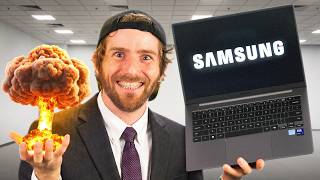
Samsung aims to disrupt the enterprise laptop market with the Galaxy Book 6 Enterprise Edition, featuring Intel vPro technology for uncompromising performance, security, and manageability. The video highlights its robust hardware, clean software, and powerful remote management capabilities that extend beyond IT to family tech support.
Samsung wants to break into the corporate PC laptop market dominated by three major brands, offering the Galaxy Book 6 Enterprise Edition with Intel vPro for no-compromise performance, security, and manageability.
The laptop features a subtle color change, generous dongle-free ports including full-sized gigabit Ethernet, HDMI 1.4, dual Thunderbolt 4, USB-A ports, audio jack, and micro SD reader.
Two user-accessible M.2 PCIe Gen 4x4 slots support drives up to 1 TB each; the secondary slot ships empty for easy upgrades. RAM is not user-replaceable.
Samsung's embedded security chip, Knox, aids corporate security and fleet management. The enterprise models promise a clean OS with minimal bloatware.
The start menu shows only Samsung Settings as a preloaded app. The settings app consolidates all controls (display, keyboard backlight, battery protection, auto-boot) without requiring an account.
Seamless second screen functionality with Galaxy tablets works wirelessly without extra apps, demonstrating Samsung's ecosystem integration.
vPro Fleet Services allows total control over enrolled PCs even with a broken OS. Demonstrated via a CrowdStrike outage example where vPro-enabled airlines recovered in one day vs. a week.
Remote management works without subscriptions, enabling BIOS-level control, key combinations, and secure remote access. Samsung adds extras like remote secure erase and one-click recovery (coming soon).
What are the two user-accessible storage slots in the Galaxy Book 6 Enterprise Edition?
Two M.2 PCIe Gen 4x4 slots, supporting drives up to 1 TB each.
2:28
Is the RAM in the Galaxy Book 6 Enterprise Edition user-upgradeable?
No, RAM is not user-replaceable or upgradeable.
3:02
What is Samsung's embedded security chip called?
Samsung Knox.
4:18
What remote management platform is built into every Intel vPro device for free?
Intel vPro Fleet Services (vPro Fleet.intel.com).
9:25
What two extra remote features is Samsung expected to release soon for the Galaxy Book 6 Enterprise Edition?
Remote secure erase and remote one-click recovery.
12:04
How long did it take airlines using Intel vPro to recover from the CrowdStrike outage compared to those without?
One day with vPro vs. almost a week without.
8:58
Dual M.2 Slots
User-accessible dual storage slots are rare in enterprise laptops, offering easy upgradeability.
2:28Samsung Knox Security
Knox provides hardware-level security and fleet management, a key enterprise differentiator.
4:18Seamless Second Screen
Wireless second screen with Galaxy tablets works without extra apps, showcasing ecosystem integration.
6:40vPro Recovery Speed
Real-world example of vPro reducing recovery time from a week to one day during a major outage.
8:58Remote Secure Erase
Samsung will be first to offer remote secure erase and one-click recovery via vPro, pending release.
12:04[00:00] If I asked you to name the three brands
[00:02] that IT departments go to when shopping
[00:04] for corporate PC laptops, I bet just
[00:06] about anyone watching this video could
[00:08] do it. But Samsung wants to change that.
[00:11] The goal of the Galaxy Book 6 Enterprise
[00:13] Edition with Intel Vro technology is no
[00:16] compromises on performance, security,
[00:18] design, manageability, or character
[00:21] count. And they sponsored this video
[00:23] where we're going to be showing it off.
[00:24] Now, I could be lazy and say, "Well,
[00:27] they took everything that was great
[00:28] about their consumer line of Galaxy
[00:30] Books, added some enterprisegrade
[00:32] refinements, and just sent it." But some
[00:34] of these enterprisegrade refinements
[00:37] merit additional discussion and can
[00:38] actually be useful outside of the
[00:41] enterprise as well. Intel's Vro remote
[00:43] management is easier than ever and now
[00:45] works without any infrastructure
[00:47] commitment, making it actually a great
[00:49] solution for the family IT guy. We're
[00:51] going to take a look at that and a
[00:53] closer look at the Galaxy Book 6
[00:55] Enterprise Edition.
[00:57] Now,
[01:06] let's start with a physical overview.
[01:08] The Enterprise Edition gets a subtle
[01:10] color change, kind of like the
[01:12] difference between gray with an A and
[01:14] gray with an E. hard to notice, but what
[01:16] I do notice is the generous dongle-free
[01:19] connectivity on both sides of the unit.
[01:22] The VPro platform models, like the ones
[01:24] that I've got here, get full-sized
[01:26] gigabit Ethernet, one of those cute
[01:28] little folding hinged ones, HDMI 1.4 and
[01:31] dual Thunderbolt 4 on the left side with
[01:33] a pair of 5 GB USBA ports, a universal
[01:36] audio jack, and a cheeky little micro SD
[01:38] reader right there over on the right.
[01:41] The IT department is surely going to
[01:43] love not having to give out a bunch of
[01:44] easy to lose adapters. Now, before I
[01:46] even boot this up, there is one more
[01:48] connector that I want to show you guys
[01:51] using my precision screwdriver kit in
[01:53] the exclusive float plane colorway,
[01:54] ltstore.com.
[01:56] All right, let's pop these feet off.
[01:58] It's not my preference to have screws
[02:00] hidden under feet. Do I just pry them
[02:01] off?
[02:02] >> They'll pop off easy. Oh, okay. Oh, so
[02:04] they do. Oh, cool. They're not adhesive.
[02:06] You know what? All is forgiven, Samsung.
[02:09] Good job. And I can just get them off
[02:10] with my fingers. I I have not actually
[02:12] seen that before. All right. All right,
[02:15] Samsung. I mean, framework investment
[02:17] disclosure.
[02:18] >> Yeah. Why am I having so much trouble?
[02:20] There it goes.
[02:22] There we go. Connector, or should I say
[02:26] connectors?
[02:28] Because Samsung has included two user
[02:30] accessible M.2 slots for storage. Both
[02:33] of them are PCIe Gen 4x4 and support
[02:35] drives up to 1 TB with our sample unit
[02:38] having a 512 gig NVME in the primary
[02:40] 80mm slot. Oh, how awkward would it be
[02:43] if it was not Samsung? It is Samsung.
[02:45] Okayoo, that's cool. And the secondary
[02:48] 30 mm slot ships empty, which is great
[02:51] for a quick upgrade. Now, they say they
[02:53] support up to 1 TB, but I actually see
[02:55] no real reason why you couldn't put a
[02:57] bigger one in in the future, but that's
[02:59] just not what it's certified for. As for
[03:02] RAM, unfortunately, that is not user
[03:05] replaceable or upgradeable. It's not
[03:07] really a surprise in 2026. It's just one
[03:09] of those things where you might want to
[03:10] make sure that you proactively whine at
[03:12] it about how much RAM you're going to
[03:14] need in the future because you won't be
[03:16] adding any after the fact. Since we're
[03:19] in here, there are a few different
[03:20] configurations available, all with
[03:22] series 3 Intel Core Ultra processors. I
[03:24] like the 14inch model with the Core
[03:26] Ultra 5 355 or the Ultra 7 365 because
[03:30] the Vro platform brings benefits beyond
[03:32] just the better hardware specs. There
[03:34] are nonVRO options in both 14 and 16in
[03:38] if you just can't live without your
[03:39] number pad, but you're going to be
[03:40] giving up Wi-Fi 7, Bluetooth 6, and
[03:42] Thunderbolt 4 along with, of course,
[03:44] Vro. Now, let's get this thing back
[03:46] together and fire it up. It actually
[03:48] kind of makes sense that the clips are
[03:50] so robust if they only have the four
[03:52] screws. Yeah.
[03:53] >> Still, I would have preferred. They just
[03:54] have more screw holes in the bottom.
[03:55] >> You didn't put the screws in.
[03:57] >> Oh, balls. You know what? I'm not going
[03:59] to be the last person to make that
[04:00] mistake.
[04:01] >> Oh, there's different size feet, by the
[04:02] way.
[04:03] >> The tall ones are at the back.
[04:04] >> Yeah.
[04:04] >> Got it. That makes sense, actually. Just
[04:06] like photographs.
[04:07] >> And they actually kind of fight you if
[04:08] you put them in the wrong spot. So,
[04:09] >> it it's actually quite quite good. Um,
[04:12] it did not allow me to put the wrong one
[04:14] in the wrong place. I should get a
[04:16] Samsung NOX screen here. There it is.
[04:18] Nox is Samsung's embedded security chip.
[04:20] I'll be the first to admit I don't have
[04:22] a ton of hands-on experience with it,
[04:23] but basically it's meant to help with
[04:25] corporate security and fleet management.
[04:27] We're going to stick a link down below
[04:28] if you want to learn more about Samsung
[04:30] Knox. What I do have experience with is
[04:33] bloated laptop software, and Samsung
[04:36] claims I won't see any of that on these
[04:39] enterprise models. They even go as far
[04:41] as to call it a clean OS. So, let's have
[04:43] a look at what that looks like in
[04:45] practice. Nothing unexpected in the
[04:47] system tray. Yep. I mean, one clue is
[04:51] there. Microsoft's going to Microsoft,
[04:53] right? Teams again, Microsoft color
[04:55] engine. The display profile that
[04:57] actually I I like to see this Dolby
[04:59] stuff is part of Windows. Intel drivers,
[05:02] OBS, again, we put on there, realtech
[05:04] audio drivers, Samsung settings, and
[05:07] that is basically it. As for the start
[05:10] menu, the only thing that looks a miss
[05:13] here is Samsung settings, but we were
[05:16] actually pretty impressed by this. Um,
[05:20] you don't need to make an account or
[05:21] click through a license or do any
[05:23] nonsense. And kind of everything you
[05:26] need is in here. Connections,
[05:29] connected devices, sound, notifications.
[05:32] Oh, okay. Interesting. It just pops up
[05:36] the Windows notification settings.
[05:38] >> That's the only one that does it. The
[05:39] rest of them are all controlled in the
[05:40] app though
[05:41] >> huh? Okay. You can play around with the
[05:44] color temperature of your display,
[05:46] adjust your HDR. I can adjust the
[05:47] timeout on my keyboard backlight. That's
[05:49] actually really nice. Sometimes when I'm
[05:51] like sitting and thinking, you know, I'm
[05:53] on a flight or something like that. I
[05:54] don't want it to be like constantly
[05:56] turning off and like flashing on and off
[05:58] at me while I'm while I'm working. Set
[05:59] it to like 3 minutes or 5 minutes. Auto
[06:02] boot.
[06:04] Start up when lit open. They they don't
[06:05] mean sleep. They mean boot.
[06:07] >> Boots. Yeah. Oh, that's pretty cool.
[06:09] Have you seen that before?
[06:10] >> Not that I'm aware of.
[06:11] >> That's That's pretty cool. Lock camera
[06:13] on and off. Not a physical cover. I
[06:15] really like this. This is a really
[06:17] important feature. Battery protection.
[06:19] Uh I generally like to set it at around
[06:21] 80% if I don't really need all of the
[06:24] battery life that my device has to
[06:25] offer. Uh it really helps maintain the
[06:28] longevity of your battery. It's funny.
[06:30] Samsung did what Microsoft took 15 years
[06:33] to do. When did Windows 8 come out
[06:34] again? They went and they consolidated
[06:36] all your settings in one place and with
[06:38] basically one interface. Coming back up
[06:40] to connected devices, this is something
[06:42] that Samsung's calling their Galaxy
[06:44] connected experience. So you can do
[06:46] things, for example, like set up a
[06:49] second screen if you have a Galaxy
[06:52] tablet. Get second screen app. They
[06:54] could have preloaded that. Credit to
[06:56] Samsung, they didn't. I tip my cap to
[06:58] you. Well, it's not really a cap, but
[07:00] really is very clean. All we have is the
[07:02] Samsung settings app. That honestly
[07:05] seems fine and pretty light. Skip
[07:07] signin. I can just not always appreciate
[07:10] that option. Even if I might normally
[07:13] sign in. Searching for nearby tablets.
[07:15] Your Tab 11 Ultra. Oh, okay. Is
[07:17] connected to your Galaxy S26. What are
[07:19] the odds this just works? Do I need to
[07:21] have a second screen app on here, you
[07:23] think? Oh, second screen.
[07:25] >> Let's go, boys.
[07:32] Very cool. Once you know how to do it,
[07:35] that easy and no wires. Samsung is also
[07:38] streamlining the work of the IT
[07:40] department, offering Galaxy Book
[07:41] configuration services, which basically
[07:44] preconfigures the systems from the
[07:46] factory with things like custom OS
[07:48] imaging, BIOS settings, custom BIOS
[07:51] logos, and even asset tagging. None of
[07:54] that's like crazy, but those little time
[07:56] savers add up to a big time savings when
[07:59] you're preparing a hundred or even
[08:01] thousands of machines for deployment.
[08:02] Once you're deployed, though, you still
[08:04] need to support your users, whether
[08:06] that's the art department down the hall
[08:07] or your dear old granny who keeps the
[08:09] recipes to her award-winning quadruple
[08:11] chocolate brownies on her laptop so she
[08:13] won't forget it. And that is where the
[08:14] Intel Vro platform is a total game
[08:16] changer. If you're in it, you probably
[08:19] already know all about Vro. In fact, you
[08:22] might be using it to manage a system
[08:23] right now. But bear with me here as I
[08:26] give just one example of what it can do
[08:28] for everyone else. Just a couple summers
[08:30] back, a security platform called Crowd
[08:33] Strike had a little oopsie that caused
[08:36] millions and millions of computers to
[08:38] blue screen. Now, it turns out that
[08:40] Crowd Strike was quite popular with many
[08:42] of the big companies that fly airplanes
[08:44] all over the place. These are called
[08:47] airlines. One of those airlines had to
[08:49] cancel more than 7,000 airline trips,
[08:51] and it took them almost a week to fix
[08:53] their computers the oldfashioned way,
[08:55] and it cost them millions of gold coins.
[08:58] But other smarter airlines were using
[09:00] Intel V Pro and got computers back up
[09:02] and running in just one day, and they
[09:05] hardly had to cancel any trips at all.
[09:07] Now, why don't we listen quietly and let
[09:10] Mr. Lionus show us all how it works?
[09:15] Let's take a look at how VRO Fleet
[09:17] Services gives us total control over our
[09:19] enrolled PCs, even if the OS is
[09:21] hopelessly broken and blue screening all
[09:23] over the place. And the coolest part is
[09:25] it's built into every VPro platform
[09:27] device for free. VPro Fleet.intel.com.
[09:31] All right, we've got both of these set
[09:33] up. This is going to be our management
[09:35] device, and this is going to be
[09:37] Grandma's computer with her brownie
[09:39] recipe. Let's see if Lionus can figure
[09:41] this out without ever having used VRO
[09:43] before. All right, continue to log in or
[09:46] sign up. Oh, I need to use yours. Oh,
[09:48] look at that. Jordan block. Second
[09:51] Jordan block. Thank you for that, Intel.
[09:53] Nice. From here, all I got to do is go
[09:55] to my endpoint groups. And then I'm just
[09:58] going to grab this pairing token file,
[10:00] which let's pop this in here. Now, we
[10:02] just run the fleet installer. Hey, there
[10:05] we go. There it is. Desktop
[10:09] 00
[10:11] I5 A71. What a name.
[10:13] >> That's what I call my grandma.
[10:15] >> Dear sweet.
[10:18] >> You can rename it there if you choose
[10:20] to.
[10:21] >> I already did.
[10:22] >> All right,
[10:22] >> there it is. And now all we got to do is
[10:25] click here to manage it. And what's
[10:28] super cool about this is no matter what
[10:31] kind of state the machine is in, in
[10:33] fact, we can see exactly what state it's
[10:35] in. It's powered on. Siri connected, no
[10:37] matter what state it's in, we can do
[10:39] anything we need to do, whether that's
[10:41] in the OS or even getting direct remote
[10:44] control of the BIOS. So, if your user
[10:47] just
[10:49] screws something up, you know what's
[10:50] funny is my grandparents called me
[10:52] today. They were having issues with
[10:54] their TV. Ivonne had to go all the way
[10:55] down there because I was at work. She
[10:57] had the day off. A book had fallen off a
[11:00] shelf and was sitting in front of the IR
[11:01] receiver. Like that's that's just the
[11:04] kind of stuff that you know happens. And
[11:06] the more that you are set up to remote
[11:08] manage, the less you have to go and deal
[11:13] with it in person, which is not to say
[11:15] that you should never, you know, visit
[11:17] your grandparents. You should. It's just
[11:19] to say that, you know, make it about the
[11:21] visit. Don't make it about fixing their
[11:23] computer. That's pretty cool. Look at
[11:27] that. Key combinations and everything.
[11:30] So this is it. This is built right in.
[11:32] There's no subscriptions or changing
[11:34] software terms. Team viewer, excuse me.
[11:38] I had something unethical got in my
[11:40] throat. Just easy remote access. Thanks
[11:43] for the recipe, Grandma. It's worth
[11:44] noting that aside from just connecting
[11:46] remotely, there are certain things that
[11:48] if I try to do them on the user's
[11:49] computer, it's going to pop up a code as
[11:52] well. And just like before, it won't be
[11:54] captured by any kind of screen
[11:55] recording. The exact functions available
[11:57] can actually be customized by the
[11:58] manufacturer, by the way. And Samsung is
[12:00] actually going to be the first to give
[12:02] us a couple of nice extras like remote
[12:04] secure erase and remote one-click
[12:07] recovery. Now, obviously for a platform
[12:09] like this, security is kind of like all
[12:12] three of the top three priorities. So,
[12:14] those features are still being
[12:15] thoroughly tested, but are expected to
[12:17] release soon TM. If these sturdy Galaxy
[12:20] Book 6 Enterprise Edition machines seem
[12:22] like a good fit for your business or for
[12:23] your family, guys, check out the links
[12:25] in the video description. Thanks Samsung
[12:27] for sponsoring this video. This is
[12:28] actually pretty fun opportunity to get
[12:30] to take a look at uh Intel Vro. I
[12:32] haven't played around with it in a very
[12:34] long time and it has matured a lot. Very
[12:38] cool. If you like this video, I don't
[12:40] know, something else Samsung, maybe
[12:41] check out our S26 video over on our
[12:43] short circuit channel.
[12:47] Farewell grandma's brownie

⚡ Saved you 0h 12m reading this? Transcribe any YouTube video for free — no signup needed.