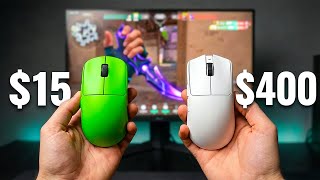

The Gaming Industry Is Lying About Mouse Speed
33sExposes a common belief that faster mice are always better, creating instant controversy and curiosity.
▶ Play Clip"The title accurately reflects the content—the creator spent $2,000 testing 30 mice and delivers a data-driven verdict."
The creator tested 30 gaming mice over 15 hours, spending $2,000 to find the best one for competitive shooters like Valorant and CS. They discovered that shape and click latency matter more than raw specs like weight or polling rate.
Rounded shapes fit everyone but don't lock the hand in; flat sides create a pincher force that anchors the hand.
SPDT switch logic uses a second signal to confirm clicks instantly, reducing click latency.
A cable creates variable resistance on glass pads, making the mouse feel inconsistent.
Disabling motion sync removes input delay; enabling GXP mode removes safety delays.
The OP1 4K V2 wins due to flat sides, wireless consistency, and a chalky coating that eliminates grip tape.
Why are flat-sided mice better for competitive gaming than rounded ones?
Flat sides create a pincher force that anchors the hand, preventing micro-adjustments during high-stakes duels.
1:32
What is SPDT switch logic and how does it improve click performance?
SPDT switch logic uses a second signal to confirm clicks immediately, reducing click latency.
2:27
Why should you disable motion sync on a gaming mouse?
Motion sync adds a tiny delay by smoothing movement; disabling it gives raw input.
3:59
Which mouse won the $2,000 audit?
The Endgame Gear OP1 4K V2.
5:37
Why is a cable a problem on a glass mouse pad?
A cable creates variable resistance—loose on one side, tight on the other—making the mouse feel inconsistent on glass pads.
3:00
What does GXP mode do on the OP1 mouse?
GXP mode removes the safety delay that prevents double clicking, reducing click latency.
4:17
What type of coating does the OP1 use and why is it beneficial?
A chalky coating that sticks to your hand as it warms up, eliminating the need for grip tape.
3:41
What is 'renting a shape' and how does it save money?
Buy a $40 clone like the Attack Shark R3 to test the shape before investing in the premium version.
4:50
Flat sides create a pincher force
Explains why flat-sided mice provide better grip stability than rounded ones.
1:32SPDT switch logic reduces click latency
Reveals a key technology that makes clicks feel instant.
2:27Cable creates variable resistance on glass
Highlights a hidden drawback of wired mice on low-friction pads.
3:00Disable motion sync for raw input
A simple setting change that removes input delay.
3:59Winner: Endgame Gear OP1 4K V2
The final verdict based on shape, consistency, and wireless freedom.
5:37[00:00] I tested 30 different mice. I tried
[00:01] magnesium shells that weigh [music]
[00:03] almost nothing and high-tech beasts with
[00:05] 8,000 Hz sensors. And I realized that
[00:07] the industry is kind of lying to us. The
[00:09] fastest mouse on paper is often the
[00:10] hardest to control when the match is on
[00:12] the line. So from those 30 mices, I took
[00:14] the best three mice in the world and put
[00:16] them through a 15-hour data audit to
[00:18] find the one that removes every excuse.
[00:20] Two of these are near perfect. Only one
[00:22] is truly endame. So here is what $2,000
[00:24] of testing actually teaches you. Now I
[00:26] am a tactical shooter player. I play
[00:28] Valerant and CS. But to find the best
[00:30] mouse, I had to stop playing matches and
[00:31] start looking at the data. So I use
[00:33] Kovac as a lab and I spent 15 hours
[00:36] doing tracking and flicking tests to see
[00:38] exactly where these mices will fail. Now
[00:40] to push them to the limit, I tested them
[00:42] on a glass pad. Most of you will use
[00:43] cloth pad, but glass is the ultimate
[00:45] stress test. On glass, there is no
[00:47] friction to hide mistakes. If a mouse
[00:48] shape is unstable or the sensor has tiny
[00:51] stutters, you will feel that instantly.
[00:52] Now, I knew that if a mouse stayed
[00:54] consistent in this hard mode
[00:55] environment, it would be a weapon on a
[00:57] normal cloth pad. So, this audit forced
[00:59] me [music] to look past the weight. I
[01:00] had to look at how my hand actually
[01:02] grips the mouse and how the signals are
[01:04] processed inside the shell. But before
[01:05] we talk about the tech, we have to also
[01:07] talk about the trap that almost every
[01:09] big brand falls into. And I'm going to
[01:11] talk about safe shapes. Now, I spend a
[01:13] lot of my $2,000 on the industry
[01:15] standards, the Logitech Gro Super Light
[01:17] and the Razer Vipers. These are great
[01:19] mice, but they have one problem. They
[01:21] use safe shapes. They are rounded and
[01:23] curved to fit everyone. But that also
[01:25] means that they don't really lock anyone
[01:26] in. In a high stake duel, your fingers
[01:28] can shift a tiny bit on a rounded mouse.
[01:30] This is where the OP1 shape is
[01:32] different. It uses flat sides. This
[01:34] creates what I call the pincher force.
[01:36] On a rounded mouse, your thumb and pinky
[01:38] are pushing against the curve. If you
[01:39] squeeze hard, the mouse wants to tilt or
[01:41] rotate. On flat sides, your finger push
[01:44] straight against each other. 100% of
[01:45] your grip strand goes into moving the
[01:47] mouse, not fighting the shape. Now, this
[01:49] will give you a biomechanical anchor. It
[01:51] ensures your hand lands in the exact
[01:53] same spot every time you pick it up. So
[01:55] once you have a shape that anchors your
[01:56] hand, the talk moves to speed, but speed
[01:58] on a box isn't really always the same as
[02:01] speed on the screen. The industry is
[02:02] racing for that 8K Hz polling rate. They
[02:05] tell us that faster sensors is the only
[02:06] way to win. But during my search, I
[02:08] found that click latency is just as
[02:10] important as sensor speed. I tested the
[02:12] final mouse ULX at 8K Hz and in my
[02:14] experience, it feels inconsistent. I
[02:16] felt tiny stutters and ruined the smooth
[02:18] feeling of my 480 Hz monitor. Felt like
[02:20] the tag was being pushed faster than the
[02:22] software could handle. Then I tried the
[02:24] Endgame Gear OP18K. Now this mouse uses
[02:27] something called SPT switch logic. Think
[02:30] of it like this. Most mice wait for a
[02:32] signal to reach a certain point before
[02:33] they count as a click. The OP1 uses a
[02:35] second signal to confirm that the click
[02:37] happened immediately. It makes your shot
[02:39] fit telepathic. You might have that AK
[02:41] sensor, but if your click is slow, you
[02:43] still lose the D. Now this creates a
[02:45] dilemma. Do you take the 50 g wire mouse
[02:47] with the best ST or do you sacrifice
[02:48] weight for the freedom of wireless? Now
[02:50] the OP18K is the raw performance king.
[02:53] It is wired and is 10 g lighter than the
[02:55] wireless version. In a world where we
[02:56] fight over two grams, 10 grams [music]
[02:58] is a huge deal. But on a fast setup, a
[03:00] cable is a problem. Even with a great
[03:02] bungee, a cable is like a spring. When
[03:04] you flick left, the spring is loose.
[03:05] When you flick to the right edge of the
[03:07] pad, the spring gets tight. This is
[03:08] variable resistance. It means the weight
[03:10] of your mouse actually feels different
[03:12] depending on where is on the pad. On
[03:13] cloth, you don't notice it. On glass
[03:15] you feel every single millimeter of that
[03:17] pull. Now, the wireless OP1 is heav at
[03:19] 58 g, but it gives you a movement
[03:21] parity. It feels exactly the same 100%
[03:23] of, the, time,, no matter, where, is, it, on
[03:25] the desk. And for me, that consistency
[03:27] is worth a 10 grand penalty. But there
[03:29] is one more thing that ruins
[03:30] performance. [music] The coating. Many
[03:32] mice like the ULX are slippery. You have
[03:34] to use a grip tape, but grip sometimes
[03:36] add width. If you buy a small mouse and
[03:37] add tape, you just ruin the shape you
[03:39] paid for. Now, the OP1 uses a chalky
[03:41] coating that sticks to your hand as it
[03:43] get warm. You don't really need a tape
[03:44] unless you really kind of want it. The
[03:46] shape kind of stays poor all the time.
[03:48] But before I tell you which one is my
[03:50] main, we have to fix the software. Most
[03:51] mice ship with the settings that
[03:53] actually make you slower. There are two
[03:54] settings you need to change immediately.
[03:56] Most player leave this on default, and
[03:58] it's a mistake in my opinion. First
[03:59] motion scene. Just turn it off. This
[04:01] feature tries to make your movement look
[04:03] smooth on your graph. But the smoothing
[04:04] adds a tiny little bit of delay. It
[04:06] makes your aim feel like floaty, if that
[04:08] makes [music] sense. After 8,000 hours
[04:09] I don't really want smooth. I want draw
[04:11] input. I want the sensor to report
[04:13] exactly what my hand does. The
[04:15] millisecond it happens. Now the second
[04:17] setting is something exclusively to the
[04:19] OP1. It's called GXP mode. Now this you
[04:22] want to have it enabled. It works with
[04:23] that SPDT logic. It basically removes
[04:26] the safety delay that most mice have to
[04:28] prevent double clicking. Also you have a
[04:29] lot of other settings like sensor angle
[04:31] tuning if you want to play around with
[04:33] that. It's actually kind of useful, but
[04:35] if you want to switch mice is a lot, I
[04:36] don't really recommend it that much. And
[04:38] you also have angle snapping and ripple
[04:40] control. Now in my opinion, I would just
[04:42] stay away from these settings because
[04:43] they will just teach you bad aiming. But
[04:45] if you aren't ready to spend like $150
[04:47] on this mice, do what I call renting a
[04:50] shape. Buy like a $40 or a $60 clone
[04:52] like an Attack Shark R3. Use it for a
[04:54] week. If you hate the shape, you only
[04:56] lost like $40. If you love it, then you
[04:58] can upgrade to the premium version with
[05:00] a better coding and a stabilized
[05:02] firmware. Now, with the tech optimized
[05:03] and the finalist ready, I finally had to
[05:05] choose. Only one mouse removed every
[05:07] SQS. [music] Now, after 30 mice and
[05:09] $2,000, it came down to a choice between
[05:11] the final mouse ULX, the OP18K, and the
[05:14] OP1 Wireless. Now, the ULX is an amazing
[05:16] piece of art, but the shape didn't lock
[05:18] my hand in, if that makes sense. It's
[05:19] basically a smaller Viper V2 Pro from
[05:22] Razer. Also, the fact that the mouse is
[05:24] super expensive and Final Mouse is kind
[05:26] of scummy with their drops, I wouldn't
[05:27] really recommend it that much. Now, the
[05:29] OP18K is the fastest mouse I've ever
[05:32] used, [music] but the cable pull on a
[05:33] fast pad was a distraction I couldn't
[05:35] ignore. So, the winner of my audit is
[05:37] the Endgame Gear OP1 4K V2. It isn't the
[05:40] lightest, but of course, you can mod it
[05:41] with a lot of stuff that you can find on
[05:43] the internet to make it like 40 g if
[05:45] you're really into that. It isn't also
[05:47] the fastest on a spec sheet, but the
[05:48] flat sides anchor my hand better than
[05:50] any other mouse. The build is solid, and
[05:52] the wireless freedom gives me total
[05:54] certainty. Now, my search for the
[05:55] perfect mouse wasn't about finding the
[05:57] lowest weight. It was about finding the
[05:59] setup that stayed out of my way. So
[06:01] stop chasing the gram count. Look for
[06:03] the shape that actually anchors you. and
[06:05] firmware that gives you the rout.
⚡ Saved you 0h 06m reading this? Transcribe any YouTube video for free — no signup needed.