

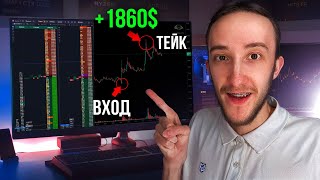
How to Make Money on Coin Listings
45sDirectly addresses a high-interest money-making topic with a clear promise, capturing viewers immediately.
▶ Play Clip"Title promises earning money but delivers a platform demo with no actual trading strategy or profit examples."
This video demonstrates how to profit from trading newly listed coins on cryptocurrency exchanges, focusing on the listing event as a signal of high activity. The presenter shows how to set up a screener with notifications for new listings, using a trading platform that includes tools like price alerts and formation tabs. The video also highlights recent platform updates, including a new exchange (BitGet) and detailed tooltips for each feature.
The video explains how to make money by trading on the listing of coins, where a coin just appears on an exchange and starts its chart. It also mentions setting up a screener for notifications.
The presenter encourages viewers to subscribe to their Telegram channel and chat for updates, strategy settings, and community interaction, with links in the description.
The platform has a listings tab showing columns for coin names, exchange names, and listing dates. Clicking a coin shows its full chart, volume, and transaction count.
Listings indicate active coins as many people flock to trade them, making them suitable for various strategies. The main criterion for strategy success is coin activity.
Users can set up notifications for new listings via Telegram or sound, and enable dialog notifications that pop up with the chart and exchange info.
The update added question mark tooltips for each function, allowing users to read detailed explanations of what each feature does.
The platform added BitGet, providing access to Spot and Futures markets not available on Binance, expanding trading opportunities.
Users can enable a column showing coins with alerts, making it easier to monitor the market and track notifications.
The video is a promotional walkthrough of a trading platform's listing features, emphasizing the importance of coin activity for trading strategies. It encourages viewers to utilize notifications and new updates to stay ahead in the market.
What is a listing in cryptocurrency trading?
A listing is when a coin just appears on an exchange, marking the beginning of its chart.
00:03
Why are listings considered good for trading?
Listings indicate active coins as many people flock to trade them, making them suitable for various strategies.
01:09
What are the two types of notifications available for listings?
Telegram notification and sound notification.
02:02
What does enabling dialog notification do?
It opens a dialog box with the chart when a new coin is listed.
02:14
Which new exchange was added to the platform?
BitGet, providing access to Spot and Futures markets not on Binance.
03:19
Listings as Activity Indicators
Explains the core rationale behind trading listings: high activity attracts traders and improves strategy performance.
01:09Notification Setup
Demonstrates a practical way to stay updated on new listings, enabling timely trades.
01:48BitGet Integration
Expands trading opportunities by adding a new exchange, increasing market access.
03:19[00:03] show how you can make money by trading on the listing of coins and I will also show how you can set up a screener so that it sends notifications about new listings. Listing is when a coin just appears on the exchange and you can say that this is the beginning of its
[00:16] chart. Well, before the video starts, don't forget to subscribe to our Telegram channel where we post current updates. We also have a Telegram chat where you can view the settings for different strategies. Ask yourself a
[00:30] question, share ideas, current formations, and communicate with anyone interested. I will leave links to Telegram in the description under the video. In a recent update, we added listings tabs to it. You can go and see all the current
[00:43] listings that we have. Here we see columns: the first column with the names of coins, the second with the name of the exchange, and the third with the date. When the listing of this coin occurred, we can click on the name of the coin and see its full
[00:56] chart. Here, this coin was actually listed and appeared on the exchange 6.2 hours ago. Here is its chart. And at the moment, it already has 128 million volume. and 57,000 transactions.
[01:09] This indicates that the coin is active and can be considered for trading. Listings are good because they serve as an indicator of an active coin. appears, a large number of people flock to it and
[01:22] begin to trade it, and these coins will be active and good for trading using different strategies. Because the main criterion for working out all transactions using different strategies is this
[01:35] coin activity, and this is exactly what the listing helps find such coins. Another advantage here is that we can set up a listing notification. And thus, it will come to us. This allows us to trade the coin as fresh as possible.
[01:48] Here we go to the tabs, go to settings, or simply click on the notification, and here in notifications. We have a deposit, click create, select the notifications. By the way, a
[02:02] new exchange has now appeared on it. We can also set up listing notifications and all other notifications and trade as comfortably as possible. Here we choose Telegram notification or sound notification. You can also do all this. Let's
[02:14] set up the sound we want to hear together. We can set any sound we have a large number of them, and here we can also check the box to enable dialog notification. This means that when a new coin is listed, a dialog
[02:27] box with a chart will open. That is, as now we have a window like this, and when a new coin is listed, we will also have a pop-up window and we will see the chart of this coin, the listing exchange on which this all
[02:39] happened. This is quite convenient, after which we click save and receive such a notification about the listing of coins and a notification about the listing is a fairly convenient tool for finding out when we have an active
[02:52] coin. I also wanted to show what we added in the next update. Here we can hover over any function and we will have a question mark here, you can click on it and see a detailed tooltip for this functionality. Here we have a
[03:05] price intersection and we can read in full everything that it is responsible for. We also have this available in all other deposits. We also hover over the function we are interested in, the question mark, and we can read in full detail what it means.
[03:19] Formation tabs, also questions and We have a tooltip for each function here, which allows you to understand in more detail what this functionality is responsible for. Also, in the next update, we added a new exchange, BitGet, now
[03:32] we have access to BitGet Spot F, Spot, which are not on Binance, and futures, which are not on not on Binance, and futures, which are not on Binance. New those coins that have an alert. This is also available in the coins tab,
[03:47] go to the gear, and here we see coins with an alert, you can check the box and we will have an additional column with an alert. There see the coins on which we have
[04:00] notifications. A fairly convenient setting allows you to more comfortably monitor the market. Well, this video will come to an end. Thank you all very much for watching. If you have any questions, be
[04:12] sure to write in the comments. Let's shake hands. Have fun, we'll get along. Thank you all very much. Goodbye, bye hands. Have fun, we'll get along. Thank you all very much. Goodbye, bye



⚡ Saved you 0h 04m reading this? Transcribe any YouTube video for free — no signup needed.