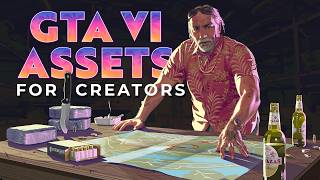

Free GTA 6 Fonts & Logo!
45sOffers a direct, valuable resource for creators, sparking curiosity and shares.
▶ Play Clip"Delivers on the promise of free assets, though the content is thin and could be condensed."
This video is a resource roundup for content creators making GTA 6 thumbnails or artwork. The creator showcases several free assets, including official Rockstar fonts, a logo pack, a text generator, and a tutorial on recreating the GTA 6 style, all aimed at helping viewers create more recognizable and professional-looking thumbnails.
The creator found a Google Drive link (in the description) containing the official GTA 6 fonts (regular and medium) and a bonus folder with the official logo in high quality. The fonts can be installed by right-clicking and selecting 'Install'.
A website called 'Six Tech Generator' allows users to type text and add a background (e.g., a full GTA 6 background) and download the result with a transparent background. It's described as super easy and high quality.
An article provides its own text generator, but requires a subscription for transparent downloads. More importantly, it breaks down how to recreate the GTA 6 style step-by-step, including every layer, allowing users to customize with different fonts.
Another resource is mentioned but given less attention because it requires using the Grand Theft Auto logo, which might not be as recognizable at a glance.
Rockstar Games' official website provides the latest screenshots, wallpapers, and artwork. Some pieces don't immediately scream 'GTA 6', but adding the logo can help make thumbnails more recognizable.
The video provides a practical toolkit of free assets and tutorials for GTA 6 content creators, emphasizing the importance of using official fonts and logos to make thumbnails stand out and be instantly recognizable.
What is the first resource mentioned for GTA 6 thumbnails?
A Google Drive link with official GTA 6 fonts and a logo pack.
00:15
How do you install the fonts from the asset pack?
Right-click the font file and select 'Install'.
01:11
What does the Six Tech Generator app allow you to do?
Type text, add a background, and download the result with a transparent background.
01:24
What is required to download the transparent version from the article's text generator?
You have to subscribe.
02:24
What does the article's tutorial break down?
How to recreate the GTA 6 style step-by-step, including every layer.
02:24
Official assets available for free
Provides access to official fonts and logo, which are crucial for authentic thumbnails.
00:15Easy-to-use text generator
Offers a simple solution for creating GTA 6-style text without design skills.
01:24Step-by-step recreation tutorial
Empowers creators to customize the style with different fonts, expanding creative possibilities.
02:24Use official artwork for authenticity
Highlights the value of using official Rockstar assets to make thumbnails more recognizable.
03:07[00:00] So thank you so much for showing support on my previous video on the subject. I found a couple of assets that might interest you right now, just like me.
[00:15] If you're going to be creating thumbnails or anything related to GTA 6, It's actually been posted for a while if you click on the link to Google
[00:28] I'll put a link in the description. So it's a little bolder. I'm going to show you that show you how to install the fonts.
[00:41] The bonus folder actually has the logo, the official logo, and super high quality. Obviously this has been posted like two years ago, so there's more stuff on the Rockstar website, this is always good to have just in your asset pack.
[00:55] or you can download the individual fonts if that's the only thing that interests In my case, I have a fonts folder where I have all of my fonts. Well, actually have it in there.
[01:11] And it's as easy as right clicking and clicking install. But that's that's all you Good for the regular and the medium.
[01:24] Photoshop gamble or whatever. It'll show up in The other website I wanted to showcase was this one six Tech Generator app, and it pretty much does the job for And
[01:37] this one might be a little more accessible since you do it directly on the website. At the bottom there's this text bar where you can just type whatever you want. and then you can add a background if you want.
[01:52] So you can have like a full ten ATP background. And all you have to do now is click download. with transparent background, no hassle, no nothing, super easy to use.
[02:11] In fact it's pretty high quality because we can see here that it is. Finally, there's this article that has its own text
[02:24] generator here, but you have to subscribe to download the transparent version. The most important part here is that they actually break down how to recreate it. So if you would like to do it with maybe a different font, I don't know.
[02:36] and you really want make your own, but with the same style. They really, really break down every single step, every single layer. Yeah, of course, there's also this one that you might want.
[02:51] I'm just not giving it as much attention because this one has been around and you have to use like the Grand Theft Auto logo. that you can pretty much know what it's about at a glance.
[03:07] so being able to have some nails or just artwork that gives that photo six feeling without necessarily having the Grand Theft Auto six logo on guess what the video is Of course, let's not forget Rockstar Games.
[03:22] basically the latest screenshots, wallpapers, and artwork in general. you can find videos, artwork, screenshots. And they're really giving us a lot to work with right now.
[03:38] but some of them don't necessarily immediately scream Grand six, for example. But if I'm scrolling down YouTube really fast and I see this, I'm not necessarily going to think oh six.
[03:51] try to put the logo in Well those are those are so cool man. All right.
[04:03] Because I have like a lot of content for content creators lined I'll see you next time.

⚡ Saved you 0h 04m reading this? Transcribe any YouTube video for free — no signup needed.