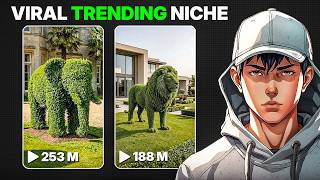

How Plant Growth Videos Hit 200M Views
45sReveals insane reach stats (200M views) that hooks viewers with the promise of viral success.
▶ Play Clip"Title accurately promises a full guide on making viral plant growth videos, and the video delivers a clear step-by-step process."
This video provides a step-by-step guide on creating viral plant growth and animal transformation videos using AI tools like ChatGPT and Flow AI. The creator demonstrates how to generate image prompts, create animated clips, and edit them into a seamless video that can attract millions of views.
Plant growth and animal transformation videos are trending, with some reels getting over 200 million views.
Open ChatGPT, go to explore GPTs, find 'Restoration Time-lapse', and paste a prompt from the description to generate image and video prompts.
Use Flow AI's image generation with Nano Banana Pro model, paste the image prompt, adjust settings, and download the image. Repeat for all four images.
In Flow AI, use 'Frames to Video' option, upload start and end frames, paste the video prompt, and generate the clip. Repeat for each transition.
Arrange clips in sequence, zoom in to remove watermarks, add transitions, and export the video.
By following this AI-powered workflow, anyone can create engaging plant growth or animal transformation videos that have high viral potential. The process is simple and requires only ChatGPT and Flow AI.
What AI tools are used to create viral plant growth videos?
ChatGPT and Flow AI.
00:14
What GPT model is used in Flow AI for image generation?
Nano Banana Pro.
00:41
How many image prompts are generated by ChatGPT?
Four.
00:28
What option in Flow AI is used to animate images?
Frames to Video.
01:09
How can watermarks be removed from clips?
By zooming in slightly.
01:35
Viral Video Trend
Highlights the massive reach of this content format, with examples of millions of views.
00:01AI Workflow
Demonstrates a practical, repeatable process using accessible AI tools.
00:14Editing Tips
Simple editing tricks like zooming to remove watermarks are valuable for creators.
01:35[00:01] videos are trending everywhere. A lot of creators are getting insane reach. We're millions of views just by using this format. I came across an Instagram page with over 300,000 followers, and one of their reels alone hit more than 200
[00:14] million views. So, in this video, I'll walk you through the exact process of making these videos with AI. Let's jump straight in. Start by opening ChatGPT. After that, head over to the explore GPTs section and type restoration time
[00:28] lapse. Once it shows up, open it and begin a chat. Now, take the prompt from the description and paste it there. Just swap the animal name with anything you example. It will generate a set of four
[00:41] corresponding video prompts. Take the first image prompt and move to Flow AI. Click on the image generation option, adjust your aspect ratio and output settings, and select a model. I'm going with Nano Banana Pro. Paste your prompt
[00:55] ready within a few seconds. Download it once done. Follow the same steps for the remaining prompts until you have all four images saved. Now, it's time to animate them. In Flow AI, go to the video section and choose the frames to
[01:09] video option. Upload your first image as the starting frame and the second image as the ending frame. Then copy the first video prompt from ChatGPT, paste it there, and generate the clip. Once it's ready, save it and repeat the process
[01:21] for the next clip, then three and four for the final one. Each time using the correct video prompt. After generating all the clips, open your editing Arrange the clips in sequence, zoom in slightly if you need to remove any
[01:35] watermarks, and add simple transitions to make it smoother. And just like that, to make it smoother. And just like that, your video is complete.
[01:58] viral plant growth animal videos using AI. If this was useful, don't forget to like the video and subscribe to AI Vision for more content like this.


⚡ Saved you 0h 02m reading this? Transcribe any YouTube video for free — no signup needed.