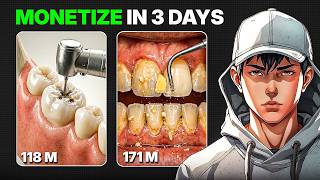

Channel Made $22K With Simple AI Videos?
43sHigh earnings and easy method create curiosity and desire for quick monetization.
▶ Play Clip"The title accurately describes the content: a method to create viral teeth cleaning shorts using AI, and it is monetizable as claimed."
This video reveals a step-by-step method to create viral 'teeth cleaning' style short-form videos using AI tools like ChatGPT, Google Gemini, and Google Flow. The presenter claims these videos are monetizable and can generate significant views and earnings, with a channel example reaching 40,000 subscribers and millions of views.
A channel using this method has crossed 40,000 subscribers, with most uploads hitting millions of views. One recent video reached 14 million views in just 4 days.
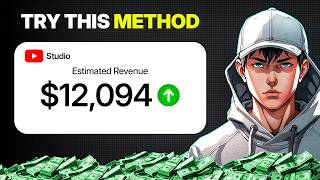
The channel's estimated earnings range between $2,000 to $22,000 per video.
Copy the channel analysis prompt from the PDF, take a screenshot of the channel name and subscriber count, and upload it to ChatGPT. Then take another screenshot showing videos with views, titles, and thumbnails, and upload that too. ChatGPT will break down how to recreate the videos using AI.
Copy the topic prompt from the PDF, paste into ChatGPT, choose how many ideas (e.g., 5), and hit enter. ChatGPT generates a list of video ideas.
Copy the image prompt from the PDF, paste into ChatGPT with your selected topic and number of images (e.g., 5). ChatGPT generates image prompts.
Copy the first image prompt, go to Google Gemini, select 'create image', paste the prompt, add 'aspect ratio 9:16', generate, and download. For consistency, before generating the next image, write 'Use the previous image as a reference' then paste the next prompt. Repeat for all images.
Copy the video prompt from the PDF and paste into ChatGPT. It generates transition prompts between each image.
Take the first video prompt, go to Google Flow, start a new project, upload all images, set the first image as start frame, paste the prompt, select settings, and generate. Repeat for all image pairs.
Open any video editor, import all clips, arrange in order, slightly zoom in to hide watermark if needed, and export. The short is ready to upload.
The video provides a complete AI-driven workflow to create viral short videos, emphasizing that the prompts are available in the description. The method is presented as a simple, repeatable process for generating monetizable content.
What is the estimated earnings range per video for the channel mentioned?
$2,000 to $22,000
00:15
How many subscribers did the example channel cross?
40,000 subscribers
00:02
What aspect ratio should be used for images in Google Gemini?
9:16
01:25
What trick ensures consistency when generating multiple images in Gemini?
Write 'Use the previous image as a reference' before generating the next image.
01:39
Which tool is used to turn images into realistic videos?
Google Flow
02:06
How many views did a recent video on the channel get in 4 days?
14 million views
00:02
Viral Channel Metrics
Demonstrates the potential reach and success of the method with concrete numbers.
00:02Earnings Potential
Highlights the monetization aspect, a key motivator for viewers.
00:15Image Consistency Trick
A practical technique to maintain visual consistency across AI-generated images.
01:39[00:02] has already crossed 40,000 subscribers. Most of the uploads are hitting millions of views. In fact, one of the recent videos, posted just 4 days ago, already reached 14 million views. Honestly, even one video like this can get your channel
[00:15] estimated earnings, this channel is making somewhere between $2,000 to $22,000. The crazy part? Creating these videos is need four simple prompts, and I've already shared all of them in the
[00:29] description. Let's get started. First, copy the channel analysis prompt and screenshot of the channel name, along with subscriber count, and upload it. Then, take another screenshot showing the videos, including views, titles, and
[00:43] thumbnails, and upload that, too. Hit enter. Chat GPT will break everything down and show you how these videos can be recreated using AI, along with a full step-by-step guide. But, you don't even need to follow all of it. Next, copy the
[00:56] topic prompt from the PDF and paste it into Chat GPT. Choose how many ideas you want. I'll go with five, and hit enter. It will generate a list of ideas. Just pick the one you like. Now, take the image prompt from the PDF, paste it into
[01:12] Chat GPT, and add your selected topic along with the number of images you want. I'm choosing five. Hit enter. Copy the first image prompt and go to Google Gemini. Select create image, paste the prompt, and add this at the end: aspect
[01:25] ratio 9:16. Generate the image and download it. Now, here's an important trick for consistency. Before generating the next image, always write, "Use the previous image as a reference." Then, paste the next prompt. This keeps the
[01:39] angle, lighting, and overall look consistent across all images. Repeat this step for all five images. Once done, copy the video prompt from the PDF and paste it into Chat GPT. It will generate transition prompts between each
[01:53] image. Take the first video prompt and go to Google Flow. Start a new project and upload all your images. Set the first image as the start frame and the prompt, select the settings, and generate. Flow will turn it into a
[02:06] realistic video within seconds. Repeat the same process for all image pairs. Finally, open any video editor, import all the clips, arrange them in order, and slightly zoom in to hide the watermark if needed. Export the video.
[02:32] short is ready to upload. You've seen how it works. Now it's your turn. The prompts are in the description. Also, if you like this video, subscribe to AI you like this video, subscribe to AI Vision for more content like this.
⚡ Saved you 0h 02m reading this? Transcribe any YouTube video for free — no signup needed.