
I Automated My Entire Monday with AI
45sHigh relatability for anyone overwhelmed by workday admin, with a clear before/after transformation.
▶ Play Clip"The title promises a full workflow rebuild, but the video is a brief demo with a heavy promo push for Sintra."
The video demonstrates how to automate a content creator's Monday workflow using Sintra's AI helpers, covering email drafting, analytics reporting, and social media posting. The creator shows how to connect Gmail, Notion, and scheduling tools to run routine tasks without manual intervention.
The creator's old Monday routine consumed the entire workday before opening the script, prompting a rebuild with Sintra helpers.
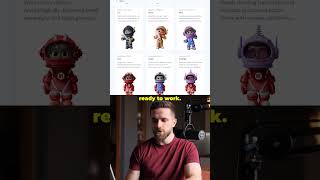
Sintra ships a roster of AI helpers, each pre-configured for specific tasks, and the creator plugged them into the ops layer of their AI master pipeline.
Emi drafts replies in the creator's tone directly from Gmail, pulling the thread without copy-pasting, thanks to a direct inbox connection.
Dexter runs a scheduled report on the last 10 videos' numbers every Monday, so hook trends are ready before the creator starts work.
Soheila writes announcement posts for X and LinkedIn, pulling the project brief from Notion and queuing posts on the calendar.
The creator spun up a custom helper in about 10 minutes by feeding it a brand voice doc, testing replies, and publishing it to the Sintra marketplace.
Sintra's AI helpers can automate routine content creation tasks, freeing up significant time. The creator encourages viewers to try their published helper or build their own, with a discount code provided.
What is the name of the AI helper that drafts email replies?
Emi
00:28
Which helper runs a scheduled analytics report on the last 10 videos?
Dexter
00:45
How long did it take to create a custom helper?
About 10 minutes
01:01
What does Soheila do?
Writes announcement posts for X and LinkedIn, pulling briefs from Notion.
01:01
Monday workflow problem
Identifies a common pain point for content creators: routine tasks consuming the workday.
Sintra's helper library
Shows how pre-built AI helpers can be plugged into existing workflows.
00:15Custom helper creation
Demonstrates that building a custom AI helper is quick and accessible.
01:01[00:00] My old Monday used to eat the entire workday before I opened the script. I rebuilt the boring half with Sintra helpers, and now most of it runs without me. Sintra ships a roster of AI helpers, and each one already knows its job.
[00:15] I plugged a few into the ops layer around my AI master pipeline. Email and analytics used to eat my morning before I ever touched the script. Now I just pick a use case from Sintra's library, and the right helper opens up ready to work.
[00:28] A client email lands in my Gmail, and Emi drafts the reply in my tone. Inbox is connected straight to Sentra, so she pulls the thread without me copy-pasting anything. Then I check in with Dexter for the numbers from my last 10 videos. He runs that same report every
[00:45] Monday on a schedule, so the hook trends are already waiting for me. While that's running, so she writes the announcement posts for X and LinkedIn. She pulls the project brief straight from my notion and queues to post on my calendar. I also spun up my own helper in about 10 minutes,
[01:01] I fed it my brand voice doc and tested a couple of replies, then I published it to the Centrum marketplace so anyone else can run it too. Link to Cynthia is in the description and this code gets you 85% off any plan. Try the helper I just published or build your own in an afternoon.




⚡ Saved you 0h 01m reading this? Transcribe any YouTube video for free — no signup needed.