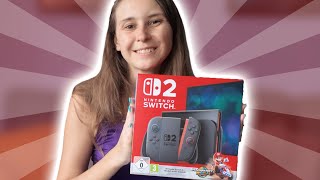

Nintendo Switch 2 First Look!
44sThe reveal of the highly anticipated Nintendo Switch 2 console generates instant excitement and curiosity.
▶ Play Clip"Delivers exactly what the title promises – a straightforward unboxing with no surprises."
This unboxing video provides a detailed look at the Nintendo Switch 2 Mario Kart World Edition, showcasing the console, dock, and all included accessories.
The unboxing begins with opening the Nintendo Switch 2 box, revealing the console and accessories.
Inside the box: the Nintendo Switch 2 console, a letter for code redemption, a manual, HDMI cable, two Joy-Con straps (blue and orange-red), a European power plug, and the dock.
The dock includes internal hardware (unlike the original Switch dock), a fan, two USB ports, and connections for USB-C, HDMI, and LAN cable.
The box is emptied, and the Nintendo Switch 2 is the main item of interest.
The unboxing confirms the Nintendo Switch 2 Mario Kart World Edition package includes the console, dock, and standard accessories, with no surprises.
Dock with Internal Hardware
Unlike the original Switch dock, the Switch 2 dock contains its own hardware, improving functionality.
02:59Dock Includes LAN Port
The dock has a LAN cable input for stable internet connection, a feature missing from the original Switch.
03:13Two USB Ports on Dock
The dock offers two USB ports for charging or connecting controllers, adding convenience.
03:39[00:01] This is an unboxing video of the Nintendo Switch 2 Mario Kart World Edition. Let's start with opening it up. I mean, that's the whole idea of an unboxing video, I guess, right? That we unbox
[00:28] right. Then when we open it up, we see the Nintendo Switch 2 with the
[00:56] says Nintendo Switch 2 at the back and with the little
[01:12] here. You go full switch. And then we grab this part off. And in
[01:30] it's mine. Um a letter on how to redeem the code. A little manual on how to use the Nintendo Switch 2.
[01:49] HDMI 2 um HDMI cable, two straps for the um JoyCons, a blue and a red one or yeah, it's red but it's like it's a little bit orangey, more orange than the one for the Nintendo Switch
[02:09] from the European Union. I'm from the Netherlands. Uh, so we have a European um power plug, but if you're from a different country for the UK or from different country for the UK or from America, you will have a different
[02:44] you want to play them with the TV remote, you can plop them in here and remote, you can plop them in here and you can use them as a controller. And the next thing that's in here is the uh dock. And this dock
[02:59] actually has hardware in it instead of the one for the Switch one that didn't have hardware in it. Uh, and then the back here, we can open this up and we see an entry point for the USBC, which is the one for the power adapter, the
[03:13] HDMI, which goes to your TV, and there's also um an um LAN cable entrance to connect your internet. Uh the Nintendo Switch one, not the OLED one, but the
[03:25] Nintendo Switch one didn't have one. The for the one for the OLED did have one. that to the Nintendo Switch, too. There's also a little fan to later in There's also a little fan to later in here. A little fan and uh two USB ports
[03:39] to connect your controller to it to load your controller um or to just connect it and play with it while it's loading. And that's everything that's in the box. Yeah, box is
[03:52] the box. Yeah, box is empty. So, Nintendo Switch with uh some accessories. But yeah, Nintendo Switch 2 is definitely the thing you wanted wanted to get out of this box, obviously. So that's it.
⚡ Saved you 0h 04m reading this? Transcribe any YouTube video for free — no signup needed.