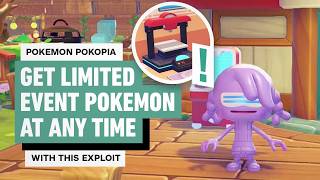

Get Limited Event Pokémon Anytime!
44sReveals a game-breaking exploit that lets players bypass time-limited events, sparking curiosity and desire to learn the trick.
▶ Play Clip"The title promises an exploit to get limited event Pokémon anytime, and the video delivers exactly that with a clear, step-by-step method."
This video from IGN explains a trick for obtaining limited-time event Pokémon in Pokémon Pokopia even after the event has ended. The method involves visiting a cloud island created by another user, photographing event items, and using the 3D printer to create copies that can be used to build Pokémon habitats.
Events like the Gerach and Feebas events require finding a specific resource and using it to purchase items that create a Pokémon's habitat. If you miss collecting all event items, you miss the chance to create that habitat.
Reddit user Arcadia Citizen uses a cloud island made by Mel_Shoda on X/Twitter. This dream island has every Pokopia item, including event items.
Visit the user's cloud island, take a photo of the event items you need, return to your world, and use the 3D printer to print copies of the items needed to create Pokémon habitats. Even if the event is over, the habitat will still register when the correct items are placed, attracting the Pokémon.
Successfully pulling off this trick requires visiting a cloud island, which means you need an active Nintendo Switch Online membership.
Head to your local Pokémon Center and browse the PC shop for the mysterious goggles, costing 100 life coins. Equip the goggles and enter the code of the island you want to visit. The video uses Mel's island code: 6DXL PD6F.
Once on the island, find the item you need. Press Y to access the item camera and ensure the item has a label above it. Take a picture, then head to a Pokémon Center to use the 3D printer to create a copy.
Using the 3D printer costs Poke Metal or rare Pokémon metal ingots. If you're running low, head to a dream island using the Dragonite doll to pick some up.
After printing the items, you can create habitats and meet your new Pokémon friends.
This trick allows players to obtain limited-time event Pokémon at any time by using a cloud island and the 3D printer to replicate event items, bypassing the event's time limit.
What is the 'missed event trick' in Pokémon Pokopia?
It's a method to obtain limited-time event Pokémon after the event has ended by visiting a cloud island, photographing event items, and using the 3D printer to create copies.
00:31
Who created the cloud island used in the trick?
Mel_Shoda on X/Twitter.
00:31
What is the cost of the mysterious goggles?
100 life coins.
01:08
What is the island code used in the video?
6DXL PD6F.
01:22
What does using the 3D printer cost?
Poke Metal or rare Pokémon metal ingots.
01:50
The Missed Event Trick
This is the core exploit that allows players to bypass event time limits, a key insight for players who missed events.
00:31Habitat Registration
The fact that habitats register even after the event is over is the crucial mechanic that makes the trick work.
00:44Requirements for the Trick
Clarifies that an active Nintendo Switch Online membership is necessary, setting expectations for players.
01:08[00:02] Pokemon Pocoia. These types of events, like the Gerach event and the Feebas event, involve finding a particular resource and using it to purchase items that create that Pokémon's habitat. The only problem is that these events
[00:14] don't have time to collect all the event items, you miss your chance to create that Pokémon's habitat. Unless, of course, you use the missed event trick. course, you use the missed event trick. Let's go over it here.
[00:31] Reddit user Arcadia Citizen and uses a cloud island made by Mel_Shoda on X/ Twitter. This dream island has essentially every Poctopia item, including event items. The trick is that you need to head to the user's cloud
[00:44] island, snap fix of the event items you need, head back to your world, and use the 3D printer to print copies of the items you need to create Pokémon habitats. Even if the event itself is over, the habitat will still register
[00:56] when the correct items are placed. and that Pokémon will still be attracted to your town. Keep in mind that successfully pulling off this trick does require visiting a cloud island, which means you do need an active Nintendo
[01:08] Switch online membership. First, head to your local Pokémon Center and browse the PC shop for the mysterious goggles. They'll cost you 100 life coins. Dawn your new goggles and enter the code of the island you'll want to visit. We'll
[01:22] the island you'll want to visit. We'll be using Mel's island code, 6DXL be using Mel's island code, 6DXL PD6F.
[01:36] photograph. Once you've got your sights on one, press Y to access the item camera and that the item in question has a label above it. Take your picture and you will be ready to head to a Pokémon center and use the 3D printer to create
[01:50] a copy. Remember that using the 3D printer does cost Poke Metal or rare Pokémon metal ingots. Head to a dream island using the Dragonite doll to pick island using the Dragonite doll to pick some up if you're running low.
[02:08] ready to make your habitats and meet your new Pokémon friends. Thanks for watching, and for more Poptopia, keep it right here on IGN.
⚡ Saved you 0h 02m reading this? Transcribe any YouTube video for free — no signup needed.