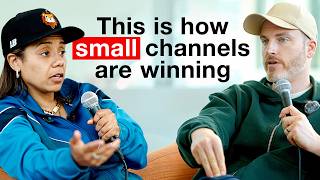

AI is separating winners and losers
42sBold, controversial statement that grabs attention and promises actionable insights.
▶ Play Clip"Title hypes a competitive advantage, but the video is mostly an AI tool tutorial with little direct advice on beating larger channels."
The Think Media podcast hosts Nikki Saunders, a social media and AI expert, to discuss how AI tools, particularly Claude co-work, can automate content creation workflows. She emphasizes that while AI can handle research, ideation, and execution, human creativity and unique perspectives are essential for standing out. The conversation covers specific tools, strategies for repurposing content, and the importance of identity-based content.
Claude co-work is an AI agent that can transcribe videos, create content, and schedule tasks. It moves from idea to execution.
A user-friendly AI agent that controls your computer and web browser to perform tasks like research, email, and folder organization.
Claude co-work costs $20/month, but heavy users may need the $100 or $200 plan for more tokens.
Many people are still afraid or uncomfortable with AI, but marketers tend to overhype it.
To stand out, combine AI research with personal experience and unique perspectives. Prompt AI to ask questions that trigger your viewpoint.
The process starts with research, then idea selection (human decision), followed by creative execution using tools like ChatGPT for images and Submagic for video.
You can create 'skills' within Claude co-work that capture your brand voice, thumbnail framework, or writing formulas, so you don't have to repeat prompts.
ChatGPT is flattering and great for brainstorming, while Claude challenges your ideas and is better for strategic work.
Pair a YouTube video with a Substack post: video for educational value, Substack for reflective insights on the process.
Submagic is ideal for short vertical videos, Opus Clip for repurposing long content, and Canva for design with AI layers.
Higsfield AI is an all-in-one creative studio that covers image and video generation, reducing tool overload.
Videos perform best when focused on one tool, one outcome, and a specific time frame (e.g., 'Create a thumbnail in 5 minutes').
A video on 'Why Introverts Make the Best Content Creators' succeeded by tapping into identity and repurposing clips from other podcasts.
Compile existing content around a common theme to create new, high-performing videos without recording new footage.
AI workflows, especially Claude co-work, can dramatically speed up content creation, but success depends on injecting human perspective and focusing on identity-driven topics. The key is to build a system of digital teammates that handle research and execution while you provide the unique insights.
What is Claude co-work?
An AI agent that can control your computer and web browser to execute tasks like research, sending emails, and organizing folders.
03:03
What is the base monthly cost of Claude co-work?
$20 per month.
04:59
Why does Nikki prefer Claude over ChatGPT for strategy?
Claude challenges your ideas and helps refine them, while ChatGPT tends to flatter and agree.
17:18
What is the recommended all-in-one AI creative studio?
Higsfield AI, which covers image and video generation from a single subscription.
29:23
What video formula improves performance according to Nikki?
One tool, one outcome, and a specific time frame (e.g., 'Create a thumbnail in 5 minutes').
36:19
How can you create a 'skill' in Claude co-work?
By training it on your brand voice, thumbnail framework, or writing formulas so it auto-applies them in future tasks.
14:10
What is the key to standing out when using AI?
Balance AI research with your personal experience and unique perspective; prompt AI to ask questions that trigger your viewpoint.
10:00
What tool does Nikki recommend for editing short vertical videos?
Submagic, which adds captions, B-roll, and transitions automatically.
24:27
Most Underrated AI Workflow
Identifies a specific tool and approach (Claude co-work) that is underutilized for moving from conversation to execution.
01:23Balance Research with Experience
Highlights the critical principle that AI should augment, not replace, personal experience for unique content.
10:00Video Formula for Engagement
Provides a clear, actionable formula (one tool, one outcome, time frame) proven to boost video performance.
36:19Identity-Based Content Breaks Out
Demonstrates how tapping into audience identity (e.g., 'introverts') can propel a video to 135K views.
41:03Repurposing with Themes
Reveals an underrated strategy: compiling existing clips around a theme creates high-value video without new filming.
43:54[00:02] chart? Where do I stand? Where are all these things? And then what can AI take these things? And then what can AI take over? I have a research teammate. I have teammate. >> How much does that cost?
[00:14] >> $20. It has a skill that you don't have to always say it over and over again. Boom. >> If somebody could only use one tool to >> what would it be and why? >> The truth is this. AI is separating
[00:28] winners and losers. But the problem is everyone's talking about AI at a fluffy level or a lot of overwhelm with all these different tools. And very few people are sharing actual tactics on how to apply this today to get more views,
[00:41] to get more subscribers, and to do specific things like build thumbnails that look good or write scripts that hold audience retention or even generate complete AI videos. Today we have Nikki Saunders back on the podcast who is a
[00:55] Saunders back on the podcast who is a social media and AI expert. Not only is people, she's helped influencers like Eric Thomas grow his platform from 300,000 to over 2 million followers in under two years. So wherever you're at,
[01:10] she's going to help you get more awareness, attention, and followers on your content. So lock in for this episode of the Think Media podcast. Nikki, I want to ask you though, what's the most underrated AI workflow creators
[01:23] are sleeping on right now? >> It's the Claude co-work. I think a lot of people don't understand first off that Claude is amazing suite in itself because you can go from let me just have a conversation to let me schedule out
[01:37] everything that we just talked about to then let me build different workflows. But with coowwork, you can get your videos transcribed, then create different content from that where it's like real script, extra YouTube scripts,
[01:53] um, thumbnail ideas and everything. But everything is just a matter of scheduling it out where so many people are just stuck on the like the chat like let me just talk it out and I have so many different chats. It's like let's
[02:06] turn that into an actual plan, schedule getting into the agentic flow. So I think people are sleeping on co-work and getting that all right, how do I create a research agent? Okay, let me find all
[02:21] the blogs that I look up. Let me go all the creators that I look up and tell co-work hey every single day see what it. Put it to my notion. Put it to my notes app that I have. Okay, there's
[02:35] your research agent. Okay, let's talk about the ideiator. Now that I have that about the ideiator. Now that I have that research, how do I create new ideas for my YouTube channel, for my social media ones, now you have the research, now you
[02:48] have the ideas. Cool. Taking the ideas, then turning it into content. And that's are sleeping on. >> If we take a step back, what exactly is Claude co-work for somebody that's >> overwhelmed with all the different AI
[03:03] tools out there? >> Yeah, so very simple. Uh Claude had Claude code which is super intimidating for most people. They said, "Okay, I got you. We're going to make codework which is going to be super user friendly where
[03:17] it has control of your computer and it has control of your web browser." So everything that you would do from organizing folders to reading documents organizing folders to reading documents to booking a trip from a very simple
[03:30] standpoint, you can now do that with co-work and just having a conversation. Hey, I'm thinking about uh my new YouTube idea. My I'm thinking about a YouTube idea. My I'm thinking about a new mastermind idea. Can you do all the
[03:45] research for me and then send it send an email to my team and it does that. So without being intimidated with the terminal and all the coding and all that stuff, this is just a straight conversation to execution.
[03:59] conversation to execution. >> And so Claude Co is an AI agent. Mhm. >> What is an AI agent? >> It goes very simple. My conversations >> It goes very simple. My conversations are now being executed. So where most of
[04:14] us were stuck in chat. Hey, here's all the ideas and we have so much content and so many different ideas stuck in our chats. Now it goes from here's the the
[04:26] chats to here's the actual content. Here's the actual tangible thing. Here's the actual emails being sent. Here's my brand deals now being uh read, evaluated, and actually followed up in a matter of a couple of seconds. So, this
[04:43] is your teammate. I I don't even call it agent. It's like this is now your teammate, your employee that is like, okay, I have a research teammate. I have a ideiator teammate. I have a brand deal teammate. I have a uh follow-up
[04:59] teammate. everything that you would need in your team. That's what coowork does. >> $20. >> So, you can use co-work for just $20. >> Yeah, the $20 a month. >> And then you run up to data usage though
[05:13] >> Yeah. So, of course, the the biggest thing that everybody's talking about is the limitations and like the rates. Like we're so used to chatbt, we could do anything. Yeah. And now that a lot of people have switched to claw, it's like
[05:27] systems, that takes a little bit more tokens. And so it's like uh yeah, the on Chad. >> So what do you do? Can you add more? plan where you could pay the 100 or the 200 one. I think I I pay the $100 one
[05:43] and I never really struggle with token use or anything. So with the one plan, you can pay more to use not just Claude, which Claude is an alternative to chat GBT, >> but Claude co-work, which allows you to
[05:57] >> but Claude co-work, which allows you to essentially have a digital teammate that you. Y >> actually doing real tasks that could be done on a computer on the internet. Cuz like my my workflows go from I have a
[06:13] live show on Monday, so it does my run of show. So it does the research plus >> it does this before like it's there for you. It's an automated task. >> Yeah. No, I wake up and it already is in my notion and it's it's done right. Um
[06:28] my notion and it's it's done right. Um it'll do it'll look for new YouTube uh interviews that I've done and it'll transcribe it and turn into content. So, it's always scanning every YouTube podcast stuff that I may be on. And
[06:43] that's like a daily thing or a weekly thing, however I want to put it. And thing, however I want to put it. And then I also have one where it turns all the transcriptions into tweets and threads. So now I have the written
[06:55] content turn into Substack post have the written content and so everything that I would need from what I call like a content engine and a content team that's what co-work would would do for me and I just make that and they have projects
[07:10] >> Do you think that AI is overrated or underrated by most people? I think it depends on the who, right? Like I think in the masses I think it's still very underrated, right? Because we've seen too many studies where not
[07:25] comfortable. There's still a lot of fear. Um, but I think I I'll say marketers kill everything. So, in the marketing world and the content world,
[07:37] marketing world and the content world, it's super overrated, right? um when it's not going to replace anybody. It's not like it's still such a gray area. And when you really break down what is being created, it still needs humans to
[07:52] being created, it still needs humans to tweak it. Like when we see what is being like, okay, that's cool. That's a great start, but let me add what I normally
[08:04] stand out because we're seeing a lot of catchy BT flyers now. We're seeing a lot of uh AI thumbnails that all look the same, right? And it's because we're we're seeing these recycle prompts and
[08:18] all of that. And so everybody with the good thing is >> it it removes the bottleneck. It removes the barriers of like you can't do this no more. The problem is is that now it really forces us to continue to level up
[08:32] our creativity. Now we have the foundation, but how do we make this thumbnail look better? How do we make this copy sound more authentic to us? And that still takes that like that human touch point.
[08:46] >> We're here at Social Media Marketing World. You're speaking on an AI workflow post. Yeah. Like an Instagram post. It could be a vertical video. This could of course also apply to YouTube community tab or YouTube shorts.
[09:01] >> So break that down. What you're teaching here though is from the tool stack as What's the first step? >> So the first step is who is doing your >> for what >> for for your content. So whether you're
[09:16] on YouTube, whether you're on Instagram, whatever, how are we seeing what's happening in the world in your niche, >> right? And so >> good information coming to you about your industry that could be turned into
[09:30] >> or spotting trends or outliers or other people that are going viral or anything. Or you could do from the journal standpoint. I'm always big on that where how is your personal experiences, how is your your audio notes, how is the
[09:46] journal notes that you're doing, how are we turning that into content as well cuz >> in this AI world that's what's going to stand out your experience right of course everybody could talk about what's uh the updates the news and everything
[10:00] like that but what is your personal experience and how is that being translated in this AI world is what's going to help so I I think a balance of having the research but having the balance of expert uh
[10:14] expertise and experience also translated into content is what's also needs to be >> Yeah. Before we blow past that, I think you just shared probably one of the most you just shared probably one of the most important tips for modern content and
[10:27] these AI workflows. >> So what is your unique point of view? your hot take? What is your maybe contrarian take? >> Because if you're going to be different at all, it can't just be the facts
[10:42] because those are at the fingertips of everybody and your point of view and your experience attached to that >> Yeah. Because you >> because AI could get to know you. You
[10:54] AI. It starts understanding your flavor, maybe your things. It could be maybe a >> Yeah. But even that but that's that's the important part with the prompting the important part with the prompting where let's say a new update comes in.
[11:07] But if in your prompt you have it to ask questions that will trigger your >> That is what's more going to make that stand out where most people will do okay
[11:19] stand out where most people will do okay new Opus 4.7 came out. This is what it This is what it does for content creators. This is what it does for small creators. This is what it does for small business. Cool. But how does it apply in
[11:31] your life? Because your audience is looking for your life because they relate to you. So having that prompt, having that workflow to where here's a new thing, let's ask you three questions that is going to trigger that
[11:45] perspective where is what is your initial thought on it? What how do you see it in your workflow? How do you see it that is going to add value to your audience? those three things is then going to formulate different ideas,
[11:59] different content that is only unique to you. That's not going to be done in any other workflow. Like Jason isn't going to have that same answer in his workflow questions. >> So we're talking about how to get a
[12:14] social media post from concept all the way to completion faster with AI tools. >> it's a cool step one to even mention like the strategy itself, the idea is >> is set up your research and you're
[12:29] >> Yes. >> And and how did how long did it take you to set up your research teammate? >> Probably 30 minutes. those that feel a little bit intimidating for as little as 20 bucks a
[12:44] worth of credits. >> Yeah. with these digital teammates. But if the first time ever opening up Cloud Code for somebody, how much time would time somebody opening up to maybe get a
[12:58] intimidated by it and maybe to build their first automated? >> okay? >> To be honest, because of course as humans, we may get really geeked out. We could do like 20 30, right? But in 10
[13:12] minutes, I can start a conversation and say, "Hey, you have access to my computer. Give me recommendations on what I should do with co-work >> and start there. See what it is." You can stop right there. It'll tell you all
[13:27] of that and you say, "Okay, let's do the first one." And it'll do that and you're done for the day. Come back to it. Be like, "Okay, how do we do number two? And how does number one, like what is the results of number one? Did I like
[13:40] that? What is the tweaks? Because the best part isn't accepting the first answer that Claude gives, Chad TBT gives, whatever. It's the tweaks that we make. I kind of like that, but this sounds more like me. Yeah. Right.
[13:56] sounds more like me. Yeah. Right. >> And the biggest uh the biggest I'll say advantage that most people will have in co in coowwork is what are the skills that you're creating? So Claude co-work has this thing called skills
[14:10] where it can understand your brand voice. It can understand your formulas, it can understand your frameworks if you train it. So each teammate has a skill.
[14:22] So if you go, okay, I have a thumbnail framework, right? And anytime that I need a new thumbnail, I'm going to cla coowork and they're going to create the
[14:35] prompt for me. Exactly. not necessarily create the thumbnail, but it's going to ideulate the idea, give it based off of, okay, on my channel, my channel is good for high contrast, warm colors, bold text only up to three. And because you
[14:52] are training Claude Co with this, it has a skill that you don't have to always say it over and over again. >> So, it's like, I just need a thumbnail. Boom. Here's your whole formula in in one spot. So the more that you're
[15:05] creating these different skills and that's probably going to take the most that's probably going to take the most time is what are my workflows? That's probably one of the we should have just started. What are my workflows? Not what
[15:18] started. What are my workflows? Not what tool or anything. If I have a team, what is my org chart? Where do I stand? Where are all these things? And then what can AI take over? >> And what is a human that just needs to
[15:31] press this button? So, we've helped thousands of people go full-time on the things we discovered from analyzing their channels is that there's five stages of YouTube success. So, our team got together and we actually created a
[15:45] free resource. You can check it out at mycreatorquiz.com. And what it does is it will walk you through a series of questions that will get you fierce clarity on where you're at on YouTube right now. What's holding
[15:58] you back and what you need to do next to unlock that next level of views and subscribers. So, it only takes about 3 minutes. It's entirely free. Just go to mycreatorquiz.com or click the link in the show notes. All right, let's dive
[16:12] back into the podcast >> now. Okay, let me figure out the tools >> now. Okay, let me figure out the tools to make this work. Because each person, my whole goal is the people that are on my team, I want them to have about like
[16:25] my team, I want them to have about like 10, 15, 20 like AI agents under them, right? Or AI workflows, however you want to go about it. But they need to understand what are their roles and responsibilities, but also like what are
[16:39] the procedures that we do on a regular basis. Y >> then I'm giving that all to all right what can be created or look at this folder what could be recreated and that that's why I said 10 minutes a day of
[16:52] doing that you'll have 17 million different workflows and you just be like >> and it does that >> okay so I I want to work through this >> okay so I I want to work through this whole thing of the graphics but as we're
[17:07] on this journey in step one really being the research you're using cla coowork small side quest before we continue to build out a full social media post. Why Claude over Chad GBT? >> So I and this is me personally, right?
[17:21] >> So I and this is me personally, right? Um I felt that Claude continues to Um I felt that Claude continues to update while chat just is in love with >> Okay, >> so Chat GBT was burnt in our head as AI
[17:35] equals Chat GBT. That was our first like introduction to it. But as it started to go on and more and more tools started to happen, Chad GBT just kind of stayed
[17:48] there and went different side quests with a browser and uh the Sora and all of that and got distracted with what they were known for. And so Claude got
[18:01] they were known for. And so Claude got really good at that one thing. Right now Chad is coming back. I will say that I'm not Yeah. stating that this by the time this may come out, chat be like, "Hey, I got 17 different uh updates and we're
[18:15] >> Right. >> But for right now, the only thing that >> But for right now, the only thing that Chat GBT is extremely good at again is images. They just did a recent one where images have beat Google, which had the
[18:29] crown for a minute, but the chat still it's it seems too encouraging sometimes. And I need I need a real teammate. I need to like, hey, here's my idea. Okay,
[18:41] that's good. However, have you thought about this? And that Claude does that >> Yeah. Chat, the problem almost like once you get it down a line of thinking, it will just like agree with you and reinforce that line of thinking
[18:53] >> It's very flattering. Yes. It just flatters me >> and it makes me feel very good. Blazes you up. Listen, all I love talking to chat in the morning. Okay. Get I need that energy. Tell me I'm doing good.
[19:05] Tell me I look great. All of that. Tell me all my ideas are great so I can >> But then once I get into that strategy mode, I'm going to claw it real quick. But I get my ideas from chat. >> Interesting. Okay. So the process you're
[19:19] >> Is >> blank page to created social media post. >> Research tool set up so that the research is coming to you or research
[19:31] step. What's the next step? Now we pick the idea, right? Because what the research did was give you a whole plethora of different ideas for you. You pick the idea. Don't let AI pick the idea. You still have that feel.
[19:45] >> The one that you think will hit. >> Does in your research like at this stage when we talk about idea and format, would you be picking both? going to be a carousel. Pick the idea, it's going to be a vertical video.
[20:00] it's going to be a vertical video. >> Yeah. So, and I still go I go off of >> Yeah. >> Right. Um data because I mean I we're still playing the platform game. >> So I still need to know what the
[20:14] platform is going to push. So what I will have is hey when we're doing the research when we're doing the ideation phase let's assess what will probably the platform push more right what are people searching what are people
[20:28] engaging with right but then I'm going to look at it and be like I don't talk about that I'm not really I don't feel comfortable with that okay let's go there what are the different for okay we have carousels we have single post we
[20:41] have carousels we have single post we have a real we have long form video I can create YouTube. I could do a Substack. I'll at least pick out of all the ones that I'm doing, I'll probably pick two two
[20:54] pick two two instant content formats. So, that may be instant content formats. So, that may be a real and a thread or that may be a YouTube video and a Substack. Like I'm always trying to make the most out of
[21:07] always trying to make the most out of one idea in order for it people to see types of audience. >> Yeah. And if you're like if you're going to outline or script a YouTube video that content that even intellectual
[21:21] a substack. >> So long form video and long form written >> align well together. >> Yeah. Because with the with how I have it, the long form video is going to be solely value of like this is how you do
[21:37] it. The educational side, the Substack may be more of a reflection of why I did that of like how it really like affected me in my workflow. I was building this and this is the obstacle that I got. But what I'm teaching on YouTube is how to
[21:53] >> So that's that's how I look at it. >> Okay. So step one, we're doing research. What's step three? >> Step three is now the creative side. So now we're figuring out which tool to do what. So if let's say I'm doing a a we
[22:11] got the idea. This is a really good tweet, right? But I want to make it into tweet, right? But I want to make it into an image. So now I'm going into chat GBT an image. So now I'm going into chat GBT image 2.0. That that is killing the game
[22:24] >> And how do you get that? Your normal chat GBT. A lot of people listening are >> Yep. >> And the image generator. I mean, I used to go to Dolly, but I feel like I don't have to leave my chat thread.
[22:37] >> It's just all right there. >> Right. So, um, image 2.0 is right in the in the chat. You don't have to go anywhere else. And you can just And what's great about it now because they have it in thinking mode where you don't
[22:51] have to be this prompt master. You can go, okay, uh, get a picture of me, uh, with the brown hat, but now I want like a a blue hoodie, and it'll change it in
[23:03] the in the palm trees, and it'll instantly change it. Whereas before you had to be like location in California, outside, low, like golden, like you don't have to be that detailed with GGBT no more. It literally says, "Okay,
[23:18] here's the text that I want. Here's the image. This is what I need." and it will image. This is what I need." and it will create it. Now, granted, I I'm still big on tweak it, right? The first image is is going to look great. And if you're
[23:30] okay with it, cool. If you are that good at a oneshot prompt, praise God. Uh but I'm not. So, I'm good at two or three more times, a little bit of a tweak. >> Yeah. One thing I will say if you are using your own likeness after the third
[23:47] time you have to re-upload the picture of yourself because then it starts like manipulating drift on your >> Yeah. Yeah. Yeah. Yeah. Yeah. So you you an instant way of fixing that is like re-upload it. Don't continue to have it
[23:59] your face and your body and it's you're just going to hate Chad GBT on that. Yeah. So re-upload. And I I believe that's with any type of AI image model. After a couple of tweaks, it's going to do that. Just re-upload it.
[24:13] >> Interesting. So, um, are there any other tools you're in your talk? >> So, so would you no >> take it from there to Canva next or
[24:27] Photoshop? >> So, that's the thing like it depends on so in my talk I go from if we're talking about reals, right? That that's where we're going. If you want to go straight camera to like you to camera.
[24:43] >> Cool. You're probably going to want to pick like Submagic, right? Submagic is going to allow you to be yourself, talk to camera, but it's going to add captions. It can add B-roll to you and not like the corny B-roll like
[24:59] premium B-roll that you have. It has the zoom in, zoom outs. It understands that like every probably three seconds it needs some type of >> distract in ease out to hold retention. >> Yes.
[25:13] is again we're talking like a social media post but this could be a YouTube short research to picking the topic and what you mentioned if we're recording a >> or just a vertical video. Yes. Smartphone would be good enough. We set
[25:26] stabilization whatever. Hit record. capture that content with the file from Submagic. >> Absolutely. B-roll >> that and um
[25:42] >> It just kind of it knows what you're saying. It's listening to the transcript and I mean and and I think a competitor like you said uh pre prefilming this >> opus clip is similar to submic. Opus clip is opus Opus clip is similar but
[25:58] what it's really good is if you already have your YouTube video your podcast opus clip >> you give it the full length it chops it >> absolutely >> submagic are you saying it's better for
[26:11] a 45se second video on your phone >> and then polishing that video getting it ready for social >> yes perfect that it they're great but >> interesting so and so for your workflow from scratch. I have no idea what to
[26:26] picking my >> my format as well as my one idea. Yep. Submagic. If we're going video, y >> I could put it in chatbt if I want to
[26:38] generate some images. And then what are your favorite design softwares? And are you using the AI expanded abilities of these softwares? Like Canva added AI, mean? >> Yeah, every everybody has for for one,
[26:52] >> Yeah, every everybody has for for one, everybody has AI. too. Um, I like the whole like whether it's chat GBT or whether it's Claude, however your preferences, I like how it it is connected to Canva, right? Uh because
[27:07] >> meaning these softwares in >> the softwares, right? It's like if you take the idea that you have and you go, okay, I need a quote, right? I need a carousel. I need some type of graphic in some way, shape or form. it can either
[27:22] one create it inside of there, right? Or take it to Canva directly and you can manipulate it and customize it a little bit more. But also what's good with Canva is now they have this like magic layer that you know how with when you
[27:38] generate a image it's hard to edit. It'll just completely mess it up. But It'll just completely mess it up. But with Canva, it now uh allows you to customize certain parts of each of the layer. So, like let's say you don't like
[27:52] the color of your hat, but uh cat and tie, but everything else was fine. You could change that in Canva. And that's all done through Clawude. That's all done through chat GBT. I I like that workflow there. But one of the things I
[28:09] faceless content, >> right? Uh, Agent Opus. I We mentioned Opus a little bit, but Agent Opus. >> that's something that will allow you to stand out. One, one, because it doesn't
[28:25] have you don't have to be in front of the camera, but your voice can still be the camera, but your voice can still be very primary, meaning it can take audio from your clips, right? Let's say you did the like a frontfacing video or a
[28:39] clip of yours, but you don't you don't like it. like you just don't want that style. It will make it into a whole AI video. >> Meaning it'll generate video from scratch that will pair with your audio.
[28:52] >> Yes. Yes. And it's good. It's you pick the style. They have seed dance 2.0 which is now the latest and greatest. That's where we've been seeing the Brad Prit Brad Pit uh fight scenes and all of
[29:07] that. Now they have that. So now it's starting to look a little bit more realistic to what you want in your vision. So faceless content is going to your workflow. >> That's crazy. Yeah, we right now we're
[29:23] in Anaheim together. Last week our team was in Vegas for NAB show. We talked to crazy. >> Yes. definitely something worth checking out.
[29:36] We'll put a link. You might know Opus Clip for clipping, but this is AI video one. >> Um, and they're cooking up some big things. All right. You're sharing a lot
[29:48] about some very interesting YouTube strategies that you have. You've had a on tools. >> Yeah. start, >> what would it be and why?
[30:02] >> Really? >> Yes. What is Higsfield and why do you recommend it? >> Higsfield AI uh is an all-in-one like creative studio. So all the latest everything that we've been saying as far
[30:17] everything that we've been saying as far as like seed dance and chat GBT image 2.0 Nano Banana that's all inside of Higsfield. So my biggest fear is that people catch FOMO when they hear this this episode and they're going to
[30:33] subscribe to everything that's okay chat Claude this that it's like okay let's reduce that Higsfield has everything in one subscription so your image and your
[30:45] video is taken care of now you just have to worry about like the clawed or chatbt side of things but the creative side where we're creating the thumbnail s where we're creating the the AI B-roll where we're creating maybe even just
[31:00] faceless content with AI. That's all inside of Higsfield. >> So to clarify though, would you say that that actually would be if you could only pick one AI tool, would it actually be Claude first and then if you were
[31:13] >> I would say. Okay. Yeah. If you put it that way, yes, I would say Claude. >> if you had to cancel your Chad GBT you would cancel Chad GBT if you had to narrow down.
[31:26] >> Oh, that's so I have I have attachment issues. So I have I have attachment issues. So So like I in this season in this season I would cancel ChachiBT,
[31:40] stick with Claude and then from a visual creative side I would get uh Higsfield. creative side I would get uh Higsfield. Yes. In general,
[31:52] >> And people are burned out on AI tools. the ones you've listed, >> assuming in the modern era, we're going entrepreneur has a tech stack, meaning at some point they'd have Kajjabi. Yeah.
[32:07] >> Their email, CRM. And in today's world, like these tools are becoming very real productivity essentials. >> Yes. So, at the end of the day, is there matter? Like, they're just so worth it. Like, you happily pay every month on
[32:23] your credit card for that AI tool? >> I mean, I think it just depends on the where you're at, right? Like for me, >> Poppy AI is essential for me, right? Um,
[32:35] >> what is that? Poppy AI. I call it kind of like the plugandplay canvas for creators. Meaning how we look at Claude and we could do a lot with Claude, but it takes a lot of time after a while. Where with Poppy AI, if I want to look
[32:52] at different outlier videos and then learn from that, get the playbook and then have my own playbook of what scripts I need, what um titles and thumbnails I may need, uh what hooks I may need. I'm going to Poppy because I'm
[33:07] able to take my competitors and thought leaders put them in a board get say and leaders put them in a board get say and only the it already uh it already takes care of the top videos. Right now, I can pick as many as I want, but it gets
[33:22] their top outlier ones, and then I train AI into my voice and say, "Hey, based off what they're doing, what is my gap, and create me a new
[33:35] >> uh script outline, give me the formula of how my hooks are supposed to be, how's the body supposed to be, and how's call to action supposed to be based off call to action supposed to be based off these top performing videos." For me to
[33:48] have to transcribe all of these things. That's a whole another tool that I would have to use, upload it, hopefully have the right prompt. It takes too much time. So, Poppy AI saves me time. And then once that workflow is done,
[34:02] whenever you push the button? >> No, it does it when you push the button. it's pre-programmed. You don't have to pull the transcripts. It will go your competitor. >> You could do YouTube link. You could do
[34:17] uh a website. You can upload videos there. You could upload audio. It It's >> So, it's kind of like an agent, but it's not an agent. >> That's interesting. Uh so, how many tools can you rattle off the top of your
[34:33] head that are part of your personal tech stack, AI or not, that you use at least once every seven days in your business? Claude, Chachi BT, Notion with Notion AI, which is a sleeper. Um, Poppy AI, Higsfield,
[34:53] Submagic, Opus Clip, Hen. >> What's Hen compared to Higsfield? >> So, Hen is solely for AI avatars. >> Okay. >> Right. And the thing that they have an
[35:07] advantage of right now is from your likeness, they get it completely likeness, they get it completely together. So those cinematic videos that you see uh people do of their own likeness that probably takes them about
[35:21] likeness that probably takes them about I would say a good 10 15 renders where hey Jen has this thing called avatar shots that will take you one prompt to had one where >> making all the clips consistent so you
[35:37] look consistent across >> Absolutely. I had one where I was on stage, cops came in, I looked like I was scared, I ran into a car, I called somebody, and this was but it looked exactly like me. Yeah.
[35:51] >> Whereas if I was to do that in Higsville, it would take me forever because it's just different renders for all these different shots. >> Interesting. So quite a few tools and you're you're doing this full-time
[36:04] obviously. Y >> what is interesting and this is I want applies to everybody listening to this now it figured out what we're talking about here is a little bit better meta I don't mean the company meta I mean that
[36:19] covers a lot of AI tools >> and one of the things that people have been burnt out on is you know go back 12 or 24 months and we loved clicking on videos of like 30 must know AI tools. >> Yeah. I feel like those videos are dead
[36:32] now because we're just all exhausted and we're like, "Okay, I don't need a huge >> And so then we were talking about you're like, "Yeah, you definitely saw that pivot >> and you created a formula."
[36:45] >> And I think this is so powerful the concept for the listener by like having formulas. Now break down the formula because it's like three elements formulas. >> Yeah. So, one thing that I've noticed
[37:01] was that the best performing videos that I was getting was one tool, one outcome, I was getting was one tool, one outcome, and how long did it take? Right. Um, about that. That's a repeatable process, which is amazing. Insert tool Higsfield.
[37:19] which is amazing. Insert tool Higsfield. >> Uh, insert problem it solves. uh which could be like quickly AI video generation simply maybe something more >> Yep. >> Or in less than and so it also could be
[37:34] but it could still be pretty concise. >> Yes. characters. >> 10minute hack or you know 10 like write >> 10minute hack or you know 10 like write a job resume with chat GBT in 10
[37:48] >> Three elements incredibly powerful and those started doing better. It makes sense too because we're giving uh and and and so I love this because it's like speed which is the most valuable thing in today's world is like
[38:01] all busy >> and then obviously a searchable tool or pairs perfectly for your channel but you want to expand on the strategy at all. >> Yeah. No, because what I've realized is one, like you said, we're just fatigued
[38:16] of so many. Like, don't don't give me a video where I have to do so much. >> Yeah. >> Give me one one thing I could open up right now, do right now. I know the transformation that I'm going to get and
[38:30] I know how much time I have to all lot for this. So, it made it very easy to click on because I know exactly what I'm getting. where before it was, you know, five tools that could help you create AI videos and then you're still not knowing
[38:45] >> Yeah. >> Because now it's a preference thing. But what do you like? I came to your channel because I need you to guide me on which because I need you to guide me on which one to pick. So now I'm like, okay, even
[39:00] though all these things came out, we're only picking one. What is the pain point that our audience has the most with? Okay. How to create viral videos. Okay, Okay. How to create viral videos. Okay, cool. How to create um brand assets.
[39:13] Okay, cool. Like whatever your the they need the most. And the time doesn't even need the most. And the time doesn't even matter per se as far as like a form a know, okay, this is a quick bite or is this a master class for me? Like if this
[39:30] is going to be over 15 minutes, I'm got my pen pad. I know I have to stay locked in. I got it on the TV. We're ready. If you're saying this is 5 minutes, oh, I this real quick. It just helps the audience like know what to expect and
[39:46] >> Super powerful. And again, I'm not suggesting that, products or even software, but I do products or even software, but I do think what are your video formats, title
[39:58] templates, but insinuate it. And I feel like it's needed. It almost feels like the net uh the in-n-out strategy. Meaning in today's world, there's like >> AI tools, there's too much choice. But almost in every industry, what's
[40:11] powerful about the in-n-out menu is it's so simple and it eliminates choice. There's some off- menu items, but like how with with all of the overwhelm, what is like maybe a simple, clickable, repeatable, highly clickable, repeatable
[40:25] unlimited videos for you to make. It's actually unlimited. >> Yeah. >> You can make videos for the rest. I everybody listening. The world is actually expansive and so is YouTube.
[40:37] second, I actually want to land the plane on some of the YouTube strategy. there's some lessons from it. Yep. >> We'll get to that in a second. But I do if people want to follow you, connect with you, uh, give a roll call to what
[40:52] notes. >> Yeah. Nikki Saunders on on YouTube. This is Nikki's everywhere else. uh find there, find me there, love me there, and you'll find you could go into my links. I'm not going to go into that. Just get
[41:06] to know the channel, learn it, and then we'll go talk about the next steps. notes. >> You had a breakout video just 4 months ago. It got 135,000 views. The title is why introverts make the best content
[41:22] why introverts make the best content creators, parenthesis. Nobody talks >> Yeah. >> Video was 9 minutes. it broke out. What I find fascinating is, and I'm curious, why do you think that video broke out on
[41:34] tech and tools? >> Yeah. So, the opposite of what people think of content creation, right? So, of course, with my channel, I do attract a lot of
[41:47] content creators or people who want to create content. Um, they just use the AI create content. Um, they just use the AI tools to do that. But the this cast of be an extrovert. You need to be out
[42:00] there. You need to be on camera all the time, ready to go. Where I talked about it in a different way where this is a world of introverts because the camera is just you and the camera. There's no crowd. There's no anything.
[42:15] >> Right. And so saying it in a different perspective made a lot of my audience felt seen and heard to where it's like hold on >> that you're speaking to me now. And then also what was cool about that video, it
[42:31] wasn't my typical like straight to camera talking and then B-roll. It was a compilation of other podcasts, >> finding a specific theme and then putting it all together. So, we found all the podcast clips that we talked
[42:46] about introverts and put it together. So, it just told a really dope story. >> That's fascinating. >> Yeah. And it it was one of those like, okay, uh we don't know what I think it was around the holidays, too. It was
[42:59] like, oh, we don't know what else to do. Let's find just a common theme. And it worked out really well. We didn't even think it was going to go that crazy, but identity. >> Yes. And so that's why that did great.
[43:13] >> I like that word and I think that it's very smart of individuals that made it this long in the podcast. This one strategy could change their channel tapping into identities. >> And that's a double identity cuz an
[43:25] >> Yep. >> And so is content creator. So you paired >> Yep. >> It you know working mom's an identity, right? So pairing these identities and it it would seem almost like a uh
[43:40] contrast or like uh wait those things >> like you said nobody talks about this. introverted you might not be a content creator. >> So you're stepping into that. It's fascinating that you also pulled clips
[43:54] and ended up getting 135,000 views essentially repurposing content. >> Wow. That's a little underrated, right? Because sometimes we think of little bit of extra juice. Mhm. >> That's like the main juice.
[44:06] >> Anything else you learned from that video? >> Or more macro on the identities concept of how creators of different channels could tap into that. I I think one thing
[44:20] that that really stood out for me with that video was once that did well, it's that video was once that did well, it's the the followup of how else can we make
[44:32] sure that audience is still being seen, >> right? Um because we could get very working before. >> But we looked at it as like, okay, cool.
[44:44] You came, you saw that. Cool. Now let's show you examples of other creators who are introverted. Now you you saw that you can create it. Let me now show you different examples. So we showed like a
[44:57] follow >> a separate one. It was the it was the followup kind of thing. And understanding that now when we have a breakout video, it's going to attract an like a deeper depth of audience. the
[45:13] same kind of audience but like like a specific group and how are we now adding that as part of our content pillars of >> Yeah. Like it's clearly introverts is of your message. So it was something you'd hit more.
[45:27] >> Yeah. So that that was something that that made us think a little bit that made us think a little bit different with our strategy. But the different with our strategy. But the ease of whenever you uh don't know what
[45:40] ease of whenever you uh don't know what to create, find a common theme. That was that was a eyeopener for us of like sometimes we don't always have to create the new find a new idea, find a new idea, create okay, let's turn on the
[45:54] camera. It's let's look back. Let's find is there a common theme. Is there okay is there a common theme. Is there okay in maybe on your lives? Did you talk about a specific tool in five different ways? That could be its own video. In uh
[46:11] an interview that you did, like two interviews, you can put it back to back and it gives two different perspectives on one topic. I I think repurposing content uh with themes doesn't get talked about a lot.
[46:24] >> Powerful stuff. Nikki Saunders, Think Media Podcast. If you got value today, like, rate, share, review wherever you watch or listen. And my name is Sean YouTube channel. I cannot wait to
[46:36] the Think Media Podcast. Until then, keep crushing it and we will talk



⚡ Saved you 0h 46m reading this? Transcribe any YouTube video for free — no signup needed.