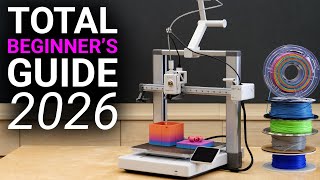

3D Printing Beginner Guide: Avoid These Mistakes!
45sImmediately captures new 3D printer owners with actionable tips to avoid common pitfalls.
▶ Play Clip"The title accurately promises a comprehensive beginner guide, and the video delivers exactly that."
This guide covers essential 3D printing tips for beginners, including printer setup, filament selection, slicing, and troubleshooting, based on over 10 years of experience.
The video aims to help beginners avoid common mistakes, learn about filaments, slicing, and finding models.
Most printers include tools for assembly; reading the quick start guide is recommended to avoid errors.
Reliable printers start around $200; open frame printers are good for PLA/PETG, while enclosed Core XY machines handle high-temperature materials.
Printers guide through self-checks, resonance compensation, and bed leveling; check for firmware updates before first print.
Never let go of the loose filament end to avoid knots; secure it in spool holes.
Use pre-sliced models from the printer to verify functionality before slicing your own.
PLA is easiest and most common; PETG offers better heat resistance; ABS/ASA need enclosures; TPU is flexible.
PLA Plus is tougher, Silk PLA is glossy but tricky, Matte PLA hides layers but may have adhesion issues, Glow-in-the-dark is abrasive.
Printing emits fumes; use a separate ventilated room, not a bedroom.
Let parts cool; use spring steel sheet; clean bed with hot water and dish soap; avoid metal scrapers.
Use manufacturer's slicer (e.g., Bambu Studio) initially; key settings: layer height (0.2mm for 0.4mm nozzle), perimeters, infill, supports, temperatures.
Print a Benchy to check first layer, stringing, top surfaces, sidewalls, and cooling.
Recommended sites: Printables by Prusa, Maker World by Bambu Lab; file formats: STL, 3MF, STEP.
Bed adhesion: clean bed, use adhesive, increase temperature, or brim. Blob of death: heat and remove plastic. Stringing: dry filament. Clogs: cleaning needle or cold pull.
Keep machine clean; lubricate rails and lead screws; clean hotend and nozzle; check for loose screws.
Modern 3D printers are reliable tools; with proper setup and maintenance, they can turn ideas into physical objects with minimal frustration.
What is the most common 3D printing filament?
PLA (Polylactic Acid)
04:37
What temperature does PLA start softening at?
Around 50 degrees Celsius
04:52
What is a key advantage of PETG over PLA?
Higher heat resistance (roughly 70°C) and slightly tougher.
04:52
Why should ABS/ASA be printed in an enclosure?
Due to warping and fumes.
05:10
What is the recommended layer height for a 0.4mm nozzle?
0.2mm (half the nozzle diameter)
08:42
What does a 3MF file include that an STL does not?
Settings and colors in addition to the triangle model.
10:52
How can you fix a clogged nozzle using the cold pull method?
Extrude some PLA, let it cool, then reheat the nozzle and gently pull the filament at around 70°C.
12:52
What is the most effective method to clean a print bed?
Wash removable print plates with hot water and dish soap, then dry with a clean paper towel.
07:14
What type of filament contains abrasive particles that can wear out standard nozzles?
Glow-in-the-dark PLA
06:05
What is the purpose of printing a 3D Benchy?
To check if settings, filament, and printer work well together and identify red flags.
09:41
Easier than inkjet
Surprising comparison that 3D printers are now easier to set up than 2D inkjet printers.
00:43Never let go of filament end
Crucial tip to avoid knots; a simple but often overlooked mistake.
03:25Metal scraper danger
Warning about potential injuries from using metal scrapers on the print bed.
07:14[00:00] So, you just got a new 3D printer, or are about to get one, and want to avoid the biggest beginner mistakes, quickly learn about the different filaments, get an introduction into slicing, and find out where to find good models to feed your new machine.
[00:14] This is the perfect 3D printing beginner's guide, where I share methods and essential tips from my over 10 years of working with these machines in less than 15 minutes. And even if you've been printing for a while already, I'm pretty sure you'll still learn something new.
[00:29] Guten Tag everybody, I'm Stefan and welcome to CNC Kitchen. A few years ago, getting into 3D printing meant a lot of dedication, tinkering and frustration.
[00:43] Today it's often easier to get a 3D printer running than a 2D inkjet printer. But that still doesn't mean that it can't be overwhelming and frustrating at first. This video is meant to give you an overview of the most important things in order to get the best results as soon as possible.
[01:01] And now just a very quick self-promotion. Once you watch this video, got familiar with the technology and now want to level up your prints or are looking for professional tools while supporting this channel, you can check out our online shop at cnckitchen.store or our local resellers.
[01:17] We should also have our US warehouse open very soon. And now back to the video. Getting model 3D printers out of the box and up and running usually takes anywhere from a few minutes to about an hour. Pretty much all printers I've used in recent years include the tools you need to assemble them and to get your first prints out.
[01:35] Even though I personally avoid reading manuals, in this case I still strongly recommend at least stealing the quick start guide. It usually prevents missing screws for getting a cable or assembling something slightly wrong that will haunt you later.
[01:50] For today's demonstration, I'll use a Bamboo Lab A1, not because this video is sponsored by them, but simply because I still have one unopened in storage. You might have a completely different printer, but almost everything you'll see in here applies across other brands and designs.
[02:06] You can already get a very capable and reliable 3D printer today, starting at around $200. As you move up in price, you typically gain size, speed, convenience and material capability.
[02:18] Open frame printers like the A1 are excellent style of machines, especially if you mainly want to print PLA or PETG. Enclosed Core XY machines have become more popular in recent years.
[02:30] They tend to print faster, so not necessarily better, and really start to shine when you want to print high temperature or high performance materials like ABS or polycarbonate. I put a list of machines I personally like using in the description below.
[02:44] Once the machine is assembled, it's time to power it on. on. Most printers guide you through a setup process that includes self-checks, resonance compensation and automatic bed leveling. You can typically connect the printer to the internet for
[02:56] firmware updates, cloud access and easy file transfer, but you can usually also skip this and use USB or an SD card instead if you prefer. After calibration, I recommend checking for firmware
[03:08] updates before doing anything else. These updates often fix bugs, improve print quality or add features. The last thing missing before your first print is filament. Most printers come with a small sample spool of PLA, usually enough for one or two small prints.
[03:25] If you already bought a full spool, I recommend starting with that instead. Get it out of the sealed bag and here's one of the most important beginner rules. Never let go of the loose filament end. If the filament slips under another winding you essentially created a knot that will cause binding during a print a print Always secure the end in one of the holes on the spool when you let go of it Select the correct material type on the printer clip the bent end follow the instructions
[03:52] and once molten plastic starts coming out of the nozzle, you're ready. For your very first print, I strongly recommend using one of the pre-sliced models that typically come with the printer. With them, you can check if the printer works before you start throwing your own prints at it.
[04:08] I'm printing a small scraper here, which takes less than 20 minutes. The printer will heat the bed and the nozzle, probe the bed to ensure the first layer goes down evenly, and then start printing, precisely positioning multi-plastic in perfectly planned paths,
[04:22] layer by layer, to produce a three-dimensional part. While this is printing, let's talk about materials. All materials used in SDM3U printing are thermoplastics, so they melt when you heat them up and then they solidify again.
[04:37] Their final properties though can be very different. PLA is by far the most common filament today. It makes up about 90% of my own print as well. It's cheap, easy to print, dimensionally accurate and fairly strong and stiff.
[04:52] Its main drawback is its temperature resistance because it starts softening at around 50 degrees Celsius. PETD is a popular alternative. It's still easy to print and increases heat resistance to roughly 70 degrees Celsius while being slightly tougher, but it's more susceptible to moisture.
[05:10] If you need more heat resistance, ABS or ASA are commonly used, good to around 100 degrees Celsius and quite impact resistant, but they should be printed in an enclosure due to warping and fumes.
[05:22] TPU is used for flexible and durable parts. It comes in different chore hardnesses, but becomes increasingly difficult to print the softer it gets. There are many more specialized materials, but this was a quick overview about the most
[05:36] popular ones. Let's quickly circle back to the most popular option, PLA, because it comes in many variations. Plain PLA is usually the easiest to print. PLA Plus or PLA Pro is modified to be tougher, but also slightly softer.
[05:52] Silk PLA contains additives that increase gloss but also amplifies print artifacts and can be a pain to print. Matte PLA hides layer lines nicely but can suffer from reduced layer adhesion.
[06:05] Glow-in-the-dark PLA can be great for decorative things but it contains abrasive particles that will quickly wear out nozzles unless you use one made from hardened steel. If you're just starting, buying filament from your printer manufacturer is often a safe choice because the provided profiles are tuned for it.
[06:22] You can use other brands as well, but avoid the absolute cheapest filament, because they can cause more problems than they save you in money. Check out local manufacturers, because they are often a good choice as well.
[06:34] PLA is often considered safe to be around when it's printed, but studies have shown that printing almost any material will emit harmful fumes and particles, some more than others. So I always recommend having a printer that doesn't have a filtered exhaust
[06:48] in a separate room with ventilation and definitely not in your bedroom. But now back to our self-print. Once it is finished, let both the bed and part cool down. Many prints will release almost on their own.
[07:01] With a spring steel sheet, you can also remove the sheet and flex it slightly. If something is really stuck and you're tempted to use a metal scraper, be careful. Not only can they damage your bed, but I've also seen terrible injuries
[07:14] when people slip and cut their hands. Over time prints may stop sticking properly due to dirt and skin oils Wiping the bed with isopropyl alcohol helps but the most effective method I found is washing removable print plates in the sink with hot water and dish soap
[07:30] Dry them with a clean paper towel and avoid touching the surface afterwards. Powder-coated PE ice sheets work very well, but large pots can still lift at the corner sometimes. This is why I personally use bed adhesives even for P&A,
[07:45] because it allows me to reliably and repeatedly manufacture these edge case prints. Now that we know that the printer is working, let's slice the model ourselves. While some printers allow you to start a print from a phone or a tablet,
[07:58] proper print preparation is still done best on a PC or Mac. Download the slice-off from your manufacturer's website. For the A1, that's Bamboo Studio. Most printers accept decode from multiple slices,
[08:11] but as a beginner, start with the manufacturer's software before experimenting with alternatives like Alka-Slicer. Modern Slicers hide many parameters by default, and that's a good thing. I see too many people ruin well-tested profiles by randomly changing settings,
[08:26] so only tweak things if you really have a reason for that. The parameters I usually only touch are layer height, number of parameters, infill, support, and filament temperatures. A very solid engineering starting point for layer height is half the nozzle diameter,
[08:42] With a typical 0.4mm nozzle, that's 0.2mm layer height. Thicker layers can save time, but these days with fast printers, usually only a little. Thinner layers can improve details, but going too low can cause other issues.
[08:58] So I personally almost always stick with 0.2mm. Perimeters and infill set how much the inside of a part is filled with plastic and are used to control the strength. Increasing wall thickness usually adds more strength than increasing the infill.
[09:13] And also avoid adding too much infill as you will eventually reach diminishing returns. If you're using a filament without a preset, select the generic template and start with the middle of the manufacturer's recommended temperature range.
[09:27] With that all said, slice the model that will generate the toolpath the printer follows and either send it directly to the machine or copy it to an external drive. The first model I usually print on a 3D printer is a 3D Banshee.
[09:41] It's also even available in the fly-flop, takes less than an hour on a modern printer, and is great to see if your settings, filament and printout work well together. You're not chasing perfection here, you're mainly looking for red flags.
[09:54] The first layer should be flat, with extrusion lines just barely visible. Look for stringing, which are these tiny little hairs all over the part, part that can indicate nozzle temperatures being too high or moist
[10:07] filament. Check top surfaces for holes and roughnesses which indicate if material flow is too high or too low. Sidewalls should be smooth and make sure that the bow and the chimney look good because that can be an indicator of insufficient
[10:21] cooling. A modern printer should produce a banshee that looks at least this good if not even better. In my opinion 3D printing becomes most powerful when you design parts yourself in CAD, but that's not mandatory. There are millions of models available
[10:36] online. Thingiverse used to be the big name, but today I recommend printables by Puscha or Maker Vault by Zambulab. You'll find everything from decorative objects to highly practical, problem-solving designs or spare parts. Paid models are also becoming more common and often
[10:52] are definitely worth their price. Most downloads are STL, 3MF or STEP files. STL is the most common file format that contains the model as thousands of triangles A 3MF file is an archive that includes the triangle model but can also include settings and colors Stepfiles are CAD and ideal for editing
[11:13] so once you load them in slices, they are still converted into triangles internally, so don't expect better quality here. Place the model you downloaded on your virtual print bed, try to find the optimal printing orientation so it sticks and might not even require support,
[11:29] or dry deep auto-orientation feature. This might all sound a bit overwhelming at first, but you'll quickly learn what works, then what doesn't. But even with perfect preparation, problems will still happen.
[11:42] Bed adhesion issues are still very common. Clean the bed, consider adhesive, increase bed temperature, or use a brim. If a print fails midway and sticks to the nozzle, you may end up with a blob of death.
[11:54] Don't panic. Heave the nozzle to printing temperature and slowly remove the softened plastic, and often you will be fine. If thin quality is bad, check the basics first. Firmware, slice or defaults, filament quality and dryness.
[12:08] A problem I often see, especially during humid summers, is excessive stringing on parts, which is often caused by filaments containing too much moisture. Even PLA can absorb moisture and may need to be dried at around 45 to 50 degrees Celsius for a few hours.
[12:24] I honestly saw most of my PLA open on the shelf, but especially other materials should be stored in airtight containers or bags with fresh desiccant on the inside to keep them dry.
[12:36] And if that doesn't help, engage with the wonderful 3D printing communities that you can find everywhere online. Partial or pool nozzle clocks can happen as well. Use the typically supplied cleaning needles or check out our CNC kitchen nozzle pokers and try to clean the nozzle hole.
[12:52] And if that doesn't help, use the bigger particles, perform a cold pool. For that, extrude some PLA, let everything cool, then reheat the nozzle and gently pull the filament. At around 70 degrees Celsius, it will release, pulling all of the debris with it.
[13:07] But remember, always follow your printer's manual. If nothing helps, replace the nozzle or the hotend. Maybe keep even some spare parts on hand. And please avoid extremely cheap nozzles. Quality really matters here.
[13:20] Many issues can also be avoided with basic maintenance. Most importantly, keep the machine clean. Regularly wipe and lubricate the rails and the lead screw. Oil for rails, grease for the screws and wipe off the excess so the less overs don't become the next dust magnet.
[13:36] Clean the hotend with compressed air or a vacuum and remove residue from the nozzle with a soft brass brush. Also just wiggle on some of the parts regularly to check for loose screws. And these are already the basics. Modern 3D printers are a tool now, not an endless project.
[13:52] You can still upgrade your machine, but most of these upgrades are for convenience and not for performance. Used correctly, a 3D printer can be a genuine game changer for turning ideas into physical objects with the click of a button.
[14:06] I hope this guide helps you to get started without unnecessary frustration. If I missed anything, let me know in the comments and tell me what your first print or first failure was. My goal is to show that this technology is far more than a toy.
[14:20] And there is so much more to learn and to explore, so also check out my other videos. Thanks for watching everyone! I hope you found this video interesting. If you want to support my work, head over to Patreon or become a YouTube member.
[14:33] Also check out the other videos in my library. I hope to see you in the next one. Auf Wiedersehen and goodbye!
⚡ Saved you 0h 14m reading this? Transcribe any YouTube video for free — no signup needed.