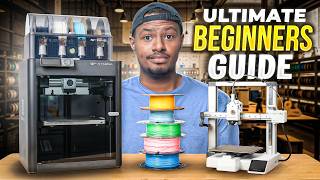

Ultimate Beginner's Guide to 3D Printing in 2026
45sThis opening segment directly addresses common beginner questions and promises a complete guide, making it highly engaging for new viewers.
▶ Play Clip"Title accurately promises a beginner's guide for 2026; video delivers comprehensive, practical advice."
This video is a comprehensive beginner's guide to 3D printing in 2026, covering everything from what 3D printing is to choosing a printer, filament, and software. The host recommends Bambu Lab printers, explains the basics of FDM printing, and walks through the entire process of setting up and running a first print.
3D printing is the process of using a machine to melt plastic filament and deposit it layer by layer to create objects.
Filament is fed into a hot end, melted, and deposited on a build plate. Layer lines are created as the extruder moves. Bed slingers move the bed back and forth, while CoreXY printers move the extruder head.
The Bambu Lab A1 is recommended for beginners due to its ease of use, unboxing experience, and smartphone app. The A1 Mini is a smaller, cheaper alternative. The P1S/P2S are mid-level upgrades.
The AMS (Automatic Material System) allows printing with multiple colors without manually changing filament. It's recommended for convenience and fun.
PLA (polylactic acid) is the best filament for beginners. Avoid confusing variants like tough PLA or silk PLA initially. Just get basic PLA in a few colors.
The Bambu Handy app lets you browse, prepare, and send prints directly from your smartphone without a computer.
You cannot sell 3D models downloaded from sites like Maker World or Printables unless they are explicitly marked for commercial use.
Each printer brand has its own slicer software (e.g., Bambu Studio). It allows detailed adjustments like layer height, infill, and color changes.
PETG offers more heat resistance and durability than PLA. ABS and ASA produce fumes and require ventilation. A filament dryer may be needed in humid climates.
Prints may fail if they don't stick to the build plate. Clean the plate with isopropyl alcohol or dish soap, or use a glue stick for better adhesion.
Recommended tools include a glue stick, isopropyl alcohol, microfiber cloth, rotary tool (e.g., Fantec F2), mini vacuum, butane torch, deburring tool, and flush cutters.
Steps: load filament into AMS, select a model on the app, prepare and send the print, wait for completion, then remove the print from the build plate.
With the right printer (like Bambu Lab A1), basic PLA filament, and the handy app, anyone can start 3D printing. Expect some trial and error, but the process is accessible even for beginners.
Bambu Lab A1
tool
Bambu Lab A1 Mini
tool
Bambu Lab P1S
tool
Bambu Lab H2D
tool
Bambu Handy App
tool
Bambu Studio
tool
AMS (Automatic Material System)
tool
Fantec F2 Rotary Tool
tool
Fantec Mini Vac
tool
Maker World
service
Printables.com
service
Thingiverse
service
get.store
service
Sunlu
brand
Prusa
brand
Inland
brand
Anycubic
brand
Flashforge
brand
Elegoo
brand
What does FDM stand for in 3D printing?
Fused Deposition Modeling.
04:12
What is the recommended first filament for beginners?
PLA (polylactic acid).
10:16
What is the main difference between a bed slinger and a CoreXY printer?
In a bed slinger, the bed moves back and forth; in CoreXY, the extruder head moves.
02:34
What is the AMS system used for?
It allows printing with multiple colors without manually changing filament spools.
07:06
Can you sell 3D prints from models found on Maker World?
Only if the model is explicitly marked for commercial use.
16:32
What is a slicer in 3D printing?
Software that converts a 3D model into instructions (G-code) for the printer, allowing adjustments like layer height and infill.
19:55
What is a common cause of prints not sticking to the build plate?
Oils from fingers or a dirty build plate. Clean with isopropyl alcohol or dish soap.
25:35
What tool can be used to clean up stringing on a print?
A butane torch or a rotary tool like the Fantec F2.
30:38
Why should you cut filament at a 45-degree angle?
To help it feed more easily into the extruder or AMS system.
31:35
What is the approximate price range for a Bambu Lab A1 printer?
$200 to $400.
06:54
What is 3D Printing?
The host gives a simple, relatable analogy comparing 3D printing to a hot glue gun, making the concept instantly understandable.
01:08Commercial Use Warning
A crucial reality check for beginners who might think they can sell any downloaded model; this could save viewers from legal trouble.
16:32First Print Success
The satisfying moment when the completed benchy is popped off the build plate, demonstrating the entire process works.
33:38[00:00] So last year I made this video right here, talking about everything you needed as a beginner. I called it the ultimate beginner's guide. When I was back on it, there was definitely a couple of things that I thought I could tweak. So that's what we're going to do in this video today.
[00:12] So I'm going to get you guys a complete beginner's guide. If you're looking to start 3D printing in 2026, you're not going to watch any other video other than this. So let's hop right into it. So editing Corey here. I realized that in this entire video, I've never mentioned the fact that we are giving away a Bamboo Labs A1 combo.
[00:27] Don't know how that completely slipped my mind, but yeah, we are giving one away. So all you have to do to get entered into winning the Bamboo Lab Printer is leave me a comment down below, like the video. While you're down there, you might as well subscribe as well.
[00:39] We're going to continue to do this, but we will be announcing the winner of the printer on our next video, which will come out on the 15th of next month. So all you have to do is leave a random comment down below. Some ones in the comments will randomly win.
[00:51] And again, might as well subscribe because we're going to keep giving printers away. If you want to get back to you guys, I really appreciate you guys. I'll get back to the video. So as you can see behind me, I have a ton of different 3D printers, but one of the most commonly asked questions that I get as someone who does 3D printing is,
[01:08] what even is a 3D printer? So before we start talking about all the different types of 3D printers, let's just talk about what 3D printing actually is. So what 3D printing actually is, it is the process of using a machine like this and using some kind of plastic called filament,
[01:24] which we'll get into, and then putting it through this system here, which is called a hot end, and then having it print on a plate. It's also heated up. There's a ton of different ways, but that's the easiest way to look at it. 3D printing is the process of taking plastic
[01:39] and turning it into some kind of items like this or this or even this. Make sure you do that. So that's the first thing. That's what 3D printing is. Take a plastic, put it through the machine,
[01:52] get cool stuff. Okay, so now that you understand what 3D printing is, it's kind of the process of taking filament using the machine and making something cool. I want to dive a little bit deeper into how it works. So if you have a good understanding of how it works, if something goes
[02:05] wrong, which it will, which we'll address that later, because a lot of times you have like failed prints, I want you guys to actually understand what's going on. So you're going to use something that's called filament. We're going to get into filament here in the next section, but filament is
[02:18] again just some type of plastic it's either PLA, ABS, TPU, we'll get into that but you're going to put this into a machine. A lot of times when you start you're going to have a machine that looks very similar to this which is an open bed style. You can also get into machines that look like this
[02:34] which the only difference really is is there is an enclosure and then the way the layer lines go down is a little bit different. So with this option here which is called a bed slinger the bed is going to move kind of you can see here the bed will move back and forth the head will
[02:52] move this way as well as up and down to create layer lines i always like to say use the analogy of like a hot glue gun as well the glue is this the hot glue gun is the extruder head and it's
[03:04] going to move layer by layer by layer so even if you take a really complex item like this like this Goku bust you can see there's a ton of different detail in that do not stress about it the easiest
[03:17] way to look at it is it started at the very bottom created one layer went to the next went to the next went to the next and all of the detail is being created as the layer lines are going up so again
[03:29] with the bed springer the extruder head is going to go up and down and that's where you're going to create the layer lines on a core xy the bed plate will move up and down that's really the only difference there. All right now let's move on to some of the items that you're going to need. You're
[03:44] going to need a 3d printer. We're going to talk about some options as a beginner that you should use. But a 3d printer, you're going to need some plastic. You're going to either need a smartphone or a computer and you're going to need a sturdy surface to put the printer on. A desk would work
[03:59] just fine. I just wouldn't get something that is easily moved because this is going to make a lot of noise as we're going to see here in a second. We're going to walk you through an entire process but this is going to like make a lot of vibrations you don't want the print to get messed up because
[04:12] it's not on a solid sound patient and one quick thing that i do want to address the difference between fdm printing which is this comes the process we've been talking about so far as well as resin printing kind of what the difference is i'm not an expert on resin printing so i'm not
[04:27] going to get into that but under the little bit that i do understand is you're taking a liquid and then doing something very similar, creating a project. With SDM, you are taking the plastic and melting it down and using the process in which we were talking about. For beginners,
[04:41] stick with SDM printing. That is where the majority of the beginner-friendly 3D printers like Bamboo Lab, Prusa, Elegoo, things like that, where you are going to want to live as a beginner.
[04:53] Just want to quickly address that. All right, now the fun part. I do want to talk about printers. So, as a beginner, in my personal humble opinion, I believe that the best place to start is with a Bamboo Lab printer.
[05:05] There is a lot of things that Bamboo Lab does as the beginner when it comes to the unboxing experience that just makes it easier for someone who doesn't know what they're doing to read the directions, watch a video like this, and be able to say, hey, I've never 3D printed something, and boom, here we go.
[05:21] Now I have all these really cool items, like myself, just a couple years ago. So with a Bamboo Lab printer, you're going to have a couple of different options. And Bamboo Lab keeps expanding. This is a Bamboo Lab A1 Mini.
[05:34] This is a Bamboo Lab P1S. This is an H2D. And I've had an A1 that I actually gave to my niece because I actually think if you were asking my humble opinion, you're going to want to start with a Bamboo Lab A1 as your
[05:49] beginner printer. I'm going to put a picture of it right here. like I said my niece who is only nine years old she actually got my old bamboo lab a1 as a Christmas gift and she's nine years old so for nine year old to figure it out I'm pretty sure you can take
[06:02] care of that as well so it's going to be a bigger version of this so for the purposes of today we are going to use this as the model as well as if you are someone who is like hey I have a little
[06:14] extra money and I want to step up to a nicer printer the p1s or the p2s which is just an upgraded version of this is a really, really nice mid-level beginner printer. So if you're someone
[06:28] who's like, hey, I want a budget. I just want to kind of figure out if I like it. Go A1 or A1 Mini if you don't have the space. That's the only difference between the two. If you're like, hey, I have some additional money and I want to spend a little bit money or a little bit more money,
[06:42] the P1S or the P2S would be fantastic. You're going to spend about $1,000, about I think $800 to a thousand dollars uh with the bamboo lab and the combo we're going to talk about that uh in a
[06:54] second um and then you're going to spend about 200 to 400 with an a1 or a mini or a one mini now let's talk about what i also think you should pick up when you're looking to pick up one of
[07:06] these printers so this right here would be a single filament full printer you can see right here I put one roll of filament on here and it will only print in one color. My
[07:18] personal humble opinion is I believe you should get the combo version of the A1 or the P1S or P2S because as you can see here really the only difference
[07:30] between the single color printer is the ability to print in multi colors. I don't even think that you should get it because you're going to be able to use multiple colors I just think it's so much easier and more fun to be able to
[07:43] have multiple colors in a spool so when you go to pick out a model you don't have to change the filament every time you want to make something a different color if you want to print something in white you just click the white filament if you want to put something in black or orange or blue
[07:56] whatever the colors are you're able to do that without having to change the roll this is where it becomes way more fun when you don't have to worry about the different colors and changing out the spool each time so that's actually why i do recommend getting the ams even though it's a little
[08:12] little bit more money, it makes a lot of sense. All right, so big shout out to DotStore for sponsoring today's video. Let's talk about that real quick. So if you decide to go down the route of selling things, the first thing you're going to need isn't a social media account or anything
[08:24] like that. It's a simple professional store that lets people know exactly what it is that you're doing. So that's why this section is brought to you by DotStore. What I really like about DotStore is it makes it extremely easy for people to understand what it is that you are doing.
[08:40] something like your 3dprint.store really gets a clear message over to your prospective buyers hey they're trying to sell xyz products to you so instead of you trying to explain what it is that your website does let the domain do it for you and especially when you just getting started clarity really matters so the first step for you is to go to get and go and see if your domain is available You can use something like williamsworkshop
[09:07] You can't because I use it. But seriously, make sure that you can check and see if your domain's available. Whenever you go to put your domain in the cart, you're going to see it's a lot higher of a price. But don't worry, I was able to secure a 99 cents
[09:20] for the first year for all of my subscribers to use the code williamsworkshop, all caps, right here for you. When you add it in, you're going to see it's going to be a little bit more expensive, but then from there, it's only 99 cents. So I recommend if you're even remotely serious
[09:33] about starting a store, head to get.store and get your domain and secure that. Make sure you make everything else on the back end just so much easier for you and your business. Thank you to .stool for sponsoring this video
[09:45] and let's get back to the video. All right. Now, you got your printer, you got your Bamboo Lab A1. Again, that's just my recommendation. There's a ton of other beginner-friendly printers out there that's just the one that I recommend on this channel a lot of the time so now when you're
[09:59] going through and you're putting your order in before you order your printer before you run down to Best Buy or Micro Center to pick up the printer or while you're there make sure you also pick up some filament as a beginner you should start with PLA polylastic acid I believe that's what it's
[10:16] called acid it's not burning me don't worry about that PLA now one of the most frustrating things that I had when I was a beginner was every single one of the YouTube videos always said start with PLA. It was really, really good advice because you probably should, but the thing that annoyed
[10:31] me is when I hopped on Amazon and I saw that there was tough PLA and marble PLA and PLA basic and hyper PLA and matte PLA and all of these different PLAs and galaxy black and it kind of
[10:48] became super overwhelming. So I want to cut out all the noise when you were searching online for your filament. One, get a couple different colors because I promise you you're going to need more than just the white or the blue that you think. That's number one. But number two, make sure you
[11:02] just get PLA. So for example, if you're looking at your Anycubic filament, which we're getting into who I think you should use, but Anycubic filament, it just says PLA here. It's not going
[11:14] say hyper PLA or anything like that it'll just say PLA. In some other brands it'll say basic PLA. You don't necessarily need to worry about like matte PLA or anything like that. Really all it's
[11:26] doing is changing the filament. Now you're going to ask there's a difference between like tough PLA or PLA plus things like that. PLA plus is just going to be a little bit harder but when searching just search PLA find the color that you want and go from there. If you end up getting matte
[11:41] pla don't worry you didn't get anything wrong if you end up getting like silk pla didn't do anything wrong it's just going to be the material like color that it looks like after so you give you an example like this is like a silk pla you can see it has some like color to it where this would
[11:56] just be a matte pla nothing too fancy that's really all so don't worry about it just get yourself some pla let's move on to the next one all right so now that you have your pla you got your 3D printer, you're probably like, Corey, do I need to know how to 3D model all of these
[12:12] really cool ideas and all this stuff? No, you don't. There's a ton of different websites out there. I'm going to leave a list down below, one to all of the things that I think you should buy. Oh, let me go back real quick. Sorry, before, actually. Now, let's get into the brands of PLA.
[12:25] So, when you're on Amazon, one of the more popular ones is going to be your Sunlube PLA. I think that's an awesome brand. Prusa makes some really good PLA as well. If you are going to like
[12:39] a micro center to pick up your printer, they're Inland, Inland, Inland, Inland, Inland, Inland, who knows, I don't know how to read that well apparently. They also make some pretty solid filament as well. Not the cheapest stuff, but if you are going to look online, you're going to see
[12:55] that Sunlu pops up a ton. I have a ton of Sunlu PLA that I bought, some of them they sent to me. They do make really solid PLA that's really affordable as well. But if you go on like BambooLab.com, pick up some of their filament as well.
[13:08] Their filament is going to be a little bit more expensive. However, one, they have really nice rolls, really solid filament as well. But the really cool thing about PLA from BambooLab, let me see if I can't. There's a little tag.
[13:21] I'm going to shoot some on right here. There's a little sensor in there that when you use Bamboo Labs filament with their system, the printer is going to automatically know what kind of filament is in there.
[13:35] So it makes everything so much easier for you. So go online, get yourself some PLA, basic, use some sunlute. Again, the benefit of using Bamboo Labs is it's going to allow you to have a little tag in there.
[13:48] So it's going to know that this is green. If you get black, it's going to know it's black. You won't have to program it. It's a small little thing. Sometimes it saves you a little bit of headache, though. All right. Now that we have the PLA, you got your printer, you're going to figure out, hey, I need to
[14:01] figure out some stuff to print, right? So let's hop on to your cell phone. We're going to walk you through how to do it. The reason why I also said Bamboo Lab is a really good starter printer is they are going to allow you to use your smartphone and not actually have to have a computer just to get
[14:17] started. with some of the with all the other brands except for prusia you are going to need to have a laptop to be able to download stuff from my understanding some of the other brands might have come out with their uh their own app so bamboo makes it really simple to hop on here do a couple clicks find the
[14:33] cool items that you want to print and then from there you can actually uh use up your cell phone to do everything okay so now that you have the bamboo lab uh it's called the handy app which ironically it is pretty handy because when you are looking for something you
[14:48] can actually hop right on your phone search the item that you're looking for so let's say I want to search for a boat which is commonly the first print that a lot of beginners look at it is actually preloaded on a lot of the printers as
[15:02] well it's a good test to figure out what the printer is doing and make sure it's actually functioning out of the box so what you're gonna do actually like this one I don't think I've ever printed this one but you're gonna search boat you're
[15:15] gonna search whatever item that you're looking for the really nice thing is all you have to do is come right down here hit prepare to print and from there you hit next and then all you have to do you only have one printer but you'll pick
[15:30] the printer that you want for my case it's gonna be the P1S because I want to show you guys what that looks like you're gonna change the color if you have multiple colors if you have the AMI system. You're going to hit confirm and you're going to hit start current.
[15:45] It's going to send the printer the job and then you can see here the printer is downloading the job and once that's ready it's going to send that filament up top through the extruder and then we're
[15:59] going to watch it happen. Now we are going to play some b-roll of the fancy printing but a lot of of times when people get to this point and they've printed stuff for a ton of time they're like okay this is really fun and they found a really cool item like this this is one of prusha's rockets i
[16:16] think this looks really cool so then they're going through they're printing stuff for a while and they are like oh my gosh this is this vase would be really cool to sell or this this uh sign here sign would be really cool to sell or this lamp would be really cool to sell i want to caution
[16:32] you guys right up front. You cannot go online to any of the sites like Maker World or Fingerverse or printables.com, find something on there and then start selling it commercially. You cannot
[16:44] do that. Everything that you find on there, unless it specifically says available for commercial use, you cannot sell that. I just want to let you guys know that up front. That's something that I did not know when I first started. You're going to have that tendency to say, okay, now that I'm
[16:59] printing all this stuff let me try and pay for my printer um one of the more common things now if you decide you want to start 3d modeling and modeling your own stuff you 100 can start selling that or there are even entire pages on fangs that allow you to take an item and actually sell the
[17:17] item if you decide to go down that path to sell some items one awesome choice i actually sold a couple items when i first started to pay for some of the prints and then i you know you guys started been awesome and this YouTube channel took off. But if you decide to start selling things,
[17:31] the first thing you're going to need outside of this is a domain because you're going to want to set up your domain so you can start selling things, whether you're using Shopify, whatever the case is. So that's where today's video sponsor.store is actually going to come in clutch.
[17:46] One of the big things that I didn't realize is that there are a ton of different items you can sell obviously or sell print vice versa but like lamps you can literally find lamps that you can 3d print this is a little sign for your pencils that says you know please sign in Here a pencil holder I 3D printed this entire wall right here
[18:07] So pretty much everything you see on this wall is 3D printed, including the wall itself. This is a 3D printed item. This is actually called multiboard. This sign is 3D printed. This right here is 3D printed. There's a magnet in there.
[18:19] These little bins are all 3D printed. Obviously, the Orca with the Nike is 3D printed. But again, like a ton of different things. There's so many utility items that you can 3D print as well as the functional pieces like we were talking about here as well.
[18:35] But seriously, if you have an issue in your life, go on one of these websites and search bathroom organizer. And I guarantee you're going to find a ton of bathroom organizers. I printed some. Or what you really should do is go back on the channel and look at the video, a multitude of videos that I did, like top 10 most useful 3D prints.
[18:54] I did some prints as well for the wood shop. So if you're a woodworker, definitely check that out. There's a ton of different things that you can print. There's a ton of different websites. All of them will be linked down below. You're going to have a great time on this journey, but we're not done because I want
[19:08] to keep going through and making sure that you never need to watch any other video. And I think we're doing a good job so far, but let's keep going. So the next quick thing I want to do is talk about the software, right? I talked about Bamboo Lab being the easiest to use, especially because it has the app on your phone where you can get all the different types of 3D prints and any of those things that I was mentioning, right?
[19:29] If you search, you know, bathroom organizers, soap saver, any of that stuff, random stuff that I downloaded, clearly. But you can go right on here. You can search through the stuff that's trending in 3D printing, any of that.
[19:43] And then the next evolution is going to be you want to get either you have a computer or you want to download the proprietary software. So each individual printer like Prusa is going to have its own slicer.
[19:55] Elegoo, Bamboo Lab, any of the major brands are going to have their own software. And it's called a slicer. We're not going to dive super granular into a slicer.
[20:07] But ultimately what it is, is the upgraded version from your phone. and it allows you to adjust pretty much everything about the 3D printer. So if you are someone who is like, hey, I'm really into tinkering,
[20:21] or not even tinkering, but I'm really good with software or you know how to 3D model, definitely go through and download. This one's called Bamboo Studio because you brought a Bamboo Lab printer because you listen to me. So with the slicer, you're able to tweak a ton of things.
[20:33] You're able to put the different colors that are in there. You're able to, again, make the print stronger. But this is going to be where you're going to go through and actually be able to change each one of the models that you're looking at.
[20:45] So taking this for an example, right? Like you're able to customize the colors in here. So if you wanted to turn this pink, this is a Christmas present that I made for my niece a couple of weeks ago.
[20:57] You can change that in the red. You can change the thickness of everything as well by changing the layer height and the infill. But again, we're not going to go into that TV. But that's where, again, if you wanted to adjust stuff and start doing actual micro adjustments
[21:10] and learning the 3D model and stuff, that's where you're going to do it. You're not going to 3D model inside of the studio, but you're going to be able to test your 3D models over here. So move on to the next. So next what I want to do is address some of the frequently asked questions
[21:23] that I get, and then we're going to do some frequently run into problems. So we're going to run through the entire process. I'm going to go over some tools that you're definitely going to need to order either before or after, and we're going to wrap this video up.
[21:35] But commonly asked questions, frequently comment, you know what I'm trying to say, maybe you don't maybe you do what i'm trying to say is a lot of common questions that we do get on the channel is you know what kind of filament that i actually use going back to that real quick
[21:49] like i said some of the good brands but outside of that what are the different types of filament and what are the purposes for a lot of them right so let's let me go grab some i'll show you and then when you're going through again still start with pla as a beginner but again you're going to start
[22:04] getting into some more things and i want you to at least understand what abs is and what that stuff looks like. So the common next place for beginners to go after PLA is actually PETG. PETG is going to
[22:16] give you a little bit more heat resistance as well as be a little bit more durable. Depending on where you live, you might have some issues with PLA just sticking. PLA is going to normally require a filament dryer. The plastic is going to be absorbing the air and the moisture. So if you
[22:33] live in Arizona, don't have to worry about it. If you live in Pennsylvania like myself, you want to get a filament dryer. So what a filament dryer is, all it's going to do, and this is not beginner friendly, I just want to let you know, filament dryers are a real thing. So if you ever run into an issue where you're having some adhesion problems, probably not going
[22:48] to be this related. But if your prints are coming out and they don't look correct, try drying the filament. Worst case scenario, if the filament's out in the air for too long, it will actually start to absorb the moisture and you'll cause some issues. But a filament dryer just heats up
[23:05] the filament, so PETG, ABS, TPU, things like that, those are going to be, they're going to whip up the moisture in the air, and you're going to have a hard time printing them. So a filament dryer is something that could potentially help with your prints, but like I said, that's some of
[23:21] the frequently asked questions that I get, what kind of filament should I go to next after PLA? Some of the other questions that I get asked are, you know, is PLA toxic to breathe in? Are some of these other things toxic to breathe in? The short answer is no and yes. What I mean by that is if
[23:37] you were just printing PLA inside of it, like I wouldn't do this in your room with the door closed for hours and hours on hours, but if you have a well-ventilated area like I have here, or if it's even in your living room, over time you're going to want to have the door open or something or the
[23:52] window open because no matter how you look at it, you're still melting plastic. Is it extremely, extremely harmful for you? No. When you start getting into things like ADS or ASA where there's a little bit of a fume, you definitely don't want to breathe that stuff in, but that's down the road
[24:07] anyway. But no, the short answer is you don't necessarily need to have this printed outside or have a hazmat suit on to print this stuff. I just wouldn't do it next to your face while you're sleeping for days and days and days. The short answer. Next question that we get often is, do I
[24:23] need to go buy like one of these racks or something that you always see 3D printers sitting on. No, like I said earlier, you just need a sturdy surface. It doesn't need to be anything crazy. It's a sturdy surface where you can set the printer on because the printer is going to move a ton,
[24:38] so you're not going to have to worry about it moving around, and that could potentially mess up the printer or the print for you. Now, some things that you're going to commonly run into before we get into the tool side of things and running through a process, some of the things
[24:51] commonly going to run into is some failed print. So what a failed print might look like is you start printing something and then the print comes off of the build plate. The build plate, I don't think we've really mentioned that, but the build plate is this piece right here. It's going to come in all
[25:06] different sizes, things along those lines, but a build plate is real simple. It's going to be the place where the hot glue or the filament is going to go down on the extruder. When you're looking at the different types of printer as well, the enclosure, the build plate is going to be here.
[25:20] So a lot of times what you'll see is the print will start and then it'll come off of the build plate. A lot of times, all you need to do is clean the build plate itself. So this is going to be your standard build plate from Bamboo Labs.
[25:35] You do not want to put your fingers on this because the oils from your fingers can get onto the build plate and that can cause some additional issues like bed adhesion, right? Your printer will start going down and then it'll start to come off the bed.
[25:47] so if that run if you run into that some of the things that we're going to talk about when we get into the into the tools that you might need it's going to be quickly wash it with some don fish soap or even use a little isopropyl alcohol we'll talk about that here in a second but a lot of times
[26:00] that will clean or that will clear some of the bed adhesion issues that you're having when it comes to most common issues that's probably going to be the most common ones that your print doesn't stick um that is where i would start cleaning with some isopropyl alcohol or some don fish soap
[26:16] and you'll be good there. All right. Now, what I do want to do is move on to a full build for you guys. Not a full build, but go from something on my phone, like we talked about earlier, and this is almost done here. Actually, it's not almost done. Oh, it's an hour. Actually,
[26:30] I'm going to switch it up. What I am going to do is talk about some commonly used accessories that you need to order. Then we're going to run you through opening a box of filament, getting it loaded up, running a print, and then we're going to wrap this video up. So let me talk
[26:44] about some of the common things and tools that you're going to potentially want on the back end. All right, now let's get into some of the tools or little accessories that you might need to pick up. First thing to address what we were talking about before bed adhesion being one of the issues that we run into a lot There is specific 3D printing adhesion This stuff was sent to me with one of my Flashforge printers This stuff is good but if you don get a Flashforge printer
[27:08] literally, no joke, you can pick up Elmer's glue. A little glue stick like this from Elmer's from your dollar store or wherever, you can actually spread this right on the build plate. So if you're having some adhesion issues, you can actually see this one kind of has some of the residue,
[27:22] But literally all you do is take your Elmer glue, you spread it right on top of wherever that print's going to go down, and this will help it give you some adhesion as well as make it easier when the print is done to take off the bed.
[27:34] That is something that I use a lot. If you look around the internet, they're also going to tell you that like hairspray will work. This is almost a full spray that I've had for over a year now. I didn't find that hairspray worked as good as glue stick or adhesive spray.
[27:48] So if you want to try the hairspray, you absolutely can. but I would say a glue stick or adhesion spray, definitely something easy to use. Next, I would say a microfiber cloth is going to be another thing. It's a really good accessory to have
[28:03] and some 99% or 90, sorry, 91 or higher percent alcohol. If you aren't using your glue stick, you can actually take your isopropyl alcohol. When you start to touch the bill plate, even though
[28:16] you shouldn't eventually it happens and you use the micro private cloth to get the isopropyl alcohol onto your bill plate to clean that you have a bandolab bill plate you can do that again this one's a little controversial along with the glue stick some people say you should some people say
[28:31] you shouldn't i've been doing this for a while never had any issues i do know the isopropyl alcohol over time will break down the bill plate you're not going to be doing it very often now the next thing that you're going to need actually big thank you to the centech for sending these out
[28:45] they sent me over their f2 master what it is it's actually a rotary tool when you get some prints off of the bed a lot of times what you'll run into they're not clean 100 so like with this goku
[28:59] bus you will find that there's like some string and if you wanted to clean this up you could actually use the f2 some diamond tools there is this little rotary tool right here actually we're show this so with this this just spreads open you put the tool in here and then you can tighten it up
[29:16] then you can go through and clean up like there's a little spot on the hair so then you can turn it on and you can clean up like under here you clean up some of the hair just like that so you can use
[29:28] these rotary tools and the f2 has a ton of different settings as well so if you want to turn it on a real full blast you can and this will turn it a lot faster but turn it off real quick like I said has a ton of different accessories to clean up like a little sandpaper
[29:43] the rotary tools things like that there's even little drills and dremels here but the really nice thing is you can clean up some of the prints with this and then once you're done making a mess they sent me over their mini vac as well this is really nice because you're able to turn this on
[30:00] and it's a blower and a sucker, which is cool. It gives you a ton of accessories. You can just put one of the little accessory pieces on, turn this on, and then you can blow stuff off of the desk or even inside of your 3D printers.
[30:13] If you need to blow some of the dust out or if you want to vacuum it out, you can do that as well with one of the vacuum accessories. This is something that I'm extremely excited to use because you can vacuum out. A lot of times you get dust or stuff like that inside of these 3D printers.
[30:26] you can go through and use that vacuum cleaner to clean that up and then you can use the f2 to actually go through and clean up some of your prints as well so thanks to fanstack for sending
[30:38] these out definitely check these out in the links below those are some of the other accessories that you might want to take a look at as well you got a butane torch a lot of times what you'll have happen is when a print comes off it'll have some like little strings you just take a little butane
[30:51] torch hit it a couple times and uh it'll clear that up for you a lot of times if you print with a brim or if the item that you are printing has a brim around you can use this is
[31:03] called a deburring tool so this had a brim on it you guys can kind of see that you can take this deburring tool and you can clean up the edge for the print as well so you can have a nice smooth edge as well and go here and just clean that up it'll clear up the edges if you put with a brim
[31:20] or if you just need a little bit of cleaning now one of the big things you're going to need not really a big thing but every time you take a piece of filament off i always recommend having a pair of cutters on hand you go through and you take the filament you want to make sure you're
[31:35] not unraveling this but you're going to go ahead and cut the edge of the filament at a 45 degree angle this is going to help the filament be fed into the extruder or into your ams system a lot
[31:49] easier as well. You want to make sure that this isn't 90 degrees. It's not going to be in as well. So a nice pair of little cutters as well. So let's go through and run through an entire process of 3D printing something like this. So I already have a 3D print going.
[32:07] I'm going to show you what I would do if I was starting out. So first, you're going to take your filament. This is going to be the thing that we're going to 3D print. It's a benchy but what I would do is when you're handling your filament you want to make sure when you take
[32:23] it off of the uh there's going to be a little piece here that's just holding everything together you want to make sure you keep a hold of this at all times you do not want to let this unfold or you'll have a very very uh unhappy day so you're going to take this just like this then from there
[32:38] feeding it into the ams system is really simple you're just going to go through and take this piece here and you push it in right at the top here for the bamboo lab a or sorry for the ams
[32:55] you just push up a little bit and this will automatically feed in just like that for you so really simple then from there that is a benchy so you're going to go on to the bamboo lab handy
[33:07] app there's Benchy you're gonna click right here you're gonna go prepare to print next we're gonna choose the h2d I'm printing in black you're gonna hit
[33:19] confirm you're gonna hit start print that's that simple I'm gonna show you guys the b-roll and then we're going to end this video So I always recommend letting the print set for a little bit, but this is done.
[33:38] So you're going to pop it off and there you go. That is how you run through and make sure your printer is working as well as print something really cool. Let's wrap this video up. All right, guys. So thank you for watching this far.
[33:51] I really hope that you were able to go from not really understanding 3D printing to feeling like you're at least comfortable to buy a 3D printer, buy some filament. and get started. Let me put it this way. It's still going to take you some time. I fully feel comfortable with 3D printing,
[34:03] but again, my niece who is nine, she's able to do it. I want to give you guys who've watched this far a quick little insight to something I'm working in on the backside. So for those people who want to click on this video,
[34:15] I really appreciate you guys. Hit the like and subscribe button. For those people who are, you know, Corey fans or Williams Workshop fans, I want to give you guys a little bit of behind the scenes look into something. So I talk to you guys later.
[34:27] Peace. But I want to say thank you guys for all of the love and support. I have recently started launching a premium men's personal care line. It's called Pure 60.
[34:39] We are focusing on the men who want to make sure that they are purpose-driven, and we are going to be taking care of skin care. So we're going to be doing soaps and body wash and a bunch of different things. But if you want to follow along with that journey of rebuilding out a product business,
[34:54] I've never done e-commerce before, but this really means a lot to me. If you guys are interested in that, I know if you've watched this far, if you're interested in supporting, if you're interested in giving me your feedback, there is going to be an email list down below.
[35:07] I am going to be talking about this a little bit more, but again, for these people who are actually watching, I know you're at least somewhat sure about me, I hope. I don't know. Maybe. Thank you for watching and supporting. But an authentic Corey here, this would mean the world to me if you guys are interested
[35:21] in having some, we're going to start by launching some bars. So it's going to be all premium, all natural stuff. And it's going to be down below. There's an email list. We're not ready to launch yet, but I am just trying to get a gauge of people who might be
[35:34] interested in something like this. So it'd mean the world to me if you'd hit the email down below. Join the wait list. I'll keep you guys posted on what the processes look like. It looks like to build an e-commerce business.
[35:47] I'm going to be documenting that along the way. So if you're a man, you're interested or you're watching this and you know a man who might be interested in all natural skin care, again, starting with soap, please go ahead and hit that link down below. And I really appreciate you guys for watching.
[36:00] I'll catch you guys in the next video. Peace.
⚡ Saved you 0h 36m reading this? Transcribe any YouTube video for free — no signup needed.