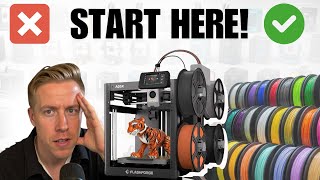
3D Printer Explained Like You're 10
45sThe analogy of a robotic hot glue gun and plastic spaghetti is simple, visual, and instantly demystifies 3D printing for beginners.
▶ Play ClipThis beginner's guide to 3D printing covers everything from what a 3D printer is and how it works, to types of printers, filament, software, and common questions. The host demonstrates a live print and showcases various printed objects.
The video aims to answer all beginner questions about 3D printing, explaining the basics in simple terms.
3D printers come in different shapes, some enclosed like a microwave, others open. They use plastic filament rolls.
Filament is plastic on spools, typically 1 kg. It feeds into the printer, gets heated, and squeezed out to form objects.
The host loads pink filament and starts printing a boat from a phone app, showing the process in real-time.
Key differences include single-color vs. multi-color printers. Multi-color printers are more expensive and produce more waste.
Single-color printers range from $200-$350 USD; multi-color from $350-$1,500. Size also affects price.
PLA is the most common beginner filament, cheap and easy. Other types include PETG, ABS, TPU. PLA is UV and heat sensitive.
99% of FDM printers use 1.75 mm diameter filament. Most printers accept 1 kg spools.
Three methods: phone app (easiest), computer software (more control), or USB drive. Bambu Lab printers have a good phone app.
Useful tools: razor blade, torch (for stringing), metal spatula, and isopropyl alcohol for cleaning the build plate.
Answers common questions: learning difficulty, assembly, computer need, electricity cost, model sources, slicer software, STL files, filament choice, fumes, unattended printing, and cheap vs. expensive printers.
3D printing is accessible to beginners with the right guidance. Start with a single-color printer and PLA filament, use online resources for models, and don't be afraid to experiment.
"The title is accurate; the video delivers a comprehensive beginner guide covering all basics."
What is the most common type of filament for beginners?
PLA
11:10
What diameter filament do most FDM printers use?
1.75 mm
12:47
What is the typical weight of a standard filament spool?
1 kilogram
13:29
What is a slicer in 3D printing?
A CAD program that comes with the 3D printer to prepare models for printing.
24:09
Name three websites where you can find 3D models to print.
Thingiverse, Maker World, Cult 3D
23:30
What is the file extension most commonly used for 3D models?
.STL
24:33
What are two disadvantages of PLA filament?
It is not as strong as other materials and is susceptible to UV and heat.
11:27
What is the main advantage of an enclosed 3D printer?
It can print more types of materials due to temperature control.
09:58
What is the purpose of using isopropyl alcohol on the build plate?
To degrease the build plate so new prints stick better.
20:38
What is the approximate price range for a single-color 3D printer?
$200 to $350 USD
07:21
What is the approximate price range for a multi-color 3D printer?
$350 to $1,500 USD
09:16
What is TPU filament and what is its characteristic?
TPU is a flexible filament that feels like a gummy bear.
14:59
What is a common problem with multi-color printers?
They produce a lot of waste plastic when purging old colors.
06:10
3D Printer as a Robotic Hot Glue Gun
Simple analogy that makes the technology instantly understandable.
03:39Huge Bucket of Waste
Visually striking example of the waste generated by multi-color printing.
06:51Boat Print Complete
Satisfying moment where the printed object is removed from the build plate.
21:24[00:00] This is the only beginner's guide to 3D printing that you're going to need. Today, we're going to answer every single beginner question you have to 3D printing. Maybe you have a child that's interested in getting into 3D printing,
[00:14] or maybe it's you that's interested. It doesn't matter. We're going to answer everything here. So let's start with the basics. What is a 3D printer, right? Because chances are you've seen a lot of the objects that you've seen 3D printed,
[00:29] and you're probably kind of mind blown how something creates this, right? So this is what 3D printers look like. And they come in different shapes and forms. I have a bunch of them in here. And they have different types of designs, right?
[00:43] Some of them have enclosures, like that one over there. You can tell it's enclosed, like a microwave almost. And then this one is more open. And what these 3D printers do, this is crazy, right? It's going to blow your mind.
[00:55] And again, I'm just trying to talk to you guys as if you were 10 years old and explain this to you guys. So what these 3D printers do is they use plastic rolls that are called filament. It almost looks like plastic, like spaghetti.
[01:09] See the ends here? And it's on rolls here that are really long. This is one kilogram worth of this plastic spool. So these spools are known as filament. So try to remember that and try to keep up.
[01:21] This is the filament. And what these schools do is they feed into the 3D printer, like so here. These ones are put up here, and they slowly feed into the 3D printer. And then what the 3D printer does is it heats up the filament, and it squeezes out of the hot end.
[01:38] And what we do is we print out plastic objects. And you know, I try to explain 3D printing to a lot of people, and it's one of those things that you kind of don't understand it until you just see it. So what I think we should do is I just want to quickly show you what it's like to 3D print something on these printers.
[01:56] Alright, so what we first need is some filament. So I'm going to use this pink filament, and I'm going to add it to this 3D printer. So what I would do here is put this roll of filament here on this little holster.
[02:08] You see how it holds this? So I'm going to load the filament here on the holster, and then I am going to enter the filament end into this machine. and it's going to auto-feed into the 3D printer.
[02:20] See here, I'll show you. Now what's happening here is the filament on the side here is fed up into these lines, and it has gone to the 3D printer head. And then what's going to happen here is this hot end right here,
[02:32] you can think of it as a hot glue gun, this is going to come down and slowly start printing things in layers in literally 3D print 3D objects. And what's really cool is with some of these 3D printers,
[02:44] we can actually do it directly from our phone. So I'm just going to show you how quick we can do this. I am going to search for a boat. Okay, so let's click on this boat right here and then I can click prepare to print here at the bottom. It
[02:57] tells me this is going to take 31 minutes to print. I choose my printer. I choose the color so it's pink down here. See how it's set up over there and you can see the colors over there. I'm going to choose that. Then I'm going to click on start print and you can see it. It says downloading and now the 3D print is
[03:13] about to start on the 3d printer as you can see here the printer head is moving it's going to start the process of getting ready for 3d printing and I know this might seem like you know if you already know what this is cool but this
[03:25] video is aimed at total beginners guys and I feel like you don't know what 3d printing is until you see it you have to see it to believe it alright so the 3d printer has started printing the small little bow and as you can see it's doing
[03:39] small little thin layers and it's using the plastic to create a boat and it's crazy. Think of a 3D printer like a robotic hot glue gun, right? That nozzle right there, I'm trying to get a good
[03:51] view here, is essentially heating up this plastic right here. It's slowly feeding in here. We can see it. It's feeding into the 3D printer head and what it's doing is it's using coordinates to knowing
[04:03] where to put the warmed up filament and that's where we get all this cool stuff, right? And it It takes a little bit of time to 3D print, but it's actually going to blow your mind what you can 3D print. Like, it's absolutely crazy. This is a big container right here that just screws on it very nicely.
[04:17] Here's a flower vase that I printed my girlfriend. Here's a giant Pokemon. Something like this could take anywhere like six to eight hours to 3D print. But, like, isn't it kind of insane? Here's some more cool things we 3D printed over here.
[04:30] And what's really cool is you can actually paint your things, right? We have a lot of fun just painting these 3D printed objects into like whatever you kind of want. So there you have it. This is what 3D printing looks like live in action.
[04:43] And we'll let this go because it'll blow your mind. As time goes by, the bolt will actually grow into a 3D object printed out of plastic. So the next question is probably what different types of 3D printers are there and what's the best for me, right?
[04:57] So every day 3D printing becomes like better and better. But to be completely honest with you, there's probably only like 10 or 15 3D printers on the market right now that are completely solid. I don't want to talk about brands in particular in this video because this is more educational for beginners, right?
[05:13] But I will say I do have a video talking about the top 8 best 3D printers of the year or the best 3D printers for beginners. And I'll link those down below in the description. So one of the biggest distinguishing factors or differences in 3D printers is, first of all, if they have the capability of printing multicolors.
[05:32] This is huge. And it's exactly how it sounds. For example, this 3D printer right here, it can multicolor print different designs with these colors together. And let me show you some examples here. For example, this 3D print right here was printed on this 3D printer.
[05:46] And as you can see here, this one print has multicolors built into it. A really cool feature. I will also state it probably doubles the price tag of the 3D printer, so just know that.
[05:58] Here are some other cool examples. This is my buddy Tank, our French Bulldog. That's pretty cool, right? We 3D printed that. This is a custom houseplant coaster that I designed, and I also 3D printed in multicolor. Pretty cool, huh?
[06:10] Huh? Never even got around to selling this, but I fully customized, built this. It's really fun. I will also state that the multicolor printers have a lot more waste. And when I say waste, what I mean here is if you look in the back of the 3D printer here,
[06:23] we have a bunch of that, and it's called waste. So when the 3D printer has to change to a different color, it has to purge out the old color. And by doing that, you get a bunch of waste. It's kind of disheartening to waste a lot of this plastic, at least for me, essentially too,
[06:37] because you think about some of this wasted filament and plastic and things that were 3D printing, just filling landfills, and it's kind of disheartening. But that being said, 3D printers are getting better every single day and there's actually a couple that have recently just joined the market
[06:51] and they have a lot less waste. Check this out here. This is holy waste. Like isn't this insane? Like this is a huge bucket and this is like pretty normal for people that get really active into 3D printing I not trying to scare you away but I just saying that you can have a lot of fun just single color 3D printing For example this 3D printer right here is only single color You can tell it only single color right here and the filament just feeds right up there and I only have the opportunity to 3D print with one color at a time
[07:21] Another common question people ask me is, how expensive are 3D printers? And I would say, on average, a single color 3D printer, you can get anywhere between $200 to $350 US.
[07:34] But also, a huge factor is what size the 3D printer is. Like, you probably can't tell, but this 3D printer is absolutely massive. This is a dinner table right here, and this thing is huge. This is called the build plate of the 3D printer, and this kind of distinguishes the size of how big of things you can 3D print.
[07:52] So if we bring this build plate over to a 3D printer like this size here, you can tell that I can obviously print a lot larger of items or 3D models on this than that. Same with this one here. This is a smaller 3D printer. I'll set this here. I'll show you an example here.
[08:08] This is the build plate for this 3D printer. Look at the size difference. That being said, though, that doesn't mean that you can't get a smaller 3D printer and still have a ton of fun. Larger doesn't mean more fun, because sometimes I find that a lot of times, you know, especially for kids and stuff,
[08:25] they're 3D printing a lot smaller of things, you know what I mean? So, like, this build plate is massive, but I find that we, like, rarely ever use it. And sometimes what you can do is you can split the pieces into parts.
[08:38] So here is a helmet, for example, this helmet we did for Halloween. This was too large to even fit in my biggest 3D printer. So what we did was we 3D printed it in pieces and we glued it together.
[08:52] But yeah, like I was saying, you can print a lot of smaller things that are still really cool. Like look at this hand. Like isn't this absolutely insane? It's just kind of like crazy. Here's another hand, ironically, as well.
[09:04] Hit up the comments if you know where this is from. So the price of 3D printers. Single color 3D printers you could probably get between a price range of $200 to maybe like $400 US dollars.
[09:16] As far as multi-color 3D printers, these are going to be a little more. I would probably average the price tag of multi-color 3D printers to be between $350 to $1,500.
[09:28] And your next question is probably, hey Chris, do we need a multi-color 3D printer? And I gotta say, if you're a total beginner, I would maybe start with single color 3D printing. I go back and forth on this, because multicolor is really cool, but it's wasteful, it's more expensive.
[09:44] And I think in like three years time, the multicolor technology is going to completely change for 3D printers like altogether. Again guys, if you're needing help picking out a beginner 3D printer, I have a specific video on this, I'll link it down in the description.
[09:58] It's also worth noting that enclosed printers that are covered all around, like I was telling you, they look almost like a microwave, that you can print more types of materials with. So here's the filament, as you remember right.
[10:10] This is what it looks like for rolls of plastic. And the reason for that is because you can have it temperature controlled on the inside. But if I'm being completely honest, it's not absolutely necessary. And I find that most beginner 3D print types of filaments, you don't actually even need an enclosure.
[10:27] And you will save some money if you just buy an open 3D printer like this one. Let's take a look at the boat here that's 3D printing. Like, isn't it kind of crazy, guys? Look at that. Insane. All right, guys.
[10:39] Next, what I want to do is I want to talk about the filament, which is essentially the plastic that we're going to be 3D printing with, because this is also a huge topic to know. When talking about filament, this is where things start to get a little overwhelming
[10:53] for most people. But I'm going to try to keep this as simple as possible. So there's different types of plastics, right? As you can imagine, there's so many different types of plastics in the world right now. But the good news is, for the most part, there's only like four or five common plastics that we're 3D printing with.
[11:10] The most common one is known as PLA. And that's what most beginners start printing with, just because it's the easiest for all the settings, and you can do a lot with it. As you become more seasoned as a hobbyist, you will probably get away from PLA though because it has a couple different setbacks.
[11:27] First of all, the strength isn't as strong as some of the other materials. And also, it's very susceptible to UV, meaning it kind of keeps up in the sun and it doesn't do very well in heat or with heat.
[11:39] So if you're a complete beginner to 3D printing, I would highly advise you start with PLA filament. It's pretty cheap and it's really easy to work with. And on the flip side, they have tons of different designs. Like this one here is a color-changing filament.
[11:52] That's essentially what this looks like here. And it changes colors as you rotate it. Like it has such cool coloration. Here's an example of some of the color-changing filament as well. It's kind of like chameleon paint on a car, if I were to explain to someone.
[12:05] It's just really cool stuff. So we're going to keep it super basic when talking about filament. There's probably like four or five different types that most 3D print hobbyists are printing with. But I would highly advise you start with PLA.
[12:17] And then you can move on to some of the other stuff like PETG and nylon, but I actually have a particular video on the different types of filaments that you can check out. I just want to keep this super simple for beginners. Then the next question when it comes to filament is sizing, right?
[12:31] So you probably look at all these different types of reels and the different size spools and quickly get overwhelmed, but I promise you, it's actually pretty simple. So for like 99% of FDM 3D printers, they're all using a size filament known as 1.75.
[12:47] And you can see it right there, 1.75. And that's essentially the diameter of the filament, like the circumference around it. So for the sizing for your FDM printers, it's 1.75.
[13:01] And I can hear some of the trolls in the background that are enthusiasts or more experienced saying, Well, they have different sizes, Chris. Yes, but 99% of FDM normal 3D printers are that 1.75, and I'm trying to keep this as simple as possible for you guys.
[13:17] So now that we've figured out the size that you need for the filament, which is 1.75, I've said it like 10 times now, next is the roll or the capacity or the amount of filament that you're buying.
[13:29] The most common size rolls that most of these 3D printers hold are what's known as a 1-kilogram roll. And the rolls all kind of look different based on different manufacturers. As you can see, some of these look like this, some of them look like this, this, some of them are clear.
[13:43] And those 1kg rolls of filament are most likely what fit on probably 95% of the 3D printers. Like these rolls fit exactly into this multicolor system. Same with this 3D printer over here.
[13:55] This uses 1kg rolls and they just fit right on there. Same with this 3D printer here. It just fits right on there. I actually have the smaller roll just sitting right here because I accidentally ordered it.
[14:07] And yes they do have smaller rolls but most of the 3D printers especially the multi ones hold the 1kg size spools Same with this 3D printer A lot of the single color 3D printers though will just have kind of like a spool holder
[14:20] And that's where I could put the smaller spool on there, so you can fit right on there. And as far as designs and colors, well, the world is your oyster, man. As you can see here, you've got to get on Amazon or just online or a store.
[14:33] And just start looking at colors, like look at this. This is literally color changing rainbow PLA filament. And it prints super cool. Especially if you're a beginner. I highly advise that. Same with this. This is color changing as well.
[14:46] Super cool. Or you can get solid colors. They have chrome. They have glow in the dark. And once you get past that beginner level, you can start 3D printing like flexible stuff too. This is TPU. And it's actually like a gummy bear or something.
[14:59] It's absolutely insane and really fun, but difficult to 3D print. Just to repeat that, guys. Most normal FDM 3D printers take rolls that are 1 kg in size, and they look just like this, and it's a lot of filament.
[15:14] It will last you a long time. And as far as the sizing, guys, that is the diameter of the filament for the nozzle of the 3D printer. Most of them are 1.75.
[15:26] All right, we're back to checking on our boat that we're 3D printing here. It's pretty cool, right? I think the filament is sort of old and it's kind of like getting, it's kind of flaky. Or maybe the settings are weird. But a lot of times what you'll have to do is you'll have to tell the 3D printer what type of filament you're 3D printing.
[15:42] And as you can see here, I don't think this is PLA. I think this is something beyond that. That's just something to be a little careful of. Next, I think we should talk about how you get the objects onto the 3D printer to actually print them.
[15:55] Because this is a huge learning curve. So for the most part, there's three different ways to get your files. As you can see here, that's the display of the boat. And what happens is you got that file of this particular 3D model onto the 3D printer to print it.
[16:10] So one of the easiest ways to get the 3D model to your 3D printer is actually using your phone. And like I was telling you guys, there's actually an app for some of the 3D printers here. This is Bamboo Handy right here because this is a Bamboo Lab machine.
[16:23] What you can do is just go into the app, and you can kind of just search things, and then you can directly print them from your phone. Like, we click on this octopus right here. We actually 3D printed these for Halloween or another holiday. I can't remember.
[16:35] Then you just click down here, prepare to print, and it's going to walk you through the entire process of directly 3D printing from your phone app, and it's going to send it to your 3D printer. This is hands down the easiest way to do it.
[16:47] There is one step back, though. is a lot of times if you're into the profile here, you can't modify a lot of the settings with that 3D print. If you wanted to blow up the sizing, it's really hard to do on the phone app
[16:59] just because it has limitations. The second way is to use a computer software. So a lot of times the brand of your 3D printer has a computer software that also correlates with the 3D printer, right?
[17:12] So this is a Creality 3D printer, so I would have to go and use the Creality software to customize the 3D print. And what we're going to do with the software is, it's kind of like a super easy CAD program. And what you can do here is, on the software,
[17:26] you can essentially bring up the build plate. It's going to look like this, and you can change the dimensions. We can modify things. We can expand the sizes. And then once it's ready to 3D print, we just send it to the 3D printer via Wi-Fi.
[17:38] And yes, I can hear the parents mumbling in the background, like, oh, God, my kid's got to get on this software. I'm going to have to learn the software for my kids. I would highly advise if you're totally against doing the computer software that you particularly buy a Bamboo Lab 3D printer
[17:53] because they're the ones that have that phone app down to a science. But then again, I have to stop you there a little bit. If you're afraid of your 10-year-old boy getting onto a software and learning it, you shouldn't be because these kids are extremely good on computers, and when their minds want to learn, it just takes off like crazy.
[18:10] And you never know. This could be a huge avenue for your child. This industry is exploding right now, and I'm seeing 12-year-old kids making tons of money right now just creating designs. You never know, guys. And as you know, I have all the tutorials on how to use these softwares on the channel.
[18:25] So make sure to subscribe because chances are, if you pick up a certain 3D printer, I have the tutorials. And I make this stuff as simple as possible. And the third way to get the 3D model to your 3D printer is actually using USB.
[18:39] This is kind of like an old school method, but a lot of people still do this, especially like experienced hobbyists. Because they're getting kind of weird with these companies being tied into their Wi-Fi and stuff. I honestly don't care because I feel like all our data is being stolen anyways.
[18:51] But all you do here is you plug this into your computer and you save the model from that software onto the flash drive. And then all these 3D printers have little spots where you put the USB flash drive. I honestly never use this method because it takes like five times the amount of time.
[19:06] Obviously the cons are it's annoying to deal with. Alright, so we talked about the differences in 3D printers and what you might need to look at for that. We also talked about the different types of filament and what sizing and type is available for you.
[19:20] I would say that's pretty much all you need to start 3D printing. There are some basic tools that might help. For example, a small razor blade because some of the 3D prints eat some cleaning up. A torch is also helpful to have because sometimes the 3D prints get like kind of hairy.
[19:34] And what you can kind of do is just take the torch and just feed up the plastic, and it really cleans them up. And there's another tool here. This is a spatula, a small little spatula, metal. This is really helpful because sometimes your build plates, here, I'll show you an example here.
[19:47] I left this in here. Sometimes what's left of your 3D print, like when you go to peel this off, because what will happen is your 3D print will stick to the build plate when you peel it off, sometimes you have this leftovers, right? And what you'll do here is you'll be kind of gentle.
[20:00] You'll go in here, and you'll kind of just lightly pick this stuff off. You can use your fingernail, but you'll find that it's really going to damage your fingernail after some time. And it comes right off. You just got to be careful because using metal against metal, you can damage the build plates pretty quickly.
[20:14] You can also look at plastic ones as well, but honestly, the metal one just works. I've also found that if you're in between 3D printing, because this will happen, right? Say your 3D print is done and you peel it off the build plate.
[20:26] In between 3D printing models here, what will happen is you'll come in here and touch this with your hands, the build plate, and some of the oils from your hand get on the build plate. And sometimes the new 3D print doesn't stick as well.
[20:38] So what I'll do here when it's done, I'll use some isoposal alcohol on a paper towel and I'll quickly just give the build plate a nice little swipe. Just sort of to degrease the build plate so that new plastic that's being printed on it kind of sticks nicely.
[20:52] And maybe I'm getting too in-depth, but I'm really honestly trying to help you guys. You know, I get so many messages every single day, literally like people trying to pay me to help them. and I've learned that I need to start doing more videos aimed at beginners.
[21:04] And I know I'm going to get a ton of flax from the seasoned hobbyists and they're like, ooh, goo goo goo, whatever guys. Most of this hobby is beginners and we need to help these people. Give the video a like if this video helped you Oh guys our 3D print is both just finished So I want to show you Isn this crazy right So all you do is come over to 3D print break it off the build plate It kind of where it sticks right there
[21:24] And here it is. A little boat made of filament. I think I might have messed up some of the settings just because the filament looks a little hairy. But I kind of just quickly threw that up there. Yeah, it's crazy, right? It turned this spaghetti string plastic
[21:37] into a 3D model and it printed it. I've also been nerding out with like 3D printed artwork making keychains and stuff like that. So there's that. Here's this one. Here's a toaster I created.
[21:50] Here's a little pug keychain we did for my daughter. Here's the back of it. And again, all this is custom made. Just kind of like me dorking out. Small little keychain. And next, what I'm going to do is go over some total beginner questions that were sent in, right?
[22:03] So, first one is, how hard is 3D printing to learn? I think that people that are actively interested in the hobby are going to learn it 30 times faster than people that are not. So if you have a child that's really into it,
[22:17] you're going to have to lean on them to learn themselves. But if it's a parent being drug through it all, chances are it's not going to work out well. Do I need to build my 3D printer or does it come ready to use? So that's a very good question.
[22:29] Some of the 3D printers come pre-built, especially like some big enclosed ones. Some of the smaller ones that are not enclosed, you have to build them. But honestly, again, I have videos on setting up all these printers on the channel.
[22:41] So please make sure you subscribe. And they're not that hard to build. A lot of the 3D printers you'll have set up in like 20 to 30 minutes at most. Think of it like IKEA furniture. Next question. Do I need a computer to 3D print?
[22:54] The answer is yes. It's going to drastically help. But if you don't, that's not going to stop you. So if you only have like an iPhone or something, it's completely doable. What I would highly advise you to do, though, if you're trying to do that, is only buy a
[23:06] bamboo lab machine and lean heavily on the phone app and ecosystem. Next question, how much electricity does a 3D printer cost to use every month? I have like 10 3D printers, and I find it very negligible.
[23:18] It's not that much, guys, honestly. Next question, where do I get 3D models to print? That's a really good question. So there's a bunch of different marketplaces in which we can get 3D models to print. Like on the phone app, there's a bunch of them.
[23:30] or if you go to different websites like Thingiverse, Maker World, Cult 3D, there's like 50 of them. Next question, do I have to pay for these 3D models? And the answer is yes, some of them.
[23:42] Some of the really cool ones make you pay for them. Just because a really talented artist created this model for some of the 3D print and they want something best, they can range in prices anywhere between $2 up to $100.
[23:56] So that's USD. What is a slicer and which one should I be using when 3D printing? So a slicer is the CAD program that comes with your 3D printer. So all of these 3D printers have different types of brands, right?
[24:09] And a lot of times you have to correlate that type of slicer to connect with the brand you have a 3D printer. For example, this 3D printer is Creality. So I would use Creality Slicer to 3D print with it.
[24:21] Next question, what are FTL files? I've been seeing these everywhere in the 3D printing space. STL files is essentially the type of file that we use to make 3D models. It's the most common one, right?
[24:33] Think of it like a JPEG to the image. Like we also have PNG, but most people use JPEG. So if we correlate that to 3D models, the most common is .STL. But there's also .3MF, .OBJ, etc.
[24:48] And most 3D printers allow you to use multiple different formats. Next question, what filament should beginners be using when they start? So we talked about this in the video here, and PLA is the obvious answer for this.
[25:01] It's the cheapest, it's the most adaptable, it's really easy to use, and it has probably the widest range of colors. So as you can see here, we have a cool color-changing filament right here. I highly advise people buy PLA to start.
[25:13] So what's the difference between filament types? There's PLA, PETG, ABS, TPU. So essentially, it's a different type of plastic, and everything of the molecular level and makeup of the plastic makes it different. That means that it melts at a different point.
[25:26] It's going to stick to the build plate in your 3D printer at a different adhesion rate. Like, things drastically change. The other day, my girlfriend just thought to come down to the 3D printing studio here and print with a filament she knew nothing about and just threw it in the 3D printer.
[25:41] It was a nightmare. We came down here, and it was just like, it sunk up the whole room because the settings were different. And you kind of have to learn the different types of plastic and filaments as you get going, guys. Could we worry about fumes when 3D printing?
[25:54] This is also a very good question. So some of the filaments, the answer is yes. Like, for example, ASA or ABS plastic filaments, they give off kind of like a toxic smell that I highly advise you don't smell.
[26:07] You know, a lot of times people are using ventilators or like specific setups for 3D printers that have ventilation set up. You know, they make devices to help fix it, filtration, et cetera. But if you stick to the beginner type of filaments like PLA, PETG, these are really common and don't give off toxins or any fumes that we need to worry about.
[26:27] Next question, can you leave a 3D printer unattended? Of course you can, and that's kind of the goal. If you buy a decent 3D printer, what will happen is the printer will print everything on its own, and you shouldn't have to sit there and wait.
[26:40] A lot of times, something like this larger print here, this is a Pokemon, this took, I think, nine hours, the 3D print. What we'll do is we'll just put it in the 3D printer before bed, and then my daughter gets so excited. But she'll run down here and look inside here and be like, whoa, it's finished.
[26:54] And what happens is it's printed all night. A lot of times people will 3D print things during the day, and they'll come home from work, and it's finished. The negative to that is sometimes 3D prints, depending on what brand you buy, you're going to have some mess-ups.
[27:08] I would say maybe like 5% of the time your prints don't turn out. Maybe that depends what brand you have. Next question, what is the biggest difference between a cheap 3D printer and an expensive one?
[27:20] That's a great question. So the saying you buy what you get means a lot with 3D printing. To a point, though, I would advise spending around that $400 mark and stick with a trusted brand,
[27:32] and you're just going to have less problems. Your 3D prints are going to turn out better. They're going to mess up less. There's going to be more sensors on the machines that detect issues, and it'll actually stop the 3D print. instead of making this huge gobbled mess of spaghetti.
[27:44] Because a lot of times what messes 3D printers up is when they mess up the printing and the printers keep printing and they just destroy themselves and break parts because they don't know what's going on. Those sensors are huge. It's kind of like vehicles, you know?
[27:56] If you had a sensor in your car to detect if your motor is out of oil, it could save the whole life of the motor. There it is, guys. This is the only beginner's guide to 3D printing that you need. Make sure to subscribe to the channel
[28:08] and hit me up in the comments if you have any questions that I did not answer. I'm 3D Print Dude, and I'll see you in the next one.
⚡ Saved you 0h 28m reading this? Transcribe any YouTube video for free — no signup needed.