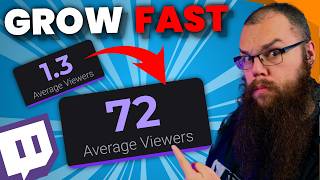

Twitch Discovery is Broken
40sDirectly addresses the core frustration of Twitch streamers—lack of discoverability—and promises a solution, making it highly relatable and clickable.
▶ Play Clip"Title promises a proven growth method and delivers actionable techniques used by top streamers."
This video reveals the fastest way to grow as a Twitch streamer by repurposing live stream content into short-form videos for YouTube, TikTok, and Instagram. The creator explains how to use Twitch's built-in tools like stream markers and clips, plus third-party tools like Sizzle.gg, to efficiently find and edit clippable moments. The key is to plan streams around a simple 'game + challenge' formula to make content creation effortless.
Twitch has poor discoverability; once you stop streaming, your channel becomes invisible. To grow 24/7, you need to repurpose content to other platforms.
Every live stream generates hours of content that often goes unused. Repurposing this content into YouTube videos, TikToks, and Instagram Reels is essential for growth.
Ludwig said, 'Most live streams are for the clip.' The fastest-growing streamers (e.g., Jinxy, Queso) grew because of amazing clips.
Twitch stream markers allow you to tag moments during a live stream. You can add them via the dashboard or a stream deck, and name them (e.g., 'explainer', 'funny') for easy editing later.
Viewer-made clips indicate popular moments. Access them in the dashboard under Content > Clips. You can see both horizontal and vertical versions, adjust layout, and download.
Rule 1: Make clips understandable without context (use text or voiceover). Rule 2: Start at the action, end immediately after the payoff. Rule 3: Add subtitles for silent viewing.
A short got 600 views in 3 days. After removing one dead second, it performed better. Precision editing matters.
Sizzle.gg uses AI to analyze streams, automatically clip the best moments, and prepare them for posting. It supports Twitch and YouTube, and can even upload directly to TikTok or YouTube Shorts.
Plan streams using the formula: [Game] but [Challenge]. Example: 'Minecraft but I never mine a block.' This makes streams easy to understand and clip-friendly.
For better quality, record separately in OBS instead of using stream recordings. The creator has a separate video on OBS recording settings.
The fastest way to grow on Twitch is to repurpose your live streams into short-form content using tools like stream markers, audience clips, and AI services like Sizzle.gg. Plan your streams around a simple 'game + challenge' formula to make content creation effortless and ensure consistent growth across platforms.
What is the main reason Twitch is bad for discoverability?
Once you stop streaming, your channel becomes invisible; people won't find you offline.
What did Ludwig say about live streams and clips?
Most live streams are for the clip.
01:21
How do you add a stream marker during a live stream?
Go to your streamer dashboard > quick actions and press the chevron button, or use a stream deck hotkey.
02:01
What are the three rules for short-form content according to the video?
1) Make it understandable without context. 2) Start at the action and end after the payoff. 3) Add subtitles.
03:35
What is the 'But' method for planning streams?
Formula: [Game] but [Challenge]. Example: Minecraft but I never mine a block.
05:57
What tool does the video recommend for automatically clipping stream highlights?
Sizzle.gg
04:47
Why should you avoid using stream recordings for YouTube/TikTok content?
Because recording separately in OBS gives much better quality.
07:41
Twitch Discovery is Bad
Sets up the core problem that motivates the entire video's strategy.
Ludwig's Quote on Clips
A memorable, authoritative statement that reinforces the importance of clips.
01:21Three Rules for Short-Form Content
Actionable, concise guidelines that can immediately improve clip performance.
03:35Editing Impact Example
Demonstrates the tangible benefit of precise editing with a real-world example.
04:04The 'But' Method for Stream Planning
A simple, powerful framework for creating engaging, clip-friendly streams.
05:57[00:00] if you want to know the fastest way to grow as a content creator then you only need to know these three words twitch Discovery bad but creating content on YouTube Tik Tok and Instagram takes a lot of time time that you usually don't
[00:13] have so today I am revealing the proven way to grow your stream if you're new here my name is Barry I'm a twitch partner who wants to help 10,000 people become full-time content creators and I know these techniques are going to work
[00:27] because every big streamer uses them this is is the former world record few years lwig and he still uses these techniques to this day the moment you
[00:40] stop streaming on Twitch no one will be able to find your Channel people won't click the offline channels in their follow lists you won't appear in the category you played anymore and you also won't appear on the recommended Channel
[00:52] shelf anymore so if you want to grow 24/7 even on the days you don't stream then we need to get your content on other platforms and you really don't need to spend any extra time making it either every time you go live you are
[01:06] making content for hours and really all it is doing is living in your vaults for a while and then disappearing forever if you are going through all of this effort to make the content anyway why wouldn't you just use that content to make
[01:21] YouTube videos Tik toks Instagram reals and all that jazz as Ludwick himself it's changed now most live streams are for the clip think about the fastest
[01:34] growing streamers on Twitch right now every single one of them is growing because of amazing Clips jinxy blew up because of his amazing gameplay and falling off his chair after another rage moment queso exploded because well
[01:49] content and I can't seem to get rid of him in my shorts feed how you make your streams easy to make into repurposed content YouTube and Tik Tok we will
[02:01] return to in just a minute because it may just be the simplest strategy first we need a better way to find good shorts because we don't want to go through every stream second by second you want to be able to pinpoint exactly where in
[02:15] your stream the clippable moments were twitch has provided two super easy way to do this and the first one is stream markers if you go into your streamer dashboard and into the quick actions then you can see the Chevron looking
[02:28] button when you are live you can press this button and it will insert a marker into your VOD so that when you go through it later you can find the marker and then clip the part that you want to make into a short into a highlight and
[02:41] software you want and upload it to YouTube and Tik Tok you can make it even better by adding a button to your stream deck or hot keys so that you can give
[02:53] your Clips multiple names such as explainer funny or epic play the second option is Clips whenever your audience makes a clip that is probably a good moment to have a look at because they clearly liked it in the moment find all
[03:08] the clips go into your streamer dashboard content and clips here you can see all the clips that people have made of your channel and if you switch to the other tab you can also see all the clips you made including those in your own
[03:22] channel open up a clip and you can see both the horizontal and vertical versions of these clips and cut it to the right length you can also change the layout of your vertical version so you can download it easily but this is not
[03:35] enough your clip has to follow the general rules for short form content rule one you need to make sure your clip is understandable even for somebody who doesn't know you or your stream so make sure to give the context of your clip in
[03:49] the first second of your short a box of text or that Tik Tok style voice over are great ways to do that rule two you need to start the short when the action happens and end it the moment your clip has delivered on the content promise you
[04:04] have to be very strict with this I posted a short on my channel which only got 600 views in the first 3 days which was okay but not good at all I rewatched it and noticed there was a single second at the end which was just there it
[04:20] didn't deliver on the content it didn't add to the entertainment and I didn't even say anything in that time I decided to delete the old video remove that second and re upload it and it did a little better Ju Just a little and rule
[04:33] number three the final rule subtitle everything you need subtitles because many people that watch shorts watch them in a train or bus where there's a lot of noise or without any sound but what if you don't have any viewers that make
[04:47] Clips or maybe your viewers clip the wrong things and there are still gems hidden in your vaud then you need something that can automatically scrub sponsor of the day video comes in sizzle. G sizzle. G is the easiest way
[05:04] to make shorts and Tik toks from your streams and two of you have a chance to win $25 I will tell you how at the end of this their Advanced AI analyzes all of your streams for the best moments and automatically clips and edits them ready
[05:18] for you to review and post all you need to do is link your Twitch or YouTube account and once you end your stream sizzle. has already done all the hard work for you you can even upload videos that you have made offline to
[05:31] automatically generate highlights edit and download them or post them directly to your Tik Tok or YouTube shorts to participate in the giveaway all you need to do is head down click the link in the description make an account and enjoy
[05:43] your free trial of sizzle. GGG supercharge your streams with sizzle. the final question to be answered then is how you can make sure that your streams can be repurposed to make content on other platforms and if you
[05:57] master this I can get guarantee you your channel will grow and it all starts days or even weeks before you stream one of the best things that you can do to make your stream better is to start planning your content gone are the days that you
[06:13] could just go live with a game and grow a stream to hundreds or even thousands of viewers nowadays every single stream needs to have a plan and the best plans are the plans that you can describe in 40 characters or less otherwise known as
[06:28] your stream type if you can capture the idea of your streaming your stream title you know it is easy to understand for a viewer that doesn't know you meaning you are able to get them to click onto your stream so much easier the best way to
[06:43] plan your streams is using the butt the butt is easy to understand simple and is used by all big streamers to make the best content possible the technique is simple but once you understand it you will be able to see it everywhere just
[06:58] put the game you are going to play on one side of the butt and a challenge you are going to do on the other side let's say you are going to play Minecraft and you want to do something insane so you decide to play without ever mining a
[07:12] block which really would just make it craft or you play Pokémon but it's a nuzlock and not just that you did it in multiplayer or you decide to sing a song but actually it's a professional singer you hired to sing for you and the worst
[07:28] thing is as I said you will now never be able to unsee it in every single YouTube video because every single YouTube video is exactly like this you're welcome so
[07:41] a few of your streams just pick a game and say butt and then come up with a cool challenge but what if you want to start making exclusive content for your
[07:53] YouTube and Tik Tok recording in your streaming settings is a big mistake because the quality of your recordings can be so much better and if you want to know how to set up your OBS to make the best recordings check it out right here
[08:06] and as always stream better stream smart
⚡ Saved you 0h 08m reading this? Transcribe any YouTube video for free — no signup needed.