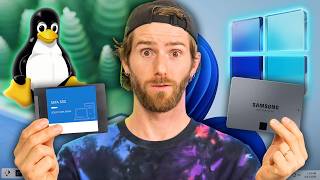

Linux Hits All-Time High on Steam
45sTaps into the growing discontent with Windows and the buzz around Linux gaming market share.
▶ Play Clip"The title is somewhat clickbaity, but the content does deliver on the core promise of showing how to dual boot and why it's not scary."
This video discusses the practicalities of dual booting Linux and Windows, addressing common concerns and showcasing a seamless setup. It features an interview with Luke, who shares his experience of running both operating systems on separate drives, and covers topics like secure boot, game compatibility, and troubleshooting.
Linux has hit an all-time high in market share on Steam, with corporate sponsors like Valve investing to make it more usable for gamers.
Incompatible software is a major reason keeping people on Windows, but dual booting offers a solution without the compromises of virtual machines.
Dual booting allows installing two or more operating systems on a single computer, typically Linux and Windows, to cover specific use cases.
Luke has been dual booting CachyOS and Windows 11 for a few months, primarily keeping Windows for games like Battlefield 6 and as an emergency fallback.
Luke uses separate SSDs for each OS's bootloader to prevent updates on one OS from breaking the other, a common issue with shared drives.
Luke uses NTFS for Windows drives, Btrfs for Linux, and ext4 for a large storage hard drive, keeping everything completely split between the two OSes.
Luke previously dual booted on the same drive with Windows and Ubuntu/Mint around 2009-2011, but now prefers separate drives for better stability.
Luke uses a drive selector with an F11 spam during boot, while the host uses Grub with a Windows entry, allowing easy OS selection at startup.
Luke enabled secure boot for CachyOS using the same keys as Windows, but encountered motherboard-specific issues that required extra steps.
Both Luke and the host experience incorrect time in Windows after booting from Linux, which can cause issues with in-game voice chat and updates.
Dual booting is a viable and not overly complex solution for those wanting to try Linux while keeping Windows for specific needs. With proper setup, such as using separate drives and configuring secure boot, the experience can be nearly seamless.
What is dual booting?
Dual booting allows you to install two or more operating systems on a single computer at the same time.
00:32
Why does Luke keep Windows installed?
Primarily for games like Battlefield 6, and as an emergency fallback, though he hasn't needed it for work.
02:12
What is the advantage of using separate drives for each OS's bootloader?
It prevents updates on one OS from breaking the other, a common issue with shared drives.
03:46
What file systems does Luke use for his drives?
NTFS for Windows, Btrfs for Linux, and ext4 for a large storage hard drive.
04:16
How does Luke select which OS to boot?
He uses a drive selector and spams F11 during boot, then selects the desired drive.
07:03
What issue can occur when enabling secure boot setup mode?
It can clear the current keys, potentially causing Windows to lose its secure boot keys.
12:21
What problem do both Luke and the host experience with Windows time?
The time is incorrect after booting from Linux, which can cause issues with in-game voice chat and updates.
14:07
Linux's Market Share Milestone
Highlights a significant shift in user preference and industry support for Linux.
00:01Separate Bootloaders for Stability
A practical tip to avoid OS updates breaking each other, a common dual boot pain point.
03:46Secure Boot with Linux
Shows that secure boot can work with Linux, contrary to common belief, with some caveats.
10:30Windows Time Sync Issue
A common but often overlooked problem that can cause real issues in games and updates.
14:07[00:01] us anything, it's that people are really sick of Windows right now. Linux just hit an all-time high in market share on Steam, and corporate sponsors like Valve dollars to make it more usable for gamers. But outside of gaming, there is
[00:18] a major roadblock that is keeping a significant number of people on Windows, incompatible software. But what if I told you that there was a way to safeguard your cake and also dine on it? Not virtual machines. Those are cool,
[00:32] but they come with compromises in terms of both performance and compatibility. No, I'm talking about dual booting. Dual booting allows you to install two or more operating systems on a single computer at the same time. Typically,
[00:48] that's Linux if you're trying to make the switch. But if you run into a specific use case that Linux just can't satisfy, well then Windows is always there for a quick rebooty call. It's not a new idea and it was very popular with
[01:03] MacBook users for many years before Apple Silicon. But many dual boot solutions in the past have been a real hassle to set up and an even bigger hassle to maintain if something goes wrong. That's why during the most recent
[01:15] Linux challenge when Luke was talking about his dual booting adventures, I to sit down with you guys and explain some of the various solutions for dual booting as well as to show you guys the elegant way that he both works and games
[01:29] across both of his operating systems nearly seamlessly. Now for me to seamlessly segue to today's sponsor. >> MSI Vector 16HX AAI Intel Core Ultra 9 >> MSI Vector 16HX AAI Intel Core Ultra 9 processor GeForce 5080 16 gig DDR5. Why
[01:44] do trick. >> Hi I'm Luke. I run flow plane the lab and it and also uh keep blind us from walking off of cliffs. No. >> I am dual booting cashios and windows
[01:59] 11. How long have you been dual booting? I've few months now. Okay, pretty close to the beginning of the challenge. I wanted an emergency way to get back into my Windows more easily. I wasn't using Windows because of the challenge, but
[02:12] whatever where I would have to break it, I wanted to be able to do that without >> And other than the example you just gave, why do you still keep Windows? >> Uh, primarily for games. Uh, it has actually never come up that I've needed
[02:26] Windows for work. Um, so that emergency scenario never happened and still hasn't happened. But the primary one was Battlefield 6. >> One of my buddies wanted to go play. I jumped on. Uh, I didn't change secure
[02:39] boot. Tried to launch Battlefield 6. It wouldn't boot. I got annoyed. Went into 6, went to go back to Cachi. Everything's broken. We're going to get into that a little bit later because we do need to talk about secure boot.
[02:52] some applications still require it. Now, if it wasn't for those select few Windows games and secure boot issues, would you be fully on Linux at this point? >> Not quite. I would still have it just in
[03:06] editing, which is still kind of a pain on on the Linux side of things. >> There are applications, but they're not quite Premiere or whatever else is on Windows. And like you can get Da Vinci Resolve working, but it is also fairly
[03:20] there >> because right now they're on CentOS as >> which is more for like the professional side of things, movie studios and stuff like that, which is cool. Um, but I' I'd love to see it on the consumer side. I
[03:33] would still have it around largely as like a just in case, but I could see it on. >> Sure. Yeah, let's talk about that. Cuz there's multiple ways to dual boot. You can share drives. You could have
[03:46] multiple drives. You can even put entire bootloaders on a separate drive. I'm this system. >> So, I have different SSDs running my bootloaders completely separate. I didn't want an update on say Windows to
[04:01] Cashachi. >> It happens. It happens. would dual boot like a billion years ago. Um, but it is now. So, I wanted them clean and separate. And then when I set this up, NTFS on Linux was a little
[04:16] bit rougher. Since then, there's been updates, but I set it up before and I'm not about to change it now cuz I don't really care that much. But I also have completely separate drives. My Linux operating system SSD is running what I
[04:29] >> But FS >> obviously both the drives on Windows are are NTFS. And then my I have a hard drive on Linux, which is uh ext4, which is just for like large storage. So each operating system basically has its own
[04:44] SSD and its own hard drive and everything is completely split. If I was doing it again now, I would have the hard drives together usable on either operating system with the new NTFS driver on Linux and usable by Windows
[04:58] ran into that being an actual problem. So I haven't been inspired to to like >> When you did it years ago, did you do it on like the same drive or separate drives as well? >> Yeah, I did it same drive. This was on
[05:12] both a laptop and a desktop back in probably 2009 to 2011. >> So it would have been Windows and what >> Ubuntu originally. This is the first Mint eventually. Honestly, I don't remember why. And then that has been my
[05:27] default use case. I'm also dual booting on my laptop. Forgot to mention that. >> That is also two drives. That's fairly lucky because I have two drive slots. A lot of laptops don't. Um, and also I would say I'm dual booting on the
[05:41] laptop. I haven't booted into Windows once since the beginning of the Linux this point I'm just thinking about wiping that drive and running pure Linux boot into Windows for work. >> Are you using Teams through the official
[05:57] using it through the browser? >> Yeah, Teams for Linux, the like GitHub open source project. I'm using that. I wish there was a native solution from Microsoft. I do run into some clunkiness sometimes. That's just Teams as well.
[06:11] Yeah, honestly that's that's a really good point though. Usually I feel like it's probably just Teams and I can't imagine Teams being as hard and like a trying to build a third party application to make it run on Linux has
[06:23] to be insane. So like props to the people who made that. I believe it's >> yes, >> it's still nicer to have it feel like a another thing in a browser. >> I agree. Even though people will make
[06:36] desktop, >> they're way better than just running it >> Same with Discord, Teams, whatever it may be. I personally prefer >> a web app. I I am curious because we've been talking a little bit. When you are
[06:49] >> some people have enabled scripts that allow them to do it. Some people go into the BIOS and manually change it. How do you do it? And let's just do it really can. >> Sure. Yeah. I honestly boot into Windows
[07:03] so seldomly that it is like the intentionally a very low priority for anything like that is what you mean. >> Uh yeah. Okay. >> So I I literally just have it as a drive selector thing. So I added a slight
[07:16] delay to boot. Um so I can spam F11 when it's booting and then I just select the done that. >> Yes. The way I have it set up is because I use Grub with my Cachio OS install. added a Windows OS line to the Grub
[07:31] menu. So now when I boot, it'll always just boot into Cachi and then I just countdown and go, you know, down, down, enter. And I just boot into Windows. I didn't even set that up. So I'm not really sure how it got grabbed, but it
[07:44] when it's booting and it's like, hey, just in case you want to go this route, you can. So I don't even go to like this boot menu, but this is how you do it. just go Windows boot manager >> and you're in right away
[07:57] >> and it'll just go, "Oh, hey." Yeah, Windows. >> Oh my god. >> Slight side tangent here. Why do you one for Windows? >> No, this one just I don't know. It
[08:12] >> Old faithful. >> It's easy. It C920s are just tanks. >> Look, Logitech webcams, they're not the greatest, but the C920 reliable as hell. I've had one for like 10 years and it looks just as shitty as when I bought it
[08:26] >> I've been genuinely thinking of starting up an Instagram just called C920 spotted where I just take photos of all the C920s I see in the world cuz they're >> Is it rebooting? >> Oh, it might have caught
[08:39] >> Yeah, it might have rebooted >> uh Linux. And I don't mind that. >> To be completely honest, because again, I so seldomly go into Windows and when I do, it's usually with a lot of intention. my buddy wants to play a game
[08:52] that requires Windows. I have an Nvidia card. It's a little bit not great for on Linux stuff. Um, >> that stigma is going away a tiny bit. There are some applications and games that work just as well across the board.
[09:08] Usually, it depends on how long that Nvidia card's been out and if the kernel a way that allow that Nvidia card to work nicely. What are you on? Like a 50 doing pretty decent. >> Yeah. Usually it hasn't been a problem.
[09:23] I know with Forza on launch, Nvidia was like a big problem. Nvidia main one. Yeah. Cool. Yeah. Yeah. Other than that, honestly, most games that I've wanted to even check Proton DB these days. >> Yeah. Yeah. You were mentioning that in
[09:37] just like, it'll probably work and then if it doesn't, if it doesn't, >> then I'll look into things. But like
[09:50] haven't used me in so long. >> And I've talked about this before, but updating Cashy feels like fun and rewarding in some way. And I don't know, freaking nerd, but seeing the little like Pac-Man thing crawl across the
[10:04] >> and then 28 megabytes when you're done. You're like, removed space instead of gaining. It's like what are you talking about? That's it's like I have to reboot four times. And also installing this update takes an
[10:17] >> That actually wasn't planned. And we started the reboot probably like 4 minutes ago. It's just now we're finally into Windows. Hey, there we go. Going into the conversation of secure boot, >> you mentioned that you kind of messed
[10:30] around with it to get Battlefield. Do you have it enabled right now for both that? >> I Googled can you run Cache OS with secure boot? Uh and then a Kachi wiki article came up and it was like yes and
[10:45] you can use the same keys as use on Windows. And I was like, "Wow, that's that out because when I tried the Cashios, you know, forum to help get it working, they list, hey, type this command here. So, I typed it and then it
[10:59] was like, "That would have been nice to know before I typed the command because if you have ASUS or Gigabyte boards, you actually need to leave off one of the tags when you're typing in the like uh when you're typing in the registering of
[11:12] the key." And so, I was like, "Oh, yeah. I'll register the key." Damn it. And it basically like locks up your system. >> I fully read the dock before I start, which is like usually a waste of time, but I find it helps me dodge stuff like
[11:27] >> See, to me, when I'm reading a dock, it should be in the correct order of things >> that's how I read it. >> One of the problems I ran into was the there's like motherboard specific instructions. Yes, my motherboard was
[11:39] something that I've been thinking like maybe I should contribute that like secure boot setup mode >> and my motherboard didn't have an option >> Okay. >> Uh but it has another way that you can
[11:53] get it into setup mode. There's just no like, you know, click on the menu, there's setup mode. I'll click on that. It wasn't that simple. Computer went to >> Hold on one sec. Yeah. Hello. There we go. Sometimes it just doesn't. Uh but
[12:07] yeah, so I ran into some clunk there. Honestly, it was less than 30 minutes all in while I was like watching videos at the same time. It took me less than ever since. >> Not bad. A good thing I will point out
[12:21] YouTuber is when you are entering the secure boot setup mode like Luke was just talking about, it does have a tendency to clear the current keys that You need to just keep that in mind because there are cases where then when
[12:35] you go back into the BIOS to enable secure boot, your Windows might then whoa, where are my keys you had? You reset up. I've never actually run into dozen times now. >> Saying that it can happen. So, it's
[12:49] your mind when you're doing it. But you might not even need secure boot for Linux. And if that's the case, you would probably just reboot into the BIOS every time, enable secure boot, go back to your Windows, do your Valerant gaming
[13:02] session, turn off secure boot, and then go back to Linux. Little bit clunky, not option. >> I didn't need secure boot for Linux, but I did the setup anyways, just because that is clunky and annoying.
[13:15] >> I set aside like a few hours and it took 20 minutes or whatever. Um, >> but it's worth doing. It's worth doing. I I would highly suggest doing it. I going to run into issues is if you have Bit Locker enabled. If you have Bit
[13:27] your keys, which you should be able to do. It's going to be different for every back up your keys. Then you can you can reimpport them later. Um, >> I think the TLDDR is dual booting is not as scary as some people may think it
[13:41] was, especially back in the old days when you did share drives often. now cuz drives are very expensive. you might not have two drives, but we're below for how to set up dual booting on one single drive. And if you guys would
[13:55] video, make sure you guys comment down below so we know there's interest in it. second and we both realized a problem at the exact same time. It is not 9:54 p.m.
[14:07] >> Yeah, true. >> Um, you and I both have this issue with Windows. Every time we boot into Windows, the date and time is wrong. because if you have, please let me know. >> I haven't looked into this yet because
[14:21] it's pretty easy and quick to fix. So, it's it's in that realm of like, >> is it worth the time to solve and you have to turn set time automatically off >> which is insane because it's on. >> It's on.
[14:33] work with it for them to get some attention because it's kind of insane >> Yeah. >> Saying this, having your time wrong in Windows can cause a ton of issues that you might not know about. I was actually
[14:47] Funnel Runners, which has in-game voice chat. In-game voice chat in a lot of games will break if your time is not synced correctly. It's one of those "Why the hell can I not hear anybody in game? Why can't I talk? I can see their
[15:03] little character's mouth moving." And it was because my Windows time was 6 and >> A lot of updates, both Windows update and other application updates, will have issues. Um, there's a surprising amount of things that work off of your
[15:15] computer's clock or at least check it uh to see if something should be happening or whatever else. So, it can be a pain. Um, it is fairly easy to fix, but it can maybe comment down below as well. Let us know cuz then we'll do it.
[15:31] Linux. >> Well, now I want to fix it out of like embarrassment. I saw the time was wrong. I was like, "Oh, >> Yeah, >> it's Windows.
[15:44] you, Microsoft. >> All right, let's get back into Cashachi. you have it as your primary, you basically just hit restart >> Cool. >> I usually still, it should work that
[15:58] before, it always works that way. But I usually still manually go just cuz I don't want to go back into Windows. Uh I'm realizing that now that I'm standing I'm done in windows I'll get up and go to the washroom or get a drink of water
[16:12] cashiy ready to go. So >> I wonder if that shows like how mentally ill about this I am because I will usually get back into cash goh and then go do whatever else I wanted to do. Okay, it works just fine. Yeah.
[16:26] disappear. But that loader right there is where my option for choose Windows or actually set that up so you could have multiple different instances there. If you were triple booting for some reason with Ubuntu as well, you could have your
[16:41] more. >> Yeah, Grub's pretty sick. And that's well. I just never >> bothered bothered properly >> to this sponsor,
[16:54] >> MSI. Their Vector 16HX AAI series of notebooks are designed for STEM professionals with a 5080 Core Ultra 9 processor and 16 gigs of DDR5 memory. So development, data analysis, and simulations, or you just really want to
[17:07] play Skyrim at like 300 frames per second, you're set. It uses a 16-in QHD plus IPS display that has 240 Hz refresh rate. MSI has even included their overboost ultra technology, which is their way of optimizing, sending the
[17:21] maximum amount of power to both the GPU and CPU without worrying about thermal notebook is meant to take on heavy workloads or gaming sessions more intense, they've upped their size of their fans and added six broader heat
[17:33] overheating. No more wondering to yourself, "A gez, why is my laptop so warm?" Head on down to our link below or scan the QR code on screen now to learn notebooks. If you guys enjoyed this video, maybe go check out the four-part
[17:47] series of the Linux challenge where Luke, myself, and Lionus all switched to different Linux distros. And in the conclusion, there's kind of a plot twist of who stayed on Linux. Well, I guess it's a spoiler. looked at.



⚡ Saved you 0h 17m reading this? Transcribe any YouTube video for free — no signup needed.