
What is Content Locking? (Simple Explanation)
44sClear, concise explanation of a niche money-making method that piques curiosity.
▶ Play Clip"The title is mostly honest — the video does show proof of earnings and a complete method — but the long ProxySeller sponsor segment and generic 'take action' ending dilute the value."
This video breaks down the content locking method — a form of affiliate marketing where valuable content (ebooks, videos, PDFs) is locked behind CPA offers, and users unlock it by completing free actions like installing apps or entering emails. The creator walks through the entire workflow from finding a CPA network and choosing a niche to building a landing page, creating a content locker, and scaling with proxies.
Content locking means locking something people really want — ebooks, software, videos, PDFs — and requiring them to complete CPA offers to access it. These offers typically involve installing an app or entering an email for a chance to win something — actions people do for free anyway.
The first step is finding a reputable CPA network that allows content locking. The platform paying.com lists over 60 networks in its 'incentive' affiliate network section, including ClickDealer, CPALead, OGAds, and CPAGrip.
The creator uses OGAds (ogads.com) as an example. Signing up requires entering basic information. He shows his own OGAds dashboard as proof that content locking is 100% legit and actually pays.
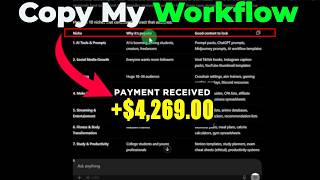
Instead of guessing niches, use ChatGPT with a simple prompt like 'Give me 10 niche ideas to monetize a content locker' plus context about the target audience (18-34, male and female). ChatGPT returns ideas like AI prompts, social media growth, gaming, make money online, and streaming, with reasons and content type suggestions.
Use a free tool like Google Sites to build a simple landing page. The example page for 'viral TikTok hooks' is intentionally simple — it just needs a download button that leads to the content locker.
In your CPA network account, go to the content locker section and click 'create a locker'. Enter the locker information, and in the advanced section you can set the number of offers users must complete.
Host the locked content on Google Drive, MediaFire, or any storage site. Right-click the file, click 'share', and copy the link. Paste this link into the content locker settings.
Copy the generated locker link and paste it into the download button on your landing page. If using Google Sites, a custom domain is highly recommended to boost conversion rates.
Beginners should start with free traffic from YouTube, Facebook, TikTok, Instagram, and Reddit. Those with a budget can use paid ads on Meta, TikTok Ads, and Google Ads for high-quality converting traffic.
Managing multiple social media and ad accounts requires proxies to prevent account bans and keep scaling earnings. ProxySeller offers residential, mobile, IPv4, IPv6, and ISP proxies — ISP and mobile are best for social media management.
Create an account on ProxySeller, go to the ISP section, click 'add IP', select a country (e.g., United States), choose a rental duration, and set the quantity. You rent IPs rather than paying for bandwidth, so you can upload unlimited content.
Use promo code XBM15 at checkout to get 15% off any purchase. Payment options include PayPal, credit card, crypto, or manual balance deposit.
Use an anti-detect browser like AdsPower (which gives 5 free profiles) to manage multiple accounts. Create a new profile, select custom proxy, choose HTTP, paste your proxy details, and test the proxy. This lets you see country-specific content (e.g., US TikTok) and reach targeted audiences.
Post simple videos on TikTok, YouTube Reels, or Instagram Reels that tease the locked content and direct viewers to the landing page. Voice-overs work fine — no need to show your face. Consistency is key: test as many niches as possible until one works.
Content locking is a legitimate, proven way to monetize free actions by gating valuable content behind CPA offers. The full workflow — CPA network, niche research, landing page, content locker, traffic, and proxy-based scaling — is actionable for beginners, but success depends on consistent testing and execution.
What is content locking?
Locking valuable content (ebooks, software, videos, PDFs) behind CPA offers that users must complete to gain access.
00:19
What actions do CPA offers typically require from users?
Installing an app or entering their email for a chance to win something — actions people do for free anyway.
00:31
How many CPA networks that allow content locking are listed on paying.com?
Over 60 networks in the 'incentive' affiliate network section.
01:27
What free AI tool can be used to generate content locker niche ideas?
ChatGPT — with a prompt like 'Give me 10 niche ideas to monetize a content locker' plus audience context.
02:59
What free tool is recommended for creating a landing page?
Google Sites — it's free and simple landing pages are sufficient.
04:26
What storage services can be used to host locked content?
Google Drive, MediaFire, or any storage website of your choice.
05:20
Why is a custom domain recommended for a Google Sites landing page?
It boosts your conversion rate.
06:29
What traffic sources are recommended for beginners?
Mainstream free traffic sources: YouTube, Facebook, TikTok, Instagram, and Reddit.
06:43
Why are proxies necessary for content locking?
They allow you to manage multiple social media and ad accounts without getting banned, enabling you to scale earnings.
07:26
What proxy types does ProxySeller offer and which are best for social media?
Residential, mobile, IPv4, IPv6, and ISP. ISP and mobile proxies are best for social media management.
08:21
What is the key benefit of renting IPs instead of paying for bandwidth at ProxySeller?
You can upload unlimited content without running out of bandwidth.
10:18
What promo code gives 15% off at ProxySeller?
XBM15.
11:32
What anti-detect browser is recommended and how many free profiles does it provide?
AdsPower — it gives five free profiles for managing multiple accounts.
12:42
Content locking monetizes free actions
The core insight that users will complete free actions (app installs, email entries) in exchange for gated content — turning zero-cost behavior into revenue.
00:19Proof of real earnings from OGAds
The creator shows his actual OGAds dashboard, providing concrete evidence that content locking is a legitimate, paying method.
02:27ChatGPT for niche research
A practical, free technique for generating profitable niche ideas with reasons and content type suggestions instead of guesswork.
02:59Proxies prevent account bans and enable scaling
The key scaling principle: proxies let you run multiple accounts across niches and countries without bans, unlocking unlimited growth.
07:26Consistency and niche testing are the real keys
The final principle — test as many niches as possible until one works, and stay consistent — is the difference between success and failure.
15:28[00:02] make a video on content locking. So, in this video, I'll do my best to simplify this subject as much as I can. So, make sure to watch this video till the end. Content locking in a nutshell means locking something people really want.
[00:19] And this content can be in form of ebook, software, videos, PDFs, etc. And if people want access to this content, they will have to complete CPA offers to
[00:31] get it. And this CPA offers usually requires people to install an app, enter their emails for a chance to win something. And these are actions people do for free anyway. So, why not monetize it? So, for those who still don't
[00:46] it? So, for those who still don't understand concept of content locking, I want you to think of content locking as an incentive to make people complete CPA offers. So, in this video, I'll share my entire workflow on content locking and
[01:00] and also show you guys how you can earn money from it as well. So, the very first step is to look for a reputable CPA network that allows content locking,
[01:12] okay? And to do that, you can come over to this platform at paying.com. I'll show you how to find networks that allows content locking, okay? So, once you come over to this platform, all you just need to do is to come over to the
[01:27] affiliate network section. So, you want to scroll down here to where it says incentive. As you can see, there are over 60 networks here that allows content locking. So, once you click on it, it's going to bring you to this page
[01:41] and you're going to see various CPA networks. You can see we have ClickDealer here, we have CPALead, we have OGAds, CPAGrip, and there are also other networks here as well you can sign up to. This is really up to you. So, for
[01:57] this video, I'm going to be taking OG Ads as an example, but you can replicate this with any other CPA network of your choice. So, all you just simply need to do is to sign up to OG Ads by going over to their website at ogads.com. And once
[02:15] you come over to the website, all you just need to do is to click on the sign up button. Once you do that, it's going to bring you here where you then want to enter your basic information to create your account. As you can see I'm
[02:27] currently logged in to my OG Ads account, and what you are seeing here is not a lot. And the reason I'm showing you this is because I want you to see proof that you can actually get paid doing content locking, and it's 100%
[02:43] legit. So, that takes us to the next step, where you're going to be looking for profitable niches. And you don't have to do any guesswork here. You can come over to ChatGPT, which is a free AI tool you can use to get good ideas.
[02:59] Okay, so once you come over here, just type in very simple prompt like this. I'm also going to leave it in the description. Give me 10 niche ideas to monetize a content locker. Okay, and I give more context by saying the content
[03:13] lockers must be popular among young audience, both male and female, and audience, both male and female, and between the age of 18 to 34. And as you can see here, ChatGPT has given me solid ideas, and also it gave me the reason
[03:27] why it's popular and the type of content I should lock for this audience. Okay, so you can see we have AI prompts right here, social media growth, gaming, make money online, streaming, and the list goes on. And so you know, it doesn't
[03:42] have to be 10 niches, it can be 50, it can be 100. This is up to you, okay. So, for this video, we are going to be taking the social media growth as an example. Many people out there want to grow their following on social media.
[03:57] And as you can see the type of content we can look here that these people are interested in getting as you can see viral TikTok hooks here as an example, okay? So now that you've chosen your niche, the next step is creating a
[04:11] landing page for the content locker, okay? To do that you can use several options. You can use a paid one or you can use a free one. This is up to you. The free one we are going to be using this video as an example is Google
[04:26] Sites, all right? So if you come over to Google Sites, you can create a simple And as you can see here, this is an example of a simple landing page I created for the viral TikTok hooks content locker, all right? So as you can
[04:42] see it's a very simple landing page. It doesn't have to be complicated at all. And once people click on the download now button, they're going to see a content locker. And that takes us to the next step where you want to then create
[04:54] a content locker. Go over to your OG Ads or any CPA network account and you want to go to the content locker section. And once you do that, it's going to bring you to this page. All you just simply need to do here is to click on create a
[05:08] locker. And then it's going to bring you to this page where you want to enter the information of this locker, okay? And that takes us to the next step where you that takes us to the next step where you then want to host the locked content now
[05:20] on Google Drive or you can use MediaFire or any storage website of your choice, okay? So I just uploaded this random video as an example to show you guys how to do this, all right? So you want to right click on this and you want to come
[05:35] over to where it says share and you want to click on copy link. So once you copy right here. So you don't want to type in something simple like this, 100 viral
[05:47] TikTok will come locker, complete two offers below to get it for free or to You can also come to the advanced section. I can select the number of play around with these settings and do whatever you want. Once you're done, all
[06:03] you just need to do is to click on create locker. So, once you do that, you see your link right here. You want to copy it, then come over to your landing page builder and you want to come to the download section and you want to
[06:16] highlight this and you want to paste in the link in this box like this and you want to click on update. And now, the final thing you want to do on your landing page, if you are using Google site, I highly recommend to use a custom
[06:29] domain. This is going to boost your conversion rate. So, once you have your landing page ready, it takes us to this next step and we are almost done. And this is by picking a traffic source. And I always recommend beginners to start
[06:43] I always recommend beginners to start out with mainstream traffic sources like out with mainstream traffic sources like YouTube, Facebook, TikTok, Instagram, and Reddit. And this is because they have high-quality traffic and generally
[06:57] have high-quality traffic and generally it's a good starting point for beginners to learn the ropes with free traffic. But for those who want to go into paid ads, one of the best places to get high-quality and converting traffic from
[07:11] high-quality and converting traffic from is from Meta, TikTok ads, and Google ads. Okay? So, this is for people who have a budget lying around and they can start running paid ads to content lockers, okay? Thinking about social
[07:26] media accounts and ads accounts, you're going to need a proxy. And this proxy here allows you manage multiple social media accounts and ads accounts as well.
[07:38] And this way is going to ensure your accounts do not get banned and you can keep scaling your earnings easily. If you are going to be working on multiple niches, then you are going to also need multiple accounts as well. And I can't
[07:53] emphasize the importance of a proxy enough. So, ProxySeller right here gives enough. So, ProxySeller right here gives you fast proxies you can use to scale your affiliate marketing business and you can use this to also scale your
[08:07] content locking earnings. Cuz like I said earlier, it's going to let you manage multiple accounts and I'm going to show you how to use it in a moment. So, as you can see here, they offer various type of proxies from
[08:21] various type of proxies from residential, mobile, IPv4, IPv6, and ISP. And so you know, you're going to see each of these proxy type are best for certain scenarios. You can see ISP and mobile proxy are good for social
[08:38] media management. Okay. So, you want to make sure to click on the first link in the description, which is then going to pick you to ProxySeller website. Well, once you do that, you want to then create an account with them by clicking
[08:52] on the login button. And as you can see here, you can enter your basic information to create an account or you can use your Google, Apple, or Telegram to create an account right away. Once you create your account, your dashboard
[09:06] said earlier, I'm going to show you exactly how to use ProxySeller to manage all your social media accounts and ads accounts. So, the next thing you then want to do is to come over to this section here, which then which is then
[09:21] section here, which then which is then going to allow you get IPs from various proxy types. So, for this video, we are going to be using ISP as an example. Okay. So, once you come over to the ISP section, all you just need to do here is
[09:35] section, all you just need to do here is to click on the add IP. And once you do that, you can then select IPs from various location. And one of the added benefits of using a proxy is that you can use it to create an account in any
[09:49] country of your choice, which is then going to let you get leads from targeted countries of your choice, okay? So, we are going to take United States as an example. And you can type in You don't want to type in your use right here.
[10:04] Let's say you want to use this to create multiple Instagram accounts or TikTok accounts, you want to type it in here. And then you want to then select a rental duration. And this is also another added benefit of proxy seller.
[10:18] You are not paying for bandwidth here, you are paying to rent this IP, which means you can upload unlimited content without running out of bandwidth. So, I'm going to select 2 weeks as an example, okay? And you want to come over
[10:33] here and type in the quantity of proxy you want, and this depends on the number of accounts you want to manage. If you want to manage 10 accounts, then you want to get 10 proxies. So, I'm going to type in three here as an example. So,
[10:49] once you do that, you can then select your authentication method. You can use username and password or static IP. I like to leave this as default. And also, you can come over here to add positions section, which means you can then order
[11:03] another set of proxy if you want to do that, okay? So, I'm going to click out of this, all right? So, now you want to then come over and select your payment method. As you can see, they allow you to make payment using PayPal, credit
[11:17] card. You can also make payment via crypto as well. Or you can deposit to your account manually by simply coming over to the balance section. And as you can see here, you can top up any amount you want right here. So, for me, I'm
[11:32] going to select my balance. You want to then come over to the promo code section. And if you type in XBM15 in this box, you're going to get 15% off any purchase you make on the website. Okay, you want to then check this box
[11:47] and click on submit. So once you do that, it's going to bring you to this page and all you just need to do here is to go back to your dashboard. And as you can see here, your proxies have been added to your account. So before I show
[12:01] you guys how to use this proxy, I want to also let you guys know that you can select any of these proxies right here and you can put them on auto-renewal.
[12:13] So now I'm going to show you guys how to use these IPs to start managing and running multiple accounts. Okay, so if you click on this question mark section here, it's going to show you your port and your login details as well. All
[12:28] right. So now I'm going to use this first IP as an example. So the next thing you're going to be needing to use this proxy in an anti-detect browser. Okay, so there are so many anti-detect browsers out there you can use. You can
[12:42] browsers out there you can use. You can use AdsPower, you can use the I Cloud. I'm going to take AdsPower because it's a very good anti-detect browser and it a very good anti-detect browser and it gives you five profiles for free. And as
[12:54] you can see here, I use AdsPower myself to manage multiple accounts as you can see right here. Okay. So now all you need to do is to click on create a new profile. So once you do that, it's going to bring you to this page and you can
[13:09] give your profile a name. Then you want to scroll down to the proxy section. Okay, you want to select custom. Then you want to come over to where it says no proxy and you want to select HTTP. You then want to copy your proxy details
[13:24] by clicking on this button here. As you can see, you're going to find your port and your login details right here. So, once you enter all your details correctly, you then want to click on tag proxy. What you then need to do from
[13:36] here is to click on okay. So, once you open your browser, if you go [clears throat] over to tiktok.com as an example, you're going to see content specifically from United States. And this makes it very easy to reach
[13:50] audience in United States, okay? Like I said, this depends on the country you wish to target. You can also manage multiple Google Ads accounts, multiple Facebook Ads accounts using proxies. This makes it easier to keep your
[14:05] accounts running for a very long time and scale your earnings easily. So, now I'm going to show you example of the type of videos you can post on TikTok to type of videos you can post on TikTok to get views from targeted countries of
[14:18] your choice. Guys, in this video, I'm going to show you how to go viral on TikTok. And this is what small accounts are currently doing to grow their accounts weekly. Don't worry, guys. I'm going to show you where to find these
[14:32] free hooks in this video. Just click on the link in bio or go over to my website.com and you can download these TikTok hooks for free by clicking on the download button. Then you want to make sure to
[14:46] include these hooks in the beginning of your videos and see the magic. So, as you can see, this is just to give you an idea of how simple your videos can be. I
[14:58] know I used my voice here, but you can always use voice-overs if you want. You don't have to show your face as well if you don't want to do that. So, guys, you can get creative with the type of videos you want to publish to TikTok, YouTube
[15:13] Reels, Instagram Reels. You can basically upload this content and drive the traffic to your landing page. Consistency is key here. You want to test out as many niches as possible
[15:28] until you find the one that works for you. But like I mentioned earlier, you want to use proxy for each account you'll be managing. And I can assure you you're going to get amazing results if you take action after watching this
[15:43] you take action after watching this video.

⚡ Saved you 0h 15m reading this? Transcribe any YouTube video for free — no signup needed.