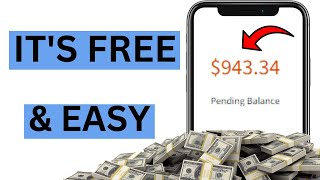

Make $900 a Day with CPA Grip?!
55sThe realistic earnings screenshot and bold income promise instantly stop the scroll.
▶ Play Clip"An unverified $900/day promise wrapped around a basic sweepstakes-site tutorial and an affiliate pitch."
A CPA Grip tutorial for beginners: the creator claims to make over $900/day promoting sweepstakes offers through a simple Google Sites giveaway page and free Facebook traffic. The video walks through signing up for the CPA network, selecting US Cash App and PayPal offers, building a landing page, and driving clicks from Facebook sweepstakes groups, ending with an affiliate pitch for a 'faster' method.
Shows an account with all-time earnings over $5,000 and current daily revenue over $900, noting today's revenue comes from promoting other CPA networks.
Will walk through step by step how to make over $900 a day with free traffic, using the same method the creator used in early beginner days.
Go to CPA Grip (link in description), click join/register, and fill in the form: first name, last name, publisher type, email, password, time zone, country, city, state, ZIP, phone, IM type, and Skype. Agree to terms and verify email.
After verification, click Offer Tools > My Offers, change the default country to the United States, and look for sweepstakes offers.
Examples include a Cash App gift card giveaway (paying $3 per email submit on iOS) and a PayPal gift card offer for desktop; copy each offer's affiliate link.
Use Google Sites template gallery and choose the Photo Portfolio template to build the giveaway page.
Delete the About page, rename the page to 'Giveaways', and set the site name to 'Giveaway USA' so visitors know it is only for US residents.
Open the offer links with a VPN, save the offer images, then upload them into the site to replace placeholder images.
Insert a 'Click Here' button with the offer link, and add descriptions such as 'Cash App Giveaway — eligible device: desktop'.
Repeat the process for the iOS Cash App offer and the PayPal offer, changing eligible device labels to 'Apple iOS' or 'desktop'.
Fill the site with as many offers as possible (Cash App, PayPal, McDonald's gift card) and create similar sites for other countries.
Copy the site name into the publish dialog, add a random word if needed, publish, and preview the site on desktop, tablet, and mobile.
Search 'sweepstakes' on Facebook, join large giveaway groups (e.g., over 50,000 members), then post or message members.
Write something like 'I just found this amazing sweepstakes website that offers free gift cards' and ask people to comment 'hi' for the link; include a gift card image.
Message newer members with a friendly intro, confirm they are US-based by checking their profile, and share the link if they show interest.
Encourages viewers to click the first link in the description for a faster method that the creator claims made $40,000 in one month.
What is CPA Grip used for in this video?
It's a CPA (cost-per-action) affiliate network where you promote offers and earn money when users complete actions like email submissions.
00:58
How much does the creator claim you can make daily with this method?
Over $900 per day with free traffic.
00:30
What type of offers should beginners pick on CPA Grip according to the tutorial?
Sweepstakes offers from top-tier countries, especially the United States.
02:32
How much does the Cash App iOS offer pay for each email submission?
$3 per email submission.
04:04
Which Google Sites template is used to build the giveaway page?
The Photo Portfolio template.
05:31
What site name is recommended to signal the site is US-only?
Giveaway USA.
06:37
Why does the creator use a VPN when opening offer links?
To access US-targeted offer pages and save the offer images.
07:06
What text should be placed on the button added to the landing page?
Click Here.
08:16
What is the first traffic method recommended on Facebook?
Joining large sweepstakes groups and posting with the text 'comment hi to get the link.'
16:42
What should you check before direct messaging Facebook group members?
That they are from the US by checking their profile.
18:45
$900/day claim defined
The entire tutorial hinges on this headline promise, making it the core sales hook.
00:30Offer selection strategy
Recommending US sweepstakes offers is a concrete technique for earning via email-submit affiliate programs.
02:32No-code landing page with Google Sites
Shows that a functional affiliate landing page can be built for free with a template, no coding required.
05:31Free traffic source: Facebook groups
Targeting existing giveaway communities is a low-cost way to send traffic to sweepstakes offers.
15:18[00:03] all-time earnings is over five thousand dollars and I'm gonna go ahead and know it's all hydrate okay I'm gonna go ahead and click on the reload button on the top and I'm gonna give it a second okay so now it's downloading as you can
[00:18] have over 900 here I still have over five thousand dollars here okay and if today's revenue is because I've been promoting other CPA networks like leads
[00:30] know I've been trying out other CPA networks okay so in this video I'm gonna be walking you through step by step how to make over 900 a day with free traffic okay and I'm gonna be showing you exactly what I use to make money in my
[00:44] beginner days okay when I like normally you know how to make money but I really going to show you exactly how I started and how I was able to reach to the point where I am today okay so if that sounds like what you want to see go ahead and
[00:58] let's get started okay so the first thing you want to do is to head over to CPA Group obviously so if you're going to be working money with TPA grip you're going to be needing a CPA grip account okay so go ahead and click on the second
[01:11] link down in the description okay so once you click on that link it's going you click on the join now you're going to be redirected straight to the CPA grip platform okay so once you are here go ahead and click on register okay so
[01:25] to be redirected straight to this page so once you are on this page you want to fill out the basic information okay you want to fill out only the part that has to be filling in your first name your last name your publisher type go ahead
[01:39] and put that on GPT and your email address okay choose a bunch of password and your time zone okay if you don't know what your time zone is go ahead and their time zone okay so once you're done with that choose your country city state
[01:51] ZIP code your phone number your IM type your head I'm putting your Skype I am account on Skype go ahead and create a free account and right here they are about them you can be like Victor big Bros
[02:05] YT Channel something like that okay so once you are done with that go ahead and check this boxes if you agree to the terms of service and once you're done click on that they're going to send you a bunch of verification emails go ahead
[02:18] your account and once you have your account your account is going to look something like this so it's going to be all zero because obviously you just want to do you want to go ahead and click on offer tools okay so you want to
[02:32] to be using a different approach to make this whole strategy work okay so once you click on offer tools go ahead and click on my offers so once you click on of seconds and what's going to happen is that it's going to redirect you to the
[02:45] offer pages okay so once you are on the offer page go ahead and change your default country if you're not from the US pick offers from Top Tire countries so once you do that go ahead and click on the United States and you want to
[02:58] the offers inside of the United States okay so we're going to be promoting Sweepstake offers okay and I'm going to show you exactly what to get the perfect traffic to match the sweep stick offers and that way you can get a lot of click
[03:11] and make a bunch of money okay so that's how I started making money inside of CPA grip that's how I made my first dollar okay so once you are here you want to go offers that you're going to be promoting okay so we have this one says claim your
[03:24] a thousand dollars credit line that might get a little bit of attention but this one right here I think this one says get your cash App gift card now okay and right here I think it's offering 500 for the giveaway okay so
[03:37] going to be promoting okay so what we want to do we want to find a couple of promoting so we have this first one okay the cash app giveaway we're going to click on that and we want to copy this link right here
[03:51] okay so once you copy this link open up your notepad Okay so once you open up your notepad you want to go ahead and paste that link on there okay you want to be like cash app IOS okay you want to name it something that you can use to
[04:04] remember the offer okay this offer is for iOS devices okay and the category is are able to get someone to submit their email we're going to make three dollars okay so that's why I named it cash app IOS okay because it's for the iOS
[04:18] we're going to be needing this information where we're going to be we have one offer right here this one is going to be paying us three dollars once someone submits their email so we have this other one the paper gift card I'm
[04:31] going to click over and right here this one is for desktop okay so we're gonna go ahead and copy this link right here okay I'm gonna paste this I want to be like PayPal desktop okay so we have the first one the cash
[04:46] shop for Apple devices and we have the other one paper for desktop devices so we have another offer cash app for desktop devices so we're going to go ahead and click onto this and copy the link okay so I'm just gonna do three but
[05:00] in your case you can do as many offers as you can and you want to go for offer high amount of people use paper they're gonna want a free 750 paper gift card and same thing with cash app okay they're gonna want a free 500 from cash
[05:15] pay us over three dollars if someone submits your email and the PayPal offer submits their email so I'm gonna go ahead and copy the desktop cash app offer for the desktop and I'm gonna head to my notepad right here okay I'm going
[05:31] to paste that in I want to be like cash up desktop thing you want to do you want to head over to Google site okay once you are on template Gallery okay so once you click
[05:45] happen you're going to be presented with a bunch of templates okay go ahead and choose the photo portfolio template I'm going to show you why we're going to be to be a little bit different from the other videos you watch and it's going to
[05:58] I'm going to be showing you exactly the best place to get the traffic to link go ahead and click on the photo portfolio template okay so once you click on that you want to give it a couple of seconds obviously to load
[06:11] going to be redirected to a page that looks like this okay so the first thing click on pages and you want to get rid of this about page okay you're not going to be needing that so once you get rid of that you want to double click on this
[06:25] work and you want to change this page to giveaways okay so once you change that you want to leave the pages at that okay so next thing you want to do you want to go ahead and give your site a name okay for
[06:37] the name you want to be like giveaway USA okay copy that and paste that on here okay give away USA okay you want to make sure you add this new essay so when someone comes to this page they know that this website is only for the folks
[06:52] from the US they're not going to be of any use to Russ so they're going to go you are done with the name next thing you want to do you want to start putting want to do you want to pull up your link okay so I'm going to start with the cash
[07:06] app desktop offer from the bottom okay and I'm gonna go ahead and copy that going to do I'm going to open up a new tab and you're going to be needing a VPN tab and you're going to be needing a VPN go ahead and launch your VPN okay
[07:20] so I'm going to go ahead and paste the link on here and I'm going to click on enter now what's going to happen is it's going to redirect us straight to the want to go ahead and save this image right here to our computer okay because
[07:34] we're going to be using it inside of our website okay so I'm going to save this to head back to my Google site website okay so now I'm here what I'm going to click on this image okay check the box okay so once I do that I'm gonna go
[07:48] want to hover until replace image and click on upload okay so once I click on the image I just downloaded and what's going to happen is it's going to change it straight to the cash app image okay so now we have this next thing to do is
[08:03] to get rid of this go ahead and click on the trash can on the top the next thing we need is a button okay so go ahead and click on insert on the top and close this out real quick and scroll all the way down okay so once you scroll down go
[08:16] on button and right here they're going to ask you to give the button a name okay so one of you like click here and for the link you want to go ahead and pull up your cash app desktop link
[08:29] and pull up your cash app desktop link and you want to paste that in here okay so once you're done with that go ahead and click on insert and you're gonna have your button right here okay so you can drag and drop this
[08:41] here okay so you can drag and drop this inside of your cash app image okay so it looks perfect okay so once you have this in place you can like customize your image you look a little bit better triple click and zoom that a little bit
[08:53] inside click on check okay so it looks a little bit more better than before okay double click on the bottom of this button okay pay close attention so you side okay so once you double click go ahead and click on test and you want to
[09:07] change it from normal test to small test okay and you want to be like cash app giveaway eligible device
[09:20] I want to make that boot and you can increase the size a little bit let's see 12 okay so you want to make it clear that this offer is for desktop users button and we have a description right
[09:33] here okay so once we have this you want to go ahead and add a link inside of going to want to click on the image okay because the image looks attractive okay because everyone wants a free 500 so we're going to go ahead and pull up our
[09:46] link right here once again and we want to go ahead and add that to the image so we're going to click on the image okay and click on the link icon and paste our link on there click on apply okay so once someone clicks on the image the
[09:58] offer and same thing when someone clicks on the button okay so once we have the thing for the second offer okay so go ahead and click on this image click on
[10:10] the three dots hover onto replace image click on upload and upload the cache app image again okay we're going to be using the cash app image again because we have two cash app offers okay so gonna ahead and zoom that in okay so once we have
[10:22] the image we're going to get rid of the studio below here and we're going to go ahead and click on this button okay just copy the click here to make everything faster and next we want to go ahead and click on button okay I just want to add
[10:36] a little bit of button paste that in basically click here and for the link we want to grab the iOS cache app offer okay you want to copy that I want to paste that in here as the link Okay click on insert and drag this below here
[10:50] okay so next we want to go ahead and copy this okay and copy that and double click click on test drag that below here and paste our test in here okay and we want to change the eligible device from desktop to Apple iOS
[11:07] okay so the first one says eligible device desktop and second one says eligible device Apple iOS okay so next we're going to do the exact same thing for the PayPal offer so we're going to go ahead and put that up right here
[11:19] the exact same thing but I'm just repeating the process so you get very easy for you to put together the website okay so go ahead and paste your link inside of your browser okay so next go ahead and save this
[11:34] image to your computer okay so once you save this image head back to your site Builder and what you want to do you want to click on the image okay if you click on it it shows a random thing go ahead and click on it again and
[11:46] you right here go ahead and click on the three dots hover onto replace image upload go ahead and select the image you just downloaded so go ahead and resize that click on crop okay once you're done with the resizing go ahead and click on
[12:01] the check mark and you're going to have your PayPal image in there okay so once you are done with that get rid of the default test click on the trash can and once you are done with that go ahead and click on button and they're going to ask
[12:15] here and for the link go ahead and pull up your link once again and paste that in here okay click on insert and basically you have a button right here okay you can drag and drop
[12:29] that below here and for the description we're going to copy this want to do next I want to double click click on test and paste your text right here and we're going to change that to PayPal giveaway
[12:45] going to change that to PayPal giveaway eligible device uh desktop okay okay so once we are done with that we want to go ahead and do as much as possible okay there are a ton of offers right here that you can use to fill up
[12:59] this website okay we're creating a Sweepstake website if you don't get what we are done with so let's say we've like occupied all those other parts right here by the way any block you don't need very easily click on the trash can and
[13:11] the block will be gone Okay click on it click on trash can you can do the same Block click on trash can and the block will be gone let's get rid of this okay in your case you want to add as much offers as possible so if someone is not
[13:25] they don't have cash app they're going to be interested in PayPal because I personally I don't have cash app okay but I use PayPal okay so if they are not interested in cash app they're going to be interested in paper okay if they're
[13:39] not interested in PayPal they're probably going to be interested in a free McDonald's gift card okay so there are a bunch of other gift cards right you can do this with other countries okay you can be like giveaway Germany
[13:53] give away us you can do this with any country out there okay so once you are to go ahead and publish this site okay to publish the site what I normally do I normally copy the site name Okay click on publish and what's going to happen is
[14:08] address okay so I want to go ahead and paste the site name right here and see if that is available the site is already taken so you can add a random word that kind of makes sense right there let's try free to see if that's available okay
[14:22] as you can see right here it's available okay so now it's available just go ahead and click on publish and you want to give it a couple of seconds and just like that your site will be live and you can click on view as usual
[14:34] or you can copy your link like I normally do copy my link and what I'm gonna do I'm gonna go ahead and preview my website on my computer by the way you exactly it's going to look on different devices let's check how exactly it's
[14:49] exactly it's going to look on the computer this is how it would look on a tablet and this is how exactly it's going to look on a mobile phone okay so basically this outside looks like okay so I'm not
[15:04] I already know how exactly it's gonna look I'm gonna go ahead and close that out I already have the link inside of my clipboard okay so now I have my site the ahead and start sending traffic okay so the perfect place to get traffic for
[15:18] Sweepstake offers is Facebook okay head over to Facebook once you are on search bar so once you click on the sweepstake okay once you search for sweepstakes
[15:32] recommended to the bunch of Sweepstake search term that a lot of people are searching for okay so we have Sweepstake games Sweepstake Casino Sweepstake online okay there are a bunch of them right here so I'm just going to do
[15:47] sweepstakes group okay so once I click on that I want to go ahead and put it on happen is that I'm going to be recommended to a lot of groups out there okay so we have this first one right here giveaway a sweepstakes it starts
[16:01] over 51 000 members and we have this other one free giveaway and sweep six uh USA it has over four thousand members we have this one 25 000 members this other one 232 000 members and it goes on and on and on okay you can go ahead and join
[16:16] these groups right here click on join join join okay so once you click on join instantly okay you don't have to answer much of questions as you can see I'm a member of the group in less than three seconds okay so I'm gonna go ahead and
[16:30] click on visit in your case once you click on visit you want to go ahead and ahead and make a post and we all know how to make a post go ahead and click on write something and once you click on write something you can very easily make
[16:42] a post okay you can be like I just found this amazing sweepstick website website that offers free gift cards
[16:56] okay and you want to be like comment hi to get the link okay and once you are done with that you want to go ahead and add an image to your post okay go ahead and grab random image
[17:10] not exactly a random image a gift card image okay so once you have your image right here go ahead and click on post okay so once it's done posting what's going to happen is your post is going to reach out to over 51 000 members okay
[17:24] and the other way to get traffic inside of this group is to message the members if you do this you're gonna make money a lot faster okay so to message the folks ahead and click on this drop down arrow over here okay so once you click on that
[17:36] scroll down and you want to click on people scroll all the way down and what you want to look for you want to look for I knew they're going to be looking for a quick giveaway that they can join okay
[17:50] so go ahead and click onto those folks right here okay let's say this guy over onto his profile and click on send message okay so once you click on that it's going to pop up this little message box right here you can be like hi what
[18:04] and be like hi the person's name you want to be like I see you are new to the giveaway giveaways and sweep
[18:17] sticks group um new two want to connect okay go ahead and send that and once you send that it's going to come off as
[18:32] friendly okay so once this person sees this and replies to your message go ahead and and tell them about your website once it shows a little bit of Interest go ahead and give them the link and once you give them the link you're
[18:45] one important thing you want to look you want to make sure that the folks you are messaging are from the US you can very easily see that on their profile just go ahead and click on their profile and you see exactly where they are from okay you
[18:58] day it's not that hard you just don't have to put in a little bit of work and you can also post inside of this group and if you don't want a post that requires a reply you can go ahead and just post your link inside of your post
[19:10] that also works but the reply method gets a lot of traffic okay so you can use this and make as much money as possible okay I use this to make money in my beginner days and if you want my number one recommendation on the fastest
[19:22] way to make money online like the exact method I used to make forty thousand click on the first link in the description and you see exactly how I was able to generate over forty thousand dollars in just one month okay so I'm
[19:37] value out of the video make sure to give the video a thumbs up and if you haven't already click subscribe and turn on post notifications so when I upload powerful videos like this one you're seeing right now you're gonna get notified and there
[19:50] definitely want to check them out other admin said I'm going to talk to every single one of you all in the next video peace
⚡ Saved you 0h 19m reading this? Transcribe any YouTube video for free — no signup needed.