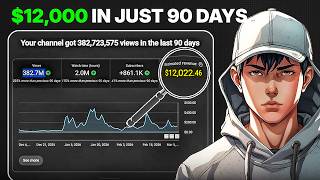

How I Made $12K with YouTube Shorts
40sReveals a shocking income figure upfront, immediately hooking viewers who want to make money online.
▶ Play Clip"Title promises a step-by-step guide to making money from YouTube Shorts, and the video delivers exactly that—though it focuses on one specific method."
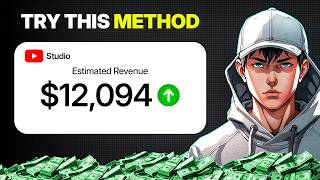
This video reveals the step-by-step formula used by a creator who made $12,000 in 90 days using YouTube Shorts. The strategy involves repurposing viral clips from Instagram or TikTok, adding original commentary via AI voiceover, and editing with zooms, highlights, and sound effects to create engaging commentary-style shorts.
The creator makes commentary-style community shorts by taking interesting clips from Instagram or TikTok, then adding their own script, AI voiceover, and editing.
Target clips that grab attention fast: crazy moments, smart hacks, transformations, unusual situations, shocking scenes.
Instead of manually searching Instagram or TikTok, go to channels already posting similar shorts, open a video, and check the description for TikTok handles. Then search that handle on Instagram.
Explain what's happening in a short, simple, engaging way. Understand the clip, then build commentary. Optionally take inspiration from an existing version but rewrite in your own words. Keep it short, clear, and curiosity-based.
Use AI voice tools like Hume AI (or Eleven Labs). Ensure the voice sounds clean, natural, and fast enough for shorts—not robotic or too slow.
Import clip into Premiere Pro or CapCut. Mute original sound, place AI voiceover on top. Trim to keep only the best, most interesting part—no boring footage.
Zoom into faces, objects, mistakes, or important moments when the script mentions them. Add red circles, arrows, or highlights. Use sound effects on zooms/arrows. Add light background music and auto captions.
Repeat the same formula: find strong clip, write commentary, generate AI voiceover, edit with zooms/arrows/sound effects/captions, and post consistently. This is how channels get millions of views and turn shorts into income.
The key to success with YouTube Shorts is a repeatable formula: repurpose viral clips, add original AI commentary, and enhance with zooms, highlights, and sound effects. Consistency in applying this method can lead to significant views and income.
What type of clips should you target for commentary shorts?
Crazy moments, smart hacks, transformations, unusual situations, shocking scenes.
00:28
How can you efficiently find viral-ready clips?
Go to channels already posting similar shorts, open a video, check the description for TikTok handles, then search that handle on Instagram.
00:41
What is the recommended structure for the commentary script?
Short, clear, and curiosity-based. Explain what's happening in the clip in a simple engaging way.
01:12
Which AI voice tools are mentioned?
Hume AI and Eleven Labs.
01:38
What should you do to the original clip's audio?
Mute the original sound and place the AI voiceover on top.
01:54
How can you make the video more engaging during editing?
Add zooms, red circles, arrows, highlights, sound effects, light background music, and auto captions.
02:08
What is the final step for success with this method?
Repeat the same formula consistently: find a strong clip, write commentary, generate AI voiceover, edit with enhancements, and post regularly.
03:12
The $12,000 Formula
Reveals a proven method that generated significant income in 90 days.
00:02Efficient Clip Sourcing
Provides a time-saving hack to find viral clips without manual scrolling.
00:41AI Voiceover Tools
Highlights specific AI tools (Hume AI, Eleven Labs) for creating natural-sounding voiceovers.
01:38Engagement Editing Techniques
Details specific editing elements (zooms, arrows, sound effects) that boost viewer retention.
02:08Consistency is Key
Emphasizes that repeating the same formula is crucial for long-term success.
03:12[00:02] in 90 days using YouTube shorts? The answer is actually very simple. This creator is making commentary style community shorts. These are the kinds of interesting clips from Instagram or TikTok, then add your own script, your
[00:15] own AI voiceover, and your own editing to turn them into highly engaging shorts. And in this video, I'm going to show you the exact step-by-step formula behind it. Step one is understanding the type of videos he's making. He is not
[00:28] creating original filmed content. He is using short clips that already grab attention fast. [music] Things like crazy moments, smart hacks, transformations, unusual situations, shocking scenes, or any clip that
[00:41] That is the style of content you want to target. Step two is finding the clips. Instagram or TikTok for hours and manually search for content, but the easier method is to go to channels that are already posting this type of shorts,
[00:56] open one of their videos, and check the description. A lot of the time they give TikTok handle. So, all you have to do is copy that handle, search it on Instagram from there. That is one of the easiest ways to find viral-ready content in this
[01:12] Once you have the clip, your job is to explain what is happening in a short, simple, and engaging way. The easiest method is to first understand the clip, then build a short commentary around it. You can also take inspiration from an
[01:25] existing version, extract and then rewrite it in your own words. So, the structure stays strong, but the script becomes yours. Keep it short, clear, and curiosity-based. Step four is the voiceover. In the original method,
[01:38] the voiceover. And you can also use Eleven Labs if you want. But for now, I'm going to use Hume AI for my voiceovers. You can use any AI voice making sure the voice sounds clean, natural, and fast enough for shorts.
[01:54] Your voice should feel smooth and easy to follow, not robotic or too slow. Step five is editing. Import the original clip into Premiere Pro, CapCut, or any editor. Mute the original sound and place your AI voiceover on top. Then,
[02:08] trim the clip so only the best and most interesting part stays in the video. No extra boring footage, no wasted seconds. Step six is making the video more engaging with zooms and highlights. Whenever the script talks about a face,
[02:22] an object, a mistake, or an important moment, zoom into that part of the clip. You can also add red circles, arrows, or highlights to show the viewer exactly what they should focus on. Add small sound effects whenever a zoom, arrow, or
[02:34] important moment appears, because that makes the video feel sharper and more satisfying. Then, add light background music underneath the voiceover, but keep it low so the voice stays clear. Add auto captions so people can still watch
[02:46] the video without sound. Keep them clean, easy to read, and slightly above the Shorts interface. This man is singing directly into a giant metal horn, [music] and his voice moves through the horn, reaches a needle, and
[02:59] that needle actually etches his song into a spinning [music] wax cylinder. Once he finished, they placed that wax cylinder onto a phonograph, [music] and what you hear after that is the pure unedited playback coming straight off
[03:12] the wax itself. And the final step is repetition. This creator is not making one random viral video. He is repeating the same formula again and again. Find a strong clip, write a short commentary, generate the AI voiceover, edit it with
[03:26] zooms, arrows, sound effects, and captions, and then post consistently. type of channel, and that is how channels like this are able to pull millions of views and turn shorts into real income.


⚡ Saved you 0h 03m reading this? Transcribe any YouTube video for free — no signup needed.