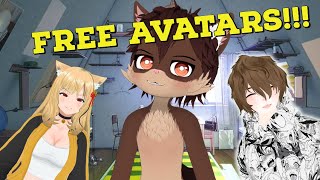
Free V-Tubing Software with Amazing Tracking
43sHighlights free software with impressive facial tracking, appealing to budget-conscious new VTubers.
▶ Play ClipThis video introduces VTube Maker, a free software on Steam for creating VTuber avatars. It covers setup, facial tracking, avatar selection, and integration with OBS for streaming.
VTube Maker is free software on Steam for VTubing, ideal for beginners who can't afford or create their own models.
Search 'VTube Maker' on Steam, click 'Free' to download, then launch from desktop. Create an account and log in.
Select your webcam from the bottom left. The software tracks facial movements like smirks and eyebrow raises effectively.
VTube Maker includes a repository of free avatars, such as 'Daniel' and a cute avatar version, which can be changed easily.
Options include hide interface, blurred background, scenes, overlays, tracking on/off, widget, virtual broadcast, audio lip sync, quick actions, and more.
To add custom avatars, click 'Avatars' > 'New Avatar' > 'Import'. Use VTube Editor (free on Steam) to prepare models. Max file size is 50 MB.
In OBS, add a Game Capture source for VTube Maker, set to capture specific window. Apply a Chroma Key filter to remove the green screen background.
VTube Maker lacks hand tracking but is perfect for beginners. Recommended for those who can't afford or create models.
VTube Maker is a free, user-friendly tool for aspiring VTubers, offering decent facial tracking and a library of avatars. It's an excellent starting point for beginners, though it lacks advanced features like hand tracking.
"Title accurately describes the tutorial content; delivers on setup and usage."
What is VTube Maker?
A free software on Steam for VTubing, ideal for beginners.
00:02
How do you download VTube Maker?
Search 'VTube Maker' on Steam and click 'Free'.
01:09
What is the maximum file size for custom avatars in VTube Maker?
50 MB.
06:22
What tool is needed to prepare custom avatars for VTube Maker?
VTube Editor, also free on Steam.
05:43
How do you remove the green screen background in OBS for VTube Maker?
Apply a Chroma Key filter to the VTube Maker source.
08:08
What is a limitation of VTube Maker mentioned in the video?
It lacks hand tracking.
08:59
Free VTubing Software
Introduces a free alternative for VTubing beginners.
00:02Facial Tracking Quality
Demonstrates effective tracking of facial expressions like smirks and eyebrow movements.
02:03Avatar Repository
Provides free avatars, lowering the barrier to entry.
02:1750 MB File Limit
Highlights a constraint that requires model optimization.
06:22No Hand Tracking
Identifies a key limitation compared to other software.
08:59[00:02] have found really amazing software that's free on and well not really well known and what if i crapload of free v-tubing avatars the program we are
[00:15] covering today is great for people that are new to v tubing that can't afford a new model don't have the required skill to make the role model like on rewrite or the time to make their own model
[00:27] today is called v tube maker and in today's video we're show you how to set it up and we'll give you a great tutorial of v2 maker
[00:39] my name is anubis lives and i am your youtuber senpai anything and everything v tubing and soon to be vr related we also upload here every wednesday 12 p.m pacific standard time so if you
[00:54] please consider smashing that like button leave a comment down below what you thought about this video or ideas for future videos and well subscribe i do have a goal of a thousand subscribers by the end of the year so
[01:09] if you like today's content or the content i make on this channel well let's get into it considering this software is on steam head to steam while here at steam we just gotta type
[01:23] into the search bar v2 maker click it and as you see it's i already have it downloaded but all you got to do is click that free button now that it's done downloading all we got to do go to the desktop icon
[01:38] screen all you're going to have to do is make a new account log in and that's pretty much it once we launch that screen we're going to be welcomed with this screen all we need to do right
[01:50] now is on the bottom left-hand side select our appropriate webcam i'm going to choose my hd pro webcam and there i am as we see we already have facial tracking marks on our face
[02:03] so that's pretty neat but not only that it really tracks well our face pretty decently look i could do a smirk it does a smirk eyebrows lifting up down up down this software is actually really fantastic
[02:17] new to v-tubing can't afford to get a new model because well not only do we have amazing facial tracking we'll actually turn off my webcam now we have a pretty decent repository
[02:30] we have a pretty decent repository of well different models here we could go with daniel and we see daniel's loaded up on the underneath the avatar icon we also have the cute avatar version
[02:44] that makes us look like this it's pretty neat so now that we know that at change our avatars let's go through some of the other settings top right we got hide interface so when we click that
[02:59] goes away we're going to leave that on for now everything that we see in the background so right now it's all blurry in the options we could click
[03:14] in the options we could click blurred background from that to off go change our scenes to well basically whatever we want and right now we have a lot of this christmas stuff that's under our overlay
[03:28] here to make this all disappear but if you want you want a webcam with a border around it this is actually a really good option to have
[03:42] off that basically turns off our tracking we don't really need that our widget on and off basically allows us to have a little widget if we're going to do for example screen
[03:55] capture instead of game capture which i'm hoping you guys aren't going to do virtual broadcast this right now will allow you to send out a signal kind of like to discord
[04:08] or you know mobile programs like skype stuff like that audio based lip sync we could either that means it's going to use our microphone
[04:20] instead of using the facial tracking tracking our lips quick action panel on or off basically if we want to make it wave give it you know some basic emotes not a big huge thing and
[04:35] then our last one is our options which again gives us our blurred make it full screen widget lock auto blink which is kind of cool but when facial tracking is on as you see it's tracking my eyes so
[04:47] right now i'm squinting it's also squinting people floating you can leave that on operation keys we got some body rotation around right click on your mouse and drag but
[05:02] here you have the option do it here as well lens which locks all that different stuff we got your different inputs so if you got a different microphone graphics quality frame caps typically
[05:15] you guys can keep this at 30 frames per second if you wish to do so mainly because you're outputting to twitch at 30 frames per second so not really a huge difference people aren't going to notice a huge difference
[05:27] this is your account information and this is your editor list now you're wondering yourself how can i add my avatar well that's really simple going to click on avatars new avatar you can import your own new
[05:43] by v tube editor the tool you can download on steam so again here we're back at steam we're going to just type in v going to just type in v tube and then editor click on that
[05:55] click on free let it download and we'll jump into the next step okay so got to click on current seats zero out of one so this will allow us to upload one avatar and one avatar only not
[06:10] multiple like other pieces of software you can click on the plus sign you can click on the plus sign you're gonna name it whatever click on browser find your avatar click it and then click
[06:22] open now you're going to see that we have a 50 megabyte maximum that is going to be a thing what that means is that you're going to have to lower the complexity of your model
[06:34] lower the details of your model but it is a little bit of a pain in the butt you have to do it if you want to use this piece of software new people that can afford models so on so forth
[06:47] if you have the ability to make your model smaller edit your model and have it just from the waist up or these different settings let's get this ready or well basically
[07:03] okie dokie so the first thing we're going to do is we're going to change the scene we're going to go up to scenes now if scene in the background you could leave the scene on to well whatever you see
[07:16] i'm going to do with the green screen so we're going to go under color we're going to change it to green then what we're going to do is we're going to click on hide interface change
[07:28] that to on so now that it disappears okie dokie so going to do is under sources we're going to hit the little plus sign we're going to go to game capture under
[07:41] whatever we want i'm going to call it v tube maker not v tuber but v2 then under mode we're going to click that we're going to change it capture
[07:54] specific window under window we're going to select v tuber maker and there we are we're going to hit ok
[08:08] but we're not done yet on v tube maker we're gonna right click on v tube maker we're gonna right click on it we're gonna go to filters
[08:21] little plus sign we're gonna select chroma key click ok and as you see the green screen is automatically gone
[08:33] we're going to click close and that is basically it for the obs portion if you do want to keep that background change it to a green screen change it to whatever you want and then
[08:46] adjust your avatar size accordingly again i recommend vtuber maker for that can't afford to get a model made or have the required time or skill to make their own in v-roid studio
[08:59] youtuber maker also doesn't have hand tracking like you see on the screen so there are going to be some limitations to this software again perfect absolutely perfect for new v tubers that are looking to get
[09:13] tubing but what did you think of youtuber maker is it something you're is it something that you're going to recommend to one of your friends to try let me know in the comments down below again my name is anubis lives i stream
[09:25] on twitch every monday wednesday friday 5 to 9 p.m pacific standard time come on by say hi let's talk about anime gaming v-tipping whatever and well i'll catch in the next one bye
⚡ Saved you 0h 09m reading this? Transcribe any YouTube video for free — no signup needed.