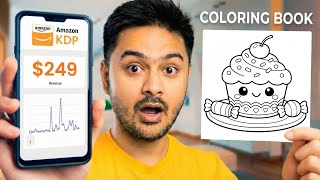

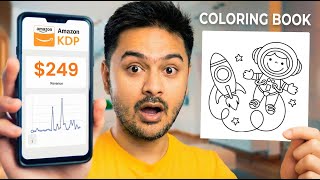
Kawaii Coloring Book: Amazon Bestseller
42sReveals a profitable niche and promises a super easy method, sparking curiosity and desire for quick income.
▶ Play Clip"The title promises a quick AI method to sell more kids' coloring books, and the video delivers exactly that with a clear two-step process."
This video demonstrates a simple two-step method for creating a Kawaii-style line art coloring book using AI and Canva, aimed at selling on platforms like Amazon KDP or Etsy. The process involves generating unique coloring pages with an AI tool and assembling them into a printable PDF book.
Kawaii-style line art coloring books are top sellers on Amazon KDP and Etsy, making them a great niche for a coloring book business.
Log into the AI coloring book creator, use the 'generate idea' feature with a keyword like 'Kawaii Sweet' to get new ideas, then select and generate a coloring page based on the chosen idea.
The AI generates a coloring page (e.g., an ice cream sundae with a happy face, sprinkles, and cherry). You can fix areas or download the image directly.
In Canva, create a new design using a coloring book template, add the downloaded images to pages, and extend them to fill the page. Repeat to create multiple pages.
Once all pages are done, go to Share > Download, select PDF (Print) format, and download the complete book ready for printing.
By combining an AI coloring page generator with Canva, anyone can quickly produce a professional-looking coloring book for sale on Amazon or Etsy, requiring minimal design skills.
What is the recommended niche for a coloring book business according to the video?
Kawaii-style line art coloring books.
00:02
What two tools are used to create the coloring book?
An AI coloring page creator and Canva.
00:28
How do you generate a new coloring page idea in the AI tool?
Click 'generate idea', paste a keyword like 'Kawaii Sweet', and then select from generated ideas.
00:28
What file format should you download the final book in for printing?
PDF (Print) format.
03:19
How many steps does the video claim are needed to create a coloring book?
Two simple steps.
00:15
Profitable Niche Identified
Directly identifies a top-selling niche on Amazon KDP, providing actionable market insight.
00:02AI Idea Generation
Demonstrates a practical use of AI to generate creative content ideas quickly.
00:28Canva Assembly
Shows how to use a free design tool to assemble a printable book, lowering the barrier to entry.
01:55[00:02] one of the best sellers on Amazon KDP, and if you take a look at it, it's super cute, done in a Kawaii style, and it's a line art coloring book packed with all And if you're looking to start a coloring book business to sell on Etsy
[00:15] or Amazon, this is one of the best niches to choose, and it's super easy. And in this video, I'm going to show you how you can create something like this in just two simple steps. So, let's jump right in. To get that started, we are
[00:28] We'll click on create your first book for free. After this, you need to log in and sign up, and you'll get some credits using the link given below. After that, you have to click on generate idea. Here, we'll paste the idea that we saw
[00:44] on Amazon, which is going to be Kawaii Sweet. Copy it, and then we are going to paste it here and generate new ideas based on it. It will generate new ideas.
[00:57] Now, we are going to use this idea. Click here to copy the idea, and it will automatically appear here. Then, click on generate, and it will generate the idea based on the prompt we have given. It takes a little time, and after that,
[01:13] it will show you one of the best coloring pages it has created. So, you can see the text of our idea, "Ice cream sundae sit in a bowl featuring a happy expression topped with sprinkles and a cherry. It
[01:27] is already topped with sprinkles and cherry and surrounded by three playful candy pieces." I think there were only two playful candy pieces, but that's okay. So, you can also generate. Again, you
[01:40] can also fix the areas, or you can simply download the image. We are going to download this image, and then the download is getting started. Then, go back to canva.com. Here, click on create, and then search
[01:55] Here, click on create, and then search for coloring book. choose this one or this one, but as for me, I'm going to click on this one.
[02:09] right over here and stretch it out across the timeline. This is going to be a very important part of the process. First page, then click on add new page and blank page will appear. Go back to the website.
[02:23] Close this bar and then go back to the coloring page creator again. you can simply input that specific concept and then click on the button
[02:35] that says generate image. Your unique image will then be processed and generated for the cost of just one credit. Now your image has been created in this, let's see, happy cupcake with pastel
[02:47] frosting and a big smile, just like on a decorative plate, a happy cupcake on another decorative plate with some emoji style details. We can also fix the area, we can clear it with AI. We are going to download the image.
[03:07] We are going to drag and drop this image here and we can extend it up to here. pages. You can go ahead and create more coloring pages using the website and it
[03:19] pages. Once your book is completed, you have to go to share and then go to download and then you have to select PDF or print. then you have to select PDF or print. Cuz people are going to print it.
[03:34] Then you are going to click here to download and then your whole book will be downloaded. And this is how you are going to create a coloring page book going to create a coloring page book with one simple click.
⚡ Saved you 0h 03m reading this? Transcribe any YouTube video for free — no signup needed.