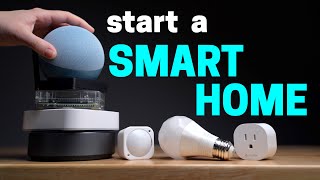

3 Goals for the Ideal Smart Home
42sClearly stated goals that resonate with smart home enthusiasts seeking seamless, family-friendly, and reliable automation.
▶ Play Clip"Title accurately promises a guide to building an ideal smart home with practical advice and Q&A."
The video outlines three goals for an ideal smart home: invisibility, high spouse approval, and long-term reliability. It covers control methods (voice, apps, dashboards, sensors, buttons), choosing a smart home system (favoring Home Assistant for customization), device selection (prioritizing local control and Matter compatibility), and automation best practices.
Invisible, high spouse approval, long-term reliability.
Voice commands are clunky; use them sparingly. Smart speakers are better for music and notifications.
Combine all devices into one dashboard for easy manual control.
Sensors automate actions based on activities, hitting all three goals.
Use buttons for sporadic actions like sending a vacuum to a specific room.
Amazon Echo system limits customization; advanced systems like Home Assistant are more family-friendly.
Zigbee offers wide selection and reliability; Thread is newer and pricier.
Home Assistant requires tinkering but offers full control; other systems are simpler but limited.
Don't limit yourself to Matter; Zigbee and Z-Wave already offer local control.
Avoiding Wi-Fi devices is unnecessary if you have a robust Wi-Fi system.
Focus on one room or task at a time to avoid complexity and ease troubleshooting.
Add conditions like guest mode or TV status to avoid family annoyance.
Focusing on the three goals (invisible, spouse-approved, reliable) helps build a smart home that works seamlessly. Start simple, use sensors and dashboards, and choose a system like Home Assistant for long-term flexibility.
What are the three goals of an ideal smart home according to the video?
Invisible, high spouse approval, long-term reliability.
00:14
Why should you avoid relying on voice commands for everything?
It's difficult and clunky to remember what to say, not seamless or family-friendly.
01:07
What is the recommended way to control a smart home for manual adjustments?
Use a dashboard that combines all devices in one spot.
01:48
What is the ideal control method for a smart home?
Sensors that automate based on everyday activities.
02:14
What are the three wireless protocols mentioned for smart home devices besides Wi-Fi?
Thread, Zigbee, and Z-Wave.
04:37
Why might an advanced smart home system be more family-friendly than an easy one?
It allows customization to fit exactly how the family needs it to work.
04:25
What is the advantage of Zigbee over Thread according to the video?
Zigbee offers wider selection, inexpensive options, and proven reliability.
05:19
What is the benefit of Matter devices?
They do not rely on the cloud to work, ensuring long-term reliability.
07:25
What is the advice for starting with automations?
Start simple, focus on one room or one task at a time.
08:56
How can you prevent automations from annoying family members?
Add conditions like guest mode, TV status, or occupancy to stop automations when needed.
09:36
Bathroom Dashboard Joke
Humorous moment where the creator jokes about putting a dashboard in the bathroom.
03:05Family as Automation Destroyers
Relatable insight that family members often break automations, requiring extra conditions.
09:20Titanic Parody Ending
Funny parody of Titanic scene to illustrate not having two voice assistants.
14:22[00:00] After years of experience building a smart home, I know what most people should do, and more importantly, what not to do. So I've come up with three simple goals of what my ideal smart home should be, and I think you'll agree.
[00:14] Number one, it should be invisible, working so seamlessly in the background that you forget it's even there. Second is high spouse approval. Basically, anyone living in your house or guests visiting should not be annoyed by your smart home.
[00:28] The last goal is to have long-term reliability. You don't want it breaking a few months down the road and turning into a time and money pit. So I'm going to show you how to build the ideal smart home with those goals in mind. And at the end, I'm going to answer a bunch of questions that were submitted.
[00:42] It's going to be super helpful and packed with info. All right, Perf, one of the most important parts about building a smart home is knowing how you're going to control it.
[00:54] You might think, oh, I'll just put a bunch of smart speakers around the house and use voice commands for everything. This might seem like a good idea when you're first starting. I know that's what I did when I first started, but now guess what? I hardly even speak to these things.
[01:07] It's been 84 years. Because it's difficult and clunky to remember what to say, so yeah. Not really in line with seamlessly running in the background and family friendly. So I want to plan on controlling your entire smart home with voice commands.
[01:20] Maybe just a handful of voice commands you use on the couch is more reasonable. I mainly use smart speakers to listen to music and play voice notifications. Another way you might want to control your smart home is with a bunch of smart home apps on your phone.
[01:34] But don't do that. It's just too much. Only use these individual smart home apps to occasionally adjust settings. Trust me. The better way is to use a dashboard that combines all your smart devices so they're organized in one spot.
[01:48] You can quickly access them on your phone or family members can control things on a shared tablet. At least I thought it was a great idea. To do this, you're going to need to combine all your smart home devices into one smart home system,
[02:00] and more on that in a minute. But this is great because there's always going to be times where you're going to need to manually control something, and this just makes it so easy. So dashboards are convenient, but the ideal way to control your smart home is with sensors.
[02:14] They make it so you can go about your day while your smart home adjusts based on your everyday activities, like walking into a room, using a kitchen counter, or the garage door opens. And sensors make it possible to hit all three of those goals for the ideal smart home.
[02:28] When you think of smart home sensors, you might think of the classic contact and motion sensor, but it goes beyond that. Many of these sensors can actually be other smart home devices.
[02:40] Like if the doorbell detects a person, your smart home can do an action. The last way to control your smart home is with smart buttons. These are for weird corner cases that you want something to happen quickly.
[02:52] Like the button in our bathroom that will send the robot vacuum to clean this specific room. The timing of this is sporadic, so sensors wouldn't work. I don't want to remember a voice command, and I don't need a full-on dashboard in the bathroom.
[03:05] Wait, maybe I do. Wait, what? No, Reed, no! On second thought, a smart button is a perfect solution for situations like this.
[03:17] So now we know the best way to control your smart home, now we need a system to make it all happen. This will allow you to combine all your devices into one dashboard, connect sensors, and act like the brains of your smart home.
[03:32] I recently made a video about the best smart home system and I link it down below if you want to check it out But here are a few things you might want to keep in mind when picking out the right system for you Number one an easy simple system might not always be better
[03:46] In fact, it can be the opposite. For example, say you have a few Amazon Echoes you've collected over the years, so you want Amazon to be your smart home system. It's easy to use, so it makes sense, right?
[03:58] Well, you're going to run into issues with all three of those goals for the ideal smart home because you're limited on how much customization is possible. Say you don't want motion lights to turn on if the TV is on,
[04:10] or you don't want certain automations to run if visitors are over. With Amazon, this isn't possible. Yes, it's easier to use, but you'll be limited in what you can do, what sensors are compatible, dashboard options, and the list goes on.
[04:25] So it seems counterintuitive, but a more advanced smart home system can actually be more family-friendly because you can customize it exactly how your family needs it to work. The other thing to consider when picking a smart home system
[04:37] is what kind of sensors and devices you want to use. There are Thread, Zigbee, Z-Wave, and Wi-Fi to choose from. Wi-Fi is pretty self-explanatory, but the other three are their own protocols.
[04:49] They build out mesh networks of Thread, Zigbee, or Z-Wave devices to expand across your house and not clog up your Wi-Fi bandwidth. One thing to watch out for is if you go with a smart home system that's only compatible with Thread, you could bump into some problems.
[05:04] Because Thread is still fairly new, so you might run into some more issues than something like Zigbee. Also, many Thread devices cost more than their Zigbee counterparts. Besides Wi-Fi, the majority of devices in my house are Zigbee.
[05:19] It gives me the widest selection, lots of inexpensive options, and it's been very reliable. I'll link some of my favorite Zigbee devices down below, and I'm planning on doing another sensor video to find the best.
[05:31] So hit that subscribe button to not miss it. I know that's a lot to go over, but there's one more thing to think about when choosing a smart home system. How much tinkering do you want to do? Like, do you want to customize everything to your heart's content?
[05:45] Or are you fine just letting the system do it for you? Home Assistant is open source, which means it's free and not owned by some big tech company. But it does require some tinkering to keep it working. It's gotten way easier over the years, but it's definitely more work.
[06:00] Here are some of the smart-owned systems I recommend. Home Assistant is the clear winner for me, but for lots of people, tinkering isn't ideal, which is completely fine. I personally don't mind tinkering.
[06:13] Let's see, building something in my quiet garage and getting a break from this? Yeah, I'll take as long as I need.
[06:26] Okay, now you know the best way to control your smart home and the system to make it happen. Now we need to add smart devices so you can actually control things around your house. I have a list of basically every device I'm currently using in my smart home that you can check out for yourself.
[06:40] I only use devices that I absolutely love since I've tried a lot over the years. But here are some things to look for when you're buying smart home devices. The first thing is Matter. This is a new standard that promises to make all your smart home devices work together.
[06:56] So should you only buy devices that are Matter compatible? Well, in my opinion, you shouldn't limit yourself. Matter is still very new and currently being developed, so you could be waiting a while if you only want Matter devices.
[07:09] The benefits of Matter are compatibility with basically all the systems and it doesn require the cloud to work Well you can already do this with Zigbee Z and Thread devices right now So again this is just my opinion but one thing that Matter devices do really well is
[07:25] not rely on the cloud for them to work, and I would highly prioritize this when buying new smart home devices. That way, if the company that makes the device unfortunately ever digged a lot of business, you could keep using it in your smart home.
[07:38] So this supports that third goal that I said for long-term reliability. If you already have smart home devices that require the cloud like I do, it's not the end of the world. I wouldn't throw them out, and it will probably be fine.
[07:50] My last tip about smart home devices is about Wi-Fi. I see comments all the time saying, avoid Wi-Fi devices at all costs. I don't agree with this. If you have a good router and multiple Wi-Fi access points to cover your house,
[08:03] or even a good mesh Wi-Fi system, then you'll be just fine. My smart home Wi-Fi devices stay connected and can still work without the cloud like the Everything Presence 1. I recommend not skimping out on your Wi-Fi system.
[08:16] I mean, think about how much your family relies on it with all their devices. You don't want Wi-Fi problems. I mean, my kids will lose it if a video takes one second to buffer.
[08:29] All right, time for the last piece of the puzzle to building the ideal smart home. making it all work together using automations in whatever platform you use. This is where all your hard work pays off,
[08:41] and it feels like magic as things happen around you without you needing to even think about it. It's one of my favorite things ever. But wait, before you jump in, I have some advice. When you're first starting out, don't get too carried away and create complicated automations.
[08:56] Start simple and focus on one room at a time. In fact, you can even get more specific by focusing on one task at a time. Think about a problem in your life and then automate it and then move on to the next one.
[09:08] This will help you keep track of what's supposed to happen so if it breaks, you know where to look and fix it quickly. You might be like, oh, it's not going to break. I made the perfect automation. Yeah, famous last words.
[09:20] I think the same thing too when I'm creating automations. And then my family enters the mix. They have a PhD in home automation destruction. Almost all the automations that my family breaks can be fixed easily with some extra conditions.
[09:36] These are what stop the automation from running if other things are happening in the house. Like if you have guests over, if the TV is on during certain times of the day, or if someone's away from the house, then it can stop an automation and keep your family from getting annoyed.
[09:51] Now, just a warning, making perfect automations is kind of a thankless job. Remember at the beginning, making an invisible smart home that works seamlessly in the background? Well, if your automations are running perfectly, no one's really going to notice, which is a good thing.
[10:07] But if they break, you're going to hear about it. It's not always like that, though, and automations have made our life so much easier. I don't have to focus on the mundane tasks and instead focus on my family.
[10:19] As much as I joke, I love spending time with my wife and kids, and these automations put more time back in my day. It's 100% worth it, in my opinion. All right, before we wrap it up, here's some rapid-fire questions and answers you guys ask me on Instagram.
[10:35] If you don't follow me over there, you definitely should. All right, best naming convention for automations and devices. I try to be as descriptive as possible when I'm naming my automations or devices, and maybe a little extra descriptive,
[10:49] especially putting in what room they in That way when I need to find them I can quickly search for the room and they pop right up How to keep all the automations organized Well I don I just name them
[11:02] really well and when I need to find them, I just again search for the room or whatever it is and they quickly pop up. Homebridge or Home Assistant. I would use Home Assistant. You still get that Homebridge functionality built in, but then you have some extra features with Home Assistant.
[11:17] Best Zigbee repeaters. I don't know if it's the best, but I use some inexpensive Sonoff Zigbee outlets that extend my Zigbee mesh system all over my house, and it works really well.
[11:29] I'm also using the Akara Pet Feeder, which works as a Zigbee repeater, too. Start with four smart switches is the first thing. Yes, smart switches are one of the best things you can do to start with because they're very family-friendly.
[11:43] Everyone can still use the switch like they normally do, but then you can automate it. When we moved into this house, smart switches were the first thing that I added. How to transition away from smart things. Unfortunately, there isn't an easy way to switch from one smart home system to another.
[11:58] You can either slowly move devices and automations over little by little or do it in one fell swoop. How to go from smart things to home assistant. This is something I did, and there's actually an integration in home assistant for smart things,
[12:12] so you can bring in all your smart things devices. and then slowly you can disconnect them from smart things and switch them over to Home Assistant. So someone asked why they should do this. Well, if you're already happy with your smart home system, then no, you don't need to change.
[12:26] But if you do want to switch over to Home Assistant, you can have way more device integrations. Like I have almost every device in my smart home integrated into Home Assistant and it opens up the doors for way more things that are possible.
[12:38] Should I just pick one company like Kasa and stick with them? Yes, if you're going to replace, like, all your light switches, going with one company keeps it more uniform. It's easier for your family. It looks nicer. So, yes, for that.
[12:50] But for, like, Kasa light strips, not really. I have some Kasa light strips in here, a different kind over in the corner. And it kind of feels all the same once you're automating them and using the dashboard. So, I don't think it makes that much of a difference.
[13:02] Is it expensive? Well, I'll answer your question with another question someone else asked. How do I stop spending so much money on it? I feel you. What's a good cheap system to start and upgrade later on?
[13:16] I would probably choose Google. They have really easy to use routines and then you have their new script editor to make a little more advanced automations. And then if you want to take things up a notch and use something like Home Assistant, you can still use all the speakers and displays
[13:30] for announcements and playing music and not waste any devices. Which hubs are worth combining? I prefer combining Apple HomeKit and Home Assistant. They both complement each other well and both run locally, so they're very reliable.
[13:44] How to get started with Home Assistant. I'll link some of my favorite videos down below, but I'm also thinking about making a beginner-friendly Home Assistant video. And if I do, it'll probably be on the second channel, so if you're interested, follow me over there.
[13:58] Alright, that's the end of the Q&A. Hopefully this video is helpful in your journey to build the ideal smart home. Focusing on those three goals has helped me build a smart home I'm very proud of. I barely know it's there. My family loves it.
[14:10] And it's been working reliably for the last couple of years. I know you guys can do it. And if you have any questions, then let me know down below. Thanks for watching. Apple Jack, I'll never let go. I promise.
[14:22] Jeff, fight over and let me on. There's room for two. I'm sorry. There can't be two smart home voice assistants. Wait, you just said you'd never let go. Why would you do this? Bye.


⚡ Saved you 0h 14m reading this? Transcribe any YouTube video for free — no signup needed.