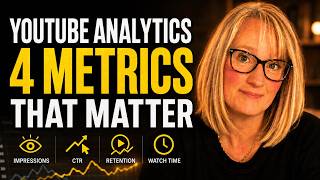

Stop Obsessing Over Subscribers
47sRelatable frustration of new creators leads to a myth-busting revelation that changes how you measure success.
▶ Play Clip"The title is almost perfectly accurate: it focuses on the 4 most important numbers for beginners (impressions, CTR, retention, watch time) and delivers clear, actionable explanations without fluff."
Many new YouTube creators feel overwhelmed and discouraged by analytics, often fixating on subscriber count, which can be misleading. This video breaks down the four most important metrics—impressions, click-through rate (CTR), retention graph, and watch time—explaining what they mean and how to use them to improve video performance. The core message is to focus on these actionable numbers instead of getting lost in the dashboard or addicted to checking subscriber counts.
Opener describes feeling confused by YouTube Analytics, with many numbers and graphs, but the core question of 'Are people watching?' unanswered.
The creator's initial routine was only checking subscriber count, which is described as the least useful number for a new creator, leading to discouragement and poor decisions.
An impression is counted every time YouTube shows your thumbnail to someone (on homepage, suggested, search), not when they watch. Low impressions mean YouTube isn't showing the video; high impressions with low views indicate a thumbnail/title problem.
CTR is the percentage of people who saw the thumbnail and clicked. Average CTR is 2-10%. A low CTR means thumbnail/title aren't compelling enough; improving them can revive older videos.
Found in each video's engagement section, it shows a curve from 100% at start, dropping as viewers leave. The key is to look for sharp drops—those moments indicate where content lost the audience. Flat sections show what's working.
Watch time is total minutes watched; average view duration is how long the average viewer stays. YouTube rewards content that keeps people watching, but longer videos aren't automatically better—percentage watched matters more. Make videos exactly as long as needed.
Subscriber count is the slowest, most misleading signal for new creators. Most views come from non-subscribers. Impressions, CTR, retention, and average view duration are better indicators. Subscribers grow when everything else is working.
After a few days, check three things: 1) Impressions (is YouTube showing it?), 2) CTR (are people clicking?), 3) Retention graph (where are they leaving?). These answer: is YouTube showing it, are people clicking it, are people watching it?
Analytics can become addictive and unhealthy. The numbers are to inform decisions, not dictate mood. A video with 40 views that helps one person is not a failure. Check regularly, learn, then close the tab and make another video.
By focusing on impressions, CTR, retention graph, and average view duration—instead of just subscribers—new creators can diagnose exactly what's working and fix what isn't. The ultimate goal is to turn analytics into a useful tool, not a source of anxiety, and keep creating.
What is an 'impression' in YouTube Analytics?
An impression is counted every time YouTube shows your thumbnail to someone (on homepage, suggested, search), not when they watch the video.
1:57
What does a low click-through rate (CTR) indicate?
A low CTR indicates that people are seeing the thumbnail but not clicking, meaning the thumbnail or title is not compelling enough.
3:49
What is the typical average CTR range on YouTube?
Between 2% and 10%, with most videos sitting around 4-5%.
3:37
What is the purpose of looking at the retention graph?
To find sharp drops in the curve, which reveal where viewers lose interest—those moments indicate what went wrong (slow pacing, awkward transition, etc.).
5:16
What does a flat section in the retention graph indicate?
A flat section where barely anyone leaves shows content that genuinely worked and the audience wanted; you should make more videos like that.
6:06
Why is subscriber count considered the least useful metric for a new creator?
Because most views on a small channel come from non-subscribers, and the subscriber count lags behind other metrics like impressions and CTR.
7:47
What three questions should a creator ask after publishing a video?
1) Is YouTube showing it? (impressions) 2) Are people clicking it? (CTR) 3) Are people watching it? (retention graph)
9:32
Does a longer video automatically lead to more watch time? Why?
No. YouTube cares about the percentage watched almost as much as raw duration. A 5-min video watched fully gives better signals than a 20-min video abandoned halfway.
7:01
What is the recommended time to wait before checking a video's analytics?
A few days (at least 2-3 days) after publishing.
8:52
What was the creator's initial wrong analytics routine?
Post a video, check only the subscriber count, feel discouraged, repeat.
0:33
Subscriber count is the least useful metric
Radically reframes beginner focus from vanity metric to actionable data.
0:47Impressions definition
Clear, simple explanation of a commonly misunderstood metric, distinguishing showing from watching.
1:57Diagnostic power of retention graph
Teaches a specific technique using the curve's shape to pinpoint exact moments of audience loss.
5:16Longer isn't better for watch time
Debunks a common myth that video length equals success; emphasizes percentage watched.
7:01Perspective on success
Humanises analytics, stating 40 views helping one person is not a failure—essential for mental health.
10:09[00:00] I opened YouTube Analytics, looked at it
[00:02] for about 10 seconds, and closed it
[00:04] because I had no idea what I was looking
[00:06] at. There were numbers, graphs,
[00:09] percentages, and somehow none of it
[00:12] answered the only question I actually
[00:14] had. Are people even watching my videos?
[00:17] That's all I wanted to know. And
[00:18] instead, it felt like I was staring at a
[00:20] dashboard meant for someone way more
[00:23] advanced than me.
[00:25] So, if you've ever opened YouTube
[00:26] Analytics and immediately felt
[00:28] overwhelmed, you're not alone. For
[00:30] months, I would post a video, check my
[00:33] subscriber count, see it hadn't moved
[00:35] much, and feel discouraged. I'd post
[00:38] another video, check subscribers, feel
[00:40] discouraged again.
[00:42] That was my whole analytics routine,
[00:44] subscriber count, nothing else.
[00:47] And here's what I didn't know. The
[00:48] subscriber count is probably the least
[00:51] useful number in your entire analytics
[00:54] dashboard for a new creator.
[00:56] I was measuring the wrong thing
[00:58] completely.
[00:59] And because I was measuring the wrong
[01:01] thing, I was making decisions based on
[01:03] information that wasn't actually telling
[01:06] me what was happening with my channel.
[01:08] Once I finally understood what the
[01:10] numbers actually meant, not all of them,
[01:12] just the ones that matter, everything
[01:14] changed. I started understanding why
[01:16] some videos performed better than
[01:18] others. I stopped panicking about the
[01:21] wrong things, and I started making
[01:23] better videos because I finally knew
[01:25] what my audience was telling me. So,
[01:27] that's what this video is. Not every
[01:30] metric in YouTube Analytics. There are
[01:32] dozens, and most of them you don't need
[01:34] to worry about right now. Just the ones
[01:37] that actually changed how I make videos,
[01:39] explained simply, the way I wish someone
[01:42] had explained them to me. Let me start
[01:44] with the one that confused me the most
[01:45] for the longest time, impressions.
[01:48] When I finally looked at this number
[01:50] properly, I genuinely didn't understand
[01:53] what it meant. Impressions. What does
[01:55] that even mean? Here's the simple
[01:57] version. An impression is counted every
[02:00] time YouTube shows your thumbnail to
[02:02] someone, not every time someone watches
[02:05] your video. Every time someone sees the
[02:08] thumbnail on their home page, in their
[02:10] suggested videos, in search results.
[02:13] Every time your thumbnail appears on
[02:16] someone's screen, that's one impression.
[02:19] So, if your video has 50,000
[02:21] impressions, it means YouTube showed
[02:23] your thumbnail to 50,000 people.
[02:26] They may or may not have clicked, but
[02:28] they saw it. This matters because it
[02:31] tells you something really important,
[02:33] whether YouTube is showing your video to
[02:34] people at all. If your impressions are
[02:36] very low, YouTube isn't putting your
[02:38] video in front of people. If your
[02:40] impressions are high, but your views are
[02:43] low, people are seeing your thumbnail
[02:45] and just not clicking. Those are two
[02:47] completely different problems, and they
[02:49] have completely different solutions. I
[02:52] had a video early on that I thought was
[02:54] just performing badly. Low views felt
[02:57] discouraging. Then I looked at
[02:59] impressions and realized it had almost
[03:01] no impressions at all. YouTube was
[03:03] barely showing it to anyone. The problem
[03:06] wasn't that people weren't interested.
[03:08] The problem was that YouTube hadn't
[03:10] figured out who to show it to yet.
[03:12] That's a very different thing to feel
[03:14] bad about, which brings me directly to
[03:16] the second metric that changed
[03:18] everything for me, click-through rate,
[03:20] or CTR.
[03:22] Click-through rate is the percentage of
[03:24] people who saw your thumbnail and
[03:26] actually clicked on it. So, if YouTube
[03:28] showed your thumbnail to, let's say, 100
[03:30] people and five of them clicked, that's
[03:33] a 5% click-through rate.
[03:35] The average click-through rate on
[03:37] YouTube is somewhere between 2 and 10%.
[03:41] Most videos sit around four or five. If
[03:44] yours is above that, your thumbnail and
[03:46] title are doing their job. If yours is
[03:49] below that, people are seeing your video
[03:51] and deciding not to click. This is the
[03:53] metric that taught me the most about
[03:55] thumbnails and titles. Because when I
[03:57] understood a CTR, I finally understood
[04:00] what a thumbnail is actually for. It's
[04:02] not decoration. It's not just making
[04:04] your video look nice. It's a click. Its
[04:07] one job is to make someone who's
[04:09] scrolling past it stop and click. That's
[04:11] it. I had videos with decent impressions
[04:14] and terrible click-through rates. And
[04:16] once I understood what that meant, I
[04:18] went back and changed the thumbnails on
[04:20] some of my older videos. Not all of
[04:22] them,
[04:23] but the ones where I could see that
[04:25] people were being shown the video and
[04:26] choosing not to watch it. And some of
[04:28] those videos started doing better just
[04:30] from a thumbnail change. Not a new
[04:32] video, not a new topic, just a better
[04:35] first impression. The third metric is a
[04:37] one I now look at more than almost
[04:39] anything else, and that's the retention
[04:41] graph.
[04:42] You'll find this in the engagement
[04:44] section of your analytics for each
[04:46] individual video.
[04:48] It shows you a curve starting at 100% on
[04:51] the left when the video begins and
[04:54] dropping as viewers leave throughout the
[04:56] video. What you're looking for is the
[04:58] shape of that curve and where it drops
[05:00] most sharply. Every video loses viewers
[05:03] from the very beginning. That's normal.
[05:05] People click, watch a few seconds, and
[05:08] decide it's not for them and leave.
[05:10] You'll always see a drop in the first 30
[05:13] seconds. Don't panic about that. What
[05:16] you're watching for is sudden, sharp
[05:18] drops. Places where a significant number
[05:21] of people left at the same moment.
[05:24] Because that moment in your video is
[05:26] where something went wrong.
[05:28] Maybe it was too slow.
[05:30] Maybe you went on too long about one
[05:32] point. Maybe there was an awkward
[05:34] transition. The retention graph will
[05:36] show you exactly where your audience
[05:38] stopped being interested. And that
[05:41] information is more useful than almost
[05:43] anything else for making your next video
[05:45] better.
[05:46] I had one video where I could see a
[05:48] really sharp drop about 2 minutes in. I
[05:51] went back in and watched that section
[05:53] and realized I'd spent about 90 seconds
[05:56] explaining something I could have
[05:57] explained in 20. The viewers were
[06:00] telling me I'd lost them and I could see
[06:02] exactly where it happened. The flip side
[06:04] also matters. If you see a flat section,
[06:07] a part of the curve where barely anyone
[06:09] leaves,
[06:10] that's where your video is really
[06:11] working. That's content your audience
[06:14] genuinely wanted. Make note of it and
[06:16] make more videos like that. The fourth
[06:18] one is simpler, but people misread it
[06:20] constantly. Watch time and average view
[06:22] duration.
[06:24] Watch time is the total number of
[06:26] minutes or hours people have spent
[06:28] watching your videos.
[06:30] Average view duration is how long the
[06:33] average viewer watches a specific video
[06:36] before leaving. These matter because
[06:38] YouTube wants to keep people on the
[06:40] platform as long as possible.
[06:42] And if your videos keep people watching,
[06:45] YouTube is more likely to recommend them
[06:47] to other people.
[06:48] So, watch time is essentially a signal
[06:51] to YouTube that your content is worth
[06:54] promoting. But, here's where beginners
[06:56] get confused. A longer video doesn't
[06:58] automatically mean more watch time.
[07:01] A 5-minute video that people watch all
[07:03] the way through gives you better signals
[07:05] than a 20-minute video that people
[07:08] abandon halfway. YouTube cares about the
[07:10] percentage watched almost as much as the
[07:12] raw duration. So, don't make your videos
[07:15] longer just to make them longer. Make
[07:18] them exactly as long as they need to be
[07:20] and not a second longer.
[07:22] Your retention graph will tell you if
[07:24] you've misjudged that. It was the one I
[07:26] was obsessed with when I should have
[07:28] been paying attention to everything
[07:29] else. Subscribers.
[07:32] Subscribers matter. I'm not saying they
[07:34] don't.
[07:35] But, for a new creator, they are the
[07:37] slowest and most misleading signal of
[07:40] how your channel's actually doing and I
[07:42] wasted a lot of emotional energy on this
[07:44] number when I should have been looking
[07:46] at everything else. Here's the thing
[07:48] about subscribers. Most views on a small
[07:51] channel don't come from subscribers at
[07:53] all. Right now, the majority of people
[07:56] watching my videos are not subscribed to
[07:58] my channel.
[07:59] YouTube is showing my videos to new
[08:01] people constantly. Subscribers are
[08:03] people who liked what they saw enough to
[08:05] want to see more, but they're a small
[08:07] fraction of your total audience. So,
[08:10] when your subscriber count barely moves
[08:12] after you post a video, that doesn't
[08:14] mean the video is failing. It might mean
[08:16] a thousand new people found your channel
[08:18] from that video and enjoyed it, but
[08:21] didn't subscribe yet. They might come
[08:23] back. They might subscribe after the
[08:25] third video they watch.
[08:27] The subscriber count lags behind
[08:29] everything else.
[08:31] Watch impressions.
[08:32] Watch CTR. Watch your retention graph.
[08:36] Watch average view duration. Those four
[08:39] metrics will tell you far more about
[08:41] what's actually happening with your
[08:42] channel than the subscriber count will.
[08:44] The subscribers follow when everything
[08:46] else is working, not the other way
[08:48] around. So, let me give you the simple
[08:50] version of what to do with all of this.
[08:52] When you publish a video, give it a few
[08:54] days and then look at three things.
[08:57] First, check impressions. Is YouTube
[09:00] showing it to people? If impressions are
[09:02] very low, the video might need a
[09:05] stronger title or thumbnail so YouTube
[09:07] can figure out who to show it to.
[09:09] Second, check click-through rate. Are
[09:12] the people who see it clicking? If
[09:14] impressions are decent, but CTR is low,
[09:17] your thumbnail or title isn't compelling
[09:19] enough. That's fixable.
[09:21] Third, check the retention graph. Where
[09:24] are people leaving? Is there a specific
[09:26] moment where you lost them?
[09:28] Watch that section of your video and be
[09:30] honest with yourself about why. Those
[09:32] three questions, is YouTube showing it,
[09:35] are people clicking it, and are people
[09:37] watching it will tell you almost
[09:39] everything you need to know about how to
[09:41] make your next video better. You don't
[09:43] need to understand every number in
[09:45] analytics.
[09:46] You just need to understand the right
[09:48] ones and now you do. I want to say one
[09:50] more thing before I go.
[09:52] Analytics can become addictive in a way
[09:54] that isn't healthy.
[09:56] I've had days where I checked my numbers
[09:58] every hour and let fluctuations dictate
[10:00] my mood. That's not useful and it's not
[10:03] fun.
[10:04] The numbers are there to inform your
[10:05] decisions not to validate your worth as
[10:08] a creator.
[10:09] A video that gets 40 views and helps one
[10:12] person who needed it is not a failure. A
[10:16] channel that grows slowly but
[10:18] consistently is not a failing channel.
[10:20] Keep that perspective and analytics
[10:22] becomes a tool instead of a source of
[10:23] anxiety.
[10:25] Check them regularly, learn what they're
[10:27] telling you, then close the tab and go
[10:29] make another video. That's really all
[10:30] there is to it. See you in the next one.
⚡ Saved you 0h 10m reading this? Transcribe any YouTube video for free — no signup needed.