AI Summary
This video demonstrates how YouTube creators can optimize their end screens by using playlists instead of individual videos, leading to more views, clicks, and monetization. The creator shares a step-by-step technique to promote new videos across multiple channels efficiently.
Chapters
The creator emphasizes the importance of using end screens to advertise other videos, calling it 'free real estate' that creators often neglect.
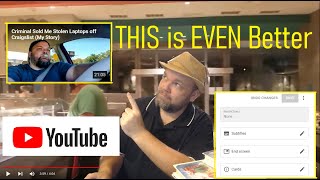
To edit end screens, go to YouTube Studio, click on 'Content' on the left, and select a video to edit its end screen elements.
The creator manually adds a specific video to end screens across all videos on three channels, which is time-consuming but effective for promotion.
Instead of linking a single video, the creator recommends linking a playlist on the end screen. This leverages viewer inertia to keep them watching more content.
To promote a new video, add it to a related playlist and use 'Move to Top' to make it the first video viewers see when they click the playlist.
In the end screen editor, delete the video element and add a playlist element instead. This shows the playlist thumbnail, which leads to a series of videos.
When viewers click the playlist, it auto-plays through all videos in order, increasing watch time and ad revenue, especially if viewers are multitasking or fall asleep.
To update end screens across all videos, simply edit the playlist (add new videos, reorder) instead of editing each video individually. This saves significant time.
Using playlists in end screens is a powerful strategy to boost views and monetization while saving time. By linking a playlist, creators can keep viewers engaged longer and easily update promotions across all videos.
Mentioned in this Video
Tutorial Checklist
Study Flashcards (5)
What is the main advantage of using a playlist instead of a single video in YouTube end screens?
easy
Click to reveal answer
What is the main advantage of using a playlist instead of a single video in YouTube end screens?
It keeps viewers watching more videos automatically, increasing watch time and ad revenue.
04:31
How do you access the end screen editor for a video?
medium
Click to reveal answer
How do you access the end screen editor for a video?
Go to YouTube Studio, click 'Content', select a video, then go to 'Analytics' > 'Details' > 'End screen'.
00:28
What is the 'Move to Top' feature used for in a playlist?
medium
Click to reveal answer
What is the 'Move to Top' feature used for in a playlist?
It sets a specific video as the first video in the playlist, which serves as the thumbnail on end screens.
03:10
Why does the creator recommend using playlists for end screens?
easy
Click to reveal answer
Why does the creator recommend using playlists for end screens?
Because it leverages viewer inertia, auto-playing through multiple videos and increasing overall watch time.
02:17
How can creators save time when updating end screens across many videos?
medium
Click to reveal answer
How can creators save time when updating end screens across many videos?
By editing the playlist (adding/reordering videos) instead of editing each video's end screen individually.
05:53
💡 Key Takeaways
Playlist Strategy
Introduces a novel approach to end screens that can significantly boost watch time and monetization.
02:17Auto-Play Benefits
Explains how playlists can keep viewers engaged passively, increasing ad revenue.
04:31Time Efficiency
Highlights a practical time-saving method for managing end screens across multiple videos.
05:53Full Transcript
[00:02] creator and i want to show you how to utilize the end screen element of your videos to get even more views if you have been already implementing the end screens on the end of your videos so if you haven't been using end screens
[00:14] oh my gosh what are you thinking you're just that's that's real estate on your free real estate to advertise other videos that you have and if you haven't been implementing that you're losing money i want to show you real quickly uh
[00:28] what i do but i added another technique to get even more views from your end do to gain access to your end screens on all your videos just go to youtube studio on the upper right here youtube studio you're going to go to
[00:43] content on the left here and this is going of course showing in order of all the videos that i've been making so far for example this video here my greatest garage sale fine let's say i wanted to promote that video and i
[00:56] just made it and i want to put it on all my videos and promote it well i would go down each and every one of these videos and adding it to every single end screen on on all these videos and i actually do this on three channels i would literally
[01:10] cross reference a video from this channel and put it on another channel promotion on that video so for example let's say i go to this video and i want to advertise my this video on it on the end screen so i go
[01:24] here to analytics and then from analytics i go to detail here what i'm going to do is click on element
[01:36] and you can do video playlist channel link so of course you go to video right video in this video here my greatest garage
[01:49] sale fine that's the video that i would literally go and hand pick on every single one of my videos over three channels and it could literally take me so i'd save and then i'd be like okay great i'm
[02:04] gonna get a lot of views right that's smart to to utilize the end that's going to give you even more views and much more attention what you're going to do here go back let's go back to youtube studio and now what i want to
[02:17] do is go to playlist this is the secret and i know a lot of you have made playlists and you've probably utilized plays lists and derral eves here on youtube who's a really smart youtube creator and he shows you ways to make
[02:30] more views and get more money off of your youtube channel he always says hey make you make playlists and you'll be able to get a lot more views because people through inertia will be watching through more of your videos what you
[02:42] to put on the end screen you make a playlist for it here i try to follow the same theme with this one particular playlists and so you could see here i got a total of i don't know 23 videos here on this
[02:56] playlist let's say this one video flip goodwill 99 cent stuffed animal i want to put it on all my channels i'll show you the advantage to this i chock-full this playlist of 23 videos and put them chopped full of videos that's kind of
[03:10] related in the same topic and then from here you can change the order of what you want to be on the very top video so now this video my greatest garage sale the end screens of all my videos to get a lot of attention because it's a new
[03:24] video what i'll do is i'll put it in this playlist that's related to it and then what i'm going to do is i'm going to add it to the top of my playlist so what you're going to do is click move to top
[03:37] so you can see here this playlist has this video already that i want to put on the end screen of all my videos all right so we want to save that we're going to go back to youtube studio and then we'll go to content
[03:50] and i'm going to actually put it on all my videos on all three channels of mine because i want to promote that one video i can go to analytics let's say on one of the videos and then from here go to details
[04:04] then go to end screen and then from elements i'm going to go it's shown as a video i'm going to delete it element and instead of doing video i'm going to
[04:17] do playlist so you can see here this video pops back so now instead of having the video as my thumbnail at the end screen i have the playlist now i will show you why that's important
[04:31] so let's say you have a potential viewer and he and he or she sees this this they're gonna it's gonna just show up as a video it's not gonna show up as a playlist so what they do is they click on it and of course you can change your
[04:43] now it still has the video on the end screen that i want to promote so when we click on it it's actually a playlist so now you see it's got all my other videos and what's going to happen is after this video
[04:57] plays if your viewer is watching it it's going to automatically on your playlist in order of your playlist and then the next and the next and the next but we know as creatures a lot of times we'll be doing things as we're watching
[05:11] laundry we'll be doing uh some stuff in the kitchen cooking or whatever and these videos will automatically play sometimes the person will fall asleep and the videos will constantly play and
[05:25] commercials all the way down through these videos so you see what i'm saying you're getting more bang for your end screen buck by putting a playlist at the end of your screens instead of doing instead of just doing one video now
[05:39] going to give you more real estate on the youtube screen not only do you have your video up but they're seeing your other videos and so right they'll be like hmm this is interesting let me click on that one
[05:53] is now you're getting more clicks and you're getting more end screen real estate with your videos and so by just doing this in the last month i've gotten so much more views on these other videos that's related to the
[06:07] topic now here's another neat thing it's going to save you time whenever you want to change those end screens again so let's say you make a new video and you want that end screen on the end of your videos let's say this is the brand new
[06:19] on all the end screens of my three channels the only thing i do is go on to the on to the video here is just go over here where it says save playlist that i have tagged to all the end screens of all my videos click that
[06:34] end screens of all my videos click that now go back to youtube studio now pick that same playlist now you can see it down here where i just added it right here so what i want to do is move that to the
[06:49] so what i want to do is move that to the top that will serve as your thumbnail on all your end screens and on that on this what i can do is actually edit the playlist title to the title of the video
[07:04] video that i have on all my end screens i got is the same title as the video i'm so what's great about that is the time that you're saving you don't have to go through all these individual videos and edit them and then add the end screen on
[07:18] all these videos of the new video that you want to try to promote it just blankly does that throughout all the videos that you have that you have that playlist on it saves you so much time i appreciate you watching please subscribe
[07:30] if you think this stuff is helpful and put in the comments section whether if right have a good one hi anthony sullivan here and you need to subscribe to robert wilbur's youtube channel he'll inspire you like no other he's
[07:44] inspire you like no other he's persistent loving magnificent and will keep you coming back for more and smash that like button too while you're at it that like button too while you're at it oxyclean