
Build Your Own YouTube Algorithm?
45sThe idea of customizing the algorithm feels like a superpower, sparking curiosity and desire for control.
▶ Play Clip"Title accurately reflects the excitement about the new feature, though it slightly overpromises by implying a full algorithm update."
YouTube has introduced a new 'custom feeds' feature that allows users to prompt a personalized recommendation page by describing their target audience. This tool, currently rolling out in the US, generates a dynamic feed of long-form videos based on the prompt, offering a powerful alternative to traditional search for both viewers and creators. The video tests the feature's accuracy and explores how creators can leverage it for audience research.
YouTube is rolling out custom feeds in the US, allowing users to prompt a recommendation homepage by describing their audience. The feature appears as a chip on the homepage, leading to a chatbot-like text box.
Custom feeds take 5-6 seconds to load, slightly slower than search. Results show large thumbnails (4 per row) like the homepage, unlike search's one-per-row layout with more info. Custom feeds currently show only long-form videos, while search aggressively promotes shorts.
The smallest channel found in a custom feed had 1,000 subscribers with a viral video (50k views). VidIQ tools appear in the feed, aiding research. However, some videos may not match the prompt exactly.
Custom feeds refresh to show a new collection of videos, while search results remain static. The feed is private to the account and does not affect usual recommendations unless a video is watched.
Creators can use custom feeds to see what their target audience watches without creating a separate account. By describing the audience (e.g., 'busy parents looking for meal ideas'), the feed shows relevant videos, helping identify content gaps and trends.
Using VidIQ's filters, creators can narrow results to channels under 10k subscribers with high views, revealing successful small creators. The feed caps at about 800 videos.
YouTube's custom feeds feature is a powerful tool for both viewers and creators, enabling instant, dynamic content curation based on audience descriptions. For creators, it simplifies audience research and competitive analysis, offering a competitive edge in content strategy.
What is the new YouTube feature called that allows users to prompt a personalized recommendation page?
Custom feeds.
00:01
How long does it take for the custom feed to generate results?
Around 5-6 seconds.
02:07
How many thumbnails per row does the custom feed display?
Four thumbnails per row.
03:05
Does the custom feed affect your usual YouTube recommendations?
No, unless you watch a video from the feed, which then enters your watch history.
05:14
What is the maximum number of videos a custom feed can show?
Around 800 videos.
09:44
How can creators use custom feeds for audience research without creating a new account?
By describing their target audience in the prompt, the feed shows videos that audience would watch, eliminating the need to train a separate account.
06:09
What VidIQ tool can be used to define a channel's target audience in 15 words?
The AI coach.
06:50
What filter can be applied in VidIQ to see only channels under 10,000 subscribers?
Custom filters for channels under 10k subscribers.
09:59
Custom Feeds Launch
Introduces a new way for viewers to curate their YouTube experience by describing their audience.
00:01Creator Research Tool
Provides a faster, more direct method for creators to see what their target audience watches.
06:09VidIQ Integration
Demonstrates how third-party tools can enhance the custom feed for competitive analysis.
09:44Dynamic vs Static Results
Highlights the key difference between custom feeds (dynamic) and search (static).
04:31[00:01] What if YouTube let you build a brand new algorithm completely from scratch? >> No, come on. Take this seriously for once. Just describe your audience and 5 seconds later you get 100 videos showing you what titles and thumbnails YouTube
[00:17] thinks that type of audience is going to click. Sounds pretty intriguing, right? And you don't have to imagine it. It exists right now. So, in this video I'm going to test how accurate it is for viewers and how creators can instantly
[00:29] turn this into an audience research tool. And spoiler alert, for YouTubers like you and me, this in some ways is better than YouTube search. And at the advanced techniques that will give you a massive competitive edge. Okay, what
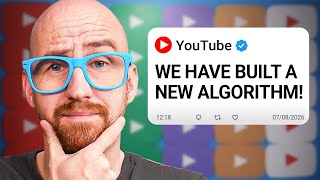
[00:42] first drew my attention to all of this was a recent tweet from Todd Beaupre who is the product lead for YouTube homepage and recommendations for over a decade. to when they're talking about the YouTube algorithm, it is this chap. And
[00:56] this is the post. YouTube is rolling out custom feeds in the US. What are you asking your algorithm for? And this screenshot seems to suggest that as a screenshot seems to suggest that as a viewer, you can prompt a recommendation
[01:09] homepage, if you got access to the feature, along the top you'll see the topic chips and you have this new custom feed. But before we click into that, let's just take a look at the YouTube homepage as is, where you'll see massive
[01:23] thumbnails for videos. And it's on a plethora of topics from monetization of YouTube channels, auditions for TV shows, sports, and clips from uh famous YouTube commentators. And just
[01:37] playables, more YouTube videos, and then shorts if you're into that particular thing. So, there's plenty of choice, there. So, with all of that being said, let's click on the custom feed chip and
[01:54] see what comes up. And you're presented with just a box to type some words in and it feels very much like a typical chatbot experience. Now, the first thing I want to do here is compare this new feature with another YouTube feature
[02:07] that already curates content based off of what you ask it to do, which is the search page. So, my first prompt in this box is going to be how to start a gaming channel. I appreciate that's maybe not the best way to use this feature, but it
[02:20] is how we would search for such a thing on YouTube. And I'll click that button to get the process started, see how quick it is. And it took around about 5-6 seconds there, probably a
[02:35] little slower than the search page, so that is something to consider. But the results, certainly at the top, do relate to starting YouTube channels and there is a gaming emphasis on most of these. So, I think
[02:50] it got that prompt pretty much spot-on. So, there's here. First of all, the thumbnails are massive as they are on the homepage. If I reduce the menu bar and make the browser
[03:05] smaller in scale, we can get four thumbnails per row. And it is like the YouTube homepage, you're just seeing video after video. And that is in stark contrast to the search page where it's always one video per row and it shows
[03:19] you more information about the description and the chapter. So, you don't see as many videos here on search. Another thing to note as well on search is that they're being really aggressive with shorts, so we have a shelf here and
[03:32] then a bigger shelf of shorts. But as of time of recording here for this custom feed, it is all long-form videos. I was also looking at the prospect for small creators to appear in this custom feed. And the
[03:47] smallest channel I could find was this one, which has 1,000 subscribers with a video that's done really well, 50,000 views, so it's a big outlier. That's also something to note, but the VidIQ tools appear here, which is quite
[04:02] handy for anybody looking to do further research. However, this video, small creators aren't trying anymore, just on the face of it from the packaging, this doesn't look like it's a video related to the actual prompt that I put in,
[04:16] Now, a bit of a confession at this point, I did want to re- freshest recommendation page to see what happened next, but I forgot to record it. So, do, you need to click this button here again to refresh, and this is how the
[04:31] page looked before I pressed the button. And then when I pressed the button, it looked like this. So, it has brought up a what seems to be a brand new collection of videos on this topic. I am still
[04:44] seeing some of the videos that were there before, but this is quite a dynamic page. Now, by comparison on the search page with the same search result or prompt, you'll see that we have a couple of videos with short shelf and
[04:58] then a couple more videos, and when I refresh this page, nothing much changes. refresh this page, nothing much changes. It's more of a static set of results. with this tool. First of all, the custom feed is private to your account, so
[05:14] other viewers can't see it, and I guess you can't share it with them, although they could probably just put in the same prompt and get a similar set of video results. There's also the question of how this custom feed will influence your
[05:26] usual recommendations and home page, and the answer is it won't, unless you watch one of the videos, in which case that will then be fed into your watch history interesting question at the end of the support page that asked how videos are
[05:42] the answer is videos are going to be monetized as normal, and watch time and presumably all of the other metrics will count as normal for creators when YouTube studio. But they did note that
[05:56] feature's impact on views, watch time, and revenue. Okay, let's start to think about how we might use this from a creator perspective. First of all, what dots here and then start over just so that we have a blank canvas to work
[06:09] with. I think this tool could be really useful for doing some in-depth research YouTube channel. Previously, the way you did this was a little clunky. You had to open up a brand new YouTube account and then watch videos that were solely about
[06:25] your target audience. And after maybe 24 hours, the YouTube homepage would then start to show these videos that you think your audience might be watching. Well, this removes all of these pain points, and it gives you your target
[06:38] seconds. So, how do you describe your target audience to this YouTube feature? Well, if you have vidIQ installed and authenticated, you can simply use our AI coach. What I'm going to ask the coach
[06:50] here is to define the vidIQ YouTube channel target audience in 15 words. And it will do that pretty quickly. And once I have this information, I could simply copy and paste that into the YouTube custom feed. If you haven't yet got
[07:05] vidIQ, well, I'm afraid that is a YouTube existential crisis that you'll this exercise, basically, you're answering these two questions. Who is watching your content? Why should they care? Let me give you a few
[07:18] examples. So, let's say your target audience is something along the lines of busy parents looking for realistic meal ideas that save time, reduce stress, and actually get eaten by the whole family. This is the ideal viewer that you want
[07:32] to appeal to for your channel. And then all of these video results should somewhat resemble what we're looking at. The French rule that ends picky eating, no more battles. That seems pretty relevant to me. Realistic week of a
[07:45] working mom UK easy meal prep for toddlers and moms. So again, I think it's hitting that target audience pretty well. Travel lovers that seeking budget-friendly itineraries, and authentic local experiences beyond the
[07:58] typical tourist attractions. So with this tool, we're effectively able to jump from one target audience immediately to the next without having to watch tons of videos. And here are the results again. I'm just going to
[08:11] scan through them very quickly. Adventure travel for 2027 next year, five locations that are about to explode. This is an interesting one from a smaller channel, 7,000 subscribers, 15,000 views. What else do we have? 48
[08:24] hours in Vienna, local non-touristy things to do in Vienna. So again, I feel as if that title, that packaging is matching what I've put in here as a target audiences don't always have to be
[08:37] I'm going to use TV fans looking for hilarious commentary, clever the biggest shows, films, and pop culture moments. Lots of stuff from
[08:49] culture moments. Lots of stuff from ScreenRant and listicle-style content from a range of TV shows. So you may want to niche down into your particular favorite show. Um but again, it seems
[09:02] fairly accurate. For a YouTube feature that's been launched with almost no fanfare, this is pretty awesome in my opinion. It's great for viewers to get into a certain viewing session. But for this user case of creators finding their
[09:15] target audience and seeing a batch of videos around the subject, it is brilliant. And now what I'm going to do is sprinkle a little bit of vidIQ magic custom feed this time is college students looking to study more
[09:29] effectively, improve grades, and avoid burnout. And the results again seem pretty accurate to the target audience. I'm scrolling through this entire list just to show you that this is not an infinite list of results. It caps out at
[09:44] around about 800 videos. Now, let's add in the vidIQ power tool here. So, what we'll put at the top here is a persistent tool called the filters tool and it allows you to really customize what you see on any YouTube screen. I'm
[09:59] going to go to custom filters and what I'm going to do is bring this down to channels that are under 10,000 subscribers, but also videos that have more than a couple of thousand views just so that we're seeing videos in the
[10:12] really narrowed down the list. Active recall scientific studying techniques 6,000 views from a channel here. One how to get good grades without studying hard to get good grades without studying hard 6,000 views. This setup helps me lock in
[10:26] views a big outlier for that channel. Whenever you get access to this new custom feed feature, you at least have to test it out. It is fantastic for building temporary algorithms around the audiences you are trying to attract and
[10:40] watching on YouTube. And if you want an even deeper dive into the YouTube algorithm, we've put together a comprehensive guide over here that covers all of the layers from beginning to advance. So, I assume we'll see you
[10:52] in there. Right now, yeah?

⚡ Saved you 0h 10m reading this? Transcribe any YouTube video for free — no signup needed.