[00:00]
hey you are you tired of getting caught
[00:01]
out in the open and dying instantly
[00:05]
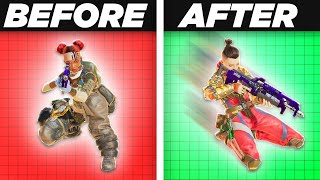
well in this video I'm going to show you
[00:07]
the seven best movement techniques in
[00:08]
Apex legends that will help you move
[00:10]
around the map like a pro and give you
[00:12]
an edge over your opponents these
[00:14]
techniques are surprisingly easy to
[00:16]
learn and will not only help you avoid
[00:18]
taking too much damage but they will
[00:20]
also help you get to your destination
[00:22]
faster so whether you are a beginner or
[00:24]
a seasoned player this video is for you
[00:26]
these techniques are all part of the S
[00:28]
tier of my movement technique tier list
[00:29]
video so I am excited to dive into the
[00:31]
most useful ones and teach you how to
[00:33]
use them yourself and of course make
[00:35]
sure to stay until the very end because
[00:37]
that last one is incredibly easy to do
[00:39]
but it's probably the most useful of
[00:41]
them all so let's start it off with the
[00:42]
fatigue wall jump but what is a fatigue
[00:45]
wall jump well it's a way of exploiting
[00:48]
the fatigue mechanic in Apex which
[00:49]
limits out how you can jump when doing
[00:51]
consecutive jumps because if you let's
[00:53]
say try to do a wall jump through the
[00:55]
common means repeatedly you're really
[00:57]
only going to be able to do one wall
[00:58]
jump at a time with a run slide and then
[01:01]
a jump but with this technique you can
[01:03]
keep bouncing off of walls as long as
[01:04]
you want unlike the typical wall jump
[01:06]
fatigue while jumps can be initiated
[01:08]
when you're doing other things such as
[01:09]
healing or reloading and allow you to
[01:11]
magically create a wall bounce without
[01:13]
any run up basically anywhere the trick
[01:15]
is to make sure that you've done a jump
[01:17]
before you even start attempting a wall
[01:19]
jump which will put you in a fatigue
[01:21]
State this means that your next jump
[01:23]
will be very low your fatigue will reset
[01:25]
after 2 seconds allowing you to jump
[01:27]
normally again so by constantly
[01:29]
repeating the fatigue wall jump inputs
[01:31]
you're able to keep putting yourself in
[01:33]
Jump fatigue and by doing so being able
[01:35]
to infinitely jump off walls to perform
[01:38]
a fatigue wall jump you need to follow
[01:39]
these steps first find a wall that's
[01:41]
high enough where you can jump and
[01:43]
initiate a wall climb after that jump
[01:44]
before getting too close to the wall and
[01:46]
make sure that the jump takes you as
[01:47]
close as possible ideally close enough
[01:49]
where you can almost touch the wall this
[01:52]
will put you in a fatigue State once
[01:54]
you're in that fatigue State jump again
[01:55]
while holding a forward input towards
[01:57]
the wall as this will initiate a mantle
[01:59]
a tiny moment after mantle has started
[02:02]
which you will know as your hands
[02:03]
disappear at this sound place hit jump
[02:06]
again this will send you up and
[02:08]
backwards from the wall you can also
[02:09]
combine side strafes as you jump away
[02:11]
from the mantle with looking in the same
[02:13]
direction as that strafe to ensure that
[02:15]
the jump goes in practically any
[02:17]
direction that you want and that's the
[02:19]
basics of a fatigue wall jump once
[02:20]
you've mastered the singular fatigue
[02:22]
while jump you can start chaining them
[02:23]
together in plenty of ways for example
[02:25]
along a wall to chain a fatigue wall
[02:28]
jump you really just want to repeat the
[02:29]
previous steps just make sure that you
[02:31]
land right in front of the wall you want
[02:33]
to bounce off of to instantly be able to
[02:34]
start a mantle and the whole process
[02:36]
Anew it takes a little bit to get used
[02:38]
to and timing your inputs as well as how
[02:40]
you turn around is key next up the skip
[02:43]
jump the skip jump is a way of exploding
[02:45]
a quirk with the slide mechanic in Apex
[02:47]
which allows you to slide for a short
[02:48]
distance after sprinting now normally if
[02:51]
you try to slide jump right after
[02:52]
sprinting you will lose some momentum
[02:54]
and slow down but with this technique
[02:56]
you can skip the slight animation and
[02:58]
jump immediately preserving your speed
[03:00]
and getting more distance and getting to
[03:01]
jump way faster than if you would just
[03:04]
do it normally as well as looking really
[03:06]
cool when doing it performing a skip
[03:08]
jump is actually kind of easy you just
[03:10]
need to follow these steps first stand
[03:11]
still and initiate a run followed by a
[03:13]
Crouch a little less than half a second
[03:15]
later it helps if you're already holding
[03:17]
the sprint button before you start
[03:18]
moving as this makes it easier to follow
[03:20]
the input a tiny bit after you press
[03:22]
Crouch press your jump key as well this
[03:24]
will cancel the slide animation and make
[03:26]
you jump instead of slide while in the
[03:28]
air release your Crouch key and strafe
[03:30]
in the direction that you want to go you
[03:32]
can also use your mouse to look around
[03:33]
and adjust your trajectory and that's it
[03:36]
that's how you do a skip jump it may
[03:38]
sound simple but it requires some
[03:39]
practice and timing to pull off
[03:41]
consistently so let's move on with a
[03:43]
personal favorite of mine the Super
[03:44]
Glide a Super Glide abuses a combination
[03:46]
of Apex movement quirks allowing you to
[03:48]
instantly Dash up to 500 velocity after
[03:51]
climbing a ledge it abuses the speed you
[03:53]
get from sliding after climbing a ledge
[03:55]
but cancels the normal slowdown in order
[03:58]
to propel you forward looking really
[04:00]
cool in the process and allowing you to
[04:01]
pull off movements that otherwise would
[04:03]
have been impossible to perform Glide
[04:05]
you need to follow these steps first
[04:07]
start sprinting get a little bit of
[04:09]
ground and then climb a ledge really any
[04:11]
ledge will do but for the sake of
[04:12]
learning the super Glides you'll want to
[04:14]
learn on one specific height to make
[04:16]
sure you get the timing down then at the
[04:18]
peak of your climb right before you
[04:19]
finish the climb animation press your
[04:21]
jump key and your Crouch key practically
[04:24]
at the same time but with a smidge of a
[04:26]
different timing when you hit the jump
[04:28]
key before you hit the Crouch the window
[04:30]
between the jump and the Crouch can only
[04:31]
be one frame long meaning a 30th of a
[04:35]
second at 30 FPS and one 240th of a
[04:38]
second on 240 FPS simple right this is
[04:42]
totally the easiest movement technique
[04:43]
out of all of them now obviously
[04:45]
learning how to perform a Super Glide
[04:46]
properly will take you a lot of time and
[04:49]
you could actually make it easier to get
[04:50]
a feel for the timing by manually
[04:51]
lowering your frames per second since
[04:54]
the Super Glide combines two separate
[04:55]
timings that are each very difficult to
[04:57]
nail down it makes sense to isolate them
[04:59]
and practice them individually before
[05:01]
trying to combine them on the field the
[05:03]
first technique is the ledge slide to do
[05:05]
a ledge slide run up to a wall and climb
[05:07]
up to the point where you will finish
[05:08]
animation at the peak of that animation
[05:10]
hit the Crouch button if you time it
[05:13]
correctly you should slide off the ledge
[05:15]
with some good speed and the second
[05:16]
technique is nailing the timing between
[05:18]
the jump and the Crouch input remember
[05:21]
this is a one frame wide timing
[05:24]
previously it wasn't really a good way
[05:26]
to practice this except opening your
[05:28]
chat window and pressing your spacing
[05:29]
Crouch key out there on the same time to
[05:31]
make sure that the space always came in
[05:33]
before the Crouch but now Jay the igra
[05:35]
cell and I probably butchered that made
[05:37]
a great tool which uses a simple
[05:39]
Powershell script to measure your jump
[05:41]
and Crouch timing you get to choose
[05:43]
which key you use for crouching and
[05:45]
jumping and even what frames you
[05:46]
normally pull or want to practice and
[05:49]
after that just get to work after
[05:50]
setting everything up it will even tell
[05:52]
you how close you are to hitting a Super
[05:54]
Glide and how you can improve this tool
[05:56]
is a godsend for anyone trying to hit
[05:58]
that pesky one frame timing and once
[06:01]
you've mastered the timing of both of
[06:03]
these techniques no longer hitting super
[06:04]
Glides is is going to be a thing of the
[06:06]
past it's worth noting that super Glides
[06:08]
can be combined with either side inputs
[06:10]
to allow you to jump over to the left to
[06:11]
the right and even 180 degrees backwards
[06:14]
you can also combine the Super Glide
[06:16]
with the speed boost from other movement
[06:17]
techniques as this stacks and allows you
[06:19]
to fly even further so let's continue
[06:21]
with the tap strafe a tap shriff is a
[06:24]
movement technique that abuses the Lurch
[06:25]
which for those who don't know is the
[06:27]
mouse and keyboard's ability to add
[06:29]
movement inputs while mid-air which in
[06:31]
turn allows you to change your direction
[06:32]
over 180 degrees while you're in the air
[06:36]
normally an air strafe only allows you
[06:38]
to turn ever so slightly with a jump but
[06:40]
with this technique you can use your
[06:41]
scroll wheel or a macro I guess to tap
[06:44]
your for a key rapidly and make an over
[06:46]
180 degree turn on a dime to perform a
[06:49]
tap strafe you'll want to do the
[06:51]
following one add a secondary move
[06:53]
forward key bind to your scroll wheel in
[06:54]
your settings this will allow you to tap
[06:56]
it faster and more precisely than
[06:57]
pressing it normally then get moving and
[07:00]
get any amount of momentum through
[07:01]
running walking or you name it follow
[07:03]
the momentum up with a jump and very
[07:05]
important as you hit the jump key let go
[07:08]
of your forward key at the peak of your
[07:10]
jump flick your scroll wheel while still
[07:11]
holding your strafe key in the specific
[07:13]
direction that you want to go this will
[07:15]
make you tap your forward key repeatedly
[07:17]
and allow you to gain an incredibly high
[07:19]
air acceleration and turn around mid-air
[07:21]
without any problem and then finally
[07:23]
move your mouse in the intended
[07:25]
Direction while continuing to flick or
[07:27]
continuously rolling your scroll wheel
[07:29]
this will help you adjust your
[07:31]
trajectory and maintain your speed if
[07:33]
you find that your TAP strips are
[07:34]
failing when trying to do wider tap
[07:36]
strafes that may be because you aren't
[07:38]
scrolling long enough so let's move on
[07:40]
with the wall bounce now I know this
[07:42]
might be boring but you might not be
[07:44]
doing it properly or not know how to do
[07:45]
it to actually do it consistently don't
[07:47]
get me wrong while it's not necessarily
[07:49]
flashy it's pretty simple to do and the
[07:51]
benefits are pretty clear so let's just
[07:52]
go over it the wall bounce is a common
[07:54]
with very useful movement technique
[07:55]
which abuses the slide and the jump
[07:57]
mechanics in Apex to launch yourself off
[07:59]
of a wall and gain a little bit of
[08:01]
additional velocity while mid-air
[08:02]
normally if you try to jump off a wall
[08:04]
you will lose all your momentum and fall
[08:07]
flat to the ground but with this
[08:08]
technique you can keep the momentum from
[08:10]
your Sprint and launch yourself in
[08:11]
almost any direction that you'd like to
[08:13]
perform a wall jump you need to follow
[08:14]
these steps one find a flat enough wall
[08:17]
that you can jump up against and still
[08:18]
have its ledge around your eye level in
[08:20]
some cases you can do this lower but
[08:21]
let's start with an easier wall run
[08:23]
towards the wall at a 45 degree angle
[08:25]
and slide just before you reach it this
[08:27]
will put you in the slide State follow
[08:29]
up the slide with a jump which should
[08:31]
make you well jump onto the wall and
[08:33]
then this is important before you touch
[08:35]
the wall make sure to let go of your
[08:37]
forward input and instead hold your
[08:39]
right or left movement key this step is
[08:41]
critical if you want to jump off smaller
[08:42]
walls as it prevents you from starting a
[08:44]
climb instead of actually jumping off of
[08:46]
the wall as you hit the wall your
[08:48]
character will touch it and make a
[08:50]
mantling noise you can now jump off of
[08:52]
the wall and strafe in any direction
[08:53]
that you want to go you can also turn
[08:55]
your view around to adjust where you
[08:56]
want to go ever so slightly if you're a
[08:58]
monster keyboard and you haven't done it
[09:00]
already you can also bind your jump to
[09:01]
the scroll wheel as this will make it
[09:03]
easier to hit the timing and that's so
[09:05]
you pull off a standard I guess boring
[09:07]
wall jump I kept it later in the video
[09:09]
because most people should know how to
[09:10]
do this by now and I don't want most
[09:12]
people to click out thinking this isn't
[09:14]
a useful video but that doesn't mean it
[09:16]
isn't incredibly useful and part of the
[09:18]
top seven so let's move on with the rest
[09:20]
strafe as an almost opposite to many of
[09:22]
the techniques in this video a rat
[09:24]
Strife is incredibly valuable
[09:26]
specifically when it comes to combat but
[09:28]
I guess pretty much useless in
[09:30]
non-combat like rotation situations the
[09:33]
rest strafe uses the tap strafe which I
[09:35]
did mention previously to make your
[09:36]
movement unpredictable to read when
[09:38]
playing around a corner or something
[09:39]
like gibraltar's bubble by making you
[09:41]
jump heading One Direction and then
[09:43]
switching up your movements mid-air in
[09:45]
the complete opposite direction I assume
[09:47]
you've been watching the entire video
[09:48]
without skipping ahead and since we've
[09:50]
covered tap shifts before I won't dive
[09:52]
into the details on how to do one of
[09:54]
those so once you know how to do a tap
[09:56]
straight flawlessly doing it restraint
[09:58]
is incredibly simple you can start in a
[10:00]
standing or moving position it doesn't
[10:01]
really matter just make sure that you
[10:03]
hold the forward key as you jump as soon
[10:05]
as you are mid-air there are a few
[10:06]
things you'll need to do simultaneously
[10:08]
first let go of your forward key as you
[10:10]
roll your scroll wheel to enter the
[10:12]
tab's strafe state secondly add movement
[10:15]
inputs in the direction that you're
[10:16]
intending to do a Ras strafe in this
[10:18]
example I want to rest shift by going to
[10:19]
the right so I let go of forward at a
[10:22]
right input let's go up right at a
[10:24]
backwards input let's go backwards and
[10:26]
finally add that left input thirdly as
[10:28]
you are doing this sort of spin your
[10:30]
mouse to match the movement or rather
[10:32]
timing it to the side straves and every
[10:35]
part of this is incredibly important you
[10:37]
essentially want these three things to
[10:38]
happen at the exact same time and it
[10:41]
sort of feels like you're rolling your
[10:42]
movement inputs and your aim at the same
[10:45]
time and finally let's cover one of the
[10:47]
most vital movement techniques in Apex a
[10:49]
movement technique that's so important
[10:50]
to your overall gameplay that I'd
[10:52]
probably focus on mastering this one but
[10:54]
of course before we do that make sure
[10:55]
that you have hit the Subscribe Button
[10:57]
as only 20 of you guys watching at home
[10:59]
actually are subscribed to the channel
[11:00]
and believe it or not it does help a lot
[11:02]
I love having my ego inflates by having
[11:04]
the big number go higher can we hit a
[11:06]
melee we'll see and for those who have
[11:08]
subscribed I really appreciate your
[11:10]
support so far I'm not just saying that
[11:11]
to make people hit the Subscribe button
[11:13]
I actually mean it thank you so much
[11:14]
guys but let's move on with the
[11:16]
technique and I'm specifically talking
[11:17]
about the light jumping and uh hold on
[11:20]
now before you click out hear me out on
[11:22]
this because you may be doing it wrong
[11:24]
and you may not be understanding where
[11:25]
I'm going with this many players know
[11:27]
sort of how to use it but not many
[11:29]
players know how to use it to its full
[11:30]
potential the difference between a
[11:32]
sloppy technique and perfect timing is
[11:34]
huge momentum wise and allows you to go
[11:37]
wherever you are going that much faster
[11:39]
than anyone else in the server as well
[11:41]
as lowering the risk of you getting a
[11:43]
dead slide and you know dying or just
[11:45]
losing out on a rotation speed to
[11:47]
perfectly pull off and chain a slide
[11:49]
jump start by sprinting forward keep an
[11:50]
eye on your left hand as you run once
[11:53]
the left hand has been on the screen two
[11:55]
times you're able to initiate a slide
[11:57]
that can be followed by a jump at I
[11:58]
guess any time to keep yourself moving
[12:00]
forward at the highest speed possible
[12:02]
this should be follow up with you
[12:04]
looking slightly to the side wide with
[12:05]
both a forward and side input before
[12:07]
initiating the Run slide and as you
[12:09]
start sliding move your view back in the
[12:10]
direction that you were heading doing
[12:12]
this alongside the hand animation timing
[12:13]
will significantly if not completely
[12:15]
remove the risk of getting a dead slide
[12:17]
and looks a little bit less boring than
[12:19]
running in a straight line I know that
[12:20]
the jump slide being the best movement
[12:22]
technique has to be one of the most
[12:23]
anticlimactic endings in a while but it
[12:26]
does make complete sense if you consider
[12:27]
its ease of use and just how useful it
[12:30]
is in any game scenario even if it was
[12:32]
really hard to do rotating faster has so
[12:34]
many positive effects towards the entire
[12:36]
game which completely overshadow looking
[12:38]
cool for a moment and getting a clip and
[12:41]
these movement techniques were
[12:42]
specifically in the S tier of my
[12:43]
movement technique tier list so if
[12:45]
you're interested in hearing more about
[12:46]
the other tiers you can check out the
[12:47]
video on the screen thank you so much
[12:49]
for watching and I'll see you all
[12:50]
tomorrow