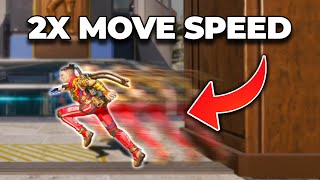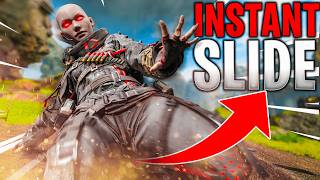

5 Movement Mechanics You NEED in Apex
45sOpens with a clear promise of value, hooking players overwhelmed by the game's complexity.
▶ Play Clip"The title accurately promises the top 5 movement mechanics, and the video delivers exactly that with detailed explanations and demonstrations."
This video covers the five most important movement mechanics for beginner and intermediate Apex Legends players, emphasizing that movement is a tool to improve gameplay rather than just for style. The creator explains that mastering these mechanics will help players move faster, push harder, reposition more, and stay alive longer.
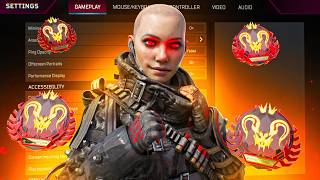
Change 'Always Sprint' to on for smoother movement. Set jetpack/glide control to hold (if you have paddles). Set mantle boost activation to jump. For controller, use button layouts like Ninja or Evolved, and bind paddles to crouch, jump, swap weapon, and interact/reload. Set crouch to hold.
Apex allows sprinting on a 45° angle, enabling you to move in one direction while looking in another. This is crucial for maintaining awareness while repositioning, especially when sliding around corners or into buildings.
Holster your weapon to enable instant slides with just one step. Then unholster and slide to have your gun ready. This exploits the half-second delay when switching weapons, allowing you to slide with your weapon out.
A jump slide is performed by stepping in any direction, jumping, and landing in a crouch. It's an easier way to slide without needing to sprint, useful when you don't have time or space for a full slide.
Air strafing redirects momentum in the air by holding a directional input and turning the camera. Tap strafing (M&K only) uses scroll wheel bound to forward to rapidly input forward, allowing sharp turns. Requires letting go of W and turning while scrolling.
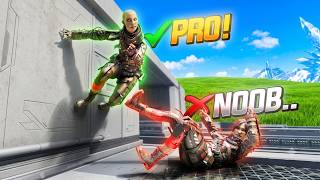
Wall jumps are performed by sliding or jumping into a wall to mantle, then jumping off. Two main types: slide jump wall jump (requires distance) and fatigue wall jump (uses jump fatigue to mantle from close range). Useful for reaching high places or peeking.
Bunny hopping extends momentum by jumping repeatedly upon landing. It can be done standing or from a slide. Useful for maintaining speed when getting shot (bullet fatigue) or while healing. For controller, hold crouch to make it easier.
A super jump on ziplines is performed by interacting and then double jumping immediately. On M&K, bind scroll to jump and scroll down after interacting. On controller, slide your thumb from interact to jump quickly.
Mastering these five movement mechanics—advanced slides, jump slides, air/tap strafes, wall jumps, and bunny hops—will significantly improve your gameplay in Apex Legends. Practice them consistently to move faster, reposition better, and outplay opponents.
What setting should you change to make movement smoother in Apex Legends?
Always Sprint to on.
02:23
What is a dead slide and what causes it?
A dead slide is a half slide that doesn't go fast or far, caused by slide fatigue from sliding too frequently.
10:28
How long should you wait between slides to avoid slide fatigue?
At least 2 seconds (count 1 Mississippi, 2).
10:55
What is the advantage of holstering your weapon before sliding?
It allows you to slide with just one step, enabling quick slides (instant slides) and faster movement.
12:41
How does the advanced slide exploit weapon switching?
It uses the half-second delay when unholstering: after holstering, you still move fast for half a second, allowing you to slide with your weapon out.
13:18
What is a jump slide and how is it performed?
A jump slide is sliding without sprinting by stepping, jumping, and landing in a crouch.
16:07
What is an air strafe?
An air strafe redirects momentum in the air by holding a directional input and turning the camera.
19:01
What is a tap strafe and which platform is it exclusive to?
A tap strafe uses scroll wheel bound to forward to rapidly input forward, allowing sharp turns. It is exclusive to mouse and keyboard.
20:29
What is the time limit to complete a tap strafe turn?
0.4 seconds from the jump.
22:53
What are the two main types of wall jumps?
Slide jump wall jump and fatigue wall jump.
27:17
How does a fatigue wall jump work?
Jump to fatigue yourself (reduce jump height), then jump into the mantle to pop off the wall. Useful for close-range wall jumps.
31:20
What is bunny hopping and how does it help?
Bunny hopping extends momentum by jumping repeatedly upon landing. It helps maintain speed when getting shot (bullet fatigue) or while healing.
36:48
What is a super jump on a zipline?
A super jump launches you off the zipline by interacting and then double jumping immediately.
41:59
Movement as a Tool
Frames movement as a practical tool rather than just for style, setting the video's philosophy.
00:17Always Sprint Setting
A simple settings change that significantly eases advanced movement execution.
02:23Advanced Slide Exploit
Exploits weapon switch delay to slide with weapon out, a key aggressive movement technique.
10:03Tap Strafe Explanation
Detailed breakdown of a M&K-exclusive mechanic that enables sharp directional changes.
20:29Fatigue Wall Jump
Introduces a method to wall jump from close range using jump fatigue, expanding movement options.
31:20[00:00] Wall jumps, tap strafes, bunny hopping,
[00:02] instant slides, super jumps. With over
[00:04] 200 mechanics in Apex, it can be pretty
[00:07] overwhelming and intimidating as a new
[00:09] player. I mean, where do you even start
[00:10] when it comes to learning movement? Do
[00:11] you actually need to know and perfect
[00:13] every mechanic Apex has to offer in
[00:15] order to be a decent player? Yes and no.
[00:17] Everyone either thinks movement is just
[00:19] for style points or movement is an
[00:21] absolute necessity to outplay people.
[00:23] But to me, it's just a tool. And once
[00:25] you've learned how to use the right
[00:26] tools for the right job, the game
[00:28] instantly becomes smoother and more
[00:30] enjoyable and overall so much easier.
[00:33] Today, I'm going to give you five
[00:34] movement mechanics that you need to know
[00:35] as a beginner or an intermediate level
[00:37] player, all of which can be used in
[00:39] every single match and should be used in
[00:41] every single match. And by the end of
[00:42] this video, you're going to be moving
[00:44] faster, pushing harder, repositioning
[00:46] more, staying alive longer, and
[00:48] hopefully breaking the ankles of anyone
[00:51] that you come across. But you know
[00:52] what's even better than having movement
[00:53] to play at a high level? Actually being
[00:55] able to perform those movements. And one
[00:57] of the biggest factors with Apex
[00:58] movement is timing. Lots of advanced
[01:01] movements in Apex need to be input at an
[01:03] insanely specific time and order. Even a
[01:05] fraction of a second worth of delay can
[01:07] throw your movement mechanics off,
[01:09] making you feel slow and like you're
[01:10] stuck in mud. I've dealt with packet
[01:12] loss, high ping, and horrible service
[01:15] providers for years, which have led to
[01:17] me punching multiple holes in my desks.
[01:19] Unstable connections lead to higher
[01:21] input delay between you and the game,
[01:23] which makes it feel like recoil, moving
[01:24] around, and reacting to literally
[01:26] anything just feels impossible until I
[01:29] tried Gear Up. Normal VPNs bounce your
[01:32] signal all over the place to stay
[01:33] anonymous, but Gear Up actually sends
[01:35] your connection to the straightest
[01:36] pipeline to the specific game servers
[01:39] that you're playing. Less bouncing
[01:40] around means lower latency, and lower
[01:42] latency means that your actions feel
[01:43] like they're actually happening when you
[01:45] intended them to. So, whenever I feel
[01:47] like my aim or my movement is being
[01:48] thrown off, I just boot up Gear Up,
[01:50] select the game that I'm currently
[01:51] playing, and watch my ping instantly
[01:53] drop, giving me a significantly smoother
[01:55] experience. It's even helped me when I'm
[01:56] coaching players across the world and
[01:58] playing on their servers or switching
[02:00] servers to play ranked. This thing has
[02:01] saved me so many times, and I never
[02:03] thought that it actually would. I was
[02:04] actually pretty hesitant to try it out
[02:06] for the first time until I recently saw
[02:08] in a TSM [music] video that they were
[02:10] partnered with each other. So, if you're
[02:11] playing with friends across the country
[02:13] or squatting up with people across the
[02:14] world, consider trying Gear Up. It won't
[02:16] just help you with your overall
[02:17] connection, but it'll help you a lot
[02:18] with the mechanics in the game. And
[02:19] speaking of mechanics, let's hop into
[02:21] our very first and easy one. All right,
[02:23] so first things first, we need to change
[02:25] a couple settings because this is what's
[02:26] going to actually make movement in
[02:28] general for Apex Legends feel just a lot
[02:30] smoother, more consistent, and overall
[02:33] it's just going to make it a much more
[02:34] pleasurable experience. So, for So,
[02:37] inside of our gameplay settings here,
[02:38] we're going to scroll all the way down
[02:40] into this movement section, and what
[02:41] we're going to make sure that we do,
[02:42] whether you're on controller or whether
[02:44] you're on mouse and keyboard, you're
[02:45] going to make sure that you change
[02:47] always sprint to on. Basically, what
[02:49] this is going to do is whenever you hold
[02:51] your stick forward or whenever you hold
[02:52] W key, it's going to automatically make
[02:54] you sprint. Now, this does not mean that
[02:57] you can't walk anymore. If you're on
[02:59] controller, just push your stick
[03:00] forwards a little bit and you'll walk.
[03:02] If you're on mouse and keyboard, hold
[03:03] right click just like if you were aiming
[03:04] down sight of your weapon, and you can
[03:06] still walk around. Or if you have a
[03:07] weapon in your hand, on controller
[03:09] still, just push your stick forward a
[03:10] little bit, you'll still walk just as
[03:12] fine. Or if you're on MNK, then you're
[03:14] going to have to hold down ADS while you
[03:16] move forward, and that's how you're
[03:18] going to walk. Now, the reason why we
[03:19] want to change this setting is purely
[03:21] because it's going to make movement,
[03:23] specifically advanced movement, a lot
[03:26] easier. So, when we start getting into
[03:28] things like wall jumps or we start
[03:30] getting into quick slides or advanced
[03:32] slides, not having to input every single
[03:35] time sprint is going to make everything
[03:38] just so much easier. Having one less
[03:41] input when you're doing a series of
[03:42] inputs is one less thing that you need
[03:44] to worry about messing up. It's one less
[03:47] thing that it's going to take you time
[03:49] to execute. It's just one less thing
[03:50] that you got to think about, too. So, in
[03:52] general settings gameplay always
[03:54] sprint, turn this on. Do not be confused
[03:57] with auto run. Auto run means that if
[03:59] you push your stick forwards twice, you
[04:01] can take your hands off the sticks and
[04:02] it's just going to run for you. I
[04:03] wouldn't recommend this though because
[04:05] it works even if you move forwards and
[04:07] backwards. So, if I go forwards back
[04:08] forwards, well now I'm running forwards.
[04:11] Not good. If you're on high ground and
[04:12] you're trying to like peek someone like
[04:14] this, you're going to fall off by
[04:15] accident. Now, other movement settings
[04:17] that we'll quickly cover as well, make
[04:18] sure that you change your jetpack/guide
[04:21] control from toggle over to hold. Now,
[04:24] if you don't have a controller that has
[04:26] paddles on the back of it or if you're
[04:28] not playing a button layout that allows
[04:31] you to keep your thumbs on the sticks at
[04:32] all times, then at that point, just stay
[04:35] on toggle. But if you do have a pro
[04:37] controller, a Scuf, an Elite, an Aim
[04:39] controller like me, make sure that you
[04:40] play on hold. It's just going to give
[04:42] you so many more options as to what
[04:44] types of movement mechanics you can do
[04:45] because, believe it or not, actually
[04:46] playing on toggle takes away some of the
[04:49] options that you're able to play. Now,
[04:50] another mechanic that we're going to
[04:51] quickly cover here is mantle boost
[04:52] activation. Make sure that this is
[04:54] changed from off over to jump, and your
[04:57] mantle boost UI, this does not matter at
[04:59] all. Now, for controller players, inside
[05:01] of your button layout, you're either
[05:03] going to want to make sure that you're
[05:04] playing on Ninja, Evolved, or you're
[05:06] playing on Default. At the end of the
[05:08] day, the only thing that matters is that
[05:10] you're able to keep your thumbs on the
[05:11] sticks while still being able to jump
[05:13] and still being able to crouch. Your Y
[05:15] button or like your your um holster and
[05:18] unholster or swap weapon is also pretty
[05:20] important to have on a paddle if
[05:22] possible. And if you were to play
[05:23] something like Ninja, you can see you
[05:25] can still crouch and jump, it moves it
[05:26] over to your bumpers, but it just it
[05:28] doesn't fix that Y input or that
[05:30] triangle input. And this is a really
[05:32] important input for movement. So, my
[05:34] suggestions, Ninja's the best, Evolved
[05:36] is the second best if you don't have a
[05:38] pro controller, and having a pro
[05:40] controller is the overall best option.
[05:42] You're going to bind your top left
[05:44] paddle to crouch, your top right paddle
[05:46] to jump, your bottom left paddle to swap
[05:49] weapons, and then your bottom right
[05:51] paddle, you're going to bind to
[05:52] interact/reload.
[05:54] Now, for controller players as well, if
[05:56] you do have a pro controller or if
[05:58] you're playing on one of those button
[05:59] layouts that lets you keep your thumb on
[06:00] the sticks while you're crouching, make
[06:02] sure that you play with your crouch on
[06:04] hold. This is going to make it so that
[06:06] you can do some of the movement
[06:07] mechanics that we're going to talk about
[06:08] later in this video. If you play on
[06:10] toggle, you can still pretty much do
[06:12] everything, it's just going to be a lot
[06:15] harder. Basically, you're going to have
[06:16] to input double the amount of inputs. It
[06:19] really does make and break how smooth
[06:21] and how consistent your movement
[06:22] mechanics can be. I cannot stress this
[06:24] enough. For a game like Apex, you really
[06:27] want to make sure that you have a
[06:28] controller that has four paddles on the
[06:29] back. It's not a necessity, it's just in
[06:31] terms of movement, you're not going to
[06:33] have good movement unless you're playing
[06:36] with the ability to be hitting all these
[06:38] buttons while keeping your thumbs on the
[06:40] sticks. Now that we got all of our
[06:41] movement settings figured out, now we
[06:43] can go and hop on into what we're
[06:45] actually going to talk about. An
[06:46] honorable mention to some movement
[06:48] mechanics before we actually get
[06:50] started. The first thing that we're
[06:51] going to work on, but this does not
[06:52] count as one of the five things that
[06:54] we're going to learn today, is walking
[06:56] on an angle. Now, in a lot of different
[06:58] games, you can move in obviously in all
[07:00] directions, right? Like you can move
[07:01] your stick in a circle, you can run on
[07:04] an angle, right? You can move forwards,
[07:06] backwards, left, and right. But in Apex,
[07:08] Apex takes movement mechanics to the
[07:10] next level. And one of the reasons why
[07:12] is because when you sprint typically in
[07:15] other video games, other than maybe Call
[07:17] of Duty with the new Omni movement, you
[07:18] can only sprint moving forwards. And
[07:20] this is a this is an issue that I have
[07:21] with Marathon right now is that if you
[07:23] sprint in Marathon, you can only sprint
[07:25] running forwards. But in Apex, you can
[07:27] also sprint on 45° angle. And this may
[07:31] not seem like a big thing, but it really
[07:34] is, especially when you start adding
[07:36] slide jumps and other movement mechanics
[07:38] into your movement. So, for starters,
[07:40] something that you want to get
[07:41] comfortable with is moving your body to
[07:44] where your body needs to be, but looking
[07:45] in the direction that you want to be
[07:47] looking. And a really easy way that you
[07:49] can practice this is pretending that you
[07:51] have an enemy out over here in the
[07:53] distance. Now, you obviously need to run
[07:55] around the track if you want to go and
[07:57] get to where this person is right on
[07:59] over here. But the issue while you're
[08:01] doing that is that you're not actually
[08:02] looking at your objective. You're not
[08:04] actually looking at your opponents. So,
[08:06] what we want to practice is moving in
[08:08] the direction that we want to go over
[08:09] here, but looking in the direction that
[08:11] our opponents are. And now, as I'm
[08:13] working my way over, I'm constantly
[08:15] looking at what's going on. This is also
[08:17] very useful once we start getting into
[08:19] movement mechanics around objects. A lot
[08:22] of people what they'll make the mistake
[08:23] of doing is, okay, I have somebody right
[08:24] over here. I'm holding him, I'm shooting
[08:26] at him. Okay, I want to push him. What
[08:28] people end up doing is they run into the
[08:30] open. They turn away from their
[08:32] opponent, and then they look at him
[08:34] late. They expose themselves and step
[08:36] into the open, and they see the person
[08:38] once they've already extended all the
[08:40] way out here. Instead, what we're going
[08:41] to do is we're just going to run. We're
[08:43] going to sprint moving around that
[08:45] object like this. As I go to push, I'm
[08:48] going to sprint sideways. I'm basically
[08:50] going to slide jump on an angle out of
[08:54] my cover, and then from there, we'll add
[08:56] other mechanics that will help us
[08:58] redirect into the direction that we want
[08:59] to go. When I'm coming around this
[09:01] corner right here, I'm not going to turn
[09:03] like this. Instead, what I'm going to do
[09:05] is I'm going to be looking at the corner
[09:07] so that I can see what's on the other
[09:08] side as soon as I actually get to the
[09:11] corner. Almost like I'm side stepping
[09:13] into it as opposed to that. It's a huge
[09:15] difference. It's going to make your
[09:17] movement feel so much smoother, and it's
[09:19] going to help you stay a lot more aware
[09:20] as well as you're running around the
[09:22] map. Last tidbit, swinging into
[09:24] buildings as well because you can run on
[09:27] a 45° angle. Any mechanic that uses a
[09:30] sprinting mechanic, like for example, a
[09:32] slide, is not a walk and a crouch, it's
[09:35] a sprint and a crouch. So, this means
[09:38] that you can actually sprint on an
[09:39] angle. If I have somebody in this room
[09:41] right here, I can actually sprint and
[09:43] slide into the room without ever
[09:46] actually taking my eyes off of where
[09:48] that person's going to be. So, if I know
[09:50] that there's a door over here, I can
[09:51] basically pre-aim that door and slide in
[09:54] and start fighting him. If I know that
[09:55] he's playing right around this corner
[09:56] right here, I can slide in already
[09:58] looking at where I want to look. It's a
[10:00] very basic mechanic, but it's an
[10:02] insanely important one. Now, the next
[10:03] thing that we're going to work on is an
[10:04] advanced version of a slide. This is
[10:07] something I talk a lot about in all of
[10:08] my movement videos and all of my
[10:10] coaching videos here on YouTube. All a
[10:11] slide is at the end of the day is a
[10:13] sprint, run, and a crouch. And one of
[10:15] the reasons why we made sure we turn
[10:16] auto sprint on or always sprint was so
[10:19] that we never have to input sprint to
[10:21] get into a slide. Now, you just push
[10:23] your stick and crouch. Push your stick
[10:24] and crouch. Push your stick and crouch.
[10:26] Really, really easy. Something that you
[10:28] need to know about sliding though is
[10:30] that you can only slide so much before
[10:32] you get what's known as a dead slide. A
[10:35] dead slide in Apex is when you get these
[10:37] half slides where you don't really go
[10:38] fast and you don't really go far. And
[10:40] this is due to a mechanic called slide
[10:42] fatigue. Slide fatigue, jump fatigue,
[10:44] and bullet fatigue are all mechanics in
[10:47] the game that affect your movement. They
[10:49] basically keep you from being able to do
[10:51] the thing that you want to do. So, if
[10:53] you're sliding in Apex, you need to make
[10:55] sure that once you hit slide, you stand
[10:57] up, you wait at least 2 seconds. Slide,
[11:01] 1 Mississippi, 2.
[11:03] Didn't work. Slide, 1 Mississippi, 2
[11:06] Mississippi, 1 Mississippi, 2
[11:08] Mississippi, 1 Mississippi, 2
[11:10] Mississippi, 1 Mississippi, 2
[11:11] Mississippi, 1 Mississippi. All right?
[11:14] If you do anything shorter than that,
[11:15] you're going to get slide fatigue and
[11:17] then you're not going to be able to move
[11:18] around the way that you want to. So,
[11:20] keep that in mind. If you're going to
[11:21] hit a slide, 1 Mississippi, 2.
[11:23] Hit another slide. 1 Mississippi, 2. Hit
[11:26] another slide. Now, building off of just
[11:28] what limits you from sliding, the next
[11:30] thing that we're going to do is we're
[11:30] actually going to take our slides to the
[11:32] next level. What a lot of people may or
[11:33] may not know is that when you run with
[11:35] your gun in your hand, you run way
[11:37] slower than compared to when you holster
[11:38] your weapon. So, an overall Apex
[11:40] movement mechanic that you're going to
[11:41] make sure that you do when your goal is
[11:43] to move your body. Right now, I'm
[11:44] shooting. Oh, I broke him, but now I
[11:46] want to push. If my goal is to move, the
[11:48] weapon always goes down. It's going to
[11:51] help you start pushing faster simply
[11:53] because you run faster. But, it doesn't
[11:55] just affect your running speed. It
[11:58] really affects your slides. If I have my
[11:59] gun in my hand and I want to take a
[12:01] slide, because I'm running slower, my
[12:03] slides are slower. Because my slides are
[12:05] slower, they don't go as far. And
[12:06] because my gun is in my hand, I need to
[12:08] take more time to build up enough speed
[12:11] before I can actually input that slide.
[12:14] Here's what I mean. If I take, let's
[12:15] just say, two steps, 1 2, I'm going to
[12:18] get a dead slide where I get stuck in a
[12:19] crouch and nothing happens. If I take
[12:21] one step,
[12:22] nothing happens. If I take three steps,
[12:24] 1 2 3, the slide finally works. And this
[12:28] is very limiting. A lot of the time
[12:29] you're going to be playing cover, you're
[12:30] going to be peeking in an L, you're
[12:32] pre-firing, you're holding someone, but
[12:33] now you want to push. 1 2. Oh, I am
[12:37] stuck in the open. Now I'm getting shot
[12:39] at. Now I'm dead. So, the way that you
[12:41] get around this is simply holstering
[12:43] your gun. Now that your gun's holstered,
[12:45] all you have to do is take one step and
[12:47] you're instantly into that slide. One
[12:49] step, you're instantly in the slide.
[12:51] Just make sure you take one full step.
[12:53] If you crouch too soon, you'll still get
[12:55] that dead slide. So, take one full step
[12:57] and the slide will work. Now, this is
[12:59] what's known as a quick slide or an
[13:01] instant slide. But, we can take this up
[13:03] a notch. Obviously, holstering the gun
[13:05] helps you move faster, helps you move
[13:06] more consistently, but it introduced an
[13:09] issue for us. My gun's put away, so when
[13:11] I go to slide and fight somebody,
[13:14] well, I can't. My gun's holstered. So,
[13:16] instead what we're going to do is we are
[13:18] going to abuse what is known as an
[13:21] advanced slide. And what this does is it
[13:23] basically exploits how long it takes for
[13:26] your weapon to come out and how long it
[13:28] takes for your weapon to get put away.
[13:30] So, I'm going to use my handy-dandy
[13:33] mouse and keyboard device. And what
[13:35] you'll see here
[13:36] is that my holster button, my swap
[13:39] weapon button, and my holster button are
[13:41] on my side mouse. For a controller
[13:43] player, this will be your Y button or
[13:45] your triangle button. Um or if you play
[13:46] with a paddle, it will just be on your
[13:48] paddles. So, my swap weapon and my
[13:50] holster. So, what we want to do here is
[13:53] look at the center dot in the middle of
[13:55] your screen. When you hit swap weapon
[13:57] and you take out your primary or your
[13:59] secondary weapon, what you'll notice is
[14:01] that the dot, the time it takes for you
[14:03] to go input and then the crosshair to
[14:04] change, takes about half of a second.
[14:07] That half second goes both ways. If my
[14:09] gun's put down, so I'm priming my body
[14:12] to move fast, and then I unholster my
[14:14] weapon, for half of a second, I'll still
[14:16] move as if my weapon was put away. If my
[14:18] weapon's in a hand and I holster,
[14:20] for half of a second, my legend's going
[14:22] to move like my weapon is still in my
[14:24] hand. So, if it takes half of a second
[14:26] to go from moving fast to moving slow or
[14:28] moving slow to moving fast, this means
[14:30] that if I'm holstering my gun to make
[14:33] myself move faster and now I have the
[14:35] ability to instant slide, quick slide,
[14:38] well then when I go unholster, for half
[14:41] of a second, I'll still have that
[14:42] ability. So, what I'm going to do is I'm
[14:44] going to go holster. I'm going to wait
[14:45] half of a second for my gun to fully get
[14:47] put down. And then I'm going to go
[14:48] unholster, take that one step, and
[14:50] crouch to get into that instant slide.
[14:52] Holster, half second pause, let the gun
[14:54] go down. Unholster slide. Holster pause.
[14:57] Unholster slide. Holster pause.
[14:59] Unholster slide. Holster pause.
[15:01] Unholster slide. And now what you can
[15:03] see is your gun is in your hand while
[15:05] you enter that slide jump. So, now let's
[15:07] combine that with knowing that there's a
[15:09] person around the corner and being able
[15:11] to use that 45° slide. I know he's
[15:13] around the corner. Unholster slide.
[15:16] I'm swinging with my weapon in my hand.
[15:18] I'm playing this corner nice and tight.
[15:20] I'm peeking. I'm holding him. I swap to
[15:22] my secondary. Holster unholster.
[15:25] I'm pushing in with my secondary. I have
[15:26] somebody around the corner here. Holster
[15:27] unholster. I'm swinging out. Forcing
[15:29] that fight on him. Oh, I'm stuck in the
[15:30] open. I don't like this. Holster
[15:32] unholster. Slide back. Oh, I like this.
[15:34] Holster unholster. Slide in. This is
[15:36] what is the probably most important
[15:38] mechanic for you to learn if you want to
[15:40] start taking your gameplay to the next
[15:41] level. Because this is how you play
[15:43] aggressive. This is how you play fast.
[15:45] This is how you play consistent in your
[15:47] positioning. Being able to quickly get
[15:50] yourself into a new position or into a
[15:53] fight or out of a fight while still
[15:56] having your gun in your hand. Very, very
[15:59] underrated mechanic. You have to learn
[16:01] this. Now, there are other ways to
[16:03] slide. So, this is going to be the
[16:04] second version of a slide that we want
[16:05] to incorporate into our gameplay. This
[16:07] is the jump slide. A traditional slide
[16:09] requires you to be moving forward,
[16:11] whether it's on a 45° angle or whether
[16:13] it be completely forward. And it
[16:14] requires you to sprint forward,
[16:16] crouch,
[16:17] or sprint forward crouch. But, what
[16:20] we're going to do instead is we're going
[16:21] to remove the need to sprint. It's going
[16:24] to be a little bit slower because, well,
[16:26] you're not sprinting and you're not
[16:27] giving yourself all this extra speed via
[16:30] the sprint, but it's going to allow you
[16:33] to get into a slide a little bit easier.
[16:35] This is what's known as a jump slide. A
[16:37] jump slide is you taking a step in any
[16:40] direction jumping
[16:43] and landing in a crouch. So, my crouch
[16:45] is this left control. I don't know why
[16:47] my tab was being held. My crouch is left
[16:49] control and I play hold to crouch. What
[16:51] I'm going to do here is I'm going to
[16:53] step, jump, and then hold my crouch and
[16:55] enter into crouch. You can also play
[16:57] toggle crouch. So, my my toggle is C.
[17:01] For people who don't have paddles, then
[17:02] you would just use toggle crouch on your
[17:04] B or on whatever button you have it
[17:06] bound to. And what you're going to do
[17:07] here is you're just going to go step in
[17:08] any direction, step jump into a crouch.
[17:11] Step jump into a crouch. Step jump into
[17:15] a crouch. Step jump into a crouch. And
[17:18] this is a really easy way to get
[17:20] yourself quickly into a slide. So, if
[17:22] I'm right here and someone is pushing
[17:24] me, instead of holstering and
[17:26] unholstering, which takes time to set up
[17:28] and it takes effort to execute, instead
[17:30] what I can do is I can just jump into
[17:33] that slide. Step jump into a slide. Step
[17:36] jump into a slide. But, as you see, it's
[17:38] not as fast or as aggressive. It's just
[17:41] a little bit easier to get your body
[17:43] moving in a situation where maybe you
[17:46] don't have the time or the room to do
[17:47] that. It's also really helpful because
[17:49] it does work in any direction. So, as
[17:51] I'm fighting somebody and he's pushing
[17:52] me, I don't have to turn away as I slide
[17:56] back. If he's pushing me, well, I can
[17:57] just step into cover and then I can
[17:59] slide jump backwards or jump slide,
[18:02] rather. I'm playing cover right here and
[18:04] somebody's pushing my side, well, I can
[18:07] jump to the side and get away. Someone's
[18:09] pushing me right here, I can come to the
[18:12] side and reposition over here. So, jump
[18:15] slides are a very nice and easy way to
[18:18] get yourself moving in a situation where
[18:21] maybe you don't have enough time or you
[18:22] don't have enough room. Now that we are
[18:24] jumping though, now it's time to start
[18:26] adding our second movement mechanic,
[18:28] which is all about jumping. Or rather,
[18:30] it's a way to redirect your body's
[18:32] momentum while you're in the air from a
[18:35] jump. So, in Apex, if you were to run
[18:37] and jump, it's going to lock your
[18:39] momentum into that direction. If I run
[18:41] jump and turn to the side, well, I'm
[18:42] going to keep moving forwards. If I'm
[18:44] moving sideways and then I turn around,
[18:46] well, I'm going to keep moving in that
[18:47] sideways direction. And for controller
[18:49] players or and mouse and keyboard
[18:50] players, it's a very limiting. Imagine I
[18:52] want to slide out here, but halfway
[18:54] through my jump, I realize, "Ooh, I
[18:55] don't really want to be here. I actually
[18:57] needed to be over here instead." Or I
[18:59] needed to actually come back instead.
[19:01] This is when a mechanic known as an air
[19:03] strafe or a lurch mechanic is very, very
[19:07] helpful. Air strafing is when you jump
[19:10] into the air and you use a directional
[19:12] input, whether it be your A and your D
[19:14] keys or whether it be your analog stick
[19:16] on your controller. You're going to run
[19:17] jump and you're going to hold that stick
[19:20] sideways while you turn your camera into
[19:23] that direction. And as you can see, I
[19:25] strafed
[19:26] off of where I originally was walking.
[19:28] So, as you're coming around a corner,
[19:30] you can strafe to cut that corner. If
[19:32] I'm slide jumping, I don't have to slide
[19:34] jump and then be stuck out here, I can
[19:36] use an air strafe
[19:38] and slide What the heck? And slide jump
[19:41] and pull my body over here. Maybe I'm
[19:42] trying to get to that box over there.
[19:45] I can slide jump and then strafe my body
[19:48] into this direction. And again, all it
[19:49] is is giving yourself momentum in one
[19:51] direction, so it can be sideways,
[19:53] forwards, or backwards. And once you're
[19:56] moving that direction, jump to put
[19:59] yourself into the air and let your
[20:00] momentum carry you forward, and then
[20:02] turn your analog sticks to the same side
[20:06] and push yourself into that direction.
[20:08] Now, it's really important to note on
[20:10] mouse and keyboard, this mechanic is a
[20:12] lot more aggressive than it is on
[20:13] controller. Your air strafes will not
[20:16] look nearly as strong as mine. And
[20:19] that's just because if there's a big
[20:20] difference between roller and M&K
[20:22] movement mechanics. Something to do with
[20:23] how the game is coded, but you can still
[20:25] do this, just not to the same degree.
[20:27] Now, this next version of this is going
[20:29] to take this to the next level. And this
[20:31] is what's known as a tap strafe. And
[20:32] this is mouse and keyboard exclusive. A
[20:34] tap strafe is the same idea. If holding
[20:37] a key or pushing or hitting a key is
[20:40] going to push myself into that
[20:42] direction, then rapidly hitting that key
[20:45] while I'm in the air is going to keep
[20:47] pushing me forwards
[20:49] or keep pushing me into whatever
[20:51] direction that I'm turning my body. And
[20:53] what this basically looks like is this.
[20:55] I'm going to run jump, and I'm basically
[20:56] going to jump off and redirect my body
[20:59] backwards. Maybe I go and I come over
[21:01] here and I hit something like a wall
[21:02] jump,
[21:04] and then I come all the way back. So,
[21:05] I'm throwing my body off of the edge,
[21:08] and but I'm coming back by using that
[21:10] air strafe mechanic. Now, this is known
[21:12] as a tap strafe, and the way that this
[21:14] works is by using lurching mechanics. A
[21:16] lurch is a directional input in any
[21:19] direction on your keyboard. So, if I
[21:20] jump and I start hitting forwards, I'll
[21:22] move forwards. If I jump and I start
[21:23] hitting sideways, move sideways.
[21:25] Backwards, I'll move backwards. What
[21:26] we're going to do is we're going to
[21:27] practice running, jumping, and letting
[21:30] go of our W key. So, to make this really
[21:32] work, we're going to head over into our
[21:34] mouse and keyboard settings. We're going
[21:35] to come on over to key two for our move
[21:37] forward, and we're going to bind that to
[21:39] scroll wheel forwards. By binding this
[21:41] to scroll wheel forwards, now when I
[21:43] scroll forwards, what's going to happen
[21:45] is I'm going to move forwards ever so
[21:47] slightly, cuz it's spamming that
[21:49] forwards input over and over again. Now,
[21:51] what we're going to do is we're going to
[21:52] give ourselves momentum. We're going to
[21:53] jump to keep that momentum in the air.
[21:56] And with that momentum, you're going to
[21:58] jump, you're going to turn, and because
[22:00] tap strafing pushes you into whatever
[22:02] direction you're looking, by turning
[22:04] your body while spamming forwards with
[22:06] your scroll wheel, it will turn you into
[22:08] that direction. So, I'm going to run,
[22:10] jump, turn, and scroll. Run, jump, turn,
[22:12] and scroll. Now, what's really important
[22:14] to know about this is when you run jump,
[22:17] you need to let go of W key. Because
[22:19] your forward input is coming from the
[22:21] scroll wheel, not from the W. If you're
[22:23] holding W, it's going to prioritize the
[22:25] W over the scrolling input. So,
[22:28] practice, run, jump, let go. Run, jump,
[22:31] let go. Run, jump, let go. And once you
[22:33] get comfortable with this, then you can
[22:35] jump, turn, and scroll. Practice
[22:37] starting off with 45s or 90° turns. And
[22:41] as you get sharper and sharper, then
[22:43] start practicing with very specific
[22:44] turns. 180s, 45s, 20s, so on so forth.
[22:49] Now, two more things that you need to
[22:51] know about tap strafing. You only have
[22:53] up to 0.4 seconds to finish your turn.
[22:57] Meaning, from the time that you jump,
[22:59] you now have 0.4 seconds to go from here
[23:02] to here or here to here or here to here.
[23:05] So, when you jump, make sure that
[23:07] jumping is the same input as you
[23:11] starting to turn your mouse. You don't
[23:13] want to jump and then turn your mouse
[23:15] late, because you just wasted the first
[23:17] half of that 0.4 seconds. You want to
[23:19] make sure that you run, jump, and turn
[23:21] right away. Run, jump, and start turning
[23:24] with your jump. Turn with the jump. Turn
[23:26] with the jump. Turn with the jump. The
[23:28] second thing that's important to know,
[23:29] you have to be scrolling the entire time
[23:31] that you're turning. So, if you have a
[23:33] really short turn, you can have a very
[23:35] quick scroll. If you have a very big,
[23:37] long turn, you're going to have to have
[23:39] a slower scroll, because you need to be
[23:41] scrolling the entire time that you're
[23:44] turning. Otherwise, there's nothing
[23:46] that's going to keep pushing you
[23:47] forward, and what it will start looking
[23:49] like is it just kind of stops. You just
[23:51] don't really turn as much anymore, and
[23:52] you don't go as far as you want. Now, we
[23:54] can also take tap strafing up a notch
[23:56] one more time. We can add either an A or
[23:58] a D input to this mechanic. So, as I'm
[24:01] running, if I jump and I hit A, or if
[24:03] I'm running, I jump and I hit D, you can
[24:05] see it throws you off of where you're
[24:07] starting from. Very aggressively, too.
[24:10] So, if tap strafing works to redirect
[24:13] your body into whatever direction that
[24:15] you want to turn, and by the way, you
[24:17] can do this with You can do this with a
[24:18] walk. You can do this with a sprint.
[24:22] Or you can do this with a slide jump.
[24:23] Anything that puts you into the air at
[24:26] any speeds this will work. But if tap
[24:28] strafing is what changes your body's
[24:32] momentum, then we can use A and D to
[24:34] make our bodies move even that much more
[24:36] aggressively. And this is where movement
[24:38] starts to get pretty advanced. So, for
[24:39] example, let's just say I want to do a
[24:42] tap strafe, but when I turn around, I
[24:45] want to be landing on the other side of
[24:48] this wall. If I do a tap strafe
[24:50] and then 180, well, it's going to put me
[24:52] exactly where I started.
[24:55] Exactly where I came from. Because it
[24:57] pushes you in the direction that you're
[24:59] looking. But if hitting D is going to
[25:01] throw me on the other side of this wall,
[25:03] I can run, jump, and hit D
[25:06] to put myself behind the wall, and then
[25:09] I can tap strafe to bring myself back
[25:12] into the wall. And this is what it
[25:13] starts to look like. I'll do it on this
[25:14] side over here. I'm a little bit more
[25:15] comfortable with my left side. I'm going
[25:17] to jump, I'm going to hit A or I'm going
[25:20] to hold A,
[25:23] and now it's going to throw me on the
[25:24] opposite side. So, I can use this to run
[25:28] away, jump, and come back. I can use
[25:30] this to
[25:32] get into a wall jump on the opposite
[25:34] side of something. Or, I can also just
[25:36] use this in a very basic fashion, and
[25:39] I'm simply going to use it to cut the
[25:41] corner quicker and harder. Hitting A is
[25:44] going to push me out, and the tap strafe
[25:46] is going to bring me around the corner
[25:48] and back over here. And now, let's pair
[25:51] that with some of the other mechanics
[25:52] that we've talked about. Let's pair that
[25:54] with the holster on holster slide or the
[25:56] advanced slide. Holster
[25:58] on holster slide cut around the corner.
[26:00] Holster on holster tap strafe around the
[26:02] corner. Now, let's add wall jumps and
[26:06] different versions of wall jumps to our
[26:07] gameplay. Wall jumps are a cool mechanic
[26:09] that will pop you off of the wall and
[26:11] throw you into a direction of your
[26:13] choice. I can use a wall jump and pop
[26:15] off to the left. I can use a wall jump
[26:17] and pop off to the right. I can use a
[26:19] wall jump and pop straight back. Or, I
[26:21] can even use a wall jump and pop
[26:22] straight up into the air and use it to
[26:24] skip the climbing animation of climbing
[26:26] over this big tall wall like that. A
[26:29] wall jump is very, very simple. All it
[26:33] is is any mechanic that will bring you
[26:35] towards the wall. So, I can use things
[26:38] like a walk. This brings me to the wall.
[26:40] I can use something like a sprint. This
[26:42] brings me to the wall. I can use a
[26:44] slide. Or, I can use a slide jump. All
[26:47] of these bring me towards the wall. The
[26:49] second step is jumping. You're going to
[26:52] bring yourself to the wall and jump into
[26:54] the mantle. Mantle is when you are stuck
[26:57] to the wall. You are connected to that
[27:00] wall.
[27:01] Like a spider monkey. And depending on
[27:03] what mechanic you use to bring yourself
[27:05] to the wall, for example, a slide jump
[27:07] versus a run
[27:09] versus a fatigue jump,
[27:13] it will all give you a different
[27:15] outcome. So, the two outcomes that we're
[27:17] going to look for or the two versions
[27:18] that we're going to talk about are the
[27:20] slide jump
[27:22] and the fatigue jump. These are probably
[27:25] the two most common and most useful wall
[27:27] jump versions. So, the slide jump is
[27:29] going to be you simply sliding towards
[27:33] the wall. And you're going to use the
[27:35] jump from the slide jump to stick you
[27:38] into the mantle. Run, slide, jump, and
[27:41] stick into a mantle. Now that you're in
[27:43] the mantle, all you're going to do
[27:45] is hit jump again. So, I'm going to go
[27:47] run, slide, jump into the mantle, jump
[27:50] off. Run, slide, jump into the mantle,
[27:52] jump off. Now, what's really important
[27:54] here is that you make sure that you
[27:57] don't do anything other than jumping
[28:00] once you hit the wall. If you push
[28:02] forward, you're no longer mantled to the
[28:05] wall where you're stuck there, you're
[28:07] instead climbing the wall, which is a
[28:09] totally different mechanic. If you pull
[28:11] backwards, it will instantly kick you
[28:13] off the wall, and you won't be able to
[28:15] get that pop into the air. And if you
[28:17] hold sideways, well, this will works
[28:19] perfectly fine, but if you're
[28:22] accidentally pulling up on your analog
[28:24] stick or on your keyboard by hitting W,
[28:27] well, now you're in a wall climb, not in
[28:30] a wall mantle. If you accidentally pull
[28:33] your stick sideways, but you pull it
[28:34] back, it kicks you off the wall
[28:36] instantly. And now you can't wall jump
[28:38] anymore. So, it's a good practice for
[28:40] you to simply just slide jump, let go of
[28:43] everything and let yourself smack into
[28:45] the wall and stick there. Once you get
[28:47] comfortable with that, then just add the
[28:49] jump input afterwards. From here, you
[28:52] can start doing this on different
[28:53] angles. You can slide jump on an angle
[28:56] moving towards the wall. You can start
[28:58] hitting wall jumps moving parallel to
[29:00] the wall. You can do wall jumps heading
[29:02] straight onto the wall. Or, you can
[29:04] start doing
[29:05] advanced movement with your tap strafes
[29:08] and using your tap strafes to bring
[29:10] yourself towards the wall so that you
[29:13] can get stuck into that mantle. The only
[29:15] thing that matters when you're doing
[29:16] wall jumps on different angles is that
[29:18] you have a mechanic that brings you to
[29:20] the wall. So, before we were using slide
[29:21] jumps, but if I'm moving parallel to the
[29:23] wall, what is going to actually bring me
[29:26] to the wall so that I can stick to it?
[29:28] Well, I can tap strafe into the wall. I
[29:31] can change my angle slightly
[29:35] and slide jump on an angle so that the
[29:37] angle brings me towards the wall. I can
[29:41] walk sideways, jump, and face the wall.
[29:43] I can move backwards, jump, and face the
[29:45] wall. As long as you're doing something
[29:47] that will change your body's direction
[29:50] and land you into that mantle. The
[29:53] second thing that's really important to
[29:54] know about this is that you can only
[29:56] mantle a wall if you're actually facing
[29:58] it. So, I can face a wall up to 45°. It
[30:02] But, once I break that 45°, nothing
[30:05] happens. You just smash into it. You
[30:07] just rub yourself all over it. You
[30:09] change that a little bit. Now, you're
[30:10] looking at 45°. Well, now you can
[30:11] actually interact with that wall. Even
[30:13] though you're not looking completely
[30:15] forwards. So, what I might do a lot of
[30:17] the time is I'll either Let's just say
[30:19] I'm coming at the wall. Instead of
[30:21] running straight forward at the wall and
[30:22] jumping, I might come in at an angle.
[30:24] Now, this angle is still 45°. So, I'm
[30:26] good. I might come in even steeper
[30:28] outside of 45°. But, the slide jump will
[30:31] still bring me into the wall, right? The
[30:34] angle will still connect me with the
[30:35] wall. I'll just have to turn and face it
[30:38] when I touch the wall. So, I'm going to
[30:39] slide jump really steep, face the wall,
[30:42] jump off.
[30:43] Face the wall, jump off.
[30:45] Face the wall, jump off. Face the wall,
[30:47] jump off. Like that. And again, as you
[30:49] get more and more comfortable, then you
[30:51] can start adding other stuff to it,
[30:53] other mechanics to it. One of the ones
[30:55] that I mentioned was you can tap strafe
[30:57] to bring yourself into the wall. So, if
[30:58] I'm running parallel to the wall, I can
[31:01] either air strafe into it or I can
[31:04] tap strafe into it. So, if you're a
[31:06] controller player, you can actually run
[31:08] parallel to a wall.
[31:10] You just have to bring your stick
[31:12] sideways once you jump so that you can
[31:15] strafe into that wall. Jump and strafe
[31:18] into the wall, like that. Now, the next
[31:20] type of wall jump is a fatigue wall
[31:22] jump. And a fatigue wall jump is when we
[31:23] replace the slide jump with a fatigue
[31:28] jump.
[31:29] Now, I'm going to go in third person
[31:30] here. Pay attention to my right knee. If
[31:33] I jump, you can see that my right knee
[31:36] comes well above this box right here.
[31:38] Comes right over top of this corner.
[31:40] Now, watch what happens if I jump too
[31:42] close to my original jump. You can You
[31:45] can see that now I don't jump as high.
[31:47] And if I jump too fast, my body doesn't
[31:50] really come off the ground at all. If I
[31:51] wait a little bit longer, and a little
[31:53] bit longer, well, now my body starts to
[31:55] recover. This is what's known as jump
[31:58] fatigue. Similar to slide fatigue where
[31:59] if you slide and then you slide too
[32:01] soon, you get these really half-assed
[32:04] slides.
[32:05] It's the same thing with jumping. If I
[32:06] jump and then I jump again
[32:08] or if I spam jump, your body is now
[32:11] fatigued and it can't jump as high. So,
[32:13] what a fatigue jump is is jumping to
[32:16] fatigue your body. And then while your
[32:18] body's fatigued, you're going to jump
[32:21] into that mantle. Jump to fatigue, jump
[32:23] into a mantle. Jump to fatigue, jump
[32:25] into the mantle. Now, fatigue lasts for
[32:27] as long as your feet are displaced. So,
[32:30] you can see when I jump, my feet go wide
[32:32] and then they come back shifted. Wide,
[32:35] shifted. 1 Mississippi 2. 1 Mississippi
[32:38] 2. That count, that timing is how long
[32:41] you're fatigued for. So, I can jump from
[32:44] way back over here. I can jump from
[32:47] right over here. But, if I can't bring
[32:49] myself to the wall before I wear off my
[32:52] fatigue, I'm not going to get that big
[32:54] pop into the air. Instead, I'm no longer
[32:57] fatigued, I'm going to get a push back
[33:00] and down into the ground. So, if I'm way
[33:02] back over here, I can slide jump towards
[33:05] the wall. And you see how it got me
[33:07] close here? Well, now that I'm here
[33:09] while I'm fatigued, I can jump on, jump
[33:11] off. Slide jump to fatigue, jump on,
[33:13] jump off. Slide jump, jump on, jump off.
[33:17] I can walk it. Jump to fatigue, jump on,
[33:20] jump off. I can sprint. Jump to fatigue,
[33:23] jump on, jump off. As long as you are
[33:25] fatigued while you jump into that
[33:28] mantle. Jump to fatigue, jump mantle,
[33:31] jump off, you'll get that pop up into
[33:33] the air. Now, why would you want to hit
[33:35] a fatigue wall jump? Well, the slide
[33:37] jump wall jump requires you to sprint.
[33:39] The slide jump wall jump also requires
[33:42] you to jump from further back. So, this
[33:44] area that I'm wall jumping off of,
[33:45] there's a reason why I'm here. This
[33:47] shadow is where you're trying to jump
[33:50] from if you're slide jumping. Slide jump
[33:53] off that shadow, that's where you want
[33:54] to jump from. If you jump past that
[33:57] shadow,
[33:58] you see how I don't connect to the wall
[34:00] anymore?
[34:02] I'm not mantling like I was before.
[34:05] Mantle.
[34:07] No mantle. Well, if you were to do a
[34:09] slide jump wall jump, not only do you
[34:11] need to give yourself enough speed to
[34:13] get into a slide, but you also need
[34:15] enough distance between you and the wall
[34:17] to be able to actually input that wall
[34:19] jump. If I'm right here, there's really
[34:21] not that much that I can do to get
[34:23] myself into that wall jump. I could come
[34:25] around and try to come back in, but that
[34:26] doesn't really work. I could slide out
[34:28] and come back right here. That kind of
[34:30] works, but I can't just go into a wall
[34:33] jump. It's not going to pop me up into
[34:35] the air. So, a fatigue wall jump would
[34:36] be really clutch right now. Jump to
[34:37] fatigue, jump on, jump off. Jump to
[34:40] fatigue, jump on, jump off. I can do a
[34:42] fatigue wall jump from pressed right
[34:44] against the wall.
[34:46] Like that. I can also do a fatigue wall
[34:48] jump from a little bit set back off the
[34:51] wall. Can come from over here, jump on,
[34:53] jump off. I can slide jump towards the
[34:55] wall, use that to fatigue myself, jump
[34:57] on, jump off. And because you don't jump
[35:00] as high, jump all the way over. Spam
[35:02] jump, now I'm barely getting over the
[35:03] box. Because you don't jump as high
[35:05] while you're fatigued, you can use
[35:07] fatigue wall jumps to jump off of
[35:09] objects
[35:12] that are typically too small for you to
[35:14] jump on. Imagine I try to slide jump
[35:16] wall jump this box. I literally go right
[35:18] over top of it. But, that's because when
[35:20] I jump, I go well above it cuz I'm not
[35:22] fatigued yet. If I fatigue myself, now
[35:24] when I jump into the mantle, I can
[35:26] actually interact with this box.
[35:29] You can also use fatigue wall jumps to
[35:31] pop yourself up into the air. So, if I'm
[35:33] pushing my stick forward,
[35:35] I can fatigue wall jump and pop up into
[35:37] the air. And because fatigue wall jumps
[35:39] require you to be fatigued, the last
[35:41] input on a wall jump is jump. So, wall
[35:44] jumps naturally fatigue you, which means
[35:47] if I jump to fatigue, jump on, jump off,
[35:49] I'm fatigued. Jump on, jump off, I'm
[35:52] still fatigued. Jump on, jump off, I'm
[35:54] still fatigued. I can use fatigue wall
[35:56] jumps to chain and pop into a window
[35:59] over
[36:01] and over
[36:02] and over
[36:03] and over
[36:05] until I'm ready and then I can just push
[36:07] into that building. I have somebody
[36:09] right above me right here where maybe
[36:11] there's people who are playing this
[36:12] door. Instead of stepping in and
[36:14] peeking, instead of crossing through the
[36:16] open and getting hit,
[36:17] I can pop over the door.
[36:20] Pop over the door. Pop over the door.
[36:23] Pop over the door. Pop over the door. I
[36:25] can use my wall jump to
[36:28] peek the window, reposition here, peek
[36:31] back in, reposition back, peek back in.
[36:34] I can use my wall jump to throw myself
[36:37] over this gap and get to this ledge
[36:39] right here, right? You can use your wall
[36:41] jumps for so many different things. It
[36:44] is overpowered what you can do with
[36:46] these. So, make sure you put some
[36:47] practice in and you work on them. The
[36:48] next thing that we're going to add to
[36:50] our gameplay is what's known as bunny
[36:52] hops. And bunny hops are really easy,
[36:54] but they take a little bit of practice
[36:56] to get used to. And if you don't have a
[36:58] pro controller, they can be extra
[37:01] difficult to do. So, all the bunny hop
[37:03] is is taking whatever momentum you have
[37:05] when you jump and extending that
[37:07] momentum by adding more and more jumps.
[37:10] Think of it like when you're skipping,
[37:12] right? You're skipping down a sidewalk.
[37:13] With every skip by pushing off of the
[37:16] sidewalk, you give yourself momentum.
[37:18] And when you land, you don't come to a
[37:21] stop. Your body is still trying to move
[37:23] yourself forward, you add another skip.
[37:26] So, by pushing off the ground again, you
[37:28] keep all of that momentum. And it's the
[37:30] same thing here, you're basically
[37:31] skipping. When I run and jump,
[37:34] if I don't do anything, I'm just going
[37:35] to hit the ground and I'm going to stop.
[37:36] But, what if I run jump and every time I
[37:39] hit the ground, I jump again? That will
[37:41] extend your momentum indefinitely
[37:46] until you stop jumping. So, what this
[37:48] means is you can slide out on somebody
[37:50] and keep your body moving at the same
[37:52] speed until you don't want to. Now, this
[37:54] works with both standing up. If I run
[37:56] and I jump, that momentum forward can
[37:58] get carried by just continuously
[38:00] jumping. Or, what I can do also is I can
[38:04] hold my slide jumps. I can slide jump
[38:07] and instead of letting all the momentum
[38:09] die out, I can extend my slide jump by
[38:12] using hops to keep myself moving
[38:15] forward. Now, there's a lot of reasons
[38:17] why you might want to do this. Remember
[38:18] earlier I said there's three different
[38:19] things that fatigue you. Slide fatigue,
[38:21] jump fatigue, but also bullet fatigue.
[38:24] Bullet fatigue is when you're running,
[38:25] you get shot. It cancels your sprint and
[38:27] now you're stuck in a walk. Your body's
[38:29] injured, it's tired, it flinches. Bullet
[38:31] fatigue only affects you if you're
[38:33] sprinting, which means if I'm in cover
[38:35] and then I run out into the open and I
[38:37] get shot, I get canceled and now I'm
[38:39] stuck. I can't move the way I want to.
[38:40] So, what I might do is this. I might
[38:42] enter into a slide and then I'll hold my
[38:45] slide by bunny hopping. And because I'm
[38:48] not running,
[38:50] even if I'm getting shot at, it doesn't
[38:52] matter. I'm still in this slide
[38:54] technically and I won't lose any of my
[38:56] momentum. What this basically allows you
[38:58] to do is you can do things that will
[39:00] typically slow you down, like getting
[39:02] shot at, healing yourself, aiming down
[39:04] sight, or shooting your gun.
[39:06] And you can get around moving slow while
[39:09] shooting by inputting a bunny hop
[39:12] and keeping yourself moving at that
[39:14] maximum speed. So, I'm going to input my
[39:15] slide jump to get fast and then I'm
[39:17] going to bunny hop to keep that
[39:18] momentum.
[39:21] Now, you don't need to hold sideways.
[39:23] You don't need to hold forwards or
[39:24] backwards. Once you give yourself
[39:26] momentum, jumping every time you hit the
[39:29] ground is what's going to keep that
[39:31] momentum. Slide jump, jump, jump. Slide
[39:34] jump, jump, jump, jump, jump. So, the
[39:37] way that you want to use this is when
[39:38] you're pushing into a box, use a couple
[39:40] bunny hops to help yourself move a
[39:43] little bit forwards, a little bit
[39:44] further. If you're trying to move
[39:46] through a large open space without
[39:47] taking any damage, then you're going to
[39:49] bunny hop through that space to avoid
[39:52] getting slowed down. If your goal is to
[39:53] keep your body moving fast for some
[39:55] reason, you're going to input bunny hops
[39:57] either on the ground or standing up to
[40:00] keep your body moving. So, I might slide
[40:02] out and then go into a stand and bunny
[40:04] hop across. I might push somebody
[40:06] and bunny hop while I'm pushing into
[40:08] them. It's a really good mechanic for
[40:09] keeping your speed. Now, for controller
[40:11] players, like I said, you want to make
[40:13] sure that your crouch is not on toggle,
[40:15] it's on hold. And the reason why is if
[40:17] you play toggle crouch and you try to
[40:19] jump, crouch, jump. You see how it
[40:22] doesn't put me into a jump? This is very
[40:24] limiting. It means that it's going to be
[40:25] hard for you to actually get into that
[40:27] jump and keep that jump going. If you
[40:28] play hold to crouch, well, you can jump
[40:31] out of the crouch position. Here's
[40:32] another thing, too. If I actually do
[40:34] slide and jump, you see how now my
[40:36] body's in a stand? I have to crouch
[40:38] again so that I can go back into that
[40:40] slide. Slide, jump, back to a crouch
[40:43] jump. Now, I'm basically doing this over
[40:45] and over and over again. I'm basically
[40:47] having to keep spamming crouch every
[40:49] time I jump up into the air. That is a
[40:51] lot of work. But, if you play hold to
[40:52] crouch, you can just hold crouch
[40:56] while you jump around. It makes it very,
[40:57] very easy. So, if you play on M&K, play
[41:00] hold to crouch as your primary way to
[41:02] crouch. If you're on controller, play
[41:04] hold to crouch on your paddles or on
[41:06] your bumpers. You're going to find a lot
[41:07] more success. And lastly, if you're on
[41:08] M&K, bind your scroll down to jump. This
[41:11] is going to make it really easy so that
[41:13] whenever you wall jump, you don't have
[41:16] to time jumping off the wall. You just
[41:19] scroll jump and it will pop you off the
[41:20] wall right away. If you're on the
[41:21] grounds, you don't have to time your
[41:23] jump, you just scroll and it will
[41:25] instantly jump you at the most perfect
[41:28] moment, making it very, very easy. And
[41:30] then you can start using this in
[41:31] combination with your tap strafes, too,
[41:33] if you're on mouse and keyboard as you
[41:34] get more advanced with it. Now, you can
[41:36] tap strafe
[41:38] while you bunny hop
[41:41] and keep changing directions. And here's
[41:42] what that looks like.
[41:48] And then you can start tap strafing out
[41:49] of your wall jumps with it. Tap strafe
[41:50] out of a wall jump into a bunny hop,
[41:53] fatigue yourself, fatigue wall jump, tap
[41:56] strafe back to the wall with a bunny hop
[41:57] to keep your momentum. Very, very cool.
[41:59] Now, the last mechanic is what is known
[42:02] as a super jump. You've probably seen
[42:04] that you can grab and jump off the zip
[42:06] lines. And, you know, this is cool and
[42:08] all, it throws you forward, but it's not
[42:09] nearly as cool as a super jump that
[42:13] launches you off the zip line. A super
[42:15] jump is an interact followed by a double
[42:18] jump. Interact, double jump. And what it
[42:20] basically does is it combines two jumps
[42:22] off of the zip line into one and cannons
[42:25] you across. If you're on mouse and
[42:26] keyboard, the easiest way to do this is
[42:28] by binding your scroll to jump. And then
[42:31] as you interact with the zip line,
[42:33] scroll down to double jump. Interact,
[42:35] scroll down at the same time.
[42:37] Very, very easy. Very, very cool. But,
[42:39] for controller, it's a little bit
[42:40] different. Let me swap over to my
[42:42] controller. Now, I accidentally lost my
[42:44] hand cam or I left my hand cam in the
[42:46] United States. But, basically what I'm
[42:47] doing is this. I'm sliding my thumb
[42:50] across both buttons,
[42:54] which is hitting both at the same time.
[42:58] Now, you notice though, whenever I do
[43:00] this,
[43:01] the X gets let go before I hit the A.
[43:05] So, it goes X,
[43:06] let go, then over the A.
[43:09] If you hit them both at the same time,
[43:11] it's going to cause issues. So, you need
[43:13] to make sure that you are gently rubbing
[43:15] your finger across both.
[43:19] And then you go slide, press. Slide,
[43:21] press. Slide, press. Slide, press.
[43:23] Slide, press. The harder that you push
[43:25] down into your controller, the more
[43:27] friction that there is. And the more
[43:28] friction that there is, the slower that
[43:31] you'll move across. So, you want to make
[43:33] sure that you're very light while you go
[43:35] over top of these. Also, Xbox buttons
[43:37] are so much better than PlayStation
[43:39] buttons because Xbox buttons are
[43:40] actually rolled. They're not flat. And
[43:42] because they're not flat, they're a lot
[43:43] easier to slide across. Now, those are
[43:46] probably the five most important basic
[43:49] mechanics that you should be trying to
[43:50] learn if you are a new player or even
[43:53] just an intermediate player at Apex
[43:55] Legends. If you found this video any
[43:57] what useful, make sure to hit the like
[43:58] button and subscribe so that YouTube
[44:00] knows that you want to keep seeing more
[44:01] videos like this in the future. If you
[44:03] have any other issues that you're
[44:04] struggling with, make sure to leave it
[44:05] in the comment section down below so
[44:07] that I know how to help you further on
[44:09] this channel. With that all being said,
[44:11] see you guys in the next one and
[44:13] remember, do not quit because it only
[44:15] gets easier from here.
⚡ Saved you 0h 44m reading this? Transcribe any YouTube video for free — no signup needed.