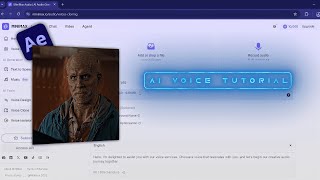

The Viral AI Voice Everyone Uses
45sStarts with a viral sound example that immediately hooks viewers, then promises a free tutorial.
▶ Play Clip"The title promises a tutorial, and it delivers, but the content is extremely thin—barely two minutes with minimal detail and a generic subscribe push."
This tutorial demonstrates how to create a viral AI voice for video edits using a free online tool. The process involves uploading a short audio clip, cloning the voice, and saving it for use in projects.
The video opens with examples of viral AI voices used in cinematic edits, such as for 'Avengers: Doomsday', and promises to show how to create one for free.
The creator directs viewers to a free AI audio tool, instructing them to log in and navigate to the 'voice clone' section.
The audio clip for cloning must be 10 to 15 seconds long and under 20 megabytes in size.
Users should remove background noise, accept the terms and conditions, and click the generate button to create the voice clone.
After generation, click confirm and save the voice to your account for future use.
The tutorial concludes by stating the viral AI voice is ready, and encourages viewers to like and subscribe.
What are the required specifications for the audio clip used in voice cloning?
The audio must be 10 to 15 seconds long and under 20 megabytes.
00:39
What steps are needed to generate a voice clone after uploading audio?
Remove background noise, accept the terms and conditions, and click the generate button.
00:52
Audio Requirements
Provides specific, actionable technical specs for the voice cloning process.
00:39Generation Steps
Outlines the exact steps to create a voice clone, making the tutorial reproducible.
00:52[00:03] Want to make this viral AI voices? >> Assume I'm going to marvel at how cinematic it is. Assume I'm going to marvel again for Avengers: Doomsday. >> Many editors are using this AI voice in
[00:18] Let me show you how you can make it, too. And don't worry, it's completely too. And don't worry, it's completely free. Audio and log in. Now, go to the voice clone section.
[00:39] your audio is 10 to 15 seconds long and under 20 megabytes.
[00:52] remove background noise, and accept the terms and conditions, and click the terms and conditions, and click the generate button.
[01:12] Then click confirm and save [music] your voice.
[02:02] >> And that's it. Your viral AI voice is ready. I hope this tutorial helped you. Don't forget to like this video and subscribe to the channel.
⚡ Saved you 0h 02m reading this? Transcribe any YouTube video for free — no signup needed.