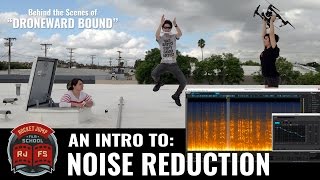

How to Clean Up Dialogue with iZotope RX
45sThe intro sets up a clear, practical tutorial that appeals to creators wanting to improve their audio post-production skills.
▶ Play Clip"Delivers exactly what the title promises—a clear, practical demo of face replacement (audio cleanup) with real examples."
This video is a practical guide to using iZotope RX, an industry-standard noise removal suite, to clean up dialogue in post-production. It covers the basics of the spectrogram, demonstrates how to remove common issues like hiss, hum, clicks, and reverb, and emphasizes the importance of getting good sound on set. The video uses real examples from a shoot to show what the software can and can't do.
Noise removal software has advanced significantly, allowing previously unusable audio to be cleaned up. Always strive for the best sound on set, but understanding what software can do helps in post-production and on set.
RX uses a spectrogram to visually display sound, making it easy to see noise. It has Photoshop-like tools to select and paint out problematic parts.
To remove background hiss, select a clean sample of the noise, have the software learn the noise profile, and apply the Denoise function. This works well for constant, hissy tones.
For a constant hum, use the special repair function, which references sounds above and below the hum to replace it. This effectively removes the hum.
RX has a de-click option that looks for sharp, sudden sounds like clicks from footsteps or crackles from lav mics, and reduces them.
Reverb can be reduced using D-Verb, which has sliders for different pitch ranges. Play the sound back and adjust until it sounds better.
Noise removal is a balancing act. Removing noise can affect dialogue quality, making it sound artificial. Remove enough to be clean, but not so much that it sounds processed.
For distortion, select the affected area and use Declip. Preview and try different options until it sounds natural and cleaner.
If you can hear a natural-sounding human voice in the recording, you can probably clean it up. If the quality is poor, you can only reduce the noise, not eliminate it.
In a real-world beach scene with constant wind noise, denoising and special repair can improve the sound, but it still won't sound great. In such cases, ADR is the recommended solution.
Noise removal software like iZotope RX is powerful, but it's a balancing act. Always aim for the best sound on set, and use these tools to clean up what you can—knowing when to do ADR is just as important.
Using a Spectrogram to Visualize Noise
Shows how visual inspection of audio makes noise removal intuitive and precise.
00:53Noise Removal is a Balancing Act
Highlights the core trade-off between clean sound and natural dialogue quality.
04:33The Rule of Thumb for Cleanability
Provides a practical heuristic for deciding whether a recording can be salvaged.
05:33When to Use ADR
Clarifies that some recordings are beyond repair and require re-recording.
07:52[00:00] Hey guys, I'm Clinton Jones, and today I'm going to show you how to dizzy replace someone's face. Hey guys, I'm Kevin, and this is some sound advice. In the last few years, noise removal software has made significant advances,
[00:14] and a lot of sound that previously would have been unusable can now actually be cleaned up. While you should always, of course, strive to get the best sound possible while on set, having a basic knowledge of what noise removal software can do will not only help you in post-production,
[00:27] It can also help you on set by understanding which problems can and can't be fixed later. Hey guys, here we are at a computer where I'm going to be using iZotope RX for Advance, which is an industry standard noise removal software suite.
[00:40] My goal here today is to help familiarize you with where the technology stands today, as opposed to the specific pros and cons and quirks of any particular program. So RX lets you visually examine the sound files through what's called a spectrogram.
[00:53] This is really useful because it lets you visually see the noise in your sound waveform, and it also has some Photoshop-like tools that actually help you select and paint out problematic parts of the sound.
[01:05] So you can see here on the spectrogram, this is Lauren's line of dialogue. This stuff here is Lauren talking, and all this stuff here and here, that's noise. That's the background hiss that we want to get rid of.
[01:17] So what I'm going to do is I'm going to actually select a little loopable part of the noise that we want to get rid of, and I'm going to go to the Denoise function, which iZotope has here on the side, and you can tell it to learn the noise profile,
[01:29] which means it's going to get an idea of what that sound is, and then it's going to try to cancel it. And so see now, if I apply that, that's looking cleaner. Now if we hear that same clip back, there's less noise under her talking.
[01:41] Ash, what did you do? Ash, what did you do? We were able to get rid of almost all that singing noise, because like we said before, it's a pretty constant, hissy tone, so it's pretty easy to remove. Here's an example of a hum. That was one. Basically everything I said, you'd laugh.
[01:55] We shot Asher in front of this power station, which lets off this nasty electronic buzzing sound the whole time. And if you see here in the spectrogram these lines going through it are actually that hum If I play it back you be able to hear it Ah Ah That was fun Basically everything I said to you is right
[02:14] So we're going to try to get rid of this in two steps. We're going to denoise it, but then we're also going to focus on that hum and try to eliminate that as well. So as before, I'm going to have the program learn the noise profile where I'm picking an empty part of the sound as it were with just the bad noise,
[02:27] and then I'm going to tell it to get rid of it. Ah! Ah! That was fun. Basically everything I said to you is left. And I did. If you'll notice here, pretty much all the noise is gone.
[02:39] It looks really clean, I can see it as a dialogue, but we still have these lines going across, which means the hum is probably still in there. So what I'm going to do is select that specific hum area and use the special repair function.
[02:51] And you can tell it to reference the sounds above it and below it vertically for stuff to replace it with. And if I run that on it, it actually really gets rid of it. You can still see some lines here, but they're really dark, which means that's an absence of noise.
[03:03] So that means it's actually pretty clean now. Oh, oh, I was wrong. Basically everything I said is wrong. I think it's heading west to the beach, maybe? Looking at Ashton's dialogue here, we can actually see that footstep, that loud sort of pop that we're getting.
[03:19] And it's this vertical spike right here. So what we can do is we can actually focus on that and try to remove it. RX has a de-click option which will look for sharp, sudden sounds like clicks from loud
[03:33] footsteps or even crackles from a lavatory microphone and you can tell it to try to reduce those. So let's see if it works. Can I get that in one? Can I get that in one? Great. Oh my gosh, I can't see anything. So we're just shot here. Ash is running around inside a really reverberant space and that means there's a bunch of echo.
[03:45] I think we're drywall. I'm running super tight. Having a little bit of echo is okay, but if it becomes distracting, you may want to try to get it back in. I'm going to try to get it back in. I'm going to try to get it back in. I'm going to try to get it back in. I'm going to try to get it back in. Having a little bit of echo is okay, but if it becomes distracting, you may want to try to eliminate some of it.
[03:59] A few years ago, this was basically considered impossible, but programs like RX now have D-Verb options. And, uh, they work okay. The way RX handles it is their D function has a bunch of different sliders basically representing different pitch ranges So the idea is you want to play the sound back and then start messing with the knobs
[04:20] until it sounds better. I can't see anything. I can't play drywall. I'm going to supertime. I can't see anything. I can't play drywall. I'm going to supertime. Noise removal is a balancing act.
[04:33] It's best to think of it as a bit of a trade-off. Whenever you take out noise, you also run the risk of affecting the quality of your dialogue. You want to remove enough noise so your dialogue is clean and easy to understand, but not remove so much that the dialogue starts sounding artificial and processed.
[04:48] Here's Joey yelling. You'll notice he clicks a little bit. Why have you forsaken your loyal son? So we can see here in the spectrogram, there's a little bit of a vertical spike going all the way up to the top,
[05:03] right through that syllable. That's the distortion we're hearing. So what we can do is we can select that area, go to Declip, and try to remove it. So the idea with this, like any other part of noise removal, is you just want to preview it.
[05:18] Why have you fors... And then just try out different options until you find something that sounds natural and cleaner. Why have you forsaken... Why have you forsaken your loyal son? If you feel like you can hear a decent, natural-sounding human voice in the recording,
[05:33] it's possible you might be able to clean it up. But if the sound quality is poor to begin with, you can only... You're f***ed. Where the hell's my drone? Because Mac gets so loud here, I can reduce some of that nasty, hissy, crackly distortion,
[05:48] but it's going to start eating away at his voice as well, because there's just not that much information to work with. There's this big blob of noise, and that's about all I've got. So it's going to be a bit of a trade-off. Where the hell's my drone?
[06:00] There's no strict guideline on how to do it right. You just kind of do it by ear. Where the hell's my groove?! So you might have noticed a theme with this video we put together, and yeah, I tried to pick as many noisy locations as possible,
[06:12] so we ended on a beach, because beaches are the classic bad noise situation. So let hear what we got this is the production audio from the start of the beach scene Oh You actually made it Here we go talking to anyone No we just excited We just keeping up with everything we wouldn have gotten otherwise
[06:32] That's perfect, we're done here. So if you look at it here in the spectrogram, you've noticed on some of these other clips, you usually like to see clear bright colors from dialogue and muted dark colors from the background noise. In this case, because we have a constant wall of noise, there's just this nice, big, fat smear of sound across the whole thing.
[06:50] That's our noise. And a lot of these spikes is a mix between our dialogue and the wind hitting the microphone. So I'm going to start by denoising this scene like we've done before, where I'm going to try to identify some of this background noise that's all over the place and reduce it.
[07:06] So that actually worked pretty well. We have some clearly defined areas with dialogue, but I'll bet you it doesn't sound that good. That sounds better, but there's still a lot of rumble going on, and that's from the wind.
[07:23] So let's see where that's coming from. If you look here along the bottom, this really bright highlight, that's the wind that's giving us that low bassy rumble. So I'm going to highlight that low frequency rumble we're getting, and I'm going to use the special repair again to try to get rid of it.
[07:39] Let's see what we got. Oh no! You were actually right! So you'll notice this does sound a lot better. It obviously sounds a lot better than I would have thought it would sound. But it still doesn't sound great.
[07:52] And that's because the original recording for the shot just wasn't actually to begin with. So in a situation like this, you would normally want to do ADR, which we did. Oh hey! You were actually right! Oh no! You were actually right!
[08:05] Oh hey! You were actually right! Hannah! Thanks for watching guys, I hope this video helps introduce you to the basic concept of knowledge removal software and what it can and what it can't do for you and your movie.
[08:28] Heaven! Perfect!


⚡ Saved you 0h 08m reading this? Transcribe any YouTube video for free — no signup needed.