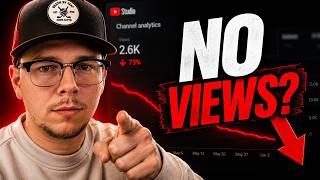

Why Your Beat Channel Isn't Growing
45sDirectly addresses a common frustration, promising a solution that challenges the viewer's assumptions.
▶ Play Clip"Title promises to fix failing beats via YouTube metrics, and the video delivers actionable analytics advice."
This video explains why type beat channels may not be growing despite consistent uploads, focusing on YouTube analytics and optimization. The creator shares strategies for setting up upload defaults, interpreting key metrics like click-through rate and average view duration, and improving intros and thumbnails to boost channel performance.
Set up upload defaults in YouTube Studio to create a template for title, description, tags, and advanced settings. This avoids rewriting the same information for each beat upload.
Impressions click-through rate (CTR) measures how often people click on your video when it's shown. A higher CTR signals YouTube that the video is interesting, leading to more impressions. Aim for above 6%.
Average view duration (AVD) indicates how long viewers watch. For type beats, aim for at least 1 minute 30 seconds. If AVD is under 30 seconds, the intro is likely too long or boring.
A video's performance heavily depends on the niche's demand. Posting in a high-demand niche can lead to algorithm push even with average analytics.
Add a short intro (6 seconds or 8-16 bars) to hook viewers. Avoid long intros; get to the drums quickly to keep listeners engaged.
Follow the niche's thumbnail and title conventions to meet viewer expectations. Small tweaks can help stand out, but avoid clutter, producer logos, or explicit banners.
Mastering YouTube analytics—especially click-through rate and average view duration—and optimizing uploads and intros can significantly improve a type beat channel's growth. Choosing a high-demand niche is also crucial for algorithmic success.
What is the recommended minimum impressions click-through rate for type beat videos?
Above 6%.
08:01
What average view duration should type beat producers aim for?
At least 1 minute 30 seconds.
05:48
What is the maximum recommended intro length in bars for a type beat?
16 bars at absolute max; 8 bars is better.
11:48
What should you avoid putting on thumbnails for type beats?
Avoid clutter, producer logos, and explicit banners.
14:13
What is the main factor that determines whether a type beat video gets pushed by the algorithm?
The demand of the niche at the time of posting.
08:35
Impressions Click-Through Rate Matters
Explains how CTR signals YouTube to push videos, a key controllable metric.
02:42Average View Duration as Engagement Metric
Emphasizes AVD over raw watch time for type beats, with actionable targets.
05:25Niche Demand Drives Algorithmic Success
Highlights that niche selection can outweigh individual video analytics.
08:35Short Intros Boost Retention
Provides concrete intro length recommendations to improve AVD.
09:41Thumbnail Conventions for Type Beats
Advises following niche norms to maintain viewer trust and CTR.
12:46[00:00] If you've been uploading beats
[00:01] consistently to YouTube and your
[00:03] channel's not growing, it's probably not
[00:04] your beats. It's because of how you're
[00:06] using YouTube. Most producers don't
[00:08] understand the analytics, what the
[00:09] numbers mean, which numbers are
[00:11] important, and they're rewriting the
[00:14] same descriptions and tags every time.
[00:16] In this video, I'm going to show you how
[00:18] to master YouTube specifically for type
[00:20] B channels. Everything from setting up
[00:21] your uploads the right way to reading
[00:23] your analytics like a blueprint for
[00:24] growth. And if you haven't watched my
[00:26] previous video about picking the right
[00:28] niche for you, make sure you check that
[00:29] out next because everything builds upon
[00:30] that. Let's start with upload defaults.
[00:33] All right, so the first thing I want to
[00:34] talk about isn't something that's going
[00:36] to make or break your channel, but it is
[00:38] something that will save you a ton of
[00:39] time, and I'm all about saving time
[00:42] taking away stuff that we don't need to
[00:44] be wasting time on. So you can spend
[00:46] more time on the stuff that actually
[00:47] matters. So from anywhere in YouTube
[00:49] Studio, there's a settings button down
[00:51] here. We click that. We can go to upload
[00:54] defaults and this will allow you to set
[00:56] a template basically for your title,
[00:59] description, your tags, um, and any
[01:02] advanced settings. And so, as you can
[01:04] see, for this channel, I have set it up
[01:06] as free keylog x young type beat 2026.
[01:10] And then I have a spot here where I'll
[01:11] put my title between the quotations.
[01:13] Down here, I have a spot to put my beat
[01:16] stars link. I have my contact
[01:18] information. And then again, I just have
[01:20] the beat name right here. I'll add the
[01:23] BPM and the key in those slots. And that
[01:26] saves me a ton of time. I don't have to
[01:28] come back every time and write all this
[01:30] out or copy and paste it from another
[01:33] document, you know, find wherever that's
[01:34] at. It's already here in YouTube. I
[01:36] bring in my video. It has all the
[01:38] information. I just got to fill in those
[01:39] little things that change with each
[01:41] individual beat and it's good to go.
[01:44] Same thing with tags here. Now, tags
[01:47] aren't super important. Um,
[01:50] they do help a little bit with SEO, but
[01:53] YouTube has said that they don't really
[01:54] impact how many impressions you get by a
[01:57] whole lot. But, you know, they're there.
[02:00] Might as well use them. So, fill those
[02:02] up with all your relevant tags. And
[02:04] that's another thing that you don't have
[02:05] to redo every single time on your type
[02:08] channel. You should be posting the same
[02:09] types of beats every time. So, there's
[02:10] not a whole lot that needs to change
[02:12] here. And then there's some other things
[02:14] you can set here. There's no really
[02:15] reason to mess with language because
[02:18] you're just posting beats.
[02:20] So, leave comments on moderation to your
[02:24] liking, but you can save those settings
[02:26] and it's going to save you a ton of
[02:28] time.
[02:29] All right, but now let's get into the
[02:30] meat and potatoes of this. We're going
[02:31] to dive into the analytics and see how
[02:35] we can use them to help us make the best
[02:39] um moves for our channel.
[02:42] Okay, so looking at this beat here, this
[02:44] is one that performed pretty well. Uh,
[02:47] it's got 9.3,000 views right now, 283
[02:50] hours of watch time, and gained this
[02:52] channel 60 subscribers. Okay, so
[02:57] there's a lot of stuff to look at inside
[03:00] of YouTube Studio and it can be very
[03:03] overwhelming. So, I'm just going to
[03:05] point you in the direction of the things
[03:06] that I think are the most important that
[03:09] we can actually control. Can we control
[03:13] how many views a video gets? No. Can we
[03:17] control how many impressions the video
[03:19] gets? Not exactly.
[03:22] But we can do things to help drive these
[03:24] numbers up. Okay, so this first tab,
[03:27] it's cool to look at. Um, for me
[03:30] personally, if I have a video that
[03:32] brings in subscribers, that's a success
[03:35] to me. So, this video brought in 60
[03:38] subscribers, this video is a winner in
[03:41] my book. How you define success may be
[03:44] different, but I would call this one a
[03:46] winner. Okay, let's look at reach.
[03:48] 75,000 impressions. That's a pretty good
[03:50] number, but there's no way we can really
[03:54] force YouTube to give us impressions.
[03:57] The way we get impressions is by proving
[03:59] that our video is something worth
[04:01] viewing. And how do we do that? Well,
[04:04] there's two metrics that we really want
[04:06] to pay attention to that we actually can
[04:09] control. And this first one is
[04:10] impressions click-through rate. So, this
[04:14] is the percent of times that your video
[04:16] is selected whenever it is shown to
[04:18] anybody. So, if your video pops up on
[04:20] the homepage, that's an impression. In
[04:23] search, that's another impression.
[04:25] increen elements could be in the side
[04:27] pane. It could be below the videos.
[04:29] Wherever it shows it to someone, if
[04:30] someone clicks on that, then it goes
[04:33] towards your click-through rate. And on
[04:36] the other hand, if they don't click it,
[04:38] it's bringing down your click-through
[04:39] rate. So the higher this number is, that
[04:41] means more people are deciding to
[04:45] actually click and view our video. Okay?
[04:48] So, if we get a high percentage of
[04:50] people that are clicking the video,
[04:52] that's going to signal to YouTube that
[04:53] this video is something that interests
[04:56] the viewers and it's probably going to
[04:57] get pushed out more. So, getting 8% of
[05:01] 75,000 viewers is a lot better than
[05:04] getting three or 4% of those 75,000
[05:07] impressions.
[05:09] So, that's the first metric that really
[05:11] matters.
[05:12] views is just a
[05:15] you know compilation of the impressions
[05:17] and the click-through rate. You have to
[05:19] get the impressions for people to click
[05:21] and then those people turn into views.
[05:25] The next thing is engagement. Okay,
[05:27] watchtime hours. This is super important
[05:31] for the channel. Um
[05:34] but that's not the really the metric you
[05:36] want to pay attention to is this average
[05:38] view duration.
[05:40] So, on average, people are watching this
[05:42] beat for a minute and 49 seconds, which
[05:44] is really good for a tight beat. Um, I
[05:48] try to shoot for a minute 30. Depending
[05:51] on how long your beats are, depending on
[05:53] the niche, your number may be higher or
[05:56] lower. I wouldn't be super concerned
[05:59] unless your average view duration is
[06:01] like under 30 seconds. Um,
[06:05] I' I've had videos under a minute. I'll
[06:07] show you some in a second. under a
[06:09] minute, that still did really well. Um,
[06:11] but if you're under that 30 second mark,
[06:13] there's definitely a problem with your
[06:15] intro. Maybe you have a long, boring
[06:18] intro to your beat. Need to cut that off
[06:21] um so that you can do better.
[06:24] Even more important, this time metric
[06:26] here, well, I think it changes. The
[06:28] algorithm is always changing. Sometimes
[06:31] I think this average percentage viewed
[06:34] is more important. So, they're watching
[06:36] over half of the video. That's a really
[06:39] good sign to YouTube as well. Um, and
[06:42] then sometimes it really just comes down
[06:43] to how much they're viewing the video.
[06:47] So, the longer the video is, obviously
[06:50] there's more potential for a higher
[06:52] average view duration, but say it's an
[06:56] hourong video and they watched 5
[06:58] minutes. That's a much lower percentage
[07:00] than if they watched two minutes of the
[07:03] three minute beat or two minutes of the
[07:05] four minute beat. Right? So
[07:09] there's some sort of balance there. You
[07:11] know, it's a very complex algorithm.
[07:13] Takes a lot of factors into play to
[07:15] decide if it's going to push the video
[07:16] or not. Um so we can't get it nailed
[07:20] down 100%. But these are things we can
[07:22] look to to help us move the channel
[07:25] forward. Let's look at a couple other
[07:27] examples real quick. So, this video
[07:29] right here is my best performing type
[07:32] beat video of all time. It's got
[07:33] 72.5,000 views, brought in 377
[07:36] subscribers. Um, you see it's got over
[07:40] 800,000 impressions. Clickthrough rate
[07:42] is 6.4. That's pretty good. Um, it's
[07:45] lower than that other video, but with
[07:48] the amount of impressions it's got, that
[07:50] number is naturally going to go down. A
[07:52] lot of times, my videos will start at 20
[07:54] to 30% click-through rate. But after a
[07:56] few days it drops down to that 6% to 10%
[08:01] mark. Um so anywhere above 6% is pretty
[08:06] decent. Um in my experience engagement
[08:10] only an average view duration of 54
[08:13] seconds 31.9% of the video. So like I
[08:16] said it's not as long as the other one.
[08:19] So in that sense it's not doing as good
[08:21] but it didn't matter. Right.
[08:24] This video has gotten way more views,
[08:28] way more watch time, and it's just
[08:32] because it got pushed by the algorithm.
[08:35] So, what's the difference maker between
[08:37] these two?
[08:39] Well, it really probably comes down to
[08:41] the niche and how many people were
[08:43] looking for this type of beat at the
[08:45] time it was posted. So, this one
[08:47] happened to be posted at a really good
[08:48] time for this niche. it got swept into
[08:51] the algorithm and it got pushed out like
[08:53] crazy and as a result it got a lot of
[08:57] views for my channel. The other dem uh
[09:01] niche wasn't as high in demand so it
[09:02] didn't get as much.
[09:05] So that's something you know again going
[09:07] back to picking the right niche is going
[09:09] to be a huge difference maker. You can
[09:12] make any niche work as long as there is
[09:14] some demand for it. But if there's a
[09:16] high demand, you're going to be able to
[09:18] achieve a lot more with a lot lower
[09:21] looking analytics. So, that was a pretty
[09:24] quick look into YouTube analytics. And
[09:26] you probably have some questions, so
[09:27] make sure you drop them in the comments.
[09:28] But let's talk about how we can use
[09:31] those numbers to guide us. Okay. If we
[09:34] need to get more average view duration,
[09:37] if we need to move that number up, how
[09:39] can we do that?
[09:41] Well, one of the ways is by adding some
[09:44] sort of intro to your beats.
[09:48] Sometimes it's good to just drop the
[09:50] beat right away. And if you have a beat
[09:54] that hits really hard
[09:56] and is going to have an infectious
[09:58] bounce, you can do that, but sometimes
[10:00] you'll need to kind of finesse the
[10:02] intro. There's a couple different ways
[10:04] you can do that. You can create a kind
[10:07] of a branded intro type deal.
[10:11] I've seen this done on several channels
[10:13] that are doing very well. I do it myself
[10:16] on my Memphis channel. Um, and I would
[10:19] say to stick to something that's like 6
[10:21] seconds long. Mine, it's got a like line
[10:25] made out of fire running out and then it
[10:28] splashes and burns up and it has my
[10:30] French Empire Beats logo.
[10:32] You could have, you know, something like
[10:34] that. Just something with your logo
[10:36] comes in real quick, adds a few seconds.
[10:39] It's not going to be so long that drives
[10:42] the viewer away cuz I've seen people
[10:44] that have like 30 second ones or close
[10:46] to like 20 second ones. Much too long.
[10:49] You don't want to do that. You could
[10:50] have a like movie quote intro where like
[10:54] you got your just instrumental playing,
[10:56] maybe no drums yet, and a movie quotes
[10:58] going like a monologue type deal.
[11:01] There's different, you know, hacks you
[11:03] can go about it like that.
[11:05] But
[11:07] the thing about doing that is if your
[11:09] beat doesn't deliver after that intro,
[11:13] they're going to be gone and they're
[11:14] going to be mad they sat through that
[11:15] intro and they're probably not going to
[11:17] click another one of your videos again.
[11:19] So unless you're sure your beats are,
[11:22] you know, up to par, probably stick away
[11:25] from doing that. The other thing you
[11:27] don't want to do is make a super long
[11:30] boring intro. Like if you have a basic
[11:33] melody playing for a long time, 30
[11:36] seconds, it's too long. No one wants to
[11:39] sit through that. They're gonna click
[11:41] off.
[11:44] A good intro length I have found, and
[11:47] I've said this in my other videos, is I
[11:48] say like eight bars, 16 bars at absolute
[11:52] max. If you're in like trap BPMs, like
[11:55] 140 and above, 16 bars would be okay.
[11:58] But really, eight bars would be better.
[12:02] You don't want it to be super long
[12:04] because they'll lose interest, leave the
[12:06] video. Especially if the melody is not
[12:09] like super cool or interesting,
[12:13] they're going to dip out a lot faster.
[12:15] If you have a super interesting melody,
[12:18] maybe a really cool buildup, you can
[12:20] squeeze some more time out of that. But
[12:22] otherwise, we want to get to those drums
[12:24] quick so that the viewer, the listener
[12:28] hears what they're looking for. For me,
[12:30] the drums are like the highlight of the
[12:32] whole thing most of the time. So, I want
[12:35] those drums to get in as quick as
[12:38] possible so that the listener can really
[12:41] get into the groove.
[12:46] The other big one was our click-through
[12:49] rate. Now, click-through rate is
[12:51] something that can be
[12:54] a little difficult to gauge um or really
[12:58] make good improvements on. And the
[13:02] reason I say that is because every type
[13:04] beat niche has a general
[13:07] format that it follows. you'll see all
[13:10] the people that are doing the type beat
[13:12] of that niche doing the same exact type
[13:14] of thumbnails, same exact type of
[13:17] titling um with very few variations.
[13:20] And there's a reason for that because
[13:22] the people who are looking for those
[13:25] type beats are conditioned to see that
[13:27] and know that that's going to lead to
[13:30] what they're looking for. If you step
[13:33] away from that,
[13:35] there's a potential that you could be a
[13:38] standout,
[13:40] right? You could draw more viewers. You
[13:43] could be more unique in that case. You
[13:45] know, maybe get more viewers than you
[13:48] would otherwise. But the alternative is
[13:50] they see your thumbnail and they're
[13:52] like, "That's not the type of beat I'm
[13:54] looking for. It doesn't look like all
[13:56] the other ones that I've been looking
[13:57] at." So, you can do some experimentation
[14:00] there, but generally the best thing is
[14:03] to follow what the niche is doing. Um,
[14:08] you might try little tiny things to make
[14:10] it pop out. Things you don't want to do
[14:13] is put a whole bunch of text on there.
[14:16] Putting your like producer logo on there
[14:18] is usually not a good idea. Avoid
[14:21] anything that is like the explicit
[14:23] banner type thing or I don't know if
[14:25] banner sticker whatever you want to call
[14:27] that. Um those are things that will kind
[14:31] of drive down your impressions on
[14:33] YouTube. So just avoid those. Hopefully
[14:36] this was helpful. Um there is so much to
[14:39] look at inside analytics. So if you have
[14:41] any questions, please feel free to ask.
[14:42] I've spent probably hundreds of hours at
[14:45] this point studying YouTube um not only
[14:48] for type beats but for regular content
[14:51] as well. So let me know and I'll answer
[14:54] them to the best of my ability and uh
[14:56] point you in the right direction. Till
[14:58] next time. Peace.
⚡ Saved you 0h 15m reading this? Transcribe any YouTube video for free — no signup needed.