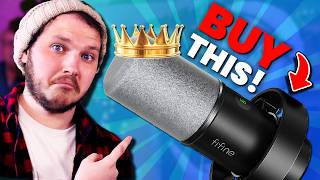

The $100 Mic That Beats $200 Mics
38sChallenges popular expensive microphone recommendations with a budget alternative, sparking debate and curiosity.
▶ Play Clip"Delivers on the promise of budget gear recommendations with genuine testing, though the anti-influencer rant is a bit repetitive."
This video debunks the myth that expensive streaming gear is necessary for quality, offering budget-friendly alternatives for microphones, webcams, lighting, mic arms, and mixers. The creator emphasizes that he personally bought and tested every recommended product, with no sponsorships, and critiques overpriced, heavily marketed items like the Elgato Wave 3 and Key Light.
The creator argues that expensive streaming gear is not required for competitive quality, and that influencers often promote overpriced products for commission.
The Samson Q2U is a cardioid dynamic microphone that rejects background noise, costs around $100 AUD / $80 USD, and offers both USB and XLR connectivity for future upgrades.
Camera quality is directly tied to lighting; even a $3,000 camera looks bad without proper lighting. A budget webcam like the Logitech C922 Pro ($100) is sufficient when paired with good lights.
Lights should produce 2000-2500 lumens, have a CRI of at least 95, and be bi-color (2900K-7000K) for adjustable white balance. Recommended Neewer lights: GL25D ($125), GL1 Pro ($150-160), GL1C ($150-200).
The Elgato Key Light costs over $300, lacks RGB and presets, and has Wi-Fi-only control, leading to frequent factory resets. Neewer lights offer more features at a lower price.
Avoid cheapest mic arms; recommended Stronmax S6 and Neewer Low Profile (~$100). For XLR setups, the Roland BridgeCast mixer offers physical controls, audio splitting, and sub-mixing; the BridgeCast X ($800) adds a capture card.
Investing in lighting and a versatile budget microphone yields better results than spending on expensive, brand-name gear. Prioritize functionality and reliability over marketing hype.
Samson Q2U
tool
Logitech C922 Pro
tool
Neewer GL25D
tool
Neewer GL1 Pro
tool
Neewer GL1C
tool
Stronmax S6 Low Profile
tool
Neewer Low Profile
tool
Roland BridgeCast
tool
Roland BridgeCast X
tool
Elgato Wave 3
tool
Blue Yeti Snowball
tool
Elgato Facecam Mark II
tool
Razer Kio Pro
tool
Elgato Key Light
tool
Expensive Gear Myth Debunked
Challenges the common belief that expensive gear is necessary for streaming quality.
Samson Q2U as Best Budget Mic
Provides a specific, affordable alternative to overpriced condenser mics.
01:02Lighting Over Camera
Emphasizes that lighting is the primary factor in camera quality, not the camera itself.
03:38Elgato Key Light Flaws
Exposes reliability issues and high cost of a popular product, offering better alternatives.
07:03[00:00] Streamer gear is expensive and there's a lot you need to buy just to be competitive and actually have a chance of growing. Except that's a lie. Specifically a lie told by influencers being paid to promote expensive and often badly named products
[00:12] that will break or not do the job properly. Meaning you need to spend even more of your hard-earned money replacing crap just to have decent quality. So today I am going to break down the best budget microphone, webcam, lighting, mixes, mic arms
[00:25] and while I'm at it, I'm going to point out why gear you'll often recommend is genuinely trash. If you're looking for a specific piece of gear, there are time codes in the description, as well as links directly to my kitco, which lists every piece of gear I've reviewed on this channel,
[00:38] in this video, and more. And I want to make this very clear right now. Every piece of gear I show you today, I have used extensively, either when I started out as a content creator, or still to this day use.
[00:50] But most importantly, none of today's gear is paid for, sponsored, or has been asked to be included in this list. I bought everything I'm going to show you today by myself using the support of the $1 channel membership below the video,
[01:02] so if you also want to support the channel, then consider checking that out. Let's not keep the best for last like a click-hungry cloud goblin. Those guys suck. The best microphone you need is the Samson Q2U.
[01:15] Yes, this isn't the prettiest microphone. Yes, it looks like something a caveman uses at his dinner, but do you want something where there's satisfied quality or aesthetics and costs your left nut? Or something that will sound amazing?
[01:27] Hey, I had like a 10-minute long segment here where I go through and test this microphone in a bunch of different circumstances, like with keyboards and someone yelling behind me and stuff. And then I realized I already made that video like a year ago, so I'm just going to link that in the description and you can go watch that.
[01:39] No, not right away. Wait till the end of the video. For Samsung QQU is a cardioid dynamic microphone, this means its forward-facing polar pattern helps reject sound from the background and the sides, aka your clitchy classy gamer keyboard.
[01:52] But the dynamic aspect means it's also less sensitive and better at rejecting all background noise, especially compared to its condenser brothers like the Elgato Wave 3 or the Blue Yeti Snowball, two of the most heavily recommended and purchased microphones on Amazon, and both cost near $200 Australian dollars. That's my currency.
[02:11] That is an insane price for a microphone with major flaws for streamers specifically and will need to be replaced eventually. The downside to a microphone like the Q2U, which isn't really a downside, is you do need to be closer to the mic or better at projecting your voice because it's a dynamic
[02:26] mic. Likely though, you won't notice this if you set it up correctly using one of the guides I link in the description below Now the Q2U is an XLR and USB microphone This is fantastic because you can start out as a USB and if you want to upgrade to an XLR audio setup later which I
[02:41] will be recommending some XLR setups later in the video, then you won't need to replace the microphone as well. Which of course if you bought a condenser USB mic for $200 you would then also need to replace that if you want to go to an XLR setup. Which is great because gear is expensive and that
[02:55] that brings me to the price of the Samsung Q2U. $100, again, Australian currency, something which I'll always include first because of this comment by an American. But fine, I will be nice and take
[03:07] your feedback on board. I will also tell you that it costs around 75 euro. I'm just kidding, it's also around 80 USD, but depending on where you're shopping, it'll change in price. Either way, it's a fantastic budget mic. Moving forward, let's talk about webcams. Now, these are tricky because
[03:21] every brand will promote their webcam as if you're going to plug it in and have it instantly look beautiful. They'll say, you need the new face of full HD, ultra smooth HDR video, and control of a DSLR camera, which really is a fancy way of saying it does anything unless you change the exposure,
[03:38] which most webcams have and do. But what they conveniently leave out is camera quality is directly related to how good your lighting is. If you spend $200 on the Elgato Facecam Mark II,
[03:50] plugged it in, turned it on, you'd probably look like shit. Hell, if you spent $3,000 on a mirrorless camera setup and turned it on, you'd look like shit. Because you probably don't have the lighting setup for the shot. This means you can absolutely buy a webcam like the Logitech C922 Pro for around $100 reduce, like I did.
[04:08] You'll still get 1080p video, you'll get enough control to make the image look great, and you'll have the extra $100 to put towards the lights. Now, I will be nice and say the Facecam Mark II, the Razer Kio Pro, and all these webcams you keep getting recommended so often aren't bad per se.
[04:23] They're just more expensive, and remember, if influencers recommend expensive products, they do earn more money when you buy them over budget options. It's just more gross cloud goblin behavior. Why do varieties need that amount?
[04:36] What the hell? Did you... Did you guys hear something? Anyway, that webcam price is a major factor because, again, you need to buy life. So, let's cover those. When we're talking lighting, usually you want three things.
[04:48] First, a lighting to produce minimum 2000 to 2500 lumens. This is referring to the brightness the light can output, essentially. If your lights can't produce enough light, you'll need to compensate by digitally brightening
[05:00] the image, which lowers the image quality. Next you want a solid CRI of at least 95 and finally you usually want it to be fly color so it can shift between 2900 Kelvin and 7000 Kelvin aka that allows you to naturally adjust your white balance to help you stop looking purple green like the current president of the United States China
[05:18] Now, I'm going to recommend three lights today. They're all by a brand called Neewer, and no, I don't mean these little USB lights, as they're too weak and aren't real bi-color. Please don't waste your money on these. Yes, they're cheap, but you'll have to upgrade them later.
[05:32] So, first, the Neewer GL25D. These are the cheapest option today, coming in at $125 reduced, roughly. Important note, that price means it comes with the desk mount stand, like all of the lights today.
[05:44] Also, like all of the lights recommended today, they can be controlled via the back of the light, via a remote, or 2.5 gigahertz Wi-Fi, and even smartphone or newer PC apps. That flexibility is something that's very important, which I will cover and explain why in just a second.
[05:58] Next up, slightly more expensive, is the newer GL1 Pro, at around $150 to $160 reduced. This really does everything the GL25B does, except it also works with a stream deck if you want that functionality.
[06:10] And I will admit, I do like that functionality when I am streaming. And now onto the final light, the newer GL1C. These are the lights that I specifically use, and the reason I've not lifted all these lights up is because I'm actually using these lights now.
[06:22] I got mine for around $150 to $180, but the price does range from that all the way up to $200. These do everything the previous two lights I recommended do, but also have full RGB so
[06:35] it can do full color lighting. And it also comes with built in presets like police sirens which can be cool for stream effects. Now I know these different lighting options might seem expensive, especially if you want to buy two which most professional lighting guys will tell you to do.
[06:49] But I want to remind you of two things. First, your entire camera quality rests on top of lighting, and second, we need to compare with the most heavily recommended light on the market, this is the Elgato Q-Light. It does produce enough light, as I talked about earlier.
[07:03] It also has good CRI, and it is bi-color. So what's the problem? Well, it comes in at over $300 a do. What? These are more expensive than my GL1Cs, but do less.
[07:16] They don't have built-in effects or presets. They're not RGB. So why are they so expensive? Well, I'll get to that in a second, but essentially you could buy two GL25Bs or two GL1 Pros for the price of a single Elgato
[07:29] key light and have the same functionality except I'm lying. That's not true at all because the newer lights that I recommended actually work. Elgato key lights can only be controlled via Wi Again if you have any issues with your Wi these key lights just can be used There nothing on the back there no remotes that come with them there no way to control them
[07:51] In fact, if you spend even a few minutes googling about these lights, you'll find tens of thousands of people complaining about how these lights constantly need to be factory reset because they just stop working.
[08:03] People have taken to literally taking these things apart just to get them to work. And what was Elgato's response? to release a $35 USD remote that you can buy separately.
[08:15] What? I swear the only people still recommending these lights must be paid to do it. Or, again, disgusting little cloud goblins. What the fuck is this? What?
[08:28] That was weird. Moving on, I did make one more promise at the start of the video, and that was about mic arms and mixes. Straight out of the gate, mic arms are fairly straightforward. You simply don't want to buy the cheapest option out there, as this is the thing that will support your microphone.
[08:42] And if it breaks, well, you aren't just replacing a broken mic arm, but potentially a broken microphone as well. The two mic arms I've used and loved are the Stronmax S6 Low Profile, which I'm using right now, and the Neewer Low Profile as well.
[08:56] Both are around $100 dudes, and neither have ever sagged or had any issues with weight, and I personally have had bad experiences in the past with microphone arms or tripod cameras breaking when I bought the really cheap option. so I like to find a middle ground like the Tronax S6.
[09:10] And finally, as for a mixer, if you want to upgrade to an XLR audio setup, I love and recommend the BridgeCast by Roland. Now, I can't list it up because I'm literally using mine right now, but I've got a bunch of overlay you can see. This device is beautiful. It has full physical audio controls via these knobs.
[09:24] It allows you to split audio sources so your recordings don't have music in them or so your voice and game are split to make editing easier in post. It has sub-mixing, a.k.a. it has two channels, one for stream and one for yourself. So if you want your stream to hear music but you need to concentrate on the game, you can turn up the music for your viewers and turn it down for you while turning the game up for you.
[09:44] This of course works for any source as well, that's just one of the clearest examples I can give you. I will say the BridgeCard I actually use now is the BridgeCard X, which is by no means a budget device, it's around $800, but it has a capture card and a touchpad built into it,
[09:57] so I'm able to capture my Switch and have full physical audio control of my Switch, which is not something that is common and is kind of just amazing. If you want to see a deep dive into the Brick Shards, then click right here. Or if you want to see the Samson QTU review I did and a little bit of audio testing, click right here.
[10:12] And remember, if you want to support me, then you can join the channel for $1 down below. Every new member is a Closet Goblin. I'll kiss. Yep, I said it.
⚡ Saved you 0h 10m reading this? Transcribe any YouTube video for free — no signup needed.