
Convert PDF to Images in Browser Instantly
43sShows a practical, no-install solution that immediately grabs attention of anyone needing PDF conversion.
▶ Play Clip"Title promises 'Build' but only shows a demo with no build instructions; it's a sales pitch for the source code."
This video demonstrates a web application built with HTML, CSS, and JavaScript that converts PDF documents into PNG or JPG images directly in the browser using Mozilla's PDF.js library. The app processes each page, allows individual or bulk downloads, and offers quality and scale control.
The web app converts PDF pages to images (PNG or JPG) and is deployed on the creator's website.
Users select a PDF file, choose output format (PNG or JPG), and control image quality via a slider.
A slider allows users to adjust the scale factor of the output images.
Each page displays a download button for individual image export.
The source code (index.html, ~500 lines) is available for purchase via Google Drive.
The app runs from a single HTML file on localhost via VS Code.
It's a single-page application that runs entirely in the browser, making it fast and easy to deploy.
The app uses the open-source Mozilla PDF.js library for PDF rendering in the browser.
A single button downloads all pages as images at once.
The video showcases a fully functional browser-based PDF-to-image converter with both individual and bulk download options, leveraging PDF.js for client-side processing.
What library is used for PDF rendering in this project?
Mozilla PDF.js
02:26
What output formats are supported for the images?
PNG and JPG
00:17
How many lines of code is the index.html file?
Approximately 500 lines
01:43
Does the application require server-side processing?
No, it runs entirely in the browser.
02:11
No Server-Side Processing
Emphasizes the speed and simplicity of a client-only solution.
02:11Mozilla PDF.js Integration
Highlights the use of a robust open-source library for PDF handling.
02:26Bulk Download Feature
Shows a user-friendly convenience feature that saves time.
03:14[00:02] you a web application that I developed which allows you to convert your PDF which allows you to convert your PDF into images. It can be PNG or JPG. So it converts all the PDF document pages. So I've deployed this application on my
[00:17] website. I've also given the demo link. So please check the full description. So once you land on this web application, you basically select whichever PDF file that you want to select. So here you first of all select a PDF file then all
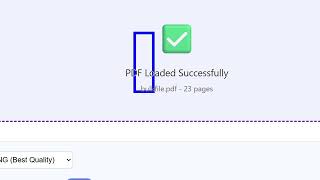
[00:32] As you can see you will get this notification and right here you can select the output format PNG or JPG and then here from the slider you can even control the quality of the images
[00:46] scale factor you can even control that as well. So then you click convert to images and one by one the application will process all the pages of PDF and will process all the pages of PDF and then it will show one by one by page
[01:00] number. For every page we have a download button. So individually you can download button. So individually you can click this and download this page of the PDF to a image file. You can export this. So you can just see
[01:13] the quality of the page is successfully exported to an image file. So this application that I developed entirely in HTML, CSS and JavaScript, I've given the link to purchase the source code. So once you purchase it, you will
[01:28] Google drive. This will be the index.html file you will get and this is index.html file you will get and this is round about 500 lines of code. So this round about 500 lines of code. So this is very easy to open and deploy this as
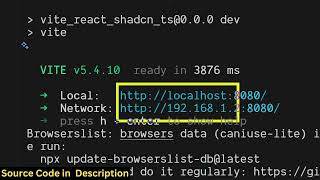
[01:43] well. Simply open VS code and directly open it in local host. So now we are running it on local host. It's very simple. Again you repeat the process. simple. Again you repeat the process. You actually select a PDF file. So you
[01:57] will get this notification. Click convert to images and one by one using this progress bar. And it's a nice thing about this application. It's single page application which directly runs in the
[02:11] browser. No serverside processing is involved. So it's really fast, easy to involved. So it's really fast, easy to deploy as well. And for this we have used a third party library which is open source. Mozilla PDFJS library which is a
[02:26] really handy library. So if you just search here Mozilla PDFJS. So this is a PDF related library for JavaScript for browser. So this is their homepage. So we have used this library for this
[02:43] project. So as you can see, so I have given both the links. You can try out the demo before purchasing it. you can even change the extension to JPG. Again, you click convert to images.
[02:58] And now instead of PNG, we will have download download JPG. allows you to export all the images in one go. So if you click this button a
[03:14] automatically all the images will be automatically all the images will be downloaded one by one. So as you can see so you can just click one button and it will export all the pages to a image
[03:27] file. So this is a really handy application PDF to images generator and application PDF to images generator and converter directly in browser.
⚡ Saved you 0h 03m reading this? Transcribe any YouTube video for free — no signup needed.