
Create Spreadsheets in Browser Instantly
40sImmediate visual demonstration of creating a new spreadsheet excites developers looking for quick prototyping.
▶ Play Clip"Title promises a build tutorial but delivers a product demo and pitch; minimal instructional value."
This video demonstrates a Microsoft Excel clone built with ReactJS that runs in the browser. It allows users to create, edit, and export spreadsheets as CSV, Excel, or JSON files. The developer showcases the interface, key features like formula support and file import, and promotes the source code available for purchase.
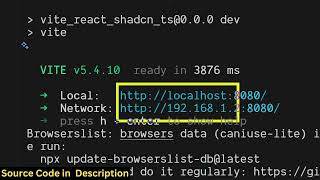
A ReactJS-based Excel clone running locally on localhost:5173, accessible in the browser.
Clicking 'New Spreadsheet' redirects to the editor where users can fill columns and rows, similar to Microsoft Excel.
The source code is available for purchase; upon purchase a zip file is delivered via Google Drive.
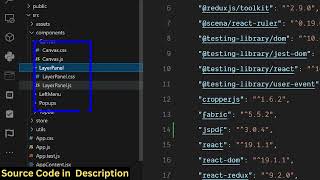
Components are divided into TypeScript files, and the app can be run with `npm run dev`.
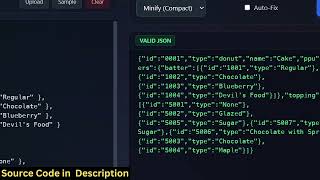
Users can export spreadsheets as CSV, Excel, or JSON files via the File button.
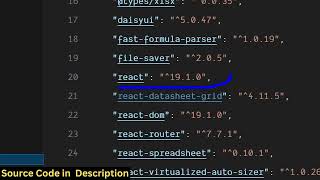
The app includes React Router, React Spreadsheet, and Daisy UI. It supports saving work, importing Excel files, and writing formulas.
This ReactJS Excel clone offers a feature-rich browser-based spreadsheet editor with import/export capabilities and formula support. The developer provides the source code for purchase, enabling further customization.
What command starts the development server for this ReactJS Excel clone?
npm run dev
01:00
Which UI library is used for the interface of the Excel clone?
Daisy UI
02:48
What file export formats are supported?
CSV, Excel, and JSON
01:33
Export to multiple formats
Demonstrates practical functionality that sets the clone apart from simpler spreadsheet tools.
01:33Excel formula support
Indicates a high level of feature parity with Microsoft Excel, adding real utility.
03:43[00:03] So in this video I'll show you a Microsoft Excel clone application that I showing you the demo here. I'm running this application locally. So it started on localhost 5173. This is actually the interface. So here you can create Excel
[00:19] spreadsheet directly in the browser. So you click on the new spreadsheet button. So as soon as you click it, you will be redirected to the Excel editor. So here you can actually fill out the information right here. You can fill out
[00:33] the columns and run the rows here. So it's sim similar to the Microsoft Excel but it's available directly in the browser. So I built out this application in ReactJS. I've given the source code. If you want you can
[00:48] directly purchase it. So once you purchase it you will get a zip file from Google Drive automatically. [snorts] So this is actually the overall directory structure. Every component is divided into its appropriate TypeScript file
[01:00] here. As you can see, each every component is divided. So now to run this command line. Simply type the command npm rundev. So this will start the
[01:13] development server at localhost 5173. So I'm just running this application right here. So after you fill out your necessary information, necessary information, so it's very simple.
[01:33] information. After that you have the option you can click on the file button and [snorts] you can actually download this as a CSV file, Excel file or JSON file. So we have all these three options available. So if you click download as
[01:48] available. So if you click download as CSV, so it actually export this as as a CSV, so it actually export this as as a spreadsheet CSV file. So all the data that you written directly is saved here.
[02:03] You can just see here and same goes with Excel file as well. You can even export Excel file as well. You can even export this as an Excel file.
[02:21] written is directly exported. So this is actually the full Microsoft Excel spreadsheet clone that I developed in ReactJS. If you are interested, I've can directly purchase it. So for building this, we are using the latest
[02:36] version of React. So once you get the source code, you will able to get actually modify the source code or add additional features on top of it as well. So [snorts] this is a full directory structure. We are also using
[02:48] React router, React spreadsheet as well. These are some of the third party libraries that we are using for this. We are using Daisy UI for the user interface. This is a complete application. You can even save your work
[03:02] as well. Just click the save button and it will save. And uh so everything will display right here. How many spreadsheets you make, you will
[03:14] How many spreadsheets you make, you will be seeing this on the homepage. It will also show you the size as well. So you can even actually import your Excel file as well. You can edit that Excel file by clicking the import
[03:28] Excel file by clicking the import button. here you can even write your Excel formulas as well. So it's a
[03:43] complete editor Excel editor for editing Excel files directly in the browser. So the link in the description. You can directly purchase it. So this is a complete uh ReactJS Excel spreadsheet editor which allows
[04:00] you to directly edit your Excel files directly in the browser.
⚡ Saved you 0h 04m reading this? Transcribe any YouTube video for free — no signup needed.