
Load EPUB Books by Dragging and Dropping!
30sViewers love seeing a simple drag-and-drop interface that instantly loads a book cover and pages.
▶ Play Clip"Title promises a build tutorial but delivers only a demo and sales pitch for the source code."
This video demonstrates a browser-based EPUB reader built with React and TypeScript, allowing users to drag-and-drop EPUB files, navigate via table of contents, and read offline. The presenter showcases features like night mode, page tracking, and chapter navigation, then promotes the source code available for purchase.
Shows an EPUB viewer and renderer built directly in the browser as a single-page React application.
Simple drag-and-drop interface to load EPUB files.
After loading, displays the cover, provides controls, and a table of contents with page numbers for navigation.
The viewer includes a night mode toggle for comfortable reading.
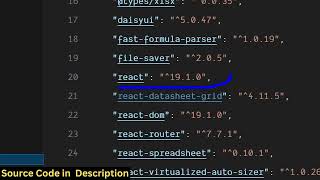
Coded in React (latest version) with TypeScript; all components are organized into appropriate files.
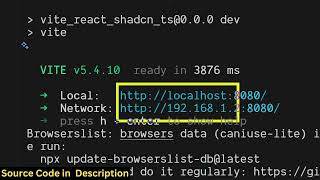
Project runs locally via `npm run dev` on localhost:8080, making deployment easy.
Supports zoom in/out, next/previous chapter buttons, displays total pages (22 in demo) and current page at the bottom.
The full project source code is available for purchase via a link in the video description.
All processing happens in the browser; once deployed, the app works offline without internet.
The video primarily serves as a promotional demo of a React-based EPUB reader, highlighting its offline capability and polished UI, but offers no instruction on how to build it.
What file format does the described application read?
EPUB files.
00:18
What technology stack is used for the EPUB viewer?
React (latest version) and TypeScript.
01:15
How does the user load an EPUB file into the viewer?
By dragging and dropping the file onto the interface.
00:18
What additional reading mode does the app support?
Night mode.
01:01
Does the application require an internet connection after deployment?
No, it works offline once deployed.
03:23
Browser-based EPUB reader
Demonstrates a fully functional EPUB reader built entirely client-side with React and TypeScript.
00:02Drag-and-drop UX
Simple file loading mechanism enhances user experience.
00:18Night mode
Adding a night mode is a common accessibility feature for reading applications.
01:01Offline operation
The app's ability to work offline makes it a true progressive web application.
03:23[00:02] in this video, I'll show you I built out a EPUB uh viewer and uh renderer directly in the browser. If you want to read your ebook viewer, application that I developed. It's a single page application where you can
[00:18] single page application where you can actually read your EPUB files. EUB is a very popular files similar to PDF. So the interface is quite simple. You simply drag and drop your EPUP file whichever file that you want to read. So
[00:34] once the EUP file loads directly in the browser you will be able to read this. So now page by page by page first of all it shows you the cover of this page cover of this book. Now we have all the controls out there. You can open the
[00:48] table of contents. So line by line it actually shows you the page number. You can navigate the whole ebook. You can go to any the whole ebook. You can go to any section by clicking the sidebar section
[01:01] section by clicking the sidebar section menu and as you can see supports night mode as well. So I basically coded this react application
[01:15] code of this I have given the link you can directly purchase it. It's a single page application. So it's we are using the latest version of react as you can the latest version of react as you can see.
[01:33] actually integrate the viewer to read and view EUP files directly in to read and view EUP files directly in the browser. It's a full uh project. All the components are divided into its appropriate TypeScript file. So once you
[01:46] you to see how I coded this and also you can add additional features on top of can add additional features on top of this. So, so we are running this project this. So, so we are running this project locally as you can see in in VS code as
[01:59] you can I am running this project npm rundev it started this project on localhost 80080 it will be easy for you to deploy this application as well so you can go to any section right here or you can zoom in zoom out all these
[02:15] controls are there we support light mode everything you can go to the next chapter By clicking the next and the previous buttons, it also shows you the total pages which are there which is 22. It
[02:29] shows you the current page as well at the bottom side. So in this easy way you can read this read the full EUP file here by opening read the full EUP file here by opening this table of content as well going to
[02:43] any section write this. So it's really easy kind of an application that I developed in ReactJS. So if you're interested in this full project, the link is given in the description. You can directly purchase it. So it has all
[02:56] the buttons here to go to the next page. You can easily read any file. So just need to load the file by dragging and dropping. And after that similarly that
[03:08] we read the PDF file, we can read the EUP file as well. So here these buttons are also there. You can click to go to the previous and the next page. the previous and the next page. So as you can see that so
[03:23] so all the processing happens directly in the browser. It's an single page offline editor where you basically open your EUP files and you can read this without having internet connection. So once you deploy the app it is actually
[03:39] can be offline as well. So it doesn't require internet. So this is the overall react ep viewer. If you are interested in this project guys, uh the link is given. You can directly
[03:55] purchase it. Once you purchase it, uh all the source code will be downloaded from a zip file from Google Drive automatically.
⚡ Saved you 0h 04m reading this? Transcribe any YouTube video for free — no signup needed.