
Elgato Camera Hub LUTs: Pro Color in 1 Click
60sExplains a major pain point (color correction in OBS) and offers a simple solution, appealing to creators seeking pro quality.
▶ Play Clip"Delivers on the promised updates with practical details, though some fluff and sponsor segment reduce the score."
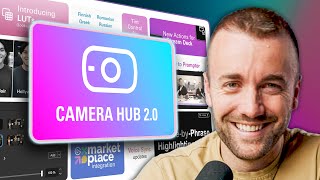
This video covers the latest Camera Hub 2.0 update from Elgato, introducing LUT support for webcams, a marketplace for LUTs and backgrounds, and significant upgrades to the Prompter feature, including improved voice tracking and autosave. The creator also highlights a charity initiative and various bug fixes.
The video discusses new features in Elgato's Camera Hub 2.0 update, including LUT support, a marketplace, and Prompter upgrades.
Camera Hub now supports LUTs (color filters) for Elgato webcams and Cam Link devices, making color correction easy within OBS.
A new marketplace section for Camera Hub offers LUTs and backgrounds, including an NVIDIA broadcast green screen.
Five professional LUTs created by Dustin are available for $0.99 for the first 30 days, with all proceeds going to the Foundation to Decrease World Suck. After 30 days, they become free.
Includes fixes for memory leaks, green video output in Zoom on Mac, and Camera Hub getting stuck. Added a tint slider for Face Cam Neo.
Elgato will no longer update the Cam Link app due to native iPhone integration and NDI camera apps, but it won't be shut down.
Voice sync in the Prompter has been updated with performance improvements, making it more reliable. The creator tests it and finds the movement much better, though the dimming feature is distracting.
Camera Hub now autosaves scripts every minute and adds support for multiple languages including Finnish, Greek, Japanese, Korean, Polish, Romanian, Russian, Swedish, Turkish, and Vietnamese.
A new Stream Deck button allows sending any window directly to the Prompter, useful for video calls to maintain eye contact.
The Camera Hub 2.0 update brings valuable features like LUT support and Prompter improvements, though some features are still rough. The charity LUT pack is a nice touch, and the overall update is a step forward for Elgato users.
What is a LUT?
A LUT is a color filter for footage, essentially a professional Instagram filter.
01:38
How much do the charity LUTs cost for the first 30 days?
They cost $0.99, with all proceeds going to charity.
02:59
What happens to the charity LUTs after 30 days?
They become free.
03:12
Which charity receives the proceeds from the LUT pack?
The Foundation to Decrease World Suck.
03:24
What bug fix was mentioned for Mac OS?
Fixed the green video output in Zoom bug on Mac OS.
04:08
Why is Elgato discontinuing updates for Cam Link?
Due to native integration with iPhone camera and NDI camera apps.
04:21
What new feature does the Prompter have for scripts?
Autosaves scripts every minute.
07:24
What new languages were added to Camera Hub?
Finnish, Greek, Japanese, Korean, Polish, Romanian, Russian, Swedish, Turkish, and Vietnamese.
07:38
What does the new Stream Deck button do?
It sends any window directly to the Prompter.
08:46
LUT Support
Introduces a major feature that simplifies color correction for streamers.
01:38Charity Initiative
Combines a product launch with a charitable cause, adding social value.
02:59Prompter Voice Sync Improvement
Highlights a significant usability improvement in a key tool.
04:49Autosave Feature
A practical quality-of-life improvement that prevents data loss.
07:24Stream Deck Integration
Shows how hardware integration can enhance workflow efficiency.
08:46[00:02] work a little bit better after today. Well, one of your Elgato things, have some extra features, and we're going to talk about what those features are. And I know what you're thinking. Harris, you just did an Elgato 2.0
[00:16] update video. That's true, but that's on a different software. That's Wavelink, haven't seen that, I'll put a link to it down below. But I guess this is just the year of Elgato 2.0 update. A lot of new features. This is an exciting update.
[00:29] [Music] it. Hey, before we jump into the of today's video, Own.pro, and talk that'll help you make your streams more beautiful. Your one-stop shop for all
[00:43] your stream aesthetic needs. It's 2025. Streams are minimal. They are clean. They are simple. And Owen has been making a ton of awesome widgets to give bunch of theirs on my stream right now, including their new chat tool, which
[00:56] from multiple platforms directly on your stream, their super clean music widget that I love when I'm using stream beats on my stream, and even two free widgets their hypometer, which is a train widget, and their label rotator widget,
[01:10] which shows you the most recent event of whichever events you want to show on there. Both of these connect to multiple platforms, and you can choose which themselves. They're really innovative, really simple, and really clean widgets.
[01:24] minimal 2025 spice, I will put a link to these down in the description below. their widgets on your stream. Back to the video. Let's talk about LUTs. Camerahub now has support for something that's going to make your cameras look a
[01:38] LUTs. If you don't know what LUTs are, they're essentially professional Instagram filters. Same idea. They're color filters for your footage, but typically less tacky and and very professional. If
[01:51] camera inside of OBS, you know it's a giant pain. It's it's not a good experience. If you're using an Elgato product like one of their webcams or even their Cam Link to use your fancy camera on, you go inside camera hub and
[02:04] you can add your own LUTs to it. It makes color correction as easy as a question, Harris, how do we get LUTs for this? Well, I'm so glad you asked, cuz that brings us to feature number two. There is now a marketplace for camera
[02:18] hub. Elgato marketplace has a camera hub section. It's got two main categories in it. You've got lots, which we just talked about, and you've got backgrounds automatic NVIDIA broadcast green screen that's built into CameraHub. So, if you
[02:31] want to add some LUTs other than the ones that are built in, which are fine. Instagrammy. They're a little over the top. You can lower the intensity with the slider, which is great. But, uh, Dustin, who is a very professional video
[02:44] editor, has created five LUTs for you. Very cinematic, very professional LUTs. marketplace. They should be available today. And originally, just like planning on just making it straight up free. But we had an idea of what if for
[02:59] the first 30 days, what if it's 99 and then every penny we make off that we give to charity? We thought that'd be really cool. For the first 30 days, if you want a really cool LUT and you want to donate a single dollar to charity,
[03:12] now is your chance. And at the end of 30 days, we will be making them free. And whatever paycheck Elgato sends us, we will be forwarding to the Foundation to will be forwarding to the Foundation to Decrease World Suck, which really felt
[03:24] like a good charity in 2025, but it's a foundation that devests charitable funds to dozens of worthy charities, including I think right now their website and see what they put it towards. So, pick up some LUTs and
[03:39] donate to charity at the same time, and it's 99 cents. We put up five of them cool. You got static backgrounds, you got animated backgrounds. Great stuff before we get into the last big one, uh lots of little house cleaning things,
[03:53] lots of bug fixes. For example, uh fixed a problem where the camera virtual resizing camera hub caused by a memory leak. Fixing the green video output in Zoom bug on Mac OS, as well as camera hub getting stuck in the getting ready
[04:08] scene. So, just kind of general quality of life updates and bug fixes. Oh, and they added a tint slider for the Elgato Face Cam Neo. That's nice. Also, Cam is they're no longer going to be updating that. Mostly just due to the
[04:21] the native integration with iPhone camera and there's also just a handful of NDI camera apps now available and apparently it's just an expensive app to great options. They're not shutting it down, by the way. It's just not going to
[04:35] update which has to do with the Elgato prompter and reading a script off of it. Now, back about sixish months ago, Elgato added voice sync, which means as you're reading the script, it moves with your voice. Updated with some new
[04:49] features as well as some performance improvements, which is great because honestly, I tried it once when it first came out, and it wasn't reliable enough that I never used it since. So, let's move this camera around to face my
[05:02] prompter, and we'll see how good it is. So, you can see over here we've got my Elgato prompter. This is a secret one that's gigantic. And inside there, we camera that I stream on and we shoot all of our videos on. And if you're
[05:16] I get a lot of people asking about it, um, it's got a built-in fan, so it never overheats. It shoots 6K, so it's extra resolution. And it shoots open gate, to crop into vertical. It's absolutely my favorite content creator camera, I
[05:31] guess, until this one just came in this week, the S1R2, but that is not as wouldn't recommend it for streamers anyway. Okay, let's give this a shot. This is a test. I would like to see how well it tracks my voice. How are we
[05:45] doing so far? Oh, are we getting that bug again? I got to quit out of the app and reopen it. That happened last time. I'm hoping that's uh just a a weird beta bug cuz this is the beta, but it's only about 4 days from this uh this software
[05:59] being launched. So, let's quit the app. All right, let's try this again. This is a test. I would like to see how well it tracks my voice. How are we doing so far? Is it still accurate? Any
[06:12] issues? Here's one more test just to make sure it is as smooth as it should be because if it can't track well enough, it's not something that I can justify using in my own workflow. But as long as it keeps a steady flow, I think
[06:25] we're good. We lost it at the end there. It's fascinating. You can see they added this new thing where it it un it unhighlights or it it dims down the words that you've already spoken, but it's not keeping up
[06:40] point where it's almost distracting. I'm not crazy about that dimming feature until they get it really really on there. However, the the movement is actually way better than it used to be. Like that is now 100% usable. I think I
[06:57] would turn off the what do you call it? The highlight text. And because I only ago, I I don't know which of these features are new or not, but you can take that first, you can see the red line going through the line that you're
[07:11] you want that to be. You can adjust the microphone that it's listening to to hear what you're reading. And of course, you have all the other fonts and, you know, you got the the horizontal margins and all the things. Also, for any of you
[07:24] that have ever been working on a script in Camerahub and Camerahub crashes, it now autosaves your scripts every minute, which I think is great. They've also languages, including Finnish, Greek, Japanese, Korean, Polish, Romanian,
[07:38] Russian, Swedish, Turkish, and Vietnamese. So, let's put my Dolingo skills to the test here. We should say my seven years of Japanese lessons, but we're going to go with Dualingo skills because it's more fun.
[08:06] Why do I need to change the language in here? This is another Well, something's not working in Japanese. Uh, by the way, that's just uh
[08:19] the intro to Demon Slayer Gurenge by Lisa. I'll ask them why it's not it. I wanted a real test and there's a possibility I'm doing something wrong. put it in the uh the pinned comment down below. And while you're down there
[08:32] subscribe for more videos like this cuz it actually helps out a ton. So, thank the camera was before. Uh they've added one more feature also by the way which is a stream deck button which you can get from the Elgato uh marketplace where
[08:46] you can send any window directly to your prompter. So you open up a Zoom call or a Skype call. Oh rip Skype, but you set a you set up a Zoom call on your prompter, hit a button, pops up on the prompter. This is a perfect feature for
[08:59] stare the person in the eye when talking to them on a Zoom call. I don't do Zoom Those are all the updates. Were these the updates you were hoping for for that you were hoping they'd add? I'm sure Elgato would appreciate feedback in
[09:13] And uh make sure you update all your software, your hardware, all the things. That's what I want for you. What I want for me is to go to sleep. So, I'm going for me is to go to sleep. So, I'm going to do that. Happy streaming.
⚡ Saved you 0h 09m reading this? Transcribe any YouTube video for free — no signup needed.