
Stop Wasting Time: One-Click Audio Routing in Wave Link 2.0
60sThis segment solves a common frustration for streamers with a quick, visual demo of a time-saving feature.
▶ Play Clip"Delivers on the promise of easier stream audio with a solid feature rundown, though the 'perfect' claim is a bit strong."
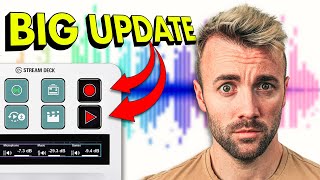
Elgato has released Wave Link 2.0, a major overhaul of their audio mixing software for streamers. This update introduces several quality-of-life improvements, including single-click audio routing, input channel renaming, automatic Stream Deck profiles, and a game-changing Voice Focus feature that removes background noise without requiring an Nvidia GPU.
Elgato's Wave Link software, originally launched in 2020, has received a complete overhaul while maintaining its simplicity and ease of use. The update includes a game-breaking feature that impressed the reviewer.
The interface now shows which apps are routed to which audio channels, includes a built-in mute button, and has subtle icon touch-ups. The design change is mostly subtle but improves clarity.
Previously, routing a new app to a specific channel required navigating through Windows sound settings and volume mixer. Now, you can simply click an app in Wave Link and assign it to a channel in two clicks.
You can rename input channels, such as changing 'Music' to 'Spotify'. This rename also updates the official virtual channel name in Windows sound settings, reducing confusion.
Unused channels can be removed, which hides them from the Windows sound settings output list, making the system more organized and cleaner.
With one click, you can send your Wave Link setup to a Stream Deck, creating a profile with all channels in the same order, saving significant setup time.
A built-in sound check feature allows you to record and play back your voice directly in Wave Link, eliminating the need for complex workarounds to test audio settings.
A new Stream Deck button ('Add') allows you to route any new audio source to a specific channel with a single press, even if it's never been assigned before. This is useful for games or apps that lack audio settings.
Wave Link 2.0 brings feature parity between Windows and Mac, making the Mac experience much better and consistent.
Voice Focus is a new noise suppression feature that removes background noise (like a leaf blower) without requiring an Nvidia GPU. It works with any PC hardware but requires Elgato audio hardware (Wave mic, Wave XLR, or Wave XLR dock). It preserves voice quality better than Nvidia Broadcast.
Wave Link 2.0 is a substantial update that streamlines audio management for streamers, with standout features like Voice Focus and one-tap routing. It delivers on its promise of making perfect stream audio easier to achieve.
What is the main feature of Wave Link 2.0 that removes background noise?
Voice Focus
07:49
Does Voice Focus require an Nvidia GPU?
No, it works with any PC hardware, but requires Elgato audio hardware.
10:04
How many clicks does it take to route an app to a channel in Wave Link 2.0?
Two clicks
02:18
What does the 'Add' button on Stream Deck do?
It routes any new audio source to a specified channel with one press.
05:35
What feature allows you to record and play back your voice in Wave Link?
Mic Sound Check
04:25
What is the benefit of automatic Stream Deck profiles?
It creates a profile with all channels in the same order as Wave Link, saving setup time.
03:42
Voice Focus Demo
Demonstrates a significant improvement over Nvidia Broadcast, removing background noise while preserving voice quality.
07:49One Tap Routing
Solves a common pain point for streamers by allowing quick routing of new apps to specific channels.
05:35Stream Deck Profile Sync
Automates a previously manual setup process, saving time and reducing errors.
03:42[00:02] 2.0 and when I say finally it's because the original wavelink which is their mixing software that ships with all their audio products like the wave mic the wave XLR originally launched back in 2020 and until today it's it's mostly
[00:15] looked the same so today's a good day we got a complete overhaul of the system still the same Simplicity and ease of use that it's become known for and one kind of game-breaking feature that gave me a wow moment so let's just jump into
[00:32] [Music] it there is a reason I'm able to make that's because of really great sponsors like on.pro which is the fastest and whether it's twitch or YouTube or wherever you want to go live or all the
[00:46] places that's fine too with on.pro you have access to over 10,000 design elements that you can completely customize to create your own stream stream to look you can even customize the color of their pre-made designs to
[00:59] easy and you can create a complete stream package in seconds with alerts widgets and labels added automatically upload your own assets access their massive widget Library create elements from scratch owned. proo is an easy and
[01:13] fast way to get started streaming link to them in the description down below go sign up make your stream look so as you can see there's been a little bit of a redesign you can now see which
[01:26] apps are going into which audio channels you now have a mute button build builds right into the software thank goodness and you have a little bit of touch-ups to the icons but for the most part A mostly subtle design change here so
[01:39] that they added because there's a pretty good list and I've ordered them so that each one is a little bit more exciting than the one before it's obviously for view retention I want you to stick around to the end cuz the last one okay
[01:53] is pretty wild but let's Jump Right In and just start banging these out first thing single click audio routing what this means is remember before if you had like a new app or a new game and you wanted to send it to a specific Channel
[02:06] you had to go into the sound settings and then you had to scroll down and then you had to click on volume mixer then you had to find the app that you wanted to adjust and then change the output right there yeah never do that again
[02:18] look at this I don't know why you'd use Microsoft Edge but if you did that's how you would add it to a channel I don't two clicks little bit of false advertising there I'll but two clicks is
[02:31] feature number two is input Channel renaming so I've got this one named music but it's always going to be Spotify so I might as well just name this Spotify but the thing is if I now open up this where I can see all of my
[02:45] audio channels it actually renames music the official virtual Channel it renames it to Spotify that's pretty cool no more getting confused cuz it's named one however this is not super exciting because I'm never going to open that
[02:59] ever again I can now do it all in here so cool but also kind of a moot point point feature number three if there's a channel you don't use like I never use browser because I send my browsers right through the system Channel if I remove
[03:13] this guess what let's open back up the sound settings here browser sound settings here browser disappears it only shows you oh it says disabled it doesn't disappear maybe it disappears in here you can see that
[03:28] browser has dis disappeared it's not in here anymore as a list of your outputs little more organized a little bit cleaner of course again I'm never going in there anymore so it doesn't change anything for me but if you do it's nice
[03:42] feature number four automatic stream deck profiles so let's say you've set this all up this is exactly how you want it organized you hit this new little button send a stream deck here we're going to create a profile and
[03:55] them plugged in so which one do you want to send it to let's do the one on the right and there it is hold on let me grab a camera exactly the way it was set up inside wavelink it is now also set up oh there we go on my stream deck look at
[04:11] that I can even swipe left and right has all my channels in the exact same order Update that's going to save a lot of people a lot of time let's jump into one of my new favorites which for being real should have been added a long time ago I
[04:25] wonder if they were just waiting for this update but over here we've got a mic set sound check so I can record audio right here check check check this is me recording my voice you can see it recording this little sound wave right
[04:37] here it's kind of a nice little graphic and when I'm done I can hit play hey uh future Harris here uh after that test for that last feature for some reason my voice started fluctuating in volume up and down for the rest of the video so
[04:50] plugin that I put on there or OBS had a glitch or something but either way sorry want to yell at me in the comments anyway that's Eng check check this is me recording my voice you can see it recording this
[05:05] a nice little graphic and when I'm done man before that just a month ago I was helping someone set up their audio I taught them to record their voice play it back in OBS send it through a different Channel add the EQ and mess
[05:19] settings to their voice it was a it was a nightmare it's gone now though we can been there a long time ago is because this was added to the mic when that was first launched like 3 years ago so hallelujah it's there I'm not going to
[05:35] talk about it anymore next one is actually a really cool feature so this is called One Tap routing remember the beginning we had one click routing where I just add something here let's say you've opened up a game full screen this
[05:48] is a new game you've never opened it before so you don't have it routed into the game channel well there's a new button in the Stream deck we're going to add an input button and now there's something called called add right here
[06:01] we're even going to throw it right above our game channel here what this is going to do is anytime a new audio source is playing that's never been assigned to a channel if I press that button it'll throw it right in that Channel that I
[06:14] this for you I'm going to remove edge out of this system here and I'm going to create a button above system here it doesn't have to be above system that's just easy to remember we're going to make an add to system button here and
[06:28] I'm going to open and let's let's throw this in the corner so we can see it when it happens I'll add the color just to make it easier to remember so it matches the color of the uh of the wavelink channel here I'm going to open Edge I've
[06:40] tutorial playing here by blender Guru fantastic thing if you ever want to coming through any of these because I've never thrown Edge into any channel so on my button on my stream deck here it will actually now say Microsoft Edge on the
[06:56] button and if I press it watch this in that there it golions of doesn't have great audio settings where you can't send it to the channel that you want a lot of them just by default go through the system Channel well now
[07:10] with that one button you can force it to go through whichever Channel you want stream deck you don't even have to go into the software or into the Windows settings to change anything super nice quality of life update I love that one
[07:22] half of you aren't going to care about at all and half of you are going to be stoked if you've ever tried using wavelink on on the Mac you know it's not a great experience but now they work in tandem there's feature parody between
[07:35] the two the thing I'm showing you here on Windows is exactly how it works on the Mac I'm super pumped about that that's great the last feature I'm very elgato's been working on for a while and you may have noticed it earlier when I
[07:49] was doing the mic sound check down here we got something up here called voice focus and we're all familiar with that super viral clip of the guy doing Nvidia broadcast right or he was doing his what was that the the leaf blower and talking
[08:03] and having it cut it out that was very impressive for the time but it required impressive for the time but it required an Nvidia GPU and it affected your voice an Nvidia GPU and it affected your voice quality negatively when you used it let
[08:16] me show you voice Focus I'm going to turn on some noise hold on leaf blower sound three three hours of leaf blower oh my gosh all my voice going into a shotgun mic about 2 ft away it' probably be better if I
[08:31] had like a dynamic mic but I don't have one right now so let's see how this goes broadcast now this is an audio test this is my voice going into a shotgun mic about 2 feet away it' probably be better if I had like a dynamic mic but I don't
[08:44] have one right now so let's see how this goes all right now this is an audio test this is my voice going into a shotgun mic about 2 feet away it' probably be better if I had like a dynamic mic but I don't have one right now okay so you
[08:56] could tell it it raised my voice and it lowered the background but it did didn't remove it it also as I turned it up it it lowered the quality of my voice quite right so I've turned off in video broadcast we're turning on voice focus
[09:10] all right now this is an audio test this is my voice going into a shotgun mic about 2 feet away it' probably be better if I had like a dynamic mic but I don't have one right now so let's see how this goes all right now this is an audio test
[09:23] this is my voice going when I turn it up to 100 it completely removes the sound little bit but if I turn it down a little bit we found a sweet spot into a shotgun mic about 2 ft away it' probably be better if I had like a dynamic mic
[09:37] but I don't have one right now that's pretty good and that's not even with an isolating microphone like a shes 7B or a pod mic or a wave DX that is that's with a shotgun mic that picks up the entire room it's crazy how much better that is
[09:51] again here it is with Nvidia broadcast all right now this is an audio test this is my voice going into a shotgun mic about 2 ft away at 100% % and here it is with voice focus at about 90% it probably be better if I had like a
[10:04] dynamic mic but I don't have one right now that's really cool plus you don't have to have an Nvidia GPU to do that you can do that with any PC Hardware you do however have to have Elgato Hardware like Elgato audio Hardware either a wave
[10:18] like Elgato audio Hardware either a wave mic a wave XLR or the wave XLR dock for use my beacon mic even though it's coming through the wavelength software product but what do you think what do you think of version 2.0 is my order the
[10:32] right order or did something earlier in the list Intrigue you the most let me don't have an opinion just drop your favorite or a random Emoji for engagement hit the like button subscribe while you're down there and as
[10:45] while you're down there and as always happy streaming
⚡ Saved you 0h 10m reading this? Transcribe any YouTube video for free — no signup needed.