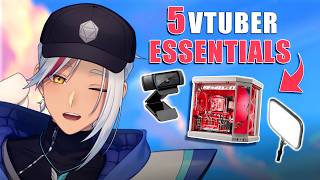

STOP Buying These for VTubing
42sDirectly challenges common expensive purchases, sparking curiosity and debate.
▶ Play Clip"Delivers on the promise of essential gear with practical budget tips, though some affiliate plugs add minor fluff."
This video provides a budget-conscious guide to essential equipment for beginner VTubers, ranked by importance. The creator shares personal recommendations and alternatives, emphasizing that expensive gear is not necessary to start streaming as a VTuber.
New VTubers should not buy expensive tracking devices or shiny Steam frames; focus on essentials instead.
A second monitor (even a cheap $40-$60 one) helps monitor chat and apps without disrupting the stream. Alternatives: phone or transparent Twitch overlay plugin.
A webcam is sufficient for facial tracking; iPhone is better but not necessary. Look for high FOV (90°+) and 60fps; 1080p is enough. Starter webcams cost ~$30.
Good lighting ensures tracking works. Ring lights from $10, Elgato Keylight Neo $60. Lighting matters more than camera quality.
Ethernet cable (Cat 6+) for stable internet; phone cooler for iPhone tracking; Stream Deck (or free app) for controlling stream.
Audio quality is crucial; viewers tolerate bad visuals but not bad audio. Budget mics like Elgato Wave 3, Fifine AM8, or Rode PodMic are great.
Start with what you have; a high-end PC is not necessary. Use phone apps like Reality or PNGtubing to test interest before investing.
Start streaming with minimal gear—webcam, lighting, and a decent mic—and upgrade only after confirming you enjoy VTubing. The most important step is to just go live.
What is the minimum FOV recommended for a VTuber webcam?
90° or more
02:43
Why is lighting important for VTubing?
If the tracking device can't see you, it can't track you.
03:24
What is the single biggest improvement to stream quality?
Upgrading your microphone.
06:47
What are two free apps for webcam-based full body tracking?
XR Animator and Webcam Motion Capture.
02:43
What is the recommended minimum Ethernet cable category?
Cat 6.
04:29
What is a budget alternative to a physical Stream Deck?
The Elgato Stream Deck app on your smartphone.
05:39
What are three budget microphone options mentioned?
Elgato Wave 3, Fifine AM8, and Rode PodMic.
07:02
Free Full Body Tracking
Reveals that full body 3D tracking can be achieved for free with apps like XR Animator, challenging the assumption that expensive hardware is required.
02:43Mic is the Biggest Upgrade
Emphasizes that audio quality outweighs visual quality for viewer retention, a key principle for streamers.
06:47Just Start
Encourages beginners to start with what they have rather than over-investing, a practical and cost-saving approach.
08:56[00:03] full body tracking. These are great examples of what not to get as a new VTuber. In fact, you don't even have to think about these right now. So, stop eyeing those vibes and looking at Lord Gavin's new shiny Steam frames because
[00:18] you don't need it. Instead, here are five things that you should buy as a new VTuber, or at least consider them, especially if you're on a budget. I will go in ascending order, starting from the least important all the way up to the
[00:30] off with the least important piece of equipment that you still should buy if you want to stream as a VTuber, and that is a second monitor. Now, I know what you're thinking, Jacos, it's supposed to be a budget friendly list. What's with
[00:43] the monitor? Now, hear me out. A second monitor doesn't mean spending hundreds of dollars on a new gaming monitor. It literally just means a second screen. The purpose of a second monitor is so you can reach chat without disrupting
[00:55] different Vtubing apps and streaming apps aren't catching fire without you realizing. You can get a super cheap second monitor for $60 or even $40 for these little flip-up screens, which are actually cheaper than some webcams. More
[01:11] on those later. You don't want to spend money on another monitor? Then you can phone. >> Do you guys not have phones? Sure, you can't keep an eye on all of your Vtubing apps like you could a normal monitor
[01:23] would still be infinitely better than nothing for streaming just to be able to check chat. Alternatively, you can use plugins like transparent Twitch overlay to see your chat directly on top of whatever game you're playing. But like I
[01:37] mentioned before, we tubers have a million and one different apps to worry about. One of them being responsible for handling our models like V Studio. And we need a way to track our facial movements. The cheapest and easiest way
[01:50] to do this is by using a humble webcam. That's right. You don't need an iPhone to track your model. And for those wondering, why not get an iPhone? It's the best tracking, right? And yes, it does have the best tracking. And yes,
[02:03] you can 100% use it if you have one. But please understand that your tracking is only as good as your model's rig. And a good rig means more money that, let's be honest, you don't have right now. So, let's keep it simple by sticking to a
[02:17] webcam. Something important to look out for when shopping for webcams is to get one with a high FOV or field of view. This is so that the tracking can still detect you even at more extreme or awkward angles, resulting in smoother
[02:30] and more consistent tracking. This is especially important for webcam-based full body tracking with 3D models. And yes, you heard that right. You can legit get full body 3D tracking for free with the use of apps like XR Animator and
[02:43] Webcam Motion Capture. I'm going to make a video on that in the future, so make sure you stick around. I recommend an FOV of 90° or more and decently high frame rates like 60 fps. Also, you don't need 4K or even 2K. 1080p will do just
[02:58] fine. But if you can't afford those, that's no problem. You can get starter webcams for about $30 and that'll probably do the job because the most important thing isn't the image quality, but rather your lighting. Which brings
[03:11] me to the next most important thing to get as a VTuber. Lights. Specifically, ring or key lights. >> Deploying flash. >> The reason why lights are so important is because if your tracking device can't
[03:24] see you, then it can't track you. Simple as that, really. So, either set yourself up in a room with decent lighting or invest in a lighting solution such as a ring light or a key light. It doesn't even have to be blindingly bright. In
[03:37] fact, that's counterintuitive, but something that lights up your face is quality than a dark room you'd mistake for a dungeon. You can get ring lights for as little as $10. Or if you're willing to spend a little extra cash,
[03:51] then Elgato's Keylight Neo can be yours for just $60. Now, quick disclaimer and full transparency. I am partnered with Elgato, so the links to these products in the description are affiliate links, but I'll throw in some alternative
[04:04] options as well, as it's ultimately up to you which one is best for your needs. Now, before we move on to the top two most important things that you should be getting as a new VTuber, let me give you a quick fire round of three pieces of
[04:16] equipment that will still significantly improve your stream's quality, but aren't exactly as necessary compared to the others in the video.
[04:29] your stream will never suffer an internet connection issue in addition to maximizing your download and upload speed. You want a minimum of Cat 6. And you can literally get spools of these things for $10 or less. And if you're
[04:43] using an iPhone, you can actually find an adapter to connect your Ethernet to have to worry about losing connection for your tracking there. Next up is a phone cooler. If you already have an iPhone on hand and want to use it for
[04:57] tracking instead of a webcam, then make sure you get a cooling solution as these apps can overheat your iPhone for a long streaming period and therefore kill your tracking altogether on top of potentially damaging your battery which
[05:11] is not very ideal. You don't want a potential explosive in your room. You can get something decent for as little as $20. I recommend you look out for one labeled semiconductor cooling for the best performance. Lastly, we have the
[05:25] go-to equipment for almost every VTuber and streamer, a stream deck. This can be used to control your VTuber toggles, stream scenes, stream effects, and so much more. It's one of the most versatile pieces of equipment I've ever
[05:39] had the pleasure of using. Highly recommend it. The cool thing about this because you can download the Elgato Stream Deck app completely for free on your smartphone. It still has all the great features of a normal Stream Deck
[05:53] just with less buttons. But if you do want to invest in one, and trust me, it is a great investment. I'll leave an affiliate link in the description below. leave a like and subscribe. And if you ever want to ask me for advice directly
[06:06] or just want to hang out, you can stop by my streams at twitch.tv/zoch. TV/zoch and probably streaming right now. Now, with the honorable mentions out of the way, let's talk about the first of the two most important things that YouTubers
[06:20] need in order to get started, and that is a good mic. When someone visits your stream, they'll probably stay and watch or even chat if your visuals are subpar, so long as they enjoy your content. But if your audio is bad, especially your
[06:34] mic, then it doesn't matter what you're doing because most people can't stand that audio. Hi, I'm most people. Upgrading your mic is the single biggest improvement that you can make to massively increase your quality of your
[06:47] stream and your content if you ever decide to make some. The best part is that you don't have to spend $400 on a fancy new Sure SM7B that everyone has. You can get incredibly highquality mics nowadays for much, much cheaper, such as
[07:02] Elgato's Wave 3 Mark II, Fifines AM8, and if you fancy an XLR, the Road Pod Mic, the very mic that I started on. But if you decide to commit and throw a bunch of money into a mic, I highly encourage you to do your research and
[07:16] listen to comparisons of the mics you're interested in, as well as the features itself has very little difference amongst good mics these days. So what you're looking out for is actually the features like USB versus XLR, dynamic
[07:30] versus condenser, and compatibility with your setup and also compatibility with software like Elgato's Wavelink, etc., etc. All that is to say, once you get a halfway decent mic that doesn't sound like you've just entered a 2010 COD
[07:43] lobby, the way you are quick scoping, that is way too quick. supported, >> then I guarantee that even with just that, your stream will get a huge bump in quality. And lastly, we have what many of you have probably already
[07:57] expected. The most important piece of equipment that a VTuber should get is a decent PC. Now, I know this is a duh sort of an answer because you obviously need a PC to stream, but notice how I didn't say a high-end PC or even a good
[08:13] PC, just decent. Let me tell you why. Vtubing can be an absolute resource nightmare for PCs since you're not only running OBS and in game, but you're also running multiple Vtuber programs simultaneously like Vip Studio, Vridger,
[08:27] and Hits. Vtubing can be so extensive that not only do some YouTubers have absolute beasts of PCs, but also run dual PC setups. So, with all that said, why am I contradicting myself and telling you not to get a high-end PC?
[08:41] Well, a high-end PC or even a dual PC setup is ideal for maximizing V tubing, but that is very far away in the future for you and one that you shouldn't even really be thinking about right now. What you need to do instead to get started is
[08:56] you need to do instead to get started is to just start. Just go live, man. Just see for yourself if investing in expensive gear or entirely new PC builds is even worth it for you in the first place. Like, who knows? you might
[09:08] actually hate Vtubing and now you've wasted 23 $5,000 on a PC you just didn't need. One way you can do this is by using your phone via mobile Vtubing apps like Reality. No PC required. I'll be making a video on this topic soon
[09:23] enough, so watch out for that. Stick with what you have. And even if your current setup can't handle full-blown models, try PNG tubing for a bit. And if you don't have anything right now, either invest in a decent gaming laptop
[09:36] or a similarly speced gaming PC, which might even be the cheaper option and has the advantage of upgradability. Also, a bonus tip within a bonus tip. You can test your PC performance with VTuber models for cheap or even free by using
[09:49] one of the many pre-made models you can get on sites like Draw Market or Booth. So basically, either stick with what you have, build a cheap PC, or just use your phone, and then you can decide later if you want to invest. But to tell you the
[10:03] truth, even if you've listened to all of my advice and grabbed yourself a nice mic and a nice webcam, it all means nothing if you don't know how to start as a YouTuber. You'll still fumble around not even knowing if you should
[10:15] debut or not. So, in order to learn that, watch this next video where I teach you three things that every new YouTuber needs to know when getting YouTuber needs to know when getting started.
⚡ Saved you 0h 10m reading this? Transcribe any YouTube video for free — no signup needed.