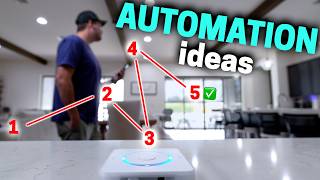

Dad Recliner Automation Goes Wild
45sThe relatable dad humor and the 'lazy genius' automation concept make it highly shareable.
▶ Play Clip"Delivers on the promise of increasingly outrageous automations, though some are more impressive than others."
The video showcases a series of increasingly complex and creative smart home automations, from a recliner that triggers lighting scenes to a system that asks for permission before running. The creator demonstrates how sensors, smart devices, and integrations like Google Calendar can create a highly responsive and personalized living environment.
A vibration sensor on the recliner detects when someone sits down, turning off ceiling lights and enabling a reading setting automatically.
Unplugging the phone at night turns on under-bed light strips for visibility, and plugging it back in turns them off.
Opening the bedroom door turns on the hall light and turns off the bed light strips to avoid disturbing a sleeping partner.
Pressing the workbench light button triggers a smart outlet power detection that turns on the Apple TV, switches to Spotify, and plays a garage playlist on the HomePod.
Google Calendar events containing 'meeting' automatically lock the office door and turn a light red during the event.
The smart home skips the morning wake-up light automation if the calendar indicates 'no school' for a holiday.
When the doorbell rings while TV is on, the TV pauses automatically, and resumes 5 seconds after the front door closes.
The system distinguishes between manual and automated light off commands; manual off skips motion-triggered lights for the rest of the day.
Four conditions: package detected, all phones away, a phone returns, and front door not opened within minutes; then an announcement reminds to grab the package.
If weather is between 65-85°F, no rain/wind, and no backyard activity for 1.5 hours, kids get a nudge to play outside, with a threat to cut iPad internet.
When everyone is at the dinner table and TV is on, the volume is automatically turned down to encourage conversation.
The smart home asks the user via smart speaker if it can run an automation (e.g., lowering shades) and only runs it upon verbal confirmation.
The video demonstrates that smart home automations can be highly personalized and context-aware, using sensors, calendar data, and user feedback to create a seamless and intuitive living experience.
What sensor is used to detect when someone sits on the recliner?
A vibration sensor tucked on the side of the recliner.
00:18
What happens when the bedroom door is opened at night?
The hall light turns on and the bed light strips turn off.
01:02
How does the workbench light automation start playing music?
The smart outlet detects power usage, tells the Apple TV to turn on and switch to Spotify, then navigates to play the garage playlist on the HomePod.
01:42
What calendar event triggers the office door to lock?
An event with the word 'meeting' in it.
02:26
How does the smart home know to skip the wake-up lights on holidays?
It checks the calendar for 'no school' and skips the automation.
02:55
What happens when the doorbell rings while watching TV?
The TV pauses automatically, and resumes 5 seconds after the front door closes.
03:35
How does the system differentiate between manual and automated light off?
It detects if the light was turned off manually (via switch or dashboard) versus by an automation.
04:25
What are the four conditions for the package reminder automation?
Package detected, all phones away, a phone returns home, and front door not opened within minutes.
05:19
What weather conditions trigger the outdoor play nudge?
Between 65 and 85 degrees, no rain or a lot of wind.
06:26
How does the dinner time automation know everyone is at the table?
It detects presence in the living room, dining room, or kitchen.
07:21
What phrase gives the smart home permission to run an automation?
The user can respond with 'sure thing, let's do it' or 'of course, execute order 66'.
08:32
Manual Override Detection
Demonstrates a sophisticated way to respect user intent by distinguishing manual vs automated commands.
04:39Multi-Condition Package Reminder
Shows how combining multiple sensors and logic can solve a common real-world problem.
05:19Permission-Based Automation
Introduces a novel concept where the smart home asks before acting, increasing user control.
08:04[00:01] automations in my home. They're going to get more and more outrageous, so buckle up. Starting first with this recliner. Nothing says I'm a dad more than plopping down in one of these. I love it, but it's not smart until now.
[00:18] Sitting down at night turns off the ceiling lights and turns on my reading setting. I didn't even have to press a button or anything. The vibration sensor I tucked on the side of it knows when I'm sitting down. Talk about peak
[00:33] efficiency and laziness all wrapped in one. But we're just getting started and crazier. Yeah. So don't get too comfortable, you couch potato. Hey, late at night when I'm laying in bed, if I unplug my phone, the light strips under
[00:49] my side of the bed turn on so I can see where I'm going. And this is perfect for when Ally needs me to check on something in the middle of the night. Is that a in the middle of the night. Is that a flashlight? Reed, wake up. Reed, get up.
[01:02] There's somebody in the house. Okay, I'll get up. When I open my bedroom door, the hall light turns on and the bed light strips turn off so that way they don't keep Ally awake. Oh, wait. Ally was right. Someone is going around
[01:15] with a flashlight. Oh, false alarm. It's just the robot vacuum. Yeah, I should have known. Closing the bedroom door turns off the hall light and turns the light strips back on. And once I plug my phone back in, they instantly turn off.
[01:29] It's super convenient. This next automation is here in the garage. I never fully understood why guys like working out in the garage why guys like working out in the garage so much until I had three kids. Now this
[01:42] better, when I press the button to turn on my workbench light, it starts up an automation for me. You see the smart outlet detects the power usage of the light being on and tells the Apple TV to also turn on and switch over to the
[01:57] Spotify app. Then it navigates all by itself to start playing my garage playlist on the HomePod out here. It's amazing. And when I'm done, I just turn automatically shut off. I know what you're thinking. I'm
[02:11] not trying to hide from my family. Sometimes it takes a few hours to change the batteries in a toy. So, pressing a button to start an automation in my smart home is cool, but what's even crazier is using Google Calendar to
[02:26] start and skip automations. I work from home and it's great, but sometimes not great during a meeting, Dad. So, whenever I have a calendar event with the word meeting in it, my office door automatically locks and a
[02:41] light just outside the door turns red during the calendar event. It's think about it. It just happens. But what I like even more is a similar automation that turns on the kids' bedroom lights in the morning to wake
[02:55] them up for school. Except what about when it's a holiday and they don't have school and I forget to disable the automation. Yeah, it's happened before. And then my family wants to kill my smart home. Please don't hurt me. I
[03:08] don't want to die. Please. Ah, so now if the calendar says no school, then my smart home skips the automation to turn on the lights and wake them up. It also lets me sleep in a little, too. And it's so nice having my calendar help automate
[03:22] my smart home. All right, let's keep increasing the automation intensity with this next one. When we're watching TV and someone rings the doorbell, it can be a little chaotic. Someone is at the front door. You know, trying to find the
[03:35] remote to pause it never happens quickly. So, my smart home knows if we're currently watching TV and if the doorbell is pressed, the TV will automatically pause. And what takes this automation to the next level is that
[03:47] when the front door is closed, after talking to our neighbor or signing for a package or whatever, the TV automatically starts playing again 5 seconds after the door closes. It's the perfect amount of time to walk back to
[03:59] the TV, and it feels like it's reading my mind and doing exactly what I want. But it's not enough. How can my smart home read my mind and my family's mind on a daily basis? Well, let me show you because this is taking things to a whole
[04:13] new level. My bedroom lights are automated to turn on when walking to the room at night. You know, pretty standard stuff. But what if one of us wants to go to bed early? I don't want the lights turning on when someone's in bed trying
[04:25] to fall asleep. That's a recipe for disaster. Here's a solution. My smart home can tell the difference between if a light or any device is turned off manually, like from a physical switch or a dashboard compared to turned off from
[04:39] an automation. That way, if anyone manually turns off the light using their phone or light switch, the automation to turn the lights back on from motion is skipped for the rest of the day. Basically, my smart home sees that my
[04:52] wife turned off the lights and takes that as a slight sign of aggression. It reads her mind to know she wants them to stay off. So, do not under any circumstances turn the lights back on for motion. Yeah, my smart home is
[05:05] genius. Much more intelligent than me. I've never been able to read Alli's mind once. For this next automation, four different things have to happen before it even does anything. Uh, yeah, pretty intense. But when it does run, it's
[05:19] amazing. The idea is simple. Never forget about a package delivered to our front porch. But that's easier said than done, especially when the whole family is away from the house while the package is delivered. So, let me show you what
[05:31] happens when a package is left on our front porch. Our smart home recognizes that. So, that's the first thing. The second thing it does is check to see if all the phones are away from the house. If so, it remembers the package for
[05:45] later. The third thing that happens is when a phone of a family member comes home, our smart home waits to see if we will get the package on the front porch. most likely we'll forget. So, the fourth thing is if the front door doesn't open
[05:58] within a few minutes of arriving home, an announcement is played for us to grab the package. Hey everyone, check the front porch for a package. Mission accomplished. The package was not forgotten about. Okay, so sometimes to
[06:11] help me and my family use less technology, I use technology to help us by taking away our technology. Did that make sense? Yeah, I don't think so. Let me explain. When our smart home weather station measures that it's between 65
[06:26] and 85 degrees outside with no rain or a lot of wind, then the automation checks our backyard camera. If no one has been detected outside for an hour and a half, well, the kids get a gentle nudge to go play outside. It is nice out. Go play
[06:41] outside or I will turn the internet off for your iPad. Hear that, kids? Go outside and get some fresh air. Read. I will turn off the internet to your iPad, too, if you don't get up and move. You're lazy. Ah, fine. This automation
[06:54] helps us have more family time and be on our screens less. Oh, and that threat of turning off the internet to the iPads is not an empty threat. My smart home can do that. So, I'm using technology to help me use less technology by taking
[07:08] away the technology. Will that ever make sense? Probably not. Speaking of better family time, here's a crazy automation. My smart home knows when we're eating dinner without us having to do anything. That's because it knows when we're all
[07:21] sitting at the dinner table around dinner time. It can do this because can tell if someone is in the living room, dining room, or kitchen. So, once everyone is sitting at the table and the TV is on because we're watching a sports
[07:35] automation will get triggered to turn down the TV volume so we can have good quality conversations while we eat dinner. What? A hot dog is not a sandwich. It's a sandwich. Fine. If a hot dog is a sandwich, then a bowl of
[07:50] cereal is soup. Sandwich. What do you guys think? Let me know down in the make the right decision. Okay, this last automation takes the cake as the most intense and absurd one. That's because instead of my smart home running an
[08:04] automation anytime it wants, it asks me first. That's right. My smart home knows what room I'm in and will ask me on the smart speaker in that room if it can run an automation. For example, say the light sensor detects it's really bright
[08:18] in the living room and I'm currently in the living room. The smart speaker will ask if I want to lower the back porch shades. Hey Reed, want me to lower the back porch shades? Hey Jarvis, yes. I can also respond with,
[08:32] sure thing, let's do it. Or of course, execute order 66. My smart home knows when I respond with that it has permission to run the automation or if I automation. It's like having a real Jarvis in my house that's proactively
[08:48] asking questions so it can help out. And it's one of my favorite automations ever because it never runs an automation when it's not supposed to. If you like this this, hit that subscribe button. Thanks
[09:00] for watching. All right, how about I tell you a dad joke instead? Too late. I'm I'm going. What do you call a cult that's hard to get into? Difficult. [Music]



⚡ Saved you 0h 09m reading this? Transcribe any YouTube video for free — no signup needed.