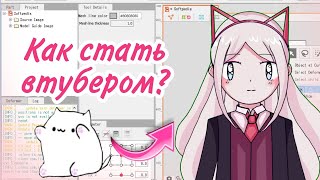

Start Your VTuber Journey Now!
45sDirectly addresses common beginner questions and promises a simple guide, hooking viewers who want to become VTubers.
▶ Play Clip"The title promises a simple guide and delivers exactly that, with clear steps for beginners."
This video provides a beginner-friendly guide on how to become a VTuber, covering the essential steps from creating a model to animating and recording. The creator shares various methods for model creation, including using phone apps, drawing software, or pre-made assets, and recommends tools like Live2D for popular VTuber models.
Before starting, decide what type of content you want to create. This is a simple step that depends on your interests.
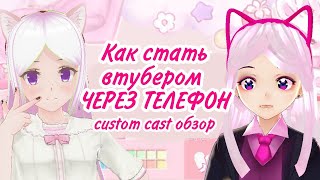
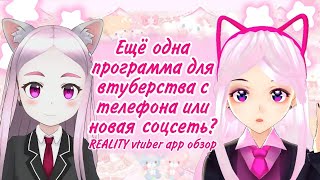
You can create a model using phone apps like Reality or Custom Cast, or use programs like Hero Forge. Alternatively, use ready-made assets or draw everything yourself.
For models like popular VTubers, use Live2D. You'll need a graphic editor like Photoshop or Krita to draw the model in parts, then animate in Live2D.
You can create a PNG tuber (static image that changes) or download ready-made models, but be cautious of copyright issues. Buying a model is safer.
If you created a character in apps like Custom Cast or Reality, animation is straightforward. For Live2D or Vroid models, use specific programs mentioned in other videos.
Use any screen capture software to record. A microphone is recommended, and a webcam is optional. The character's mouth moves with your voice via sound capture (lip sync).
Becoming a VTuber is simple; the challenge is longevity and content quality. Experiment with different programs to find what suits you best.
The video emphasizes that starting as a VTuber is straightforward with the right tools and mindset. The key is to choose a method that fits your skills and resources, and to focus on creating consistent, engaging content.
What are two phone apps mentioned for creating a VTuber model?
Reality and Custom Cast.
00:46
Which program is recommended for creating models like popular VTubers?
Live2D.
01:15
What is a PNG tuber?
A static image that changes (e.g., different expressions) instead of a fully animated model.
01:56
Why does the creator advise against downloading free ready-made models?
Because there may be copyright issues.
02:08
What is 'sound capchuck' (lip sync) in VTubing?
The character's mouth opens to match the sound of the creator's voice.
03:50
Start with Content Choice
Emphasizes that content direction is a prerequisite before technical setup.
00:06Live2D for Popular Models
Identifies Live2D as the key tool for achieving the popular VTuber aesthetic.
01:15Copyright Warning on Free Models
Highlights a common pitfall for beginners: using free models without permission.
02:08Equipment Minimalism
Advises that only a microphone is essential; a webcam is optional, lowering the entry barrier.
03:06[00:06] I have prepared a super simple guide for beginners on how to become a YouTuber because I noticed that a lot of people in the comments are asking the question, where to create a model, such a program will help bring the model to life and
[00:18] finally you can start creating and understand what I'm talking about on my channel. We'll start after you've decided what content you will be filming and I hope you will decide this issue without me, it's very simple to solve, just understand
[00:32] what interests you, you move on to creating a model and you have the first choice, so in front of the heroes of visual novels, you have a lot of options, you can create a model from your phone in one of the
[00:46] applications for creating a model from your phone like reality or custom cast, these computer, but creating them is very, very, very simple, you can also create a model in the Heroes program, in principle, if you just want to
[01:01] also not be difficult, you can take some ready-made asset, you can take some ready-made assets, ready-made hairstyles, ready-made clothes from I have a separate video about the sieve for the hero do if you decide to do
[01:15] this method, be sure to watch it or you can draw everything yourself, that's also good if you want a model like those popular YouTubers from halal, then you will need the program life 2d, this is the exact program I am using now, in
[01:30] which I made my current model, for this you download any graphic editor that has its own, I will explain, this is Photoshop, say, Cryt, or for
[01:42] phones, this is Autodesk Sketchbook, first you draw the model in parts and then they blink, there is a Russian-language guide for life 2 do, you can type in YouTube in the search there, that person in the description has a link to a hacked
[01:56] version of life 2d, because obviously create a model at all, you can create your A-2 png images and the Kill Me type, this is
[02:08] called PNG tube, also if it is not important for you to create something of your own, you can download some ready-made models, but I strongly advise you not to do this because this is because it was possible there may be problems with Copyright is a
[02:22] feature of choosing a free model, although if you buy a model, then everything will continue although if you buy a model, then everything will continue you created a character in some application like Custom Steel
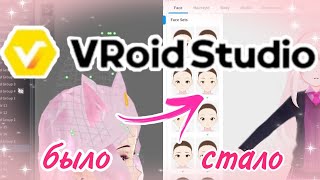
[02:35] Reality, then everything is fine, you will not have any problems. You already know how to animate your character. If you created a character in Life 2 or Velo Edi, then for a phone, then for a phone from the programs from there, I have a video about it. And on a
[02:51] computer, for characters created in Heroics, there are ones like yours. I have a video for it. There is a program for t. Or if you do not want to load your computer at all, it is very weak, then I advise you to use past Jack
[03:06] Worlds. If the 2D view is dead, then again, for you, WAP or YouTube Studio, see which program suits you best. You should not get hung up on any one program. Try as many as possible and
[03:21] decide which one, but yours will be your favorite. Then only technical questions remain, such as how to record a character and what additional equipment is needed. You can record a character using any screen capture program. I use
[03:35] but you can use absolutely any, the main thing is that it suits you, but You don't need any special additional equipment for the murder scene, but I would advise you to buy at least some kind of microphone. If you're doing the murder scene from a computer, it would be advisable to also buy a
[03:50] webcam. But if you don't have one, then it's for your first video. For worry too much about it because you're the bad boy of the world. There's such a thing as a sound capchuck, which means your character will open their mouth to the sound you're
[04:06] speaking to. So, becoming a YouTuber is actually very, very simple. The question is rather how long you'll last and what kind of content you'll be filming. Thank you all for watching, like, and subscribe to the channel. I was little with you.
[04:20] to the channel. I was little with you. Thank you all very much. Bye.
⚡ Saved you 0h 04m reading this? Transcribe any YouTube video for free — no signup needed.