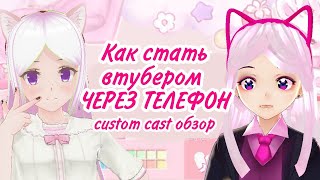

Become a VTuber with Just Your Phone!
44sImmediately hooks viewers by showing the creator using the app on their phone and promising a way to become a VTuber without a computer.
▶ Play Clip"Title accurately promises a guide to becoming a VTuber via phone, and the video delivers exactly that."
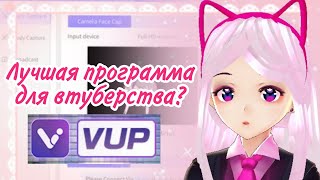
Monica introduces Custom Cast, a mobile app that lets you become a virtual YouTuber (VTuber) without a computer. She compares it to PC-based VTuber programs like VUP, VMagicMirror, and 3Tene, highlighting its pros and cons. The app provides a pre-made 3D model that can be customized in minutes, making VTubing accessible to anyone with a smartphone.
Custom Cast is a mobile app that allows you to become a VTuber without a computer. It provides a pre-made 3D model that can be customized.
You don't need a computer or to create a model from scratch. The app provides an acceptable-looking model that doesn't look like typical VROID or 3D models.
Monica created her model in about five minutes. The app is also useful for creating short videos like TikToks as supplementary content.
The app takes a long time to download. Monica had time to do several sketches and drink tea while waiting.
You cannot create a short character or one that looks like a child. Characters always appear adult and tall. Accessories are limited to presets.
Only face tracking is available; body tracking (e.g., hand movements) is not supported. This is a minor drawback.
Select 'Customize' to add your character. You can create multiple characters by clicking 'Create new'. Choose gender and name.
Start with 'Bodyparts' face. Choose face type, eye size, mouth size (fixed), nose position (fixed), eye openness, height (limited), and breast size.
Select hair style and color, eye color and glare, and clothes from presets. Accessories are limited but include wings.
Press the red 'Save and exit' button, then go to the main screen and click the green 'Tracking' button. Choose your character and background.
You can use face capture or voice capture. Monica prefers voice capture. The character can be moved and viewed.
You can make VTuber videos with the character. The whole process takes about two hours, including one hour for downloading.
Custom Cast is a beginner-friendly mobile app that lowers the barrier to becoming a VTuber, though it has limitations in customization and tracking. It's ideal for quick content creation and for those without access to a computer.
What is the main advantage of Custom Cast over PC VTuber programs?
It does not require a computer; you can use it on a phone.
00:44
How long did it take Monica to create her model in Custom Cast?
About five minutes.
01:26
What is a major disadvantage of Custom Cast mentioned in the video?
Long download time (about one hour).
01:41
Can you create a short character in Custom Cast?
No, characters always appear adult and tall; height customization is limited.
01:56
Does Custom Cast support body tracking?
No, only face tracking is available.
02:28
What are the steps to create a new character in Custom Cast?
Select 'Customize', click 'Create new', choose gender, and enter a name.
02:54
Which body parts can be customized in Custom Cast?
Face type, eye size, mouth size (fixed), nose position (fixed), eye openness, height (limited), and breast size.
03:23
How do you start tracking your character in Custom Cast?
Press the red 'Save and exit' button, then click the green 'Tracking' button on the main screen.
05:27
What background options are available in Custom Cast?
Upload your own background, green screen, or preset backgrounds.
05:55
Approximately how long does it take to become a VTuber using Custom Cast?
About two hours, including one hour for downloading.
06:20
No Computer Needed
This is the key selling point of Custom Cast, making VTubing accessible to anyone with a smartphone.
00:44Quick Model Creation
Demonstrates the ease of use; a model can be created in minutes.
01:26Limited Customization
Highlights a significant trade-off for simplicity: characters cannot be made short or childlike.
01:56No Body Tracking
Important limitation for those wanting full body movement in their VTuber avatar.
02:28Total Time Investment
Provides a realistic expectation: two hours total, with one hour for download.
06:20[00:00] Hello, everyone, I'm Monica. Don't you think today's video looks a little diffrent? My camera twitches terribly, I look peculiar. I record this passage with my phone using the
[00:16] of the program I want to talk about today. It's called Custom cast, and you can use it to to become a virtual youtuber, even without a computer. I'm still in it very little at all. figured it out, but I want to tell you what it is, and compare it to vtuber programs
[00:32] on the computer. Maybe even better from computer programs such as VUP or VMagicMirror or 3Tene to switch to this particular Custom Cast? Let me now return to my more familiar
[00:44] version, and we will evaluate the pros and cons of this program. The first advantage is that you don't need a computer for her, that is, you wanted to become a wtuber, you didn't have to wait like I did until
[00:57] my parents will buy a laptop while I'm there to deal with it, no. Also from the pluses is that you do not need to create a model. Since many of the tracking programs I've found before, it said to do the model itself into VROID, and then import it in some special way. Why I never understood.
[01:13] Here you get an acceptable looking model that doesn't look like 3d, doesn't look like VROID. That is, you will also be praised, which is good for you guys. Here's my model for Custom Cast I made in
[01:26] a couple of minutes, five minutes before I recorded the video, I decided to familiarize myself with the program, and this is what came out. And in principle a good result. And I think that this advantage of this program is quite significant. Also, it can be used as some additional content if you are already a vtuber.
[01:41] For example to shoot some short videos is already easier, like some tik toks, for example, in addition to the main content. The disadvantages are that while this program is downloading you will have time to To do so many things. I spent a lot of time downloading it. I've done several
[01:56] sketches, drank tea, and the program was still rocking. The next thing is that not everything can be customized. That is, for example, you can't create a low character, or one who looks like a child. They are in any case will look adult, and the minimum height will still be kind of high. The character has
[02:12] can be a childish, cute face, and the height of an adult. It's not exactly anatomical. You also realize, that you can't add many accessories because you have to choose from the ones you have. You can not fully customize the character to suit you, as in the same VROID or Live2d.
[02:28] Well in Live2D you can be anything, depending on your imagination and drawing skills. And with the face traking here too. At least, I couldn't find where you can do a body traking. Only the face traking is done here,
[02:41] That is, in the future you will not be able to move your hands, as in those people with 3d models, But that's a minor disadvantage. And let's move on and I'll help you figure it out.
[02:54] And so, you are our hero with nerves of steel, who still managed to cope with this program. What is there to do? First, to add your character, select "Customize. There are three basic ones, but you can create more
[03:06] than one. To do this, click "Create new". We choose a gender and come up with a name. But why make up a name, if you can write some nonsense, if you can write an incomprehensible set of letters. To start, you have to choose "Customize" (the yellow thing) and I advise you to choose "Bodyparts" face first.
[03:23] Here you can choose the type of face you want. Basically you see that face types are too The body is disproportionate, and there's nothing you can do about it. Next we move on to "Customize body".
[03:36] Тут вы можете хоть добавить больше оригинальности. Facial line as in VROID, there should be no problems here. Eye Size. Here you can choose the size of the eyes
[03:48] Your character, that is, they can be smaller and more proportional or disproportionate. The size of the mouth and the position of the nose, unfortunately, you can not edit.
[04:00] Next, you can make your eyes open or half-closed, if it's so crucial to you. And height. As for the height, you can't really change it. That is, if high, then the character is stretched and it
[04:12] looks disproportionate. And if the character is short, he still looks quite tall. And that, again, is also disproportionate. Breast size can be increased and decreased. Well, at least that's what they did.
[04:41] Next, we go to the body parts and select the hair. Here most likely as you have done in About the eyes here, too, you can choose the color, you can make a Hirobrin or someone with dark eyes.
[04:54] Also select and glare. Here is for illustration. Basically, there is nothing to limit you here, except that you can't draw something of your own. It's just as easy with the clothes. Just choose what is the one that suits you best. Basically not a very sufficient amount
[05:10] accessories, at least, but if you can not in modeling, VROID for you too complicated, then this enough. Besides, you don't have to bother with the wings. Here's to wings, by the way a special respect, because not everyone knows how to make them. You can also choose
[05:27] the character's facial expression and pose. Now press the red button, it's called save and exit. Go back to the main screen and click the green "Tracking" button.
[05:42] We choose the resulting character. I choose this one because we just made it, and then you can choose a background. You can upload your background, but it looked awful with me, there is a green background if you want to cut and paste your own afterwards,
[05:55] and there's a bunch of backgrounds you can use. And there's also face capture and voice capture. I use voice capture because I'm not very comfortable doing it with face capture ,
[06:07] because I have face capture from the computer. And that's basically what we got. Now You can move and watch your character like this and be a stubber.
[06:20] Just figure out how to put the camera correctly first. And that's basically what you should get. Now you have a character, with which you can make videos as a Vtuber. It's easy enough to make and become a Vtuber you can do in about two hours, one hour of which will be downloading this program.
[06:36] Hopefully, more talented people will come into the vtuber community and vtubering will become more popular. And that's it. Thank you all for watching, please like and subscribe to me, Because I want to be a popular vtuber too. Thank you all very much for watching, bye everyone.
⚡ Saved you 0h 06m reading this? Transcribe any YouTube video for free — no signup needed.