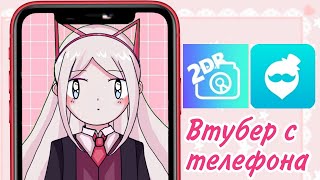

How to VTuber from Phone with Your Own Model
47sAddresses a highly requested niche topic with a clear step-by-step guide, appealing to aspiring VTubers.
▶ Play Clip"Title promises VTubing with custom model and Judge review, which the video delivers, though 2D model support is not fully covered."
This video tutorial explains how to use the Judge application on Android to create VTuber-style videos using a custom 3D model. The host demonstrates downloading the app, navigating its features, and importing a model for face tracking and animation.
The video addresses how to use a custom model with two phones, focusing on the Judge app available from the Q store or browser.
Judge can be downloaded from a browser by searching 'thank you up' or from the Q store. It is described as the Japanese equivalent of Google.
The app shows a cute anime girl; double-clicking the 2D button switches to 3D. Settings include lip sync and cosmetic details. Users can change poses and backgrounds.
To import a 3D model, navigate to Android/data folder, find the Judge app folder, and paste the model file (e.g., .vrm format). Then select it from the character menu.
Face capture works but may appear awkward due to model positioning. The app has bugs and freezes but is a good start for VTubing.
The app is useful for both established and beginner YouTubers. The host encourages comments on 2D model success and promotes a playlist of VTubing tutorials.
The Judge app provides a functional way to use custom 3D models for VTubing on Android, despite some bugs. It is a valuable tool for content creators looking to animate their models with face tracking.
What is the name of the app used for VTubing with custom models?
Judge
00:18
How do you switch from 2D to 3D in the Judge app?
Double-click the 2D button.
01:03
Where should you place a 3D model file for the Judge app?
In the Android/data folder, inside the Judge app's folder.
02:20
What file format is mentioned for 3D models in the Judge app?
.vrm
02:33
What is one limitation of the Judge app mentioned?
It has bugs and freezes.
03:21
Judge App for Custom Models
Introduces a solution for using custom VTuber models on Android, a common request.
00:182D to 3D Switching
Simple double-click feature to toggle between 2D and 3D modes.
01:03Model Import Process
Detailed steps to import custom models via file manager, essential for users.
02:07Face Tracking Quality
Acknowledges face tracking works but has quirks due to model positioning.
03:07App Suitability for Creators
Judge app is recommended for both new and experienced YouTubers despite bugs.
03:35[00:03] Hello everyone, Monica, I made a long-awaited video about how to make a if you have two phones with your model. I know that many people asked for it because programs like Reality or Customs involve
[00:18] creating your own model already in the application. What if you already have a ready-made to your phone? For this, we have the Judge application. We download it from the Q store. And the text on my channel has long been known about this
[00:33] application. You can download it from your browser. Type thank you up and browser. Type thank you up and download it. It's the Japanese equivalent of Google explanation, you can watch my video about Reality. I also explained how to
[00:47] download it there. In Kyiv, we type here. Then download here. This is what its page in the Code of Administrative Offenses looks like. I hope you remembered it. We downloaded it. And so, in the program itself, you see this cute anime girl at the top. We can see 2D and 3D.
[01:03] If we double-click on the 2D button, our character will become 3D. Let's look at the functionality of the program. If we click on the gear icon, there will be Settings if you need, you can transfer them through Google Translate, but they are not
[01:18] lip sync and other cosmetic details. To exit, click on these large icons and if you click on the dancing man icon, you can choose a different pose for your character. In principle, this is
[01:34] quite convenient. Also, on the icon with a photo, you can choose any other background for your character or set your video as a background or to your videos or a picture. You can also put your model here. I immediately say that I am explaining
[01:49] only using a 3D model as an example because I did not succeed with 2D. I tried several times, but for some reason it did not work for me, so I am not responsible for the 2D. I am simply informing you that you can
[02:07] So, how to do this is not easy. First, you need to your file explorer or file manager, depending on what you depending on what you call it, go to the folder and into the
[02:20] Android data folder, copy the application there. To . Elixir, labors, go to the file and go there, this is where our models should be stored.
[02:33] If your model is for Life 2D, then you should put it here in zip format. If it's for Heroes of the Test, Vera format, then find the 3D model where you saved it. Mine is in the downloads folder. I copy it, move it to the internal
[02:50] shared storage of Android data files, paste it there. Now go to the little man icon and simply select our model. Next, move on and there you have your model. Save it here. As you can see, the face capture is not bad here, although it's
[03:07] quite strange and looks awkward. At first, I thought it was something because of the model in the example, but then it turned out that this is the caviar model, what is it like for all froze a little because I still hold it a little lower and keep my face
[03:21] higher towards you. In principle, the most difficult thing in this application is dragging the model itself. Yes, but it's not perfect. There are a lot of bugs and freezes in it, but it seems to me to be a pretty good start. In principle, it copes with its
[03:35] let you down when you make your videos. It's spin my 2D model, but for those who try, I'll ask those who try to write to me in the comments whether it worked for you or
[03:49] not. But several times these disadvantages of the application are really good and can be useful for both established YouTubers and beginners. And that's all, I hope we also found the lead useful to you. I have a whole playlist of
[04:03] useful videos for YouTubers. There are lessons on how to lead and reviews of various programs, various comparisons, so if you are a YouTuber, I'm sure you will find Subscribe to me, leave comments, like, and that's all.
[04:19] comments, like, and that's all. Thank you very much everyone, bye.



⚡ Saved you 0h 04m reading this? Transcribe any YouTube video for free — no signup needed.