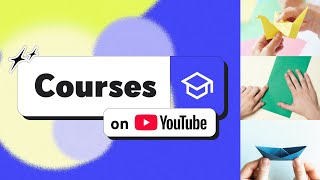

What Are YouTube Courses? New Feature Explained
39sViewers get a quick, exciting intro to a new YouTube feature with badges and progress tracking.
▶ Play Clip"Delivers exactly what the title promises: a clear, step-by-step tutorial on creating a Course in YouTube Studio—no filler, no bait."
YouTube Courses are a structured, multi-lesson learning format available in YouTube Studio. This tutorial explains two ways to create a course—building one from scratch or converting an existing playlist—and walks through the editing, analytics, and eligibility requirements. It also covers essential rules such as educational content, age accessibility, and a minimum of three videos.
YouTube Courses offer a dedicated page, discussion sections, progress tracking, and completion badges for structured, multi-lesson learning.
Creators can either build a new course from scratch or convert an existing playlist into a course.
Click 'Create,' add a title and description, and set the visibility of the course.
Use 'Add Videos' or 'Use existing videos' to populate the course with content.
In YouTube Studio, go to the Content page's Playlist tab, open the three-dot menu, and select 'Set as Course.'
Courses can be edited in both the Playlist and Courses tabs; use the edit icon for title/description and the analytics icon for views and watch time.
Courses must follow YouTube's Community Guidelines; otherwise, they may be converted back to a standard playlist.
Courses must be educational, accessible to all ages (no age-restricted content), and include at least three videos without repeats or other channels' videos.
YouTube Courses offer a simple way to structure educational content, but creators must meet eligibility requirements like educational purpose, age accessibility, and a minimum of three videos.
What are the key features of YouTube Courses?
A dedicated page, discussion sections, progress tracking, and completion badges.
What are the two ways to create a Course?
Create a new course from scratch or convert an existing playlist.
00:12
How do you convert a playlist into a Course?
In YouTube Studio, go to Content > Playlist tab, click the three-dot menu, and choose 'Set as Course.'
00:54
What must a Course contain to be eligible?
At least three videos, no repeats, and no videos from another channel.
01:50
What content types are considered educational for Courses?
Examples include explaining a math equation or showing how to build something.
01:36
What happens if a Course doesn't meet requirements?
YouTube may convert it to a standard playlist.
01:22
Where can you edit a Course's title and description?
In both the Playlist and Courses tabs using the edit icon.
01:06
What are the age accessibility requirements for Courses?
Courses can't have age-restricted content.
01:50
Two creation paths
The flexibility to start fresh or convert an existing playlist makes Course creation accessible to all types of creators.
00:12Enforcement of guidelines
YouTube actively monitors Courses and can revert them to playlists, so compliance is not optional.
01:22Three-video minimum
Courses must have at least three videos, guaranteeing a genuinely multi-lesson experience.
01:50Original content only
Repeated videos or other channels' uploads are prohibited, ensuring Course content is original and varied.
02:02[00:00] YouTube Courses are a way to offer structured, multi-lesson learning experiences YouTube courses come with a dedicated page and features like discussion sections, progress tracking, and completion badges,
[00:12] There are two ways to create a Course, or convert an existing playlist of your YouTube videos into a Course.
[00:24] To create a Course, Next, click “Create”, Now, you can add a title and description and set the visibility of your course.
[00:39] When your course is made, click “Add Videos.” or “Use existing videos.” Now, let’s talk about how to turn an existing playlist from your channel into a Course.
[00:54] In the YouTube Studio page, open the Content page and go to the Playlist tab. Then, click the three dot menu and choose “Set as Course.”
[01:06] Note that courses can be edited in both the Playlist and Courses tabs. To make edits, click the edit icon to make changes to the title, description, And, press the analytics icon to see views, watch time,
[01:22] All YouTube Courses must follow our Community Guidelines and If your Course does not meet these requirements, YouTube may convert it to a standard playlist.
[01:36] Courses need to be educational in nature. like a math equation, or show how to do something, like building a cabinet.
[01:50] Second, they must be “accessible to all ages.” Courses can’t have age-restricted content. And lastly, Courses must “provide extended learning” and have at least three videos.
[02:02] They can’t repeat videos or include another channel’s videos. Subscribe to YouTube Creators for more tips and tricks!
⚡ Saved you 0h 02m reading this? Transcribe any YouTube video for free — no signup needed.