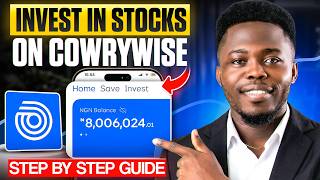

How to Start Investing in Stocks on Cowrywise
44sBeginners are always looking for clear, step-by-step guides on how to start investing, and this clip provides a straightforward introduction.
▶ Play Clip"Title accurately describes a full beginner tutorial for stock investing on Cowrywise."
This video provides a step-by-step tutorial for beginners on how to buy, sell, and withdraw stocks using the Cowrywise app in Nigeria. It covers the entire process from account setup to executing trades and managing investments, including explanations of fees, market hours, and key features like watchlists and indices.
The tutorial covers buying stocks, selling stocks, withdrawing money, and using the Cowrywise app interface.
Navigate to the 'Invest' section on the home page, then select 'Nigerian Stocks' to view available stocks.
Trading is only possible between 9:30 a.m. and 4:00 p.m. Nigerian time, Monday to Friday. Orders placed outside these hours are queued.
The 'Market Summary' shows top stock performance over various periods. The 'Watchlist' allows users to follow specific stocks for monitoring.
NGX 30 lists the top 30 stocks. Indices measure performance of stocks in specific industries (e.g., oil & gas, consumer goods).
Search for a stock, view its price and details (financials, P/E ratio, dividend yield), then click 'Buy'. Enter the number of shares and confirm.
Fees include stamp duty, brokerage, SEC fee, VAT, and trade alert. A 10% buffer covers price changes; unused amount is refunded to stash.
View returns (appreciation, dividends, overall) in the portfolio. Enable automation for recurring investments (weekly/monthly).
Go to the stock overview, click 'Sell', enter the number of shares, and confirm. Proceeds go to the stash wallet.
From the stash, select 'Withdraw to Bank'. Withdrawals are processed after 24 hours for security.
The Cowrywise app offers a straightforward platform for beginners to invest in Nigerian stocks, with clear steps for buying, selling, and withdrawing funds. Understanding market hours, fees, and the buffer system is essential for successful trading.
What are the trading hours for the Nigerian stock market?
9:30 a.m. to 4:00 p.m. Nigerian time, Monday to Friday.
01:51
What is the purpose of the 10% buffer amount when buying stocks on Cowrywise?
It covers any price changes; unused amount is refunded to your stash.
07:03
List the fees charged when buying stocks on Cowrywise.
Stamp duty, brokerage fee, SEC fee, VAT, and trade alert.
06:51
How long does it take to withdraw money from Cowrywise to your bank account?
Withdrawals are processed after 24 hours.
13:55
What does NGX 30 represent?
The top 30 stocks in the Nigerian stock market.
03:48
What is the meaning of an index in the stock market?
An index measures the performance of stocks in a particular industry.
04:13
How can you automate your stock investments on Cowrywise?
Enable automation in the stock details page, choosing weekly or monthly frequency.
09:29
What happens if you place a buy or sell order outside market hours?
The order is queued and processed when the market opens.
02:04
Market Hours
Essential for timing trades correctly; orders outside hours are queued.
01:51NGX 30 and Indices
Helps investors understand market segments and top performers.
03:48Fee Breakdown
Transparency in costs helps investors calculate net investment.
06:38Buffer Amount Explained
Prevents order failure due to price fluctuations; unused funds returned.
07:0324-Hour Withdrawal Policy
Security measure to prevent unauthorized withdrawals.
13:55[00:01] step-by-step guide on how to buy stocks and invest in stocks on the Cowrywise be showing you in this video. Also in this video, I'll be showing you how to Cowrywise app. I'll be showing you how to actually sell your stocks whenever
[00:15] I'll be showing you how to withdraw your money from your Cowrywise account directly to your bank account. And right here in front of me is my phone where step-by-step guide of everything I've just mentioned in this video. Now,
[00:29] new to our YouTube channel, welcome to Personal Finance Circle where we teach your money, and how to invest your money the right way. So, if you're interested in topics like this, please like this video first, then go ahead and subscribe
[00:42] to our YouTube channel. We are trying to hit 10,000 subscribers really soon. Thank you. So, as you can see right here on the screen, this is the home page of page looks like. But, in case you don't have a Cowrywise account yet, you can
[00:55] this video or the link in the pinned comment of this video to create a created your account and you've logged in, this is what you'll see on the home page. Now, to go ahead and invest in stocks, you come here to where you have
[01:09] invest. So, you click on it. Now, once you get to the investment page, come So, you can only invest in Nigerian stocks on the Cowrywise app. So, you come here and click on it. Now, once you click on it, this is what
[01:23] don't have any stock on the Cowrywise app. Now, to go ahead and invest in stocks, you come here to click on this plus button. So, I'll click on it. you can see the different stocks that you can invest in on the Cowrywise app.
[01:37] There are a lot of Nigerian stocks that you can find right here on the Cowrywise how to actually buy or invest in stocks on this app, please I want to let you know that the Nigerian stock market is a market that you can trade between the
[01:51] market that you can trade between the hours of 9:30 a.m. to 4:00 p.m. Nigerian time. Now, anything outside these hours I've mentioned, you cannot buy or sell Exchange app or any app that you're using to trade your stocks. So, you have
[02:04] to wait for 9:30 a.m. to 4:00 p.m. to actually do all of this trade right please if you're trying to maybe sell your stocks or buy stocks outside these through, it is not a mistake, it is not an issue, it is actually normal. So, you
[02:20] mentioned. So, that's by the way. Now, let's go on with the video. Now, you can want to go ahead and invest in stocks, first you have where you can see market summary. It says, "See how top Nigerian stocks are performing." So, when I click
[02:34] show me how some of the top stocks in Nigeria are actually performing right that are performing within the last 1 day, just click on 1 day here and then here. If you want to see within the last 1 week, 1 month, um year-to-date, the
[02:51] last 1 year, and all time, you can always see it right here. So, that's performance of these stocks. But, outside that, if you go back, you can click on the watch list right here. Now, any stock I'm adding to my watch list,
[03:05] to be maybe watching or stocks I want to be looking out for maybe day-to-day or every day I want to monitor how they are performing. Or maybe you can even add just so that you can be able to check them right there. Or maybe you can even
[03:19] there. So, it's just like where you can have your own selected stocks. So, you So, let's say for example, I want to add some some stocks. Um let me click on let's say I want to add Wema Bank. I'll just click on this Wema Bank right here.
[03:35] here and click on follow. So, once I click on follow, it will load and then you can see stock added to your watch list. So, let's go back. have one stock right there. So, like I said earlier, if you have some maybe
[03:48] right here to your watch list, then you can go ahead and do that. And then right here, if you come to where you have NGX 30. Now, NGX 30 is showing you the top 30 stocks in the Nigerian stock market. That's just what That's where you have
[04:01] this NGX 30. So, if I click on it, you see that you have 30 stocks right here. now in the Nigerian stock market. So, click on indices, now a lot of people don't know the meaning of these indices.
[04:13] indices that actually measuring the performance of stocks in a particular industry. That's just the meaning. So, for example, if you look at this NGX oil and gas index, it means that it is actually measuring the performance of
[04:26] stocks in the oil and gas industry. So, that's basically the meaning. If you scroll up, you see where you have these consumer goods. So, it means that it is actually measuring the performance of stocks in the consumer goods industry.
[04:38] And so on like that. So, you can see the different indices that you have right seeing the different categories of stocks. You have stocks under construction, stocks under industrial goods, stocks under health, stocks under
[04:50] consumer goods, and so on like that. So, you have a lot. So, I don't want to have a lot right there. So, let's say for example, I want to invest in stocks said earlier, if you want to invest in stocks, you come back and click on this
[05:03] come here and search for the stock you example, I want to invest in Wema Bank. I'll just come here and click on Wema example. And by the way, if you want to see my top 10 stocks to buy every month,
[05:16] I upload that on the first week of every month on this YouTube channel. So, if for this current month, just go ahead to our YouTube channel. Just check our video right there. So, let me go on with this example. So, like I said, if you
[05:30] want to buy this stock, you can see that the current price of Wema Bank PLC is 35 naira 95 kobo. But, if you actually want to see more details about any stock, can see the financials, you can see the order book, you can see the P/E ratio,
[05:44] cap, too, which is very important. Can see the dividend yield, which is 3.48%. You can see different information about this company. You can see about uh you can see the company details right here. You can see the dividend history,
[05:58] definitely see it right there. Well, I don't want to waste your time and take main aim of this video is to show you how to buy or invest in these stocks on Cowrywise. So, if you want to go ahead and buy, just click on buy right here.
[06:11] thing is to enter the number of shares you want to buy. Now, remember that one share is 35 naira 95 kobo. So, let's say for example, I want to buy like, let's say let's say just 4,000. Let me see. 4,000 shares. So, for 4,000 shares, the
[06:26] 4,000 shares. So, for 4,000 shares, the estimated value is about 143,800. okay with that amount, just click on continue. Now, once you've seen that, you'll see the summary of what you're about to buy or invest in on the screen.
[06:38] Now, you can see that the estimated amount I'm investing is 143,800. Now, the estimated fees for this uh transaction is 2,644. And if you click on this drop-down arrow, they've broken down to you what's
[06:51] uh each fee is used for or where the fees are coming from. So, you can see all of the fees right here. You have stamp duty, brokerage fee, SEC fee, VAT, and trade alert right there. You have all of the fees right there. And then we
[07:03] come here to where you have buffer amount, which is about 14,600. the meaning of this amount. Now, let me explain to you. Now, if you click on this eye right here, you see that it says a 10% buffer is charged to cover
[07:15] any price changes. Unused amount will be refunded to your stash. Let me explain time you actually go ahead with this transaction, let's say for example, the maybe it has gone down. If it has increased, they will actually be using
[07:29] because if it has increased, that means that you're actually spending more money. I hope you get. So, they will use part of this buffer amount and add to time you go ahead with this transaction, the price is still the same, then they
[07:41] are not taking out of your buffer money. Your buffer money, like they said, will stash is like your wallet on the Cowrywise app. I hope you understand. So, once you've seen that, just click on okay, and then just come here and click
[07:54] on buy now. So, again, you can see the total amount I'll be paying is 161,089 And then right here on the screen, you'll be seeing the different ways you you want to make your payment through bank transfer, naira stash, or directly
[08:08] from your bank account that you have connected. So, for me, I've connected my see if it will go through. I'll just click on this, and then I'll just click on pay 161,339 naira. That's because of this 250 um
[08:22] naira processing fee. So, I'll just go ahead and do that. And you can see in 2 seconds, uh order in progress. Your purchase of Wema Bank keep you updated on the status. So, you can see right here on the screen, it'll
[08:34] bring you to where you have your orders. And if I open this, uh this is the bought, 132,000 naira. You can see my shares. I have about 4,000 shares right there. My cost basis, this is the cost basis. The average cost, that means the
[08:47] cost I bought or the price I bought, that's about 35 naira 64 kobo. So, this transaction actually went through. So, any buffer amount that wasn't used will said earlier. I hope you understand that. And then, if you want to see your
[09:00] how to check that. So, if you want to see your returns, just click here where you have your returns. Click on this drop-down arrow. And then right here, appreciation. So, you can see it. It has gone down by 3%. That's 4,574.
[09:14] and down now. And then you can see total dividends. If you received any dividend, Overall returns, you can see your overall returns right here. And maybe lost. So, you can see that's gone down by 3% right now. And then if you scroll
[09:29] this uh automation. So, if you want to automate this whole process of investing, just click on this enable automation. So, let's say example, I click on it right there. And you can see it can be weekly or monthly. So, let's
[09:42] let's say I want to do first of every month, I'll just click on continue. That means that first of every month, I'll be investing a particular amount of money the meaning. So, they can be taking the money from my stash or from the bank
[09:55] account that I connect to my Cowrywise account. I hope you understand it. It's do that. So, that's exactly how you can invest in stocks, check your profit and all your loss on the Cowrywise app. Now, before I continue with this video, I
[10:10] launched my ebook on the Nigerian stock market guide for beginners. Now, this is not like every other ebook you have out there with a bunch of loads that you different. Now, let me tell you what you'll be learning from this new ebook
[10:24] you'll be learning how the Nigerian stock market works. A lot of people are just investing in stock. They don't even know how the stock market works at all. The second thing you'll be learning is how to actually analyze a stock before
[10:37] even know how to analyze stocks at all. You'll be learning this in this ebook. The third thing is you'll be learning how to build a diversified stock portfolio that will make you consistent income. Number four, you'll also be
[10:50] stocks that can be giving you passive income consistently. And number five, in the stock market, which is very, very important. A lot of people are just They don't understand risk management in the stock market. So, you'll be learning
[11:06] six, you'll also be learning how to invest from the diaspora. So, for those of you that are in the US, in the UK, or anywhere outside Nigeria, and also want to invest in the stock market, this ebook is for you. And lastly, you'll
[11:19] also be learning a realistic road map to building your first 1 million naira portfolio in the stock market, no matter your income at all. So, no matter your salary or the amount of money you're making every month right now, I stated
[11:31] or I built a way for you to build your first 1 million portfolio in the stock market. So, you can see that you are learning a whole lot from this ebook. Now, if you are getting this ebook right now, you can get this for 50% discount.
[11:44] you can get it for 50% discount and it you want to get it or if you are interested, click on the first link in the description of this video or you can check the pinned comment of this video
[11:57] for the link to get the ebook. Thank you and let's go on with the video. Now, your stocks because that's another thing a lot of people are going to ask me. Now, to sell your stocks, just come again right here to this overview on the
[12:09] stock. You see where you have sell. Now, click on sell right there. Now, please sell your stocks, it must be between 9:30 a.m. to 4:00 p.m. Monday to Friday. seen that, come here and enter the amount or the number of shares you want
[12:23] to sell. So, you can see I have 4,000 shares which I just bought. So, let's say for example I want to sell maybe 1,000 dollars shares or just enter 1,000 and the amount for that is 34,500. So, if I come here to click on continue,
[12:36] let's see. If I click on continue, you can see processing order. This is the amount I'll be receiving. Now, you come to the bottom side and you click on sell now. Now, once I click on sell now, my money will be transferred to my stash
[12:49] selling, this amount I'm getting, it will be transferred to my stash wallet. But, I don't want to sell this now. Let's just go back. So, once you've sold wallet. And right here where you have your portfolio is where you can see your
[13:02] total value and then you can see all the stocks that you have on Cowry Rise right just the Wema Bank I just bought. So, let's go back to the home page and let's check the stash wallet and see if the buffer amount that wasn't used was
[13:14] transferred back right there. So, let's just go. So, you just click on this back We are back to the home page. So, just come here to where you have stash. Let's Um let me open it. So, you can see this is the amount I have right there, which
[13:27] is about 12,000 Naira. So, this is the buffer amount that wasn't used. So, I back to my bank account. And once you sell your stocks, too, once you get your example, you want to now withdraw your money after you sold your stocks. You
[13:41] account. It is simple, too. Now, to withdraw it, just come to where you have right here, withdraw to bank. I'll just click on it. And then you can see right here, withdrawals will now be processed after 24 hours. That is something you
[13:55] means is that on Carrywise, once you make a request for a withdrawal, you get your money in your bank account 24 hours after that request. I hope you instantly. And this is actually because of security or to secure your funds. I
[14:09] hope you get it. Or to make sure that it is you who is actually uh requesting for you go ahead and click on continue, then the money is transferred to your bank your bank account, and they transfer the money directly to you. It is as simple
[14:23] as that on Carrywise. So, that is exactly how you can buy stocks or invest in stocks on the Carrywise app. It is simple and straightforward. And for to invest in stocks, I also have a video on that. If you want to learn the same
[14:36] Bamboo app, I'll put the link in the description below. Or you can ask for it in the comment section of this video. I will reply to your comment with a link to the video. And also, I'm currently building a personal finance app called
[14:49] Grony right here. Grony is a simple budgeting app that will help you to finances the right way. So, if this is an app that you want to use, you can also join the waitlist for Grony. And the link will also be in the description
[15:01] below. So, please go ahead and join the waitlist so that once the app is ready, forget, if you want to check out my top 10 stocks to buy every month, just ask for the link in the description below. Or just go to my recent videos on this
[15:14] YouTube channel. Thank you for watching, and I'll see you in the next video. Bye.




⚡ Saved you 0h 15m reading this? Transcribe any YouTube video for free — no signup needed.